

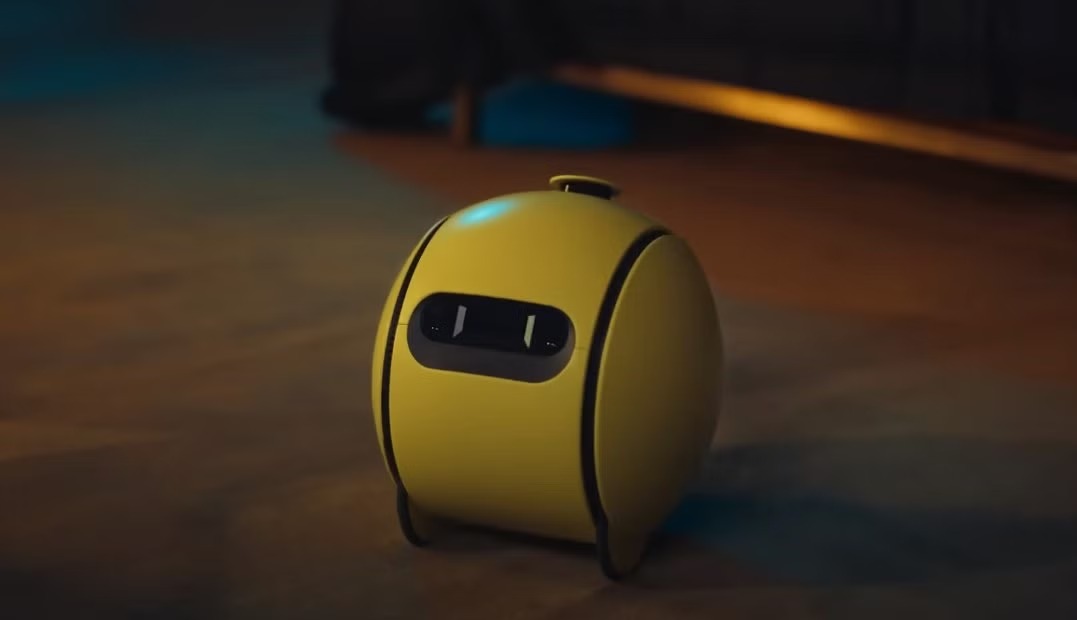
Samsung’s AI-powered home robot Ballie has been one of the company’s most closely watched projects for years. Although Samsung has repeatedly said that the product is nearing launch, the small robot remains a concept product to this day.
However, a newly leaked set of design sketches offers the first look at the software experience Samsung has planned for Ballie. A series of early UI (user interface) design sketches reveal the general layout of the AI robot’s companion app, although the app’s name and icon have not yet been finalized.
Based on the sketches, the app does not directly use the name “Ballie,” instead referring to the device as “Home Robot.”
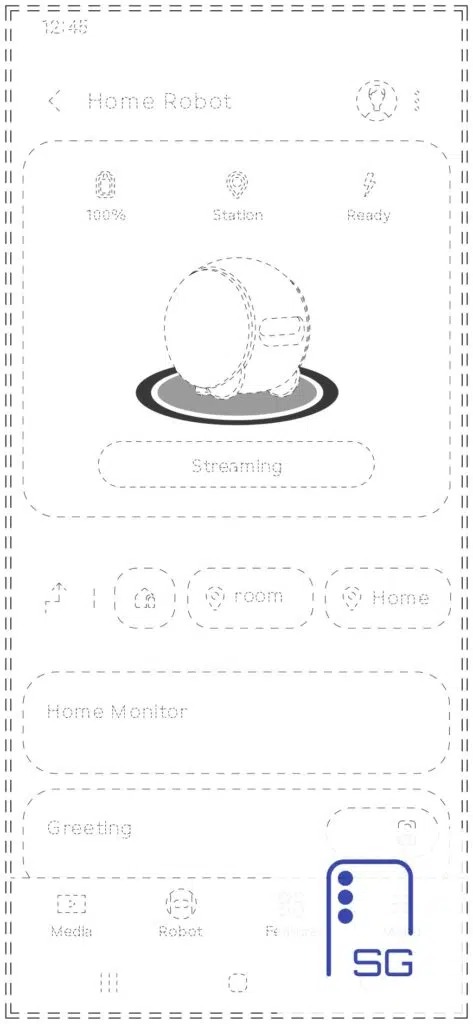
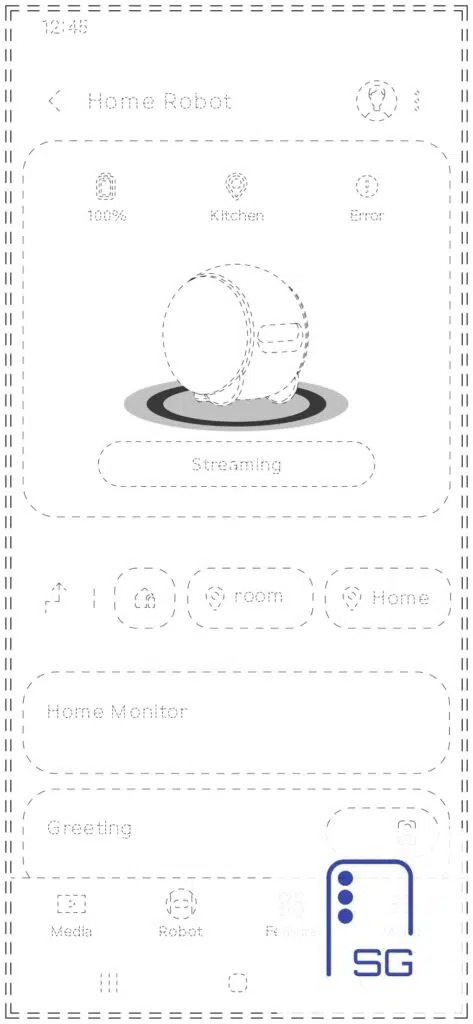
The app’s main interface centers on a large status card that displays information about the robot. The top of the interface shows Ballie’s battery level, current location (such as docked at the charging base, in the kitchen, living room or another room), and current status (such as “Ready” or “Error”). A prominent “Streaming” button is also located in the center of the page.
It is not yet clear exactly what “Streaming” refers to. It likely allows users to remotely view live footage from Ballie’s built-in camera, giving it the added function of a mobile home security camera.
In fact, the main interface also includes feature cards called “Home Monitor” and “Greeting,” further hinting at some of Ballie’s intended functions.
Notably, the “Greeting” module includes a toggle switch, suggesting that users may eventually be able to enable personalized greeting features. When Ballie detects someone coming home, it could proactively greet them. Samsung previously demonstrated Ballie’s ability to recognize family members and interact with them.
For home monitoring, Ballie appears to require a multi-step initialization and setup process.
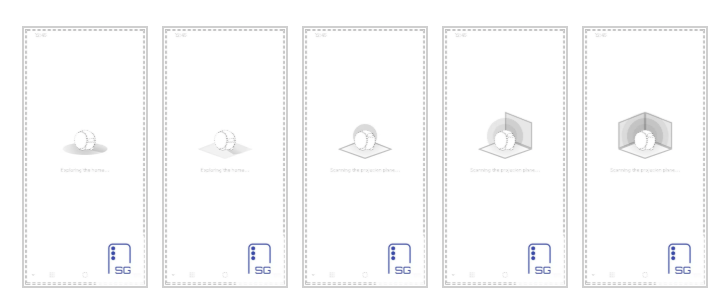
According to the design sketches, the robot will first move around indoors to scan the home environment and generate a map of the house. Since Ballie is equipped with a built-in projector, it will also automatically search for walls or other flat surfaces suitable for projection and save these locations as projection areas.
Samsung previously said that the projector can not only display various types of information, but also play videos, show fitness guidance content and support video calls.
Of course, these design sketches do not prove that the final retail version will use the same interface or features, but they offer the first glimpse of Samsung’s overall vision for Ballie’s software experience.
Based on these designs, Ballie will likely be deeply integrated into Samsung’s SmartThings smart home ecosystem and serve as the core control device for the entire smart home system—provided, of course, that the robot ultimately launches.