
- Monthly visits
- 0
- Pricing
- Not set
- Listed
- —
- Updated
- 2026-10-07
01What Is Meet Miaoji?
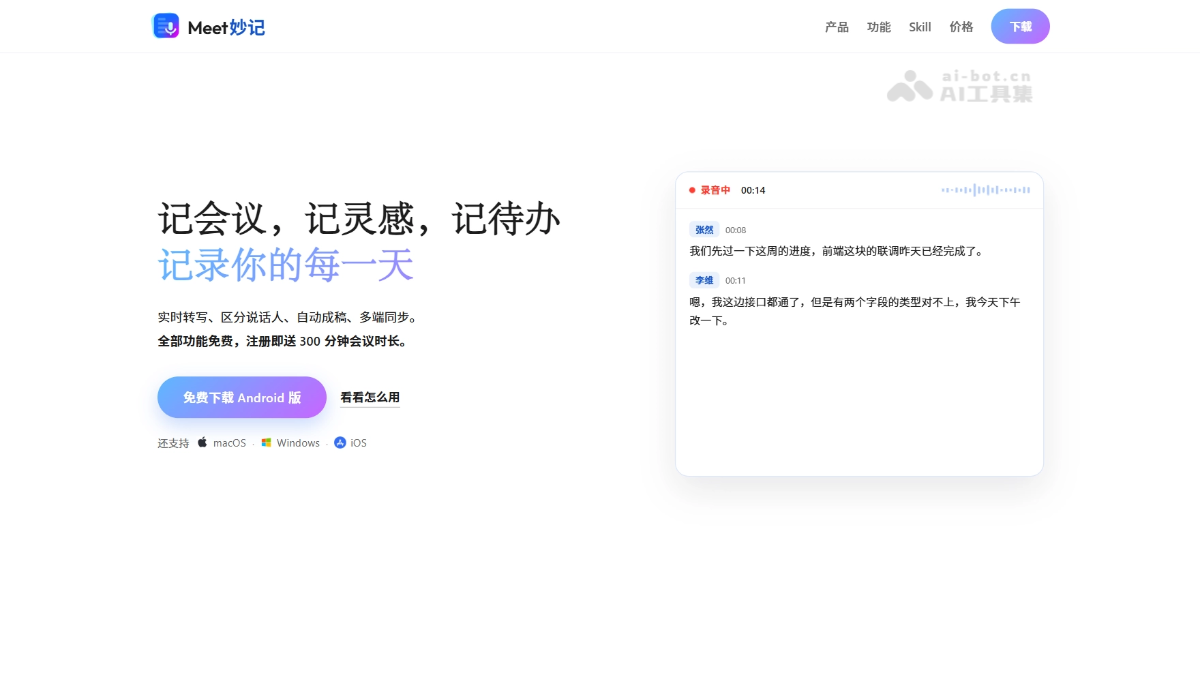
Meet Miaoji is an AI meeting notes tool built around “tap to record, transcribe as you speak, and have a draft ready when the meeting ends.” It supports real-time speech-to-text transcription, automatic speaker identification, and AI-generated summaries, key points, and action items. On mobile, you can record with one tap, and recording continues in the background even when the screen is locked. On desktop, it can capture computer audio from online meetings and provides a meeting statistics dashboard. Miaoji Skill lets you connect your notes to a local AI assistant with a single command for conversational search and summaries. Meet Miaoji supports synchronization across iOS, Android, macOS, and Windows.
02Key Features of Meet Miaoji
Real-time transcription: Convert speech to text while recording, automatically distinguish different speakers, and have a complete draft ready when the meeting ends.
AI meeting notes: Automatically generate meeting summaries, key points, conclusions, and action items.
One-tap recording: No need to create a meeting in advance. Open the app and tap once to start recording. Recording continues uninterrupted when the screen is locked or you switch apps.
System audio capture: The desktop app can directly capture computer system audio, enabling clear recording of online meetings without playing them through speakers.
Meeting statistics: Automatically summarize and display the number of meetings, total duration, duration breakdown, and longest meetings, making it easy to understand where your time goes.
Miaoji Skill: Connect your personal notes library to a local AI assistant with a single command for conversational search, summaries, and action-item extraction.
Image-to-text capture: Photograph whiteboards, PPT slides, and other physical or on-screen materials during a meeting to recognize text and automatically archive it to the relevant meeting.
Cross-device sync: Supports iOS, Android, macOS, and Windows, with records synced to the cloud in real time for access anywhere.
03How to Use Meet Miaoji
Download and register: Visit the Meet Miaoji website at https://www.mionote.com.cn/, or download the Meet Miaoji app.
Start recording: Open the app and tap the record button to begin.
Wait for the draft: After recording ends, the system automatically transcribes the audio and identifies speakers. AI then generates summaries, key points, conclusions, and action items.
Review and edit: Find the relevant record in the meeting list, review the full transcript and AI-generated notes, and manually edit or correct the content as needed.
Record online meetings: Install the desktop app and enable system audio capture to directly record audio from online meetings such as Tencent Meeting.
Archive materials: Photograph whiteboards, PPT slides, and other content during the meeting. The system automatically recognizes text in the images and files it under the relevant meeting.
Connect an AI assistant: Run npx skills add mionote/my-mionote -g on your computer to connect your personal notes library to a local AI assistant for conversational search.
04Core Advantages of Meet Miaoji
Effortless recording: No meeting creation or advance setup required. Open the app and tap once to record, making it easy to capture even an impromptu meeting.
Uninterrupted recording: Recording continues normally when the screen is locked or you switch apps, so you can capture complete conversations while commuting, in the car, at meals, and in other settings.
System-level audio capture: The desktop app directly captures computer audio, so online meetings can be recorded without playing sound through speakers, improving transcription clarity and accuracy.
Fast draft generation: Recording is automatically transcribed with speaker identification as soon as it ends, while AI generates summaries, key points, and action items, so the draft is ready when the meeting ends.
Conversational notes: Connect Miaoji Skill to a local AI assistant with a single command, allowing your personal AI to search, summarize, and extract action items from your notes while keeping the data in your hands.
Cross-platform sync: iOS, Android, macOS, and Windows devices sync to the cloud in real time, enabling a seamless workflow from recording on your phone to organizing on your computer.
05Use Cases for Meet Miaoji
Daily work meetings: When you are pulled into a meeting unexpectedly, simply take out your phone and tap once to record. Get complete notes and an action-item list as soon as the meeting ends.
Online meeting records: Enable system audio capture on the desktop app to directly record audio from online meetings such as Tencent Meeting, then automatically transcribe it after the meeting.
Client interviews and user research: Record the entire interview while distinguishing both speakers. AI automatically extracts key points and conclusions to make subsequent insight reports easier to prepare.
Classes and training: Capture lectures and training sessions as you listen, photograph and archive whiteboards and PPT slides, then review AI-generated key-point summaries after class.
Ideas and action items: Record ideas and tasks while commuting or walking. Background recording continues uninterrupted, and you can later use an AI assistant to search and review them conversationally.
© Disclaimer: domains and linked content may change over time. AIEZZ does not control third-party websites. Review external content and risks independently.
User reviews0