
- Monthly visits
- 0
- Pricing
- Free & Paid
- Listed
- 2026-08-10
- Updated
- 2026-08-10
01What is LayerBack
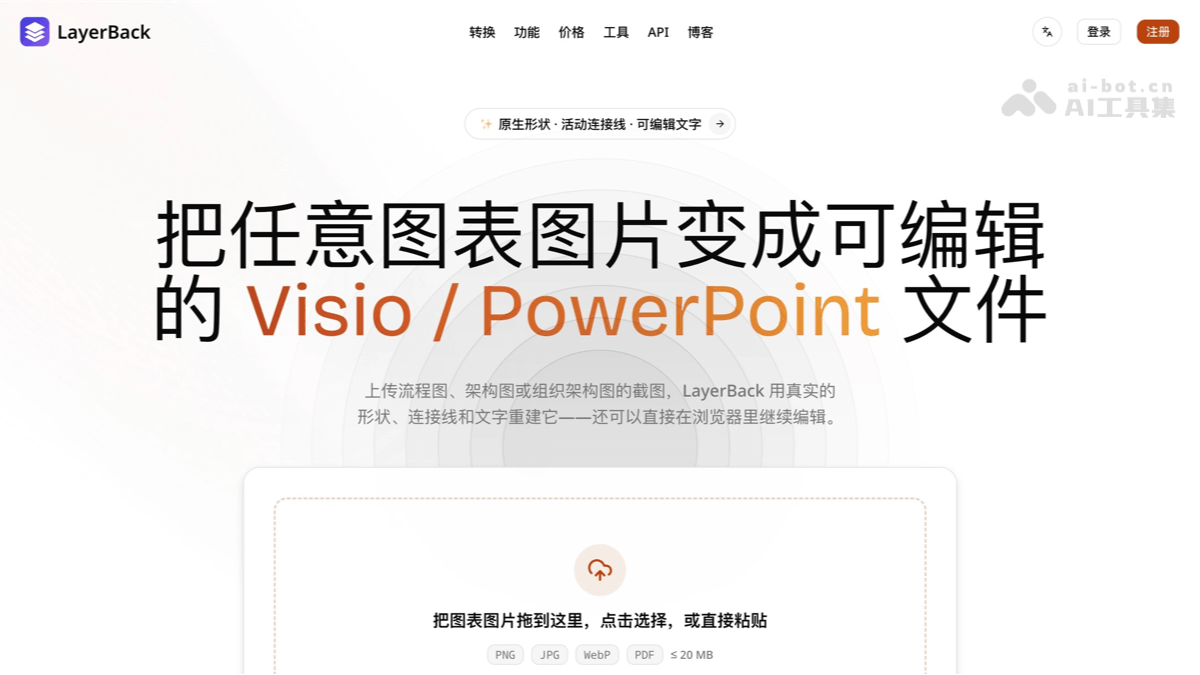
LayerBack is an AI-powered diagram image conversion tool. Users only need to upload a screenshot of a flowchart, a system architecture diagram, or a photo of a whiteboard, and LayerBack can “understand” the shapes, connectors, and text in the image like a human, reconstructing them as truly editable Visio (VSDX), PowerPoint (PPTX), draw.io, and SVG files—not simply embedding the original image inside a file container. Online fine-tuning in the browser is supported. REST API and MCP Server integrations enable seamless integration with AI Agent workflows such as Claude and Cursor. Sign up to receive 2 free conversions, and uploaded files are automatically deleted after 72 hours, balancing efficiency and privacy.
02Key Features of LayerBack
One-click conversion of images into editable diagrams: Upload PNG, JPEG, WebP, or PDF files, and AI automatically identifies and reconstructs the diagram structure, eliminating tedious manual tracing.
Truly editable native objects: Every rectangle, diamond, text element, and arrow is a real object; when nodes are moved, their connected lines automatically follow and adjust.
One conversion, four formats: Each conversion outputs VSDX, PPTX, draw.io, and SVG simultaneously, with no need to consume credits repeatedly for different formats.
Coverage of multiple diagram types: Supports common types such as flowcharts, system architecture diagrams, UML diagrams, ER diagrams, organizational charts, and network topology diagrams.
Online browser editing: After conversion, directly edit text, adjust the layout, and change the color scheme in the browser before exporting again.
Reconstruction of screenshots and whiteboard images: Document screenshots, PDF captures, and clear whiteboard photos can all be processed.
API and MCP integration: REST API + Webhook callbacks support batch automation; npx -y layerback-mcp gives any MCP client diagram conversion capabilities.
Free trial and privacy protection: Sign up to receive 2 free conversions, failed conversions are automatically refunded, and files are automatically deleted after 72 hours.
03How to Use LayerBack
Sign up and log in: Visit the Layer Back official website at https://layerback.com/, create an account, and automatically receive 2 free conversion credits with no credit card required.
Upload an image: Drag and drop, click to select, or directly paste a diagram image from the clipboard (PNG/JPG/WebP/PDF, ≤20MB).
Wait for AI reconstruction: In about 30 seconds, AI completes shape recognition and structural reconstruction.
Fine-tune online: Correct text and adjust the layout and color scheme in the browser editor.
Export and use: Download VSDX, PPTX, draw.io, or SVG as needed, then open the files natively in Visio / PowerPoint for further editing.
04Core Advantages of LayerBack
Reconstruction rather than packaging: Most converters on the market simply place an image inside a file container. LayerBack reconstructs the diagram itself, so every element can be moved, restyled, and rewritten.
Intelligent preservation of connections: Arrows remain attached to the correct shapes, avoiding the awkward situation where “the line is lost” during editing.
30-second conversion speed: The process from pixels to editable files takes about 30 seconds, far less than the hours required to redraw them manually.
Developer- and AI-Agent-friendly: OpenAPI specifications, polling-free Webhooks, and an MCP Server work together as a complete solution, naturally suited to 2026 Agent workflows.
Zero cost for failures: Credits are automatically refunded when a conversion is unsuccessful, reducing the hesitation associated with trial and error.
05Who Should Use LayerBack
Office professionals: Consultants, project managers, and product managers who need to restore diagram screenshots from PPT or PDF files as editable assets.
Technical teams: Engineers and architects who need to migrate legacy system architecture diagrams and network topology diagrams to Visio or draw.io.
Educators and researchers: Teachers and students who want to reuse diagrams from papers and textbooks.
Developers and automation teams: Use the REST API for batch diagram migration and document automation pipelines.
AI Agent users: Advanced users who want to give Agents such as Claude and Cursor the ability to “convert images into editable diagrams.”
06Frequently Asked Questions About LayerBack
A: Yes. The VSDX output is in native Visio format, and PPTX files can also be opened and edited directly in PowerPoint. All shapes, text, and connectors are real objects.
A: Paid plans include 3,000 credits per month (approximately 300 conversions). Each conversion consumes 10 credits and includes all four output formats. Failed conversions are automatically refunded.
A: Clear whiteboard photos can be processed, but recognition quality depends on image clarity. Photos with even lighting and no obstructions are recommended.
A: No. Uploaded files and conversion results are automatically deleted after 72 hours, and the platform does not retain user content long-term.
© Disclaimer: domains and linked content may change over time. AIEZZ does not control third-party websites. Review external content and risks independently.
User reviews0