

- Monthly visits
- 0
- Pricing
- Free
- Listed
- 2025-09-01
- Updated
- 2026-05-16
01Product Positioning
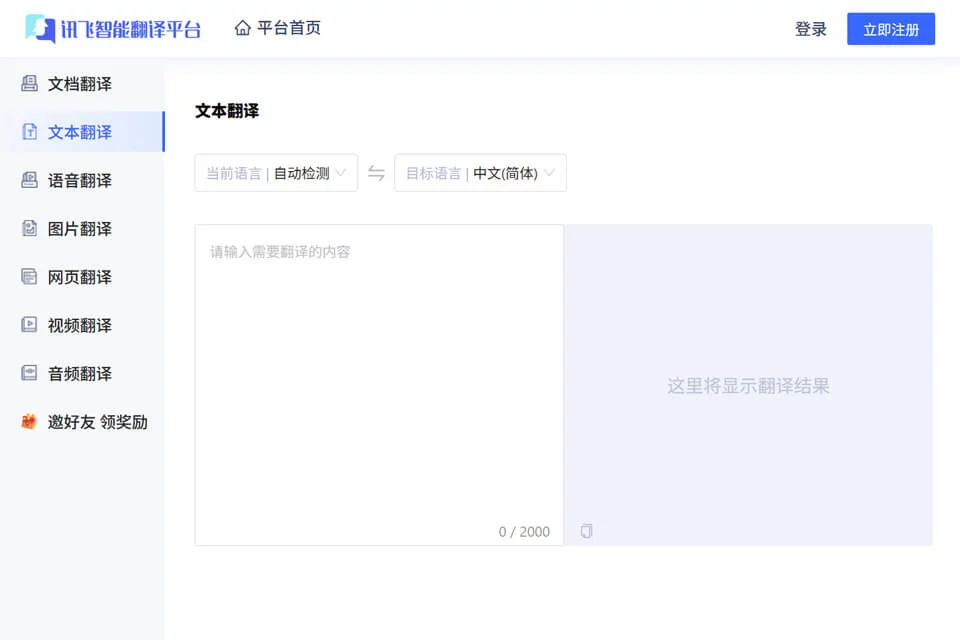
iFlytek Smart Translation is an AI translation tool that supports multiple input formats and was launched by iFlytek. It brings file, speech, image, and audio and video translation together in one product, making it suitable for everyday communication, cross-language materials, and content conversion tasks.
The product is positioned as a practical translation aid. It can be used for personal travel and learning as well as business documents, meeting communication, and multilingual content production.
02Key Features
Document translation supports formats such as PDF, PPT, and Word, while translated files can retain the original layout. Speech features include real-time conversation translation and simultaneous interpretation for meetings. Image translation can recognize text in menus, road signs, and other visual content.
The product also supports audio and video translation and can generate bilingual subtitles. It supports translation between multiple languages and provides glossaries for industries including foreign trade, healthcare, finance, and law. Commonly used languages such as Chinese, English, Japanese, and Korean support offline translation.
03Use Cases
For international business, it can process foreign-language contracts, presentations, reports, and meeting content. Users in foreign trade, finance, healthcare, and law can combine it with the corresponding industry glossaries for initial translations.
International travelers can use speech or image translation for menus, road signs, and on-site communication. Students and educators can use document translation to read foreign-language materials, while content creators can convert audio and video into bilingual subtitles to support multilingual content production.
04Usage Considerations
Layout preservation, industry terminology processing, and bilingual subtitle generation can improve efficiency, but automatic translation should not directly replace human review. For content involving contractual, healthcare, financial, or legal responsibilities, terminology, numbers, and context should be checked carefully before publication or use.
Offline translation does not cover every language or feature. Its availability depends on the commonly used languages actually supported by the product. Text clarity in images, audio quality, and the speaking environment may also affect recognition and translation results.
© Disclaimer: domains and linked content may change over time. AIEZZ does not control third-party websites. Review external content and risks independently.
User reviews0