

- Monthly visits
- 0
- Pricing
- Free & Paid
- Listed
- 2026-07-15
- Updated
- 2026-08-25
01Introduction to Paopao AI
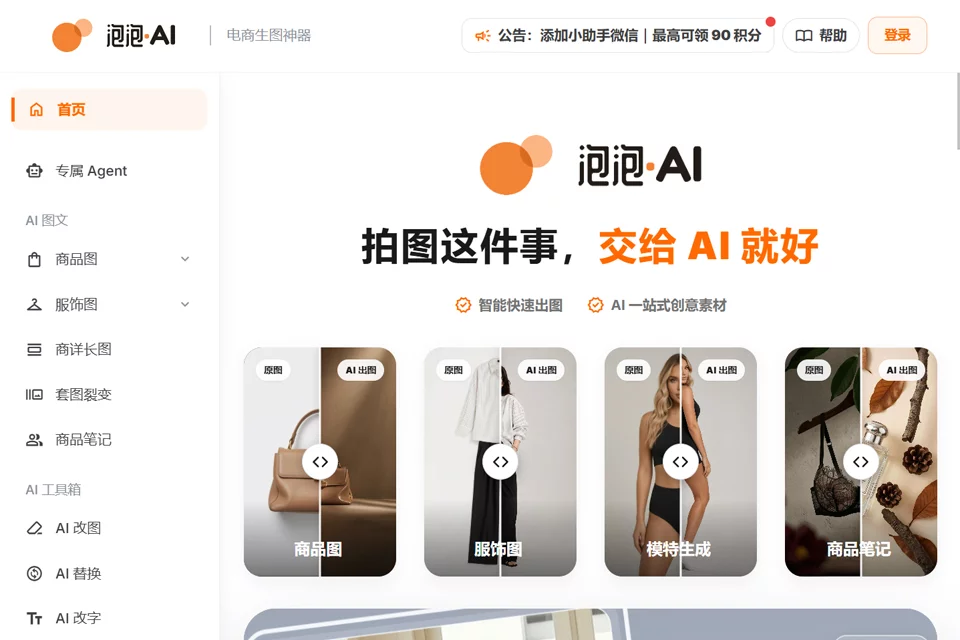
Paopao AI uses product or clothing images as the starting point for creating images in different commercial scenes, on-model clothing visuals, and AI model images. It offers creative entry points for product scenes, virtual try-on, AI models, and a free Agent. Generated results can be locally edited, replaced, have text changed, upscaled, and saved to history or the asset center.
02Who Paopao AI Is For
E-commerce Operations Teams
Upload product images and generate commercial scene assets for product hero images, detail pages, new product launches, and advertising campaigns.
Clothing Brands and Merchants
Use clothing images to generate on-model effects and pose variations for clothing showcases and marketing images.
E-commerce Designers
Start creating from templates, reference images, or historical assets, then edit, replace, and fine-tune generated results.
Content Marketing Teams
Generate image assets in different sizes and visual directions for product posts, social media, and advertising channels.
03Key Features of Paopao AI
Product Scene Image Generation
Upload a product image and select a scene, size, or desired result description to generate commercial images for product hero images, detail pages, and advertising campaigns.
Virtual Try-On for Clothing
Upload a clothing image to generate an on-model clothing effect for apparel showcase images, with options to continue refining the generated result.
AI Model Generation
Create product showcase images with the AI model feature, combining clothing content and pose settings to generate the desired scene.
Free Agent Creation
Select the free Agent during the creative process and use images, templates, or text descriptions to define the desired visual result.
Generated Result Editing
Continue editing generated images locally, replace elements, change text, and use the upscaling tool to improve fine details.
History and Asset Management
Save generated results to history or the asset center for easier retrieval, downloading, and reuse in future image creation.
04Paopao AI Product Highlights
Focused on E-commerce Scenes
Organizes image generation capabilities around channels such as product hero images, detail pages, advertising campaigns, and social media, covering key e-commerce asset creation scenarios.
Integrated Product and Model Generation
The same workspace provides product scene generation, on-model clothing visuals, and AI model capabilities to support different product visualization needs.
Workflow from Generation to Reuse
Connects material upload, capability selection, image generation, result editing, downloading, and asset storage into a continuous creative workflow.
Multiple Starting Assets
Supports starting creation with product images, clothing images, reference images, or historical assets, allowing users to choose an entry point based on their available resources.
05Sources
© Disclaimer: domains and linked content may change over time. AIEZZ does not control third-party websites. Review external content and risks independently.
User reviews0