

- Monthly visits
- 0
- Pricing
- Free & Paid
- Listed
- 2026-07-03
- Updated
- 2026-08-25
01About Splotch
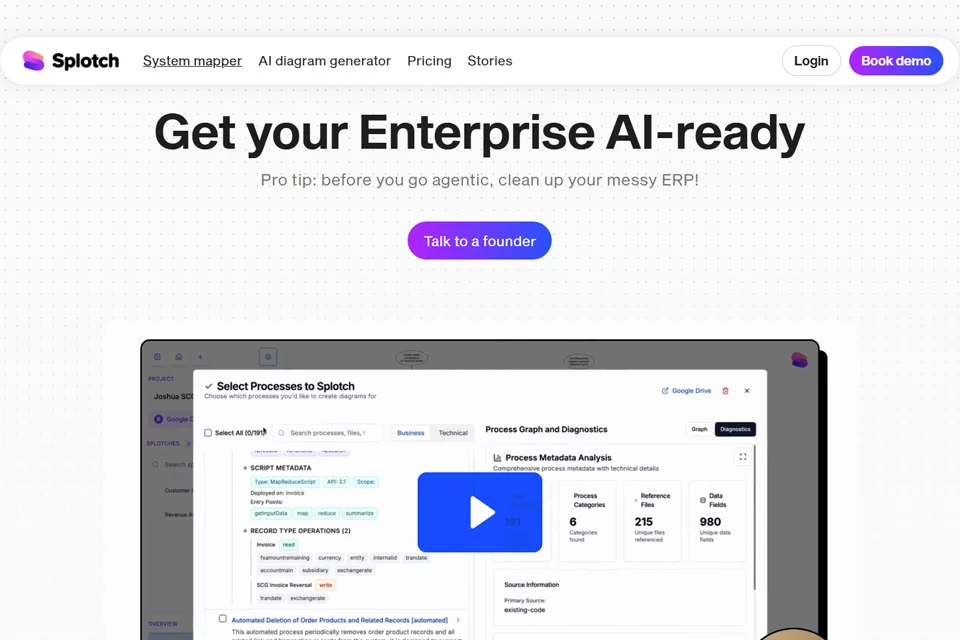
Splotch adds a layer of visualization and governance on top of existing NetSuite or Salesforce systems, without requiring enterprises to migrate their current ERP or CRM. Users can organize code, customizations, integrations, and dependencies into a system map, manage proposed modifications by version, perform impact analysis and sandbox testing, and retain detailed change audit records.
02Who Splotch Is For
Enterprise Operations Teams
Understand the structure of NetSuite or Salesforce systems and assess and advance business changes involving regions, product lines, or acquisitions.
System Administrators and Technical Consultants
Visualize XML, Apex, Java, or SuiteScript in existing instances and review customizations, integrations, and dependencies.
Systems Integrators
Map client systems before and after implementation projects, analyze downstream impacts, and validate and review proposed designs.
Business Leaders and Subject Matter Experts
Review proposed modifications before production release, participate in reviews, and collaborate on business feedback through project canvases.
03Key Splotch Features
System Visualization Mapping
Organize code, customizations, integrations, and dependencies in NetSuite or Salesforce instances into clearer, structured maps that help users understand system composition.
Change Version Management
Manage proposed system modifications by version, compare different approaches before changes enter production, and retain change records for future reference.
Impact Analysis
Analyze downstream CRM or ERP impacts of strategic initiatives, identify potential friction points, and help teams review relevant system relationships before release.
Sandbox Testing and Review
Keep proposed modifications visible, reviewable, and reversible before they enter production, with support for safe testing in sandboxes.
System Health Checks
Administrators can run health checks on their NetSuite or Salesforce instances, review the system map generated by Splotch first, and then decide how to proceed.
Process and Documentation Generation
Create process diagrams and system diagrams from prompts, written descriptions, or call transcripts, and generate project content from Google Docs and code repositories.
Synchronized Interactive Diagrams
Create interactive diagrams synchronized with source documents or code, with changes pushed between diagrams, text, and code where supported.
Project Collaboration Canvas
Invite members to project canvases, add comments, view real-time presence, and use sticky notes, notes, and arrows to annotate processes or system content.
04What Makes Splotch Stand Out
Covers Existing Core Systems
Splotch does not replace the NetSuite or Salesforce systems enterprises already use. Instead, it adds an interactive layer for understanding, modifying, and governing those systems.
Reversible Change Governance
The product makes proposed modifications visible, reviewable, and reversible, while audit records support change tracking.
From Diagrams to Source Code
Its interactive diagrams can synchronize with source documents, code, or both, and support content creation from Salesforce, NetSuite, and MS Dynamics code repositories.
Impact Analysis for Enterprise Systems
The product focuses on ERP, CRM, customizations, integrations, and dependencies to review downstream impacts before strategic changes or system integrations.
05Sources
© Disclaimer: domains and linked content may change over time. AIEZZ does not control third-party websites. Review external content and risks independently.
User reviews0