

- Monthly visits
- 0
- Pricing
- Free & Paid
- Listed
- 2025-11-06
- Updated
- 2026-08-25
01Product Positioning
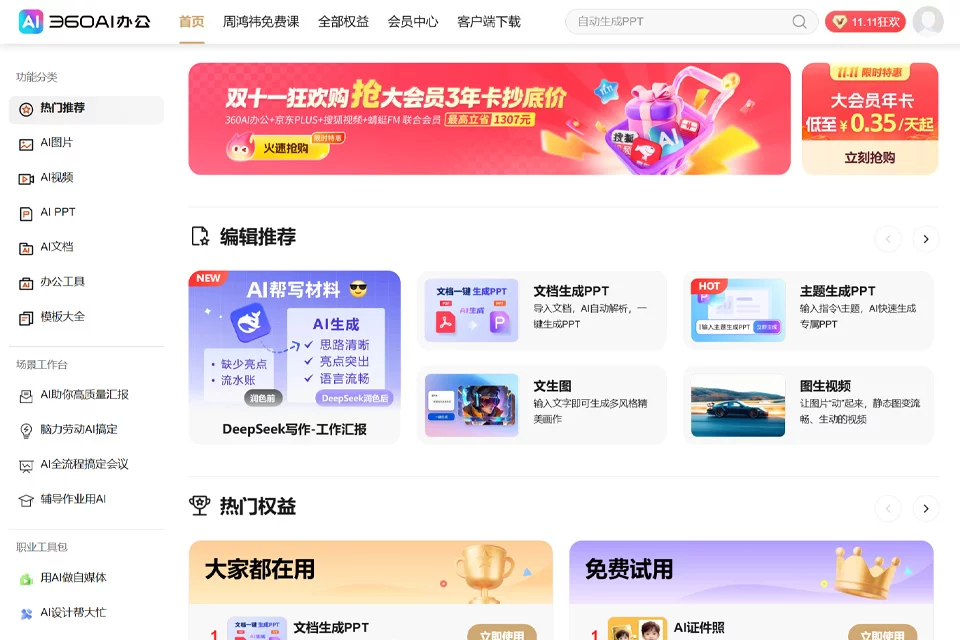
360AI Office is an AI toolset for everyday office work and content production. Powered by the “360 Zhinao” large language model, it brings a range of office functions together on one platform.
The product covers document processing, writing, presentations, image design, and audio and video production. It is suitable for users who need to process materials, write content, or create office assets. The platform offers both free and paid access.
02Key Features
The platform integrates more than 200 AI features, including AI document processing, AI writing, AI PPT, AI images, and AI audio and video tools.
Its PDF toolkit supports conversion between PDF and formats such as Word, PPT, and Excel, as well as merging, splitting, compression, and watermarking. It includes more than 80 related features. The platform also provides more than 300,000 PPT, Word, and Excel templates covering common office and learning needs.
03Use Cases
Workplace users can use it to organize documents, quickly review materials, summarize content, write weekly reports, and create presentations. Educators and students can use it for lesson preparation, courseware creation, academic writing, and organizing study materials.
Content creators and social media users can use it to develop copy ideas, generate images, and produce audio and video assets. Enterprises and teams can use these tools to create everyday documents and promotional materials, but the specific approach should be determined according to team workflows.
04Usage Notes
When using the platform, first select the appropriate tool for the task, then verify the file format, content requirements, and output. AI-generated summaries, copy, presentations, and multimedia assets may require manual adjustments and cannot directly replace fact-checking, professional judgment, or final review.
The platform offers many features, so users need time to become familiar with the appropriate use cases for different tools. For content intended for official publication or team collaboration, it is recommended to further confirm the format, information accuracy, and internal standards before use.
© Disclaimer: domains and linked content may change over time. AIEZZ does not control third-party websites. Review external content and risks independently.
User reviews0