

- Monthly visits
- 1
- Pricing
- Free & Paid
- Listed
- 2026-01-30
- Updated
- 2026-08-25
01Product Positioning
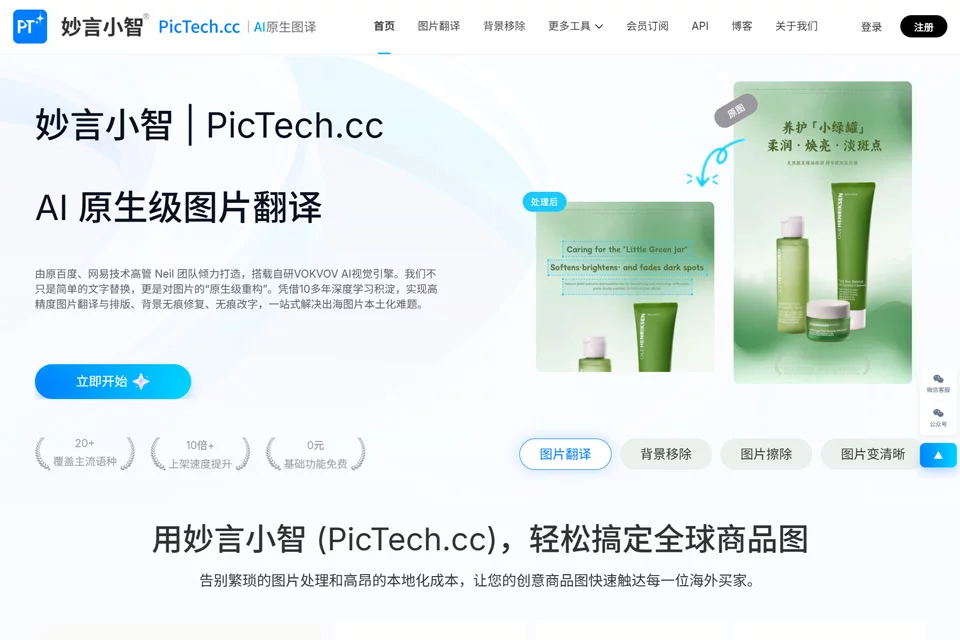
Miaoyan Xiaozhi is a visual and marketing asset processing tool for cross-border e-commerce, focused on solving language conversion and repetitive image editing needs for product images. It combines image text translation, background processing, and common image editing features, making it suitable for teams and individuals who regularly create product assets for multiple markets.
The tool supports online processing, while specific usage methods and available features may vary by free or paid plan.
02Key Features
For image translation, Miaoyan Xiaozhi supports translation between Chinese, English, Japanese, Korean, and other languages. It can remove existing text, reconstruct the background based on the surrounding image, and insert the translated content. For the layout and visual structure of product images, the tool attempts to preserve the original image style.
Other capabilities include smart background removal, transparent or white background processing, smart erasing, image enhancement, batch watermarking, image compression, resizing, format conversion, and ID photo creation. Some operations can be performed in batches.
03Use Cases
Cross-border e-commerce sellers can use it to create product images in different languages and reduce the workload of modifying assets one by one. Independent website operators can use it for batch translation, removing image elements, switching to white backgrounds, compression, and resizing.
Graphic designers can delegate repetitive steps such as background removal, erasing, and background repair to the tool before carrying out further design work. International trade professionals can also create product images with descriptions in customers' native languages for daily communication and document sharing.
04Usage Notes
Before processing, check the original image quality, text placement, and background complexity. Hair, small text, complex textures, and irregular layouts may require multiple adjustments. Automatic background reconstruction and text reflow may also differ from expectations.
After batch processing, review each image carefully for translations, prices, specifications, units, brand names, and layout. Before publishing on platforms or distributing externally, independently confirm the image content, trademarks, and usage rights for related assets.
© Disclaimer: domains and linked content may change over time. AIEZZ does not control third-party websites. Review external content and risks independently.
User reviews0