

What this project does
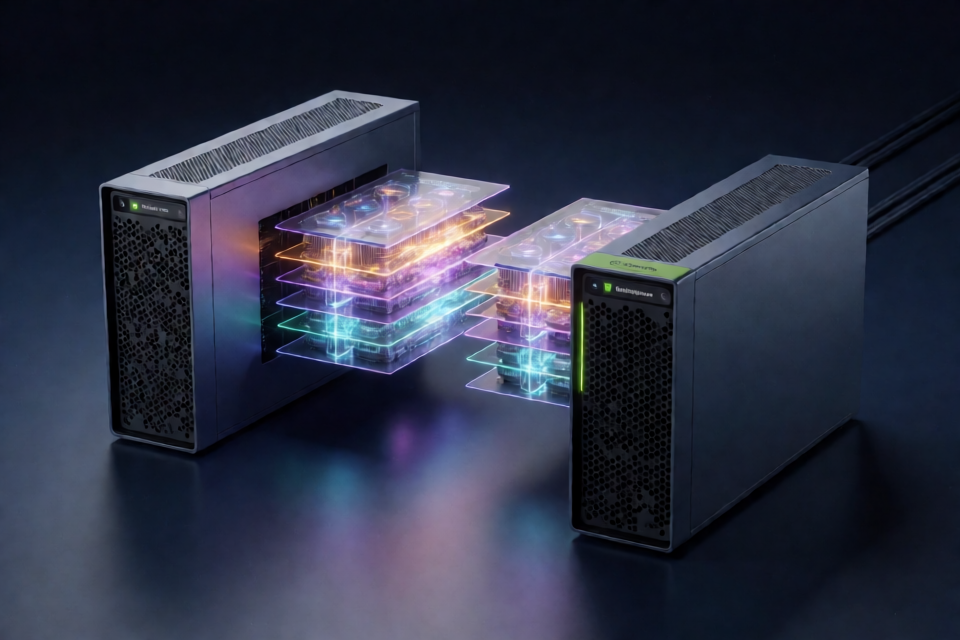
This deployment recipe serves DeepSeek-V4.1-Flash-1017 from two NVIDIA DGX Sparks, each with 128 GB of unified memory. It uses TensorFold's native Zig engine with tensor parallelism across one rank per Spark and exposes an OpenAI-compatible API on port 8888.
The setup uses the experimental 2.9-bit EXL3 checkpoint Mia-AiLab/DeepSeek-V4.1-Flash-1017-EXL3-EAQ-v1-2.9-bpw. It supports the model's large context window, image input, tool calling, optional thinking, and DSpark speculative decoding from the checkpoint's draft blocks.
The repository automates preparation, Docker image construction, checkpoint downloads, rank-cache creation, worker setup, server startup, smoke tests, and shutdown. The first Spark acts as the head: it runs the API, coordinates setup, and starts rank 0. The second Spark runs rank 1.
Architecture and important limitations
TensorFold runs the BertholomusAI dsv41 family with tensor parallelism set to two. The two ranks communicate over a direct ConnectX-7 link. The head reads the API traffic, while both Sparks keep roughly 98 GiB of model weights in memory.
The checkpoint is approximately 196 GiB and is divided into 39 shards. The deployment also requires Engram's two unquantized tables, which occupy roughly 203 GB. Engram tables should be copied to local disk on both Sparks. Reading them over NFS can significantly reduce prefill and decode performance because decoding performs many random 4 KiB reads.
The model can technically use a 1,048,576-token window, but available memory on the head is the practical limit. On a head running other desktop and development services, the README recommends keeping CONTEXT at 524288 or lower unless more memory is freed.
Hardware and software requirements
- Two NVIDIA DGX Sparks or equivalent GB10 systems with 128 GB of unified memory each.
- A direct QSFP connection between the ConnectX-7 ports.
- IPv4 addresses on the direct link, with working connectivity and a RoCE v2 GID.
- The same GPU clock ceiling on both systems. The README recommends checking clocks with
nvidia-smi -q -d CLOCKand usingnvidia-smi -lgc 0,2200when appropriate. - Key-based SSH from the head to the worker.
- Docker with the NVIDIA container runtime on both systems, with your user in the
dockergroup. git,python3, and the Hugging Face CLI on the head.- Enough storage for the checkpoint, Engram tables, rank weight files, Docker image, and caches. The head needs approximately 505 GB and the worker approximately 310 GB for the standard arrangement.
The direct link may appear as two network devices and two RoCE devices on each Spark. Configure both rails with addresses on the link and use the same MTU on both systems.
Prepare the network and SSH connection
Assign private-subnet addresses to the ConnectX-7 interfaces. For example, the README uses addresses such as 192.0.2.1/24 and 192.0.2.2/24. Confirm that the two systems can ping one another over the intended link.
On the head, install an SSH key for the worker and verify non-interactive access:
ssh-copy-id user@<worker>
ssh -o BatchMode=yes user@<worker> true
Set the worker SSH target and fabric address in a local configuration file. The worker does not need a copy of this repository.
Configure NFS or local storage
By default, the worker mounts the head's Hugging Face cache read-only over NFS. On the head, install the NFS server and export the cache:
sudo apt install nfs-kernel-server
echo "$HOME/.cache/huggingface <worker-CX7-address>(ro,no_subtree_check)" | sudo tee -a /etc/exports
sudo exportfs -ra
The worker may need the host's NFS client helper, such as nfs-common on Ubuntu. The preparation script creates a read-only Docker NFS volume and checks that the worker can see the required files.
For better isolation or when NFS is unsuitable, place a local copy of the required cache on each Spark. Set HF_CACHE to the local tree, set NFS_VOLUME to the corresponding host path, leave HEAD_NFS_SERVER empty, and set PREPARE=0. A local cache must contain the checkpoint's small files, the vision shard model-00039-of-00039, the served model/ folder, the kit, the token map, and the appropriate rank weight file.
Clone and configure the repository
Clone the repository on the head and create the local configuration file:
git clone https://github.com/MiaAI-Lab/DeepSeek-v4.1-Flash-1017-2x-DGX-Sparks.git
cd DeepSeek-v4.1-Flash-1017-2x-DGX-Sparks
cp scripts/local.sh.example scripts/local.sh
Edit scripts/local.sh and set at least WORKER to the worker's SSH target. If the worker's SSH route differs from the direct fabric route, set FABRIC_PEER to the worker's ConnectX-7 address.
Most settings are defined in scripts/config.sh. Common values include:
MODEL_IDandMODEL_REVISIONfor the pinned EXL3 checkpoint.CONTEXT, which defaults to1048576.PARALLEL, which defaults to four concurrent requests.HF_TOKEN, if Hugging Face authentication is needed.ABLIT, which selects stock or abliterated mode.
Run a dry check before starting
Use the dry-run mode to inspect the detected link and the Docker commands without making changes:
DRY_RUN=1 ./start.shThe repository also performs shell syntax checks and validates the expected network, Docker, GPU, SSH, and memory conditions during preparation. Startup refuses to continue unless the configured minimum available memory, MIN_AVAIL_GIB, is available on both Sparks.
Start the two-rank server
Start the complete deployment from the head:
./start.shOn the first run, the script builds the TensorFold image, downloads the checkpoint and Engram tables, prepares RoPE tables and image-routing data, creates token and rank files, configures the worker's storage, and starts both ranks. Building the Zig image takes approximately six minutes on a Spark and produces an image of about 24.9 GB.
After startup, the script waits for the API and runs a smoke test. A successful launch reports that DeepSeek-V4.1-Flash-1017 is live on port 8888.
Useful lifecycle commands include:
./start.sh restart
./stop.sh
Use restart after changing a serving setting. The stop script saves compressed logs, retaining the newest logs according to LOG_KEEP, before removing the containers.
Call the OpenAI-compatible API
Clients should use the head's address with the /v1 path and the exact model identifier DeepSeek-V4.1-Flash-1017. For example, an OpenAI-compatible Python client can be configured as follows:
from openai import OpenAI

client = OpenAI(
    base_url="http://<head-address>:8888/v1",
    api_key="unused"
)

response = client.chat.completions.create(
    model="DeepSeek-V4.1-Flash-1017",
    messages=[
        {"role": "user", "content": "Explain tensor parallelism briefly."}
    ],
    max_tokens=512
)

print(response.choices[0].message.content)
The model thinks before answering unless thinking is disabled by the request. Allocate enough max_tokens for the reasoning and final response, or configure the relevant thinking and reasoning settings in the environment.
Validate text, tools, images, and long prompts
The repository includes validation utilities for checking the running endpoint:
python3 tools/validate.py http://<head-address>:8888 --model DeepSeek-V4.1-Flash-1017
API_URL=http://<head-address>:8888 python3 tools/toolcheck.py
The validation suite covers text, thinking, tools, image input, and long prompts. The README notes that image input and the validation tool were not fully checked on the reported hardware pair, so treat those tests as deployment checks rather than guarantees.
For additional diagnostics, inspect the rank logs:
docker logs -f dsv41-1017-exl3-tf
ssh <worker> docker logs -f dsv41-1017-exl3-tf
Use abliterated mode
The default configuration uses the stock Mia EAQ 2.9-bit checkpoint. Setting ABLIT=1 keeps that checkpoint and applies the matching Keys overlay from drowzeys/keys-DeepSeek-V4.1-Flash-1017-Abliterated.
This is a gated Hugging Face repository. Before preparation, accept the repository terms and authenticate with an account that has access:
hf auth login
ABLIT=1 ./scripts/prepare.sh
ABLIT=1 ./start.sh restart
Alternatively, provide a token without placing it in shell history:
read -rsp 'Hugging Face read token: ' HF_TOKEN; echo
export HF_TOKEN
ABLIT=1 ./start.sh restart
unset HF_TOKEN
The overlay is pinned by ABLIT_REVISION. Preparation creates separate cache paths and rank caches so stock and abliterated data are not accidentally mixed. Rewritten shards can require space comparable to another checkpoint, in addition to the overlay and rank files. Switch back to stock mode with:
ABLIT=0 ./start.sh restartThe README explicitly states that the stock performance and correctness results do not validate abliterated mode on this engine. Also keep the same ABLIT setting for preparation and startup.
Performance and tuning guidance
Reported measurements with real prose and code prompts reached approximately 74.9 tokens per second for one prose stream and 109.9 tokens per second for one code stream. With four streams, total throughput reached approximately 130.0 tokens per second for prose and 155.5 tokens per second for code. Prefill measured roughly 2,000 to 2,180 tokens per second across prompts from 8K to 256K tokens.
Results depend on prompt content, GPU clocks, concurrent workloads, storage, and memory pressure. Random-word benchmarks draft less effectively than normal prose or code, so their lower decode figures should not be treated as a general engine limit.
- Keep Engram tables on local disk on both Sparks.
- Use matching GPU clock ceilings because tensor-parallel ranks synchronize repeatedly.
- Keep
CONTEXTwithin the memory capacity of the head, especially when it runs other software. - Use
PARALLELconservatively when serving long prompts or several concurrent users. - Use
DRY_RUN=1before changing networking or deployment settings.
Optional engine switches and patches
The repository includes engine patches under zig/patches/. They are off by default and are passed to both ranks through start.sh. The README reports that the default image was tested for identical token hashes across a range of prompt and concurrency scenarios.
TF_DS_ENGRAM_LANES=2 enables a second I/O ring for Engram reads, but measurements showed it was slower on the tested storage. TF_DS_IDX_SPLIT=1 splits prefill indexer rows between ranks, but showed no measurable gain on the tested pair. If ranks disagree on this setting, the pair can hang, so it remains disabled by default.
Patch 0005 improves prompt-pass interleaving so existing streams receive decode rounds while another long prompt is being prefetched. Its behavior can be adjusted with PREFILL_INTERLEAVE_MS. Patch 0006 preserves prompt states for image inputs when TF_DS_IMAGE_CACHE=0 is not used to disable that behavior.
Monitor memory and avoid unsafe context sizes
Memory is the primary operational constraint. The README reports that a 512K context was practical on a head with roughly 6 GiB occupied by other software, while a 655K configuration could fall below the memory guard as a conversation grew. A watchdog is included because a Spark can freeze when the memory floor is reached during heavy, concurrent long prompts.
Start with the default or a conservative CONTEXT value, test with your real workload, and monitor free memory during long histories. Free memory can decline as a cached conversation grows, even when the model loaded successfully.
Conclusion
This repository provides an automated way to distribute DeepSeek-V4.1-Flash-1017 across two directly connected DGX Sparks. Once the hardware, RoCE networking, SSH, Docker, storage, and Hugging Face access are ready, start.sh handles the multi-stage setup and exposes a familiar OpenAI-compatible endpoint.
For a reliable deployment, prioritize local Engram storage, matched GPU clocks, conservative context sizing, and careful validation of image, tool, and long-context workloads. The abliterated overlay and engine switches are available for experimentation, but the documented performance and correctness measurements primarily apply to the stock checkpoint and default engine configuration.