


What Is Audio to Band Score?
Audio to Band Score is an agent skill that turns a finished song recording into a practical arrangement for a five-piece school band. Instead of presenting raw stems or treating automatic MIDI recognition as a finished transcription, it guides an agent through source separation, musical analysis, instrument assignment, notation, quality checks, and MuseScore export.
The standard workflow produces three rehearsal-ready files: a MIDI file for playback or DAW inspection, a printable PDF score, and an editable native MuseScore MSCZ file.
Important: This project is an agent skill, not a standalone desktop application. You must make the repository available to a compatible agent runtime and provide the required local audio and notation tools.
How the Arrangement Workflow Works
The skill follows a staged process:
Mixed recording
    → time-aligned source separation
    → beat, section, harmony, and note-candidate analysis
    → instrument assignment and playability edits
    → MuseScore notation
    → structural audit and visual/file checks
    → MIDI + PDF + editable MSCZ
Its guiding principle is playable fidelity. The goal is to preserve the recording’s structure, harmonic movement, groove, recognizable riffs, and important transitions while simplifying or redistributing details that would be impractical for the requested musicians.
Key Features
- Separates a mixed recording into time-aligned analysis stems with Demucs.
- Can compare four-source and six-source separation results.
- Analyzes sections, tempo candidates, time signatures, harmony, bass movement, riffs, fills, and musical entry points.
- Assigns material across lead guitar, rhythm guitar, bass, keyboard, and drums.
- Supports beginner, school-amateur intermediate, and advanced difficulty targets.
- Creates structured, editable MuseScore notation rather than delivering unedited recognition output.
- Checks score structure, selected TAB pitch and string relationships, export safety, and file consistency.
- Uses local and free tools by default instead of uploading audio to a paid external API.
Default Five-Part Instrumentation
The default score is an accompaniment for a singer, although the vocal line is not included in the instrumental score unless the request changes that behavior. The vocal track is instead used to identify song structure, breathing space, and instrumental entry points.
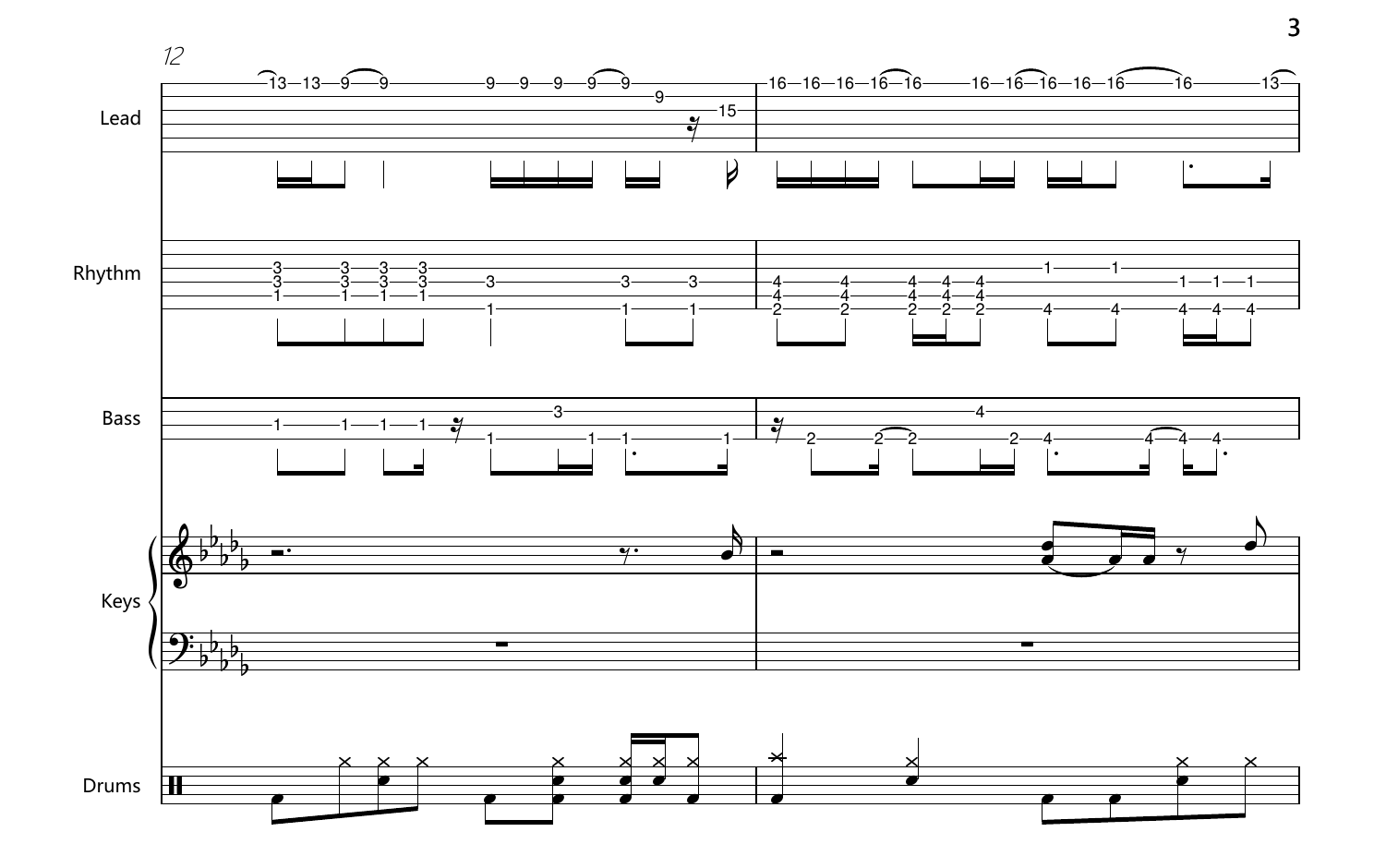
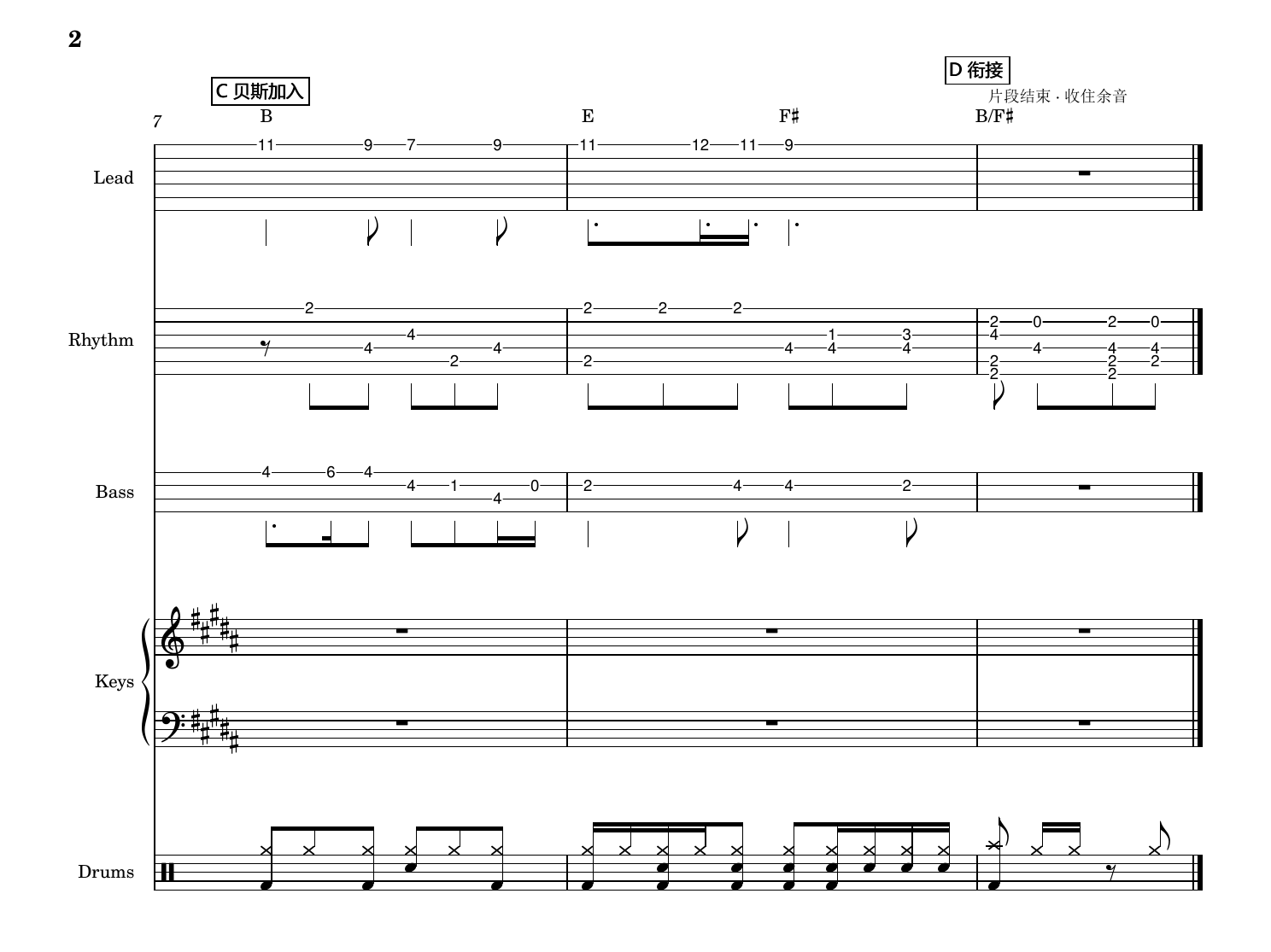
- Lead guitar: Rhythmic six-string TAB for signature riffs, hooks, fills, and instrumental themes.
- Rhythm guitar: Rhythmic six-string TAB for chords, strumming, arpeggios, and groove support.
- Bass: Rhythmic four-string TAB for root motion, transitions, and low-end movement.
- Keyboard: Grand staff notation for harmony, pads, counter-lines, and keyboard-specific motifs.
- Drums: Standard five-line drum notation for grooves, accents, transitions, and fills.
Requested instrumentation, tuning, key, difficulty, duration, and arranging constraints take precedence over these defaults.
Installation and Local Setup
1. Clone the repository
git clone https://github.com/kiri603/To-Sheet-Music-Skill.git
cd To-Sheet-Music-Skill
2. Create a Python environment
Python 3.11 is the recommended compatibility baseline. Create a dedicated virtual environment so that Demucs and the supporting packages do not interfere with other Python projects.
python3.11 -m venv work/audio-env
source work/audio-env/bin/activate
python -m pip install demucs numpy soundfile imageio-ffmpeg
On Windows, use the Python and activation executables under work/audio-env/Scripts/. Verify that the packages are compatible with the Python interpreter installed on your computer before installing them.
3. Install the external requirements
- FFmpeg: Required for audio decoding. It can come from your operating system, an explicitly supplied
--ffmpegpath, orimageio-ffmpeg. - MuseScore Studio: Required to open the notation and export MIDI and PDF files.
- Optional analysis tools: Depending on the task, you may use
librosa,basic-pitch,pretty_midi,mido,music21,pypdf, or Poppler. - CUDA: Optional. The separation workflow can run on a CPU if no compatible GPU is available.
The repository does not automatically install software or bundle model weights. Required model weights are downloaded by the local environment when they are needed.
4. Make the skill available to your agent
The skill is organized around SKILL.md and agents/openai.yaml. Add or expose the repository to your agent runtime according to that runtime’s skill-loading process. Because runtimes differ, the repository does not define a universal installation command for this step.
Basic Usage: Request an Arrangement
Once the skill is available, give the agent the source recording and a clear arrangement request. For example:
Use $audio-to-band-score to arrange "song.wav" for lead guitar, rhythm guitar,
bass, keyboard, and drums at the default school-amateur intermediate level.
Preserve the original song structure and recognizable riffs, then deliver MIDI,
PDF, and editable MSCZ files.
A useful request should identify the input file, instrumentation, player level, and the musical characteristics that matter most. If applicable, also specify the desired key, guitar or bass tuning, arrangement length, cuts, repeated sections, or other performance constraints.
Run Source Separation Directly
The source-separation helper can be run independently when you want to inspect or prepare analysis stems before completing an arrangement:
python scripts/separate_audio.py \
  --input "path/to/song.wav" \
  --out-dir "work/separation-v1" \
  --profile high \
  --device auto
The high profile runs both four-source and six-source Demucs analyses so their evidence can be compared. The balanced profile runs only the six-source analysis and is intended for internal trials or resource-constrained systems.
The output directory must be new. The helper deliberately refuses to overwrite an existing directory, which protects previous stems and analysis evidence. Choose a versioned path such as work/separation-v1 or work/separation-v2 for each run.
Audit a Completed MuseScore File
After the agent creates work/final.mscz, run the audit helper before exporting the deliverables:
python scripts/score_tools.py audit \
  --score "work/final.mscz" \
  --report "work/audit.json"
The audit performs structural checks and selected TAB checks, including pitch, string, and fret relationships. It can identify technical inconsistencies, but it does not prove that every note, beat, articulation, or combined instrumental passage is musically correct.
Export MIDI, PDF, and MSCZ
Export all formats from the same native MuseScore file so that the printable, playable, and editable versions remain consistent:
python scripts/score_tools.py export \
  --score "work/final.mscz" \
  --out-dir "work/export-v1" \
  --name "song_band" \
  --musescore "/path/to/MuseScore"
The export helper does not overwrite an existing output directory. It publishes the new directory only after all three requested formats have been generated successfully.
song_band.midprovides playback and DAW or MIDI inspection.song_band.pdfprovides a printable rehearsal score.song_band.msczprovides an editable native MuseScore project.
Working directories may also contain manifest.json, separated WAV stems, analysis notes, MIDI candidates, MusicXML, audit reports, and rendered PDF pages. These files serve as evidence and quality-assurance artifacts unless the user requests them as deliverables.
Advanced Tips for Better Results
Write a precise arrangement brief
Do not rely only on a general request to transcribe a song. State who will perform the result and what they can play. For example, distinguish a beginner chart from an advanced one, specify nonstandard tuning, and identify riffs or transitions that must remain recognizable.
Treat separated stems as evidence
Six-source outputs labeled guitar or piano are candidates, not guaranteed isolated instruments. A guitar stem should not automatically be interpreted as one complete guitar part, and it does not establish that two independent guitar parts exist. Cross-check candidates against the original mix, repeated sections, harmonic context, rhythm, and instrument-specific limitations.
Preserve timeline consistency
The workflow keeps stems on a common timeline and checks their sample rates, channel layouts, and frame counts. Avoid manually trimming or shifting individual stems unless you also preserve their alignment with the source recording.
Use versioned working directories
Because separation and export helpers refuse to overwrite existing directories, use names such as separation-v1, separation-v2, export-v1, and export-v2. This also makes it easier to compare profile settings and retain evidence from earlier attempts.
Review the score musically after automated checks
A successful audit verifies selected structural and notation properties, not musical perfection. Listen to the MIDI, inspect the PDF, open the MSCZ file in MuseScore, and confirm that entrances, transitions, repeats, guitar fingerings, keyboard textures, bass motion, and drum fills are practical for the ensemble.
Keep one authoritative score source
Make the final corrections in the native MSCZ score, then regenerate MIDI and PDF from that same file. Editing exported formats independently can cause the three deliverables to disagree.
Run the Test Suite
Run the bundled tests from the repository root:
python -m unittest discover -s scripts -p "test_*.py" -vThe tests cover separation edge cases, bounded model-download retries, timeline validation, TAB pitch and string checks, structural score checks, and export safeguards. Passing them confirms that the helper workflow behaves as expected; it does not measure transcription accuracy or arrangement quality.
Limitations and Responsible Use
- The project does not claim error-free transcription or complete audio fidelity.
- Automated checks cannot replace musical listening and notation review.
- The workflow does not provide speech-to-text, lyric translation, or score downloading.
- Model weights are not included in the repository and may be downloaded on demand.
- The repository currently has no project-level license file, so do not assume its code or assets may be redistributed.
- Third-party tools, models, datasets, and recordings retain their own licenses and usage terms.
Only process recordings and reference materials that you have the right to use. Do not commit private recordings, credentials, model caches, generated Python caches, or large temporary artifacts to the repository.
Conclusion
Audio to Band Score provides a disciplined path from a mixed recording to an editable, rehearsal-oriented five-part arrangement. Its main value is not fully automatic transcription, but the combination of source-separation evidence, explicit musical decisions, playability-focused arranging, structural checks, and consistent MuseScore exports. For dependable results, give the agent a precise brief, retain the analysis evidence, run the audit and tests, and finish with a human musical review.