


What Jev Skills Does
Awesome Jev Skills is a collection of nine installable skills for adding structured decisions to AI agent workflows. Jev chooses among candidates, classifies inputs, and scores defined criteria. Your agent remains responsible for gathering context, calling tools, performing work, and verifying outcomes.
The repository includes 90 scenarios and 14 recorded input-output examples. Its recipes cover long-running agents, evaluation, routing, context management, browser interaction, inbox triage, document evidence, developer tools, simulations, games, and creative workflows.
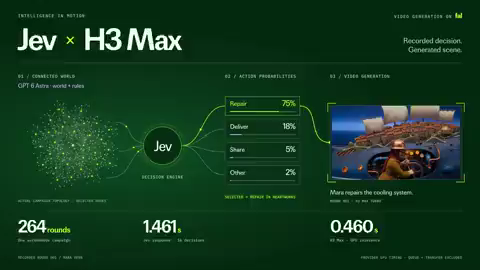
Jev selects or scores. It does not click buttons, send messages, modify files, render media, or execute the selected action.
Key Features
- Structured decision types: Use
choiceto select one candidate,noulfor an independent true-or-false judgment, andscorefor graded levels. - Specialized skills: Install skills for triage, documents, user interfaces, routing, context, code review, code discovery, and simulation.
- Agent checkpoints: Ask Jev to detect repeated failures, evaluate completion evidence, choose a route, or assess whether a proposed action advances the goal.
- Parallel judgments: Put several independent questions over shared state into one request, or let the host agent schedule independent requests with bounded concurrency.
- Offline validation: Use
--dry-runto validate an input without making a network call or producing a classification. - Explicit simulation mode: If an OpenRouter key is unavailable, your current agent can simulate the same judgment only after you approve that mode.
Choosing a skill
jev: Define a custom decision or add a general agent checkpoint.jev-triage: Classify and prioritize messages, tickets, or feedback.jev-documents: Select source spans and assess supporting evidence.jev-ui: Choose among browser or desktop actions that have already been observed.jev-route: Recommend a tool, model, or specialist.jev-context: Assess relevance and determine when context compaction may be appropriate.jev-code-review: Prioritize code changes for review.jev-find-code: Choose the next location from an observed file inventory.jev-simulation: Choose legal actions in a simulated world.

Installation
Recommended agent-assisted installation
The recommended route is to give the installation task to Codex, Claude Code, or OpenCode. Paste the following prompt into your agent:
Install Jev Skills for my current agent, including the general skill and all scenario skills. Read and follow this installation guide, then verify the installation:
https://raw.githubusercontent.com/wuyoscar/jev-skill/main/docs/install.md
The agent checks your environment, installs into the current project by default, and verifies the installation offline. The default installation route does not require Node, npm, or a Vercel account. Handle any approval requests raised by your agent.
For manual installation or troubleshooting, consult the manual installation guide.
Configure real Jev access
Real Jev calls require an OPENROUTER_API_KEY. Create one through OpenRouter settings and configure it locally. Never paste the key into chat. Live calls use the API and may incur usage charges.
If no key is found, the agent must warn you and wait for one of these choices:
- Option A: Obtain and configure a key locally, then use real Jev.
- Option B: Let the current agent simulate classification with the same context, candidates, and criteria.
Simulation results must be labeled mode: agent_simulation and jev_called: false. They are not Jev responses or calibrated Jev probabilities, so the agent must not invent probability values.
Simulation mode and dry-run mode are different. Simulation produces the current agent's judgment. A dry run only validates the request format and performs no classification.
Basic Usage
Try the installed triage example
After installation, ask your agent to use the example included with jev-triage. This exercise displays the input, confirms the execution mode, and prevents the agent from taking mailbox actions.
Use the jev-triage skill and read assets/example.json from its installed folder. Show its context, questions and candidates. If OPENROUTER_API_KEY is missing, ask me to choose A: configure a key for real Jev; or B: let the current agent simulate. Wait for my choice. In API mode, validate with --dry-run, then make one Jev call. In simulation mode, label the result "Agent simulation; Jev not called" and do not invent probabilities. Show the complete input, output and mode. Do not access my mailbox or execute actions.If the agent cannot locate a newly installed skill, ask it to check the installation directory and reload the session if required by your client.
Understand the request structure
A Jev request supplies a model, shared state, and one or more questions. Each question defines its type, instructions, and candidate criteria where applicable. The following shortened example asks what an agent should do after the same parser failure repeats:
{
  "model": "typesafe/jev-1.13",
  "state": {
    "goal": "Fix the CSV parser and verify tests before declaring done.",
    "recent_result": "Same UnicodeDecodeError twice; no source change.",
    "observation": "The parser opens files without an explicit encoding."
  },
  "questions": {
    "next_step": {
      "type": "choice",
      "instructions": "Choose the next useful step from the evidence.",
      "criteria": {
        "inspect_input": "Inspect the input and file-opening code.",
        "retry_unchanged": "Retry only if a transient condition changed.",
        "report_done": "Report done only with passing tests.",
        "ask_user": "Ask when material authority or information is missing."
      }
    },
    "stuck": {
      "type": "noul",
      "instructions": "Have unchanged attempts repeated the same failure?"
    }
  }
}
In the repository's recorded synthetic API example, Jev selected inspect_input and returned stuck = true. This is a decision based on supplied evidence, not an execution of the repair.
Use the optional command line
If jev-decide is installed, save a complete request as request.json. Validate it offline first:
jev-decide decide request.json --dry-runAfter reviewing and approving the data that will be sent to OpenRouter, make one live request and save the result:
jev-decide decide request.json > result.jsonIf only the general skill is installed and the command is unavailable, use its Python script:
python3 <actual-skill-directory>/scripts/jev.py decide request.json --dry-runAlways inspect result.json. Exit code 0 means a result was selected or scored, 2 means review is required, and 1 means an error occurred. A successful selection still does not execute the chosen action.
Practical Workflow: Add Decision Checkpoints
Jev is designed for meaningful decision points rather than every trivial agent step. Add a checkpoint when failures repeat, a route must be chosen, or the agent is about to claim completion.
Use the jev skill to support decisions while fixing CSV parsing and passing the original tests. If the key is missing, ask me to choose real Jev or current-agent simulation. Use the chosen mode when failures repeat, a route needs choosing, or you are about to claim completion. Supply the goal, acceptance checks, relevant history, fresh tool results, permissions, and the meaning of every candidate action. Act only within existing authorization and verify the result afterward.A completion checkpoint should receive actual evidence such as artifact identifiers, test receipts, revision hashes, filesystem checks, and job status. Jev can judge whether supplied evidence supports a claim, but it cannot certify that a test really ran or that a file exists. Those facts must come from tools.
Classify Records Safely
For feedback, support tickets, or other records, begin with a small redacted sample. Agree on the categories, questions, and outbound data before processing a larger batch.
- Select three representative records.
- Preserve each record's identifier, original text, and relevant context.
- Define categories such as
billing,bug,how-to, andother. - Review exactly what would leave your machine.
- Choose real API mode or explicitly approved simulation mode.
- Keep uncertain results separate for human review.
- Inspect the sample before increasing the batch size or budget.
You can ask multiple questions about each record in one request, such as category and urgency. For independent requests, the host agent can use bounded concurrency; the CLI itself does not start parallel jobs.
Advanced Tips
Provide complete context
Jev does not inherit your agent's conversation automatically. Include the goal, rules, relevant history, source evidence, current observations, permissions, candidate meanings, and acceptance checks. Keep the decision question narrow, but do not make its evidence artificially small.
Update all related fields
When adapting a template, update state, questions, and criteria together. Changing only example text can leave candidate definitions inconsistent with the real task.
Separate decisions from authorization
A high-scoring action is not automatically permitted. Existing permissions and safety controls still govern execution. Likewise, agreement between a plan and a proposed tool call does not prove that either is authorized.
Use fresh state for dependent steps
Independent judgments can share one state or run concurrently. Dependent decisions should use fresh observations after the previous action. Jev does not replace open-ended planning, tool execution, or text generation.
Interpret values correctly
For a noul question, probability represents the probability that the statement is true, even when the selected value is false. A rubric score such as 1.29 / 2 is a graded score, not a probability.
Preserve evidence and modes
Save the complete input, normalized output, raw receipt when available, and execution mode. Preserve contradictory evidence instead of rewriting it to match the selected answer. Never present an agent simulation as a real API response.
Combine Jev with host tools
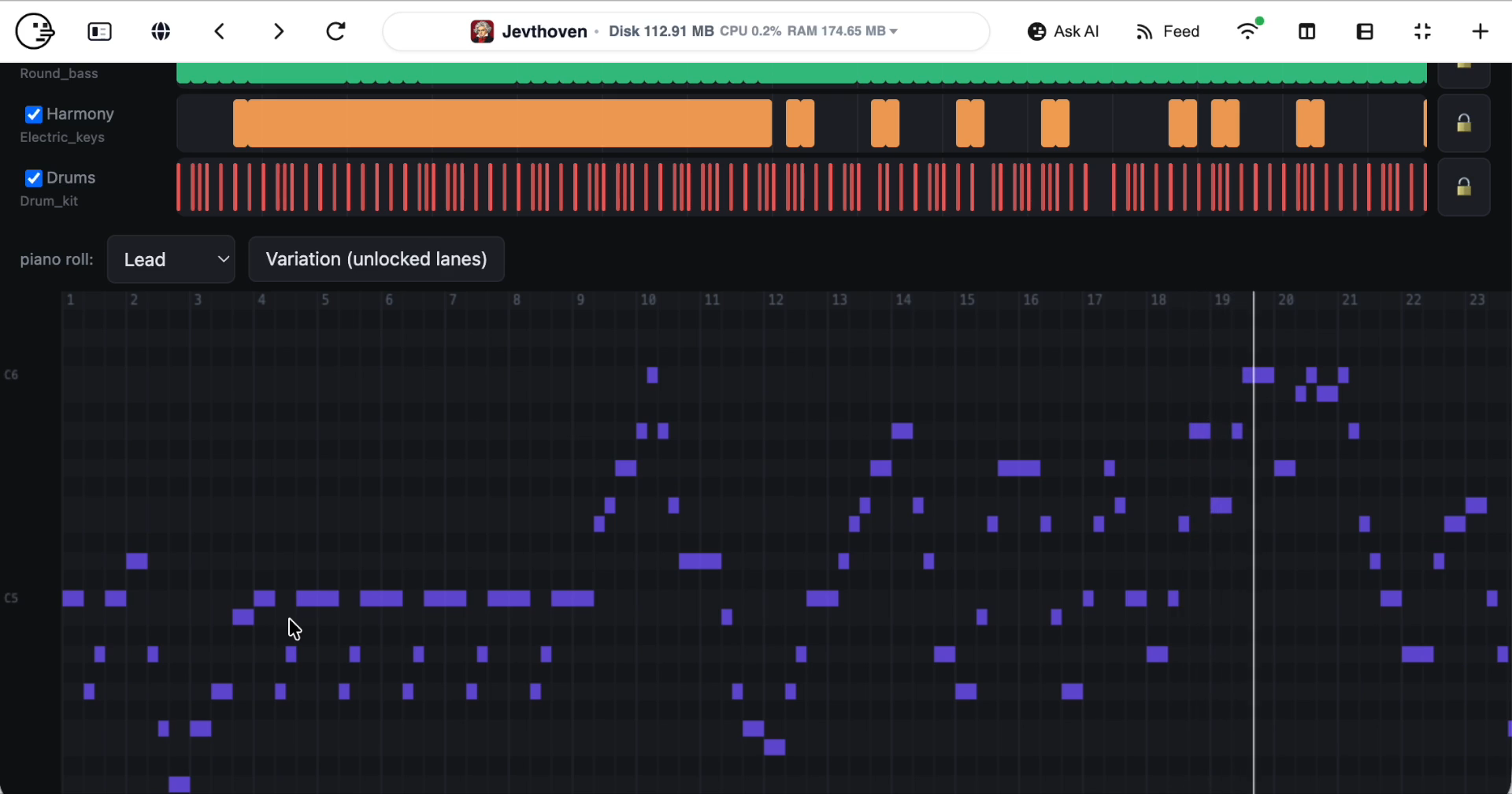
Browser clicks, message delivery, file edits, music generation, and video rendering require separate tools. Jev can rank candidates or choose among observed legal actions, while the host application executes and verifies the selected operation.
Conclusion
Jev Skills provides reusable patterns for adding explicit choices, classifications, scores, and evidence checks to agent workflows. Start with the agent-assisted installation, test a supplied example, validate requests with --dry-run, and review a small sample before scaling. The best results come from complete context, clearly defined candidates, explicit execution modes, and independent verification after every consequential action.