

What Is AI Shorts Generator?
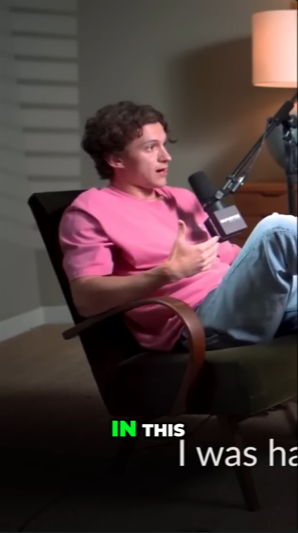
AI Shorts Generator is a free, open-source alternative to short-video SaaS products such as OpusClip and Vidyo.ai. It accepts a YouTube URL or local video file, finds promising moments, and renders them as ready-to-post short videos without watermarks or pre-clip credits.
The project combines local transcription with an LLM provider. faster-whisper creates a timestamped transcript, while OpenAI, Gemini, or MuAPI analyzes that transcript to identify and rank potential highlights.
How the Processing Pipeline Works
- Download or load: The application downloads a YouTube video or reads a local video path.
- Transcribe:
faster-whispergenerates a timestamped transcript locally. - Classify: The selected LLM detects the content type and pacing, such as an interview, podcast, tutorial, or vlog.
- Rank highlights: The LLM evaluates moments using signals such as strong hooks, emotional peaks, revelations, conflict, quotable statements, story peaks, and practical value.
- Remove overlaps: Overlapping candidates are deduplicated according to their scores.
- Select clips: The highest-ranked candidates are chosen according to the
--noption. - Render: Each selection is automatically cropped to the requested aspect ratio. Unless disabled, a context-aware AI hook is added at the beginning.
Key Features
- YouTube and local video support: Process a video URL or a file already stored on your computer.
- Automatic highlight selection: Find moments with strong short-form content potential.
- Vertical rendering: Produce
9:16videos suitable for short-video platforms. - Multiple outputs: Render several highlights from one source using
--n. - AI-generated hooks: Add a context-aware opening hook or disable it with
--no-hook. - Subtitles, translation, and voiceover: The project brings these content-processing capabilities together in one workflow.
- Local web interface: Queue multiple videos and configure rendering options visually.
- API availability: The generator can be incorporated into other projects through its API.
Requirements
Before beginning, make sure your environment has the following:
- Python 3.10 or newer
- An API key for OpenAI, Gemini, or MuAPI
- Git for cloning the repository
- The Python packages listed in
requirements.txt
Gemini offers a free tier with a daily limit. OpenAI is paid, while MuAPI offers paid, pay-per-use access without a subscription. Obtain keys from Google AI Studio, OpenAI Platform, or MuAPI.
Installation and Setup
1. Clone the repository
git clone https://github.com/pierrenade/short-video-generator-AI.git
cd short-video-generator-AI
2. Create a virtual environment
Create an isolated Python environment so that the project's packages do not conflict with other installations.
python -m venv venvOn Windows, activate it with:
venv\Scripts\activateOn Linux or macOS, activate it with:
source venv/bin/activate3. Install dependencies
pip install -r requirements.txt4. Configure the environment file
Create or edit the .env file in the project directory. Set LLM_PROVIDER to openai, gemini, or muapi, then provide the corresponding API key.
LLM_PROVIDER=openai

OPENAI_API_KEY=your_openai_key_here
OPENAI_MODEL=gpt-4o-mini

GEMINI_API_KEY=your_gemini_key_here
GEMINI_MODEL=gemini-2.5-flash

MUAPI_API_KEY=your_muapi_key_here

LOCAL_WHISPER_MODEL=base
LOCAL_WHISPER_DEVICE=auto
You only need a valid API key for the provider selected by LLM_PROVIDER. The OpenAI and Gemini model settings are optional.
Choosing Whisper settings
LOCAL_WHISPER_MODEL accepts tiny, base, small, medium, or large-v3. The README uses base as the starting configuration.
LOCAL_WHISPER_DEVICE accepts auto, cpu, or cuda. Keep auto unless you specifically need to force CPU or CUDA processing.
Generate Your First Short
Pass a YouTube URL to main.py:
python main.py "https://www.youtube.com/watch?v=video_id"When processing finishes, the rendered clips are stored in the output directory.
Control the Output
The following example generates three vertical clips and requests a 1080 source-video download resolution:
python main.py "https://www.youtube.com/watch?v=video_id" \
  --n 3 \
  --ratio 9:16 \
  --resolution 1080
Available command-line options
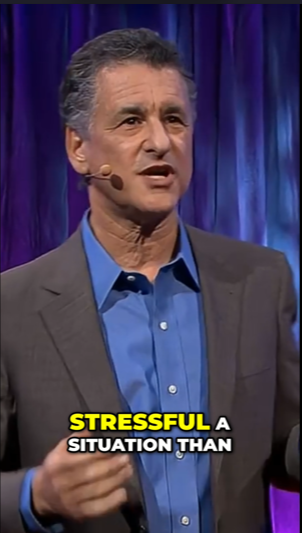
--n: Sets how many clips to render. The default is3.--ratio: Sets the output aspect ratio. The default is9:16; use1:1for square output or provide another ratio.--resolution: Sets the source-video download resolution. Supported values listed by the project are360,480,720, and1080. The default is720.--language: Forces a Whisper language code such asen. Its default behavior is automatic detection.--no-hook: Prevents the AI-generated hook from being added at the beginning of each clip.
Process a Local Video
A local file path can replace the YouTube URL. This example generates four vertical clips at 720 resolution and forces Chinese transcription:
python main.py "/Users/Admin/Folder/video.mp4" \
  --n 4 \
  --ratio 9:16 \
  --resolution 720 \
  --language zh
Use the correct absolute or relative path for your operating system. Quoting the path is helpful when folder or file names contain spaces.
Use the Local Web Interface
The web version provides a visual way to queue multiple videos and adjust rendering flags. Provider selection and API credentials still come from .env; the interface handles video input and render options.
1. Start the backend
python3 server.py2. Serve the frontend
Open another terminal, move into the web directory, and start a static HTTP server:
cd web
python3 -m http.server 8000
3. Open the interface
Visit http://localhost:8000/shorts-generator-ui.html in your browser.
Advanced Tips
Match the aspect ratio to your destination
Use --ratio 9:16 for conventional vertical short videos. Use --ratio 1:1 when you need a square clip. The project also accepts other ratios.
Force the language when detection is uncertain
Automatic language detection is the default. If you already know the spoken language, pass its Whisper language code with --language, such as --language en.
Choose how many candidates to render
The default --n 3 produces three selected highlights. Increase it when you want more candidates from a long source video, or decrease it when you only need the strongest result.
Disable hooks when the original opening is sufficient
The generated hook is optional. Add --no-hook if you want each clip to begin directly with the selected source segment:
python main.py "https://www.youtube.com/watch?v=video_id" --n 2 --no-hookBalance transcription resources
The available Whisper models range from tiny to large-v3. Select a model that fits your machine, and use LOCAL_WHISPER_DEVICE=cuda only when a compatible CUDA environment is available. Otherwise, auto lets the application choose the device.
Keep credentials outside commands
Store provider keys in .env rather than placing them directly in terminal commands or source code. Avoid committing populated environment files when forking or contributing to the repository.
Conclusion
AI Shorts Generator provides a local, open-source workflow for turning long YouTube or local videos into short-form clips. After configuring Python, an LLM provider, and local Whisper settings, you can generate several automatically selected clips from the command line or use the browser-based interface to manage inputs and rendering options.
The project is available under the MIT License. You can report problems, contribute changes, or fork it from its GitHub repository.