

What is anydoc?
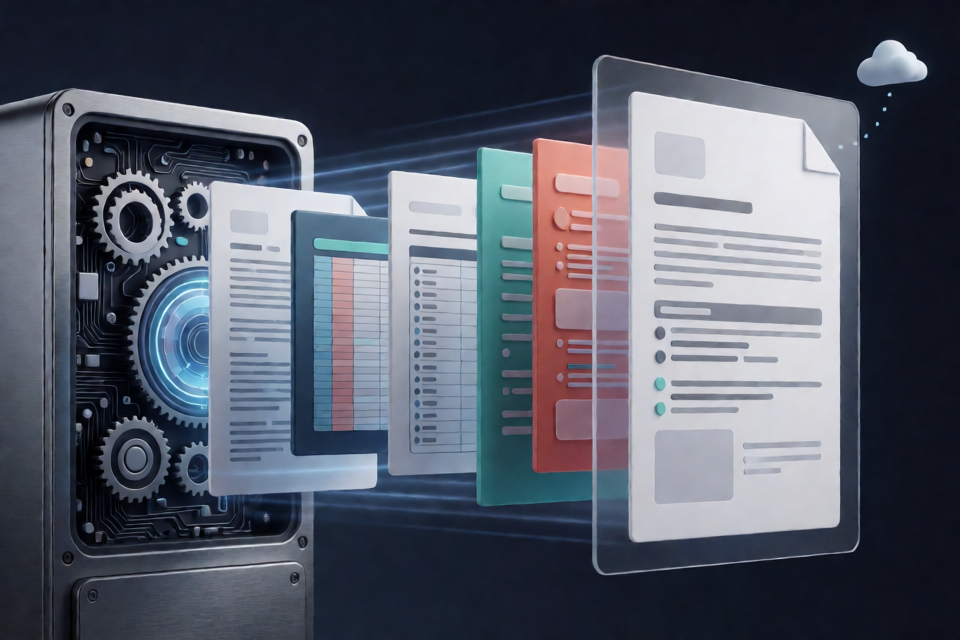
anydoc is a fast Rust library for converting documents into clean GitHub-Flavored Markdown. It supports Word, PowerPoint, Excel, OpenDocument, RTF, EPUB, CSV, and text-based PDF files. The project also provides a command-line interface and bindings for Node.js, Python, and browser-based WebAssembly.
The library is designed for pipelines that receive multiple document formats but need one consistent Markdown representation. Each supported office format is parsed into a shared document model and passed through the same Markdown serializer. This keeps tables, escaping, headings, footnotes, links, lists, and other structures consistent across formats.
Conversions run locally without machine-learning models or external services. The README reports a median conversion time below five milliseconds per document in its benchmark. Text-based PDFs are handled locally through pdf-inspector.
anydoc does not perform OCR. Image-only or scanned PDFs that contain no readable text may be reported as unsupported. Firecrawl Parse is the hosted alternative mentioned by the project for workflows that also require OCR.
Key features
- Consistent Markdown: All office formats use a shared document model and serializer.
- Structured output: Supported structures include headings and anchors, links, internal references, lists, tables, block quotes, footnotes, endnotes, speaker notes, inline code, and code blocks.
- Formatting preservation: Bold, italic, strikethrough, task lists, nested lists, source numbering, merged table cells, and header rows can be represented.
- Embedded assets: Embedded images and objects appear as alt text in Markdown, while their raw bytes and media types remain available through the document model.
- Content-based detection: PDF, RTF, OLE, and ZIP-based document formats are identified from their bytes rather than relying only on file extensions.
- Nonblocking bindings: Node.js conversion uses the libuv thread pool, while Python releases the Global Interpreter Lock during conversion.
- Typed packages: TypeScript types and Python stubs are included.
- Agent integration: The project includes an Agent Skill that teaches compatible coding agents to use the anydoc CLI.
Supported file formats
- Word:
.doc,.docx, and.docm - PowerPoint:
.ppt,.pps,.pot,.pptx,.pptm,.ppsx, and.ppsm - Excel:
.xls,.xlsx,.xlsm, and.xlsb - OpenDocument:
.odt,.ods, and.odp - Other formats:
.rtf,.epub,.csv, and.pdf
Choose an installation method
Use the CLI for shell scripts and one-off conversions. Choose Node.js or Python when document conversion is part of an application, Rust for native integration, or WebAssembly when files must be converted directly in a browser.
Install the CLI
You can run the prebuilt CLI without a permanent installation by using npx:
npx @firecrawl/anydoc report.docxThe prebuilt binary for your platform is downloaded on the first run. To make anydoc available as a permanent command, install it globally:
npm install -g @firecrawl/anydoc
anydoc --help
Install for Node.js
npm install @firecrawl/anydocInstall for Python
pip install firecrawl-anydocInstall for browser WebAssembly
npm install @firecrawl/anydoc-wasmYou can also try the browser demo. The demo runs the WebAssembly library locally, so selected files do not leave the machine.
Install for Rust
cargo add anydocInstall the Agent Skill
To teach a compatible agent how to convert documents with the anydoc CLI, install the included skill:
npx skills add firecrawl/anydocThe README lists Claude Code, Codex, Cursor, and OpenCode among the compatible clients.
Convert files with the CLI
Write Markdown to standard output
Pass the source document as the first argument. The generated Markdown is printed to standard output:
npx @firecrawl/anydoc report.docxThis is convenient when you want to inspect the result or pipe it into another command.
Save Markdown to a file
Use -o to select an output file:
npx @firecrawl/anydoc slides.pptx -o slides.mdConvert data from standard input
Use - as the input path to read bytes from standard input. CSV has no reliable signature in its content, so specify its format explicitly:
npx @firecrawl/anydoc - --format csv < data.csvUse anydoc in Node.js
The Node.js package exposes separate functions for file paths, byte arrays, and the shared document model.
Convert a file path
import { toMarkdown } from '@firecrawl/anydoc';

const markdown = await toMarkdown('report.docx');
console.log(markdown);
Convert bytes
Use toMarkdownBytes when a file has already been uploaded, downloaded, or read into memory:
import { toMarkdownBytes } from '@firecrawl/anydoc';

const markdown = await toMarkdownBytes(bytes);
For formats with recognizable signatures, anydoc detects the format from the content. CSV does not have such a signature, so pass the format name:
const markdown = await toMarkdownBytes(bytes, 'csv');Keep the document model and assets
If you need more than the final Markdown string, stop at the shared document model with toDocument:
import { toDocument } from '@firecrawl/anydoc';

const document = await toDocument(bytes);
The document model carries the parsed structure and embedded assets. Embedded asset bytes remain available with their media types, even though the Markdown representation uses their alt text.
Use anydoc in Python
Convert a file path
import anydoc

markdown = anydoc.to_markdown("report.docx")
print(markdown)
Convert in-memory bytes
import anydoc

markdown = anydoc.to_markdown_bytes(data)
Name signature-less input such as CSV explicitly:
markdown = anydoc.to_markdown_bytes(data, "csv")Access the document model
document = anydoc.to_document(data)This approach is useful when your application needs the parsed document and its embedded assets rather than only serialized Markdown.
Convert documents in the browser
The WebAssembly package converts byte arrays locally in the browser. Initialize the module before calling its conversion functions:
import init, { toMarkdownBytes, toDocument } from '@firecrawl/anydoc-wasm';

await init();

const markdown = toMarkdownBytes(bytes);
As with the other bindings, provide the format for CSV:
const markdown = toMarkdownBytes(bytes, 'csv');To retain the document model and embedded assets, use toDocument:
const document = toDocument(bytes);Unlike the Node.js API shown earlier, the WebAssembly conversion calls in the README are synchronous after initialization.
Use anydoc from Rust
Convert a file path
let markdown = anydoc::to_markdown("report.docx")?;Convert bytes with automatic detection
let markdown = anydoc::to_markdown_bytes(&bytes, None)?;Specify CSV explicitly
let markdown = anydoc::to_markdown_bytes(
    &bytes,
    anydoc::Format::Csv,
)?;
Return the document model
let document = anydoc::to_document(&bytes, None)?;Understand format detection
anydoc inspects content markers such as the PDF header, RTF opening group, OLE stream names, and ZIP package metadata. This means a mislabeled file can still be converted when its actual format is identifiable from its bytes.
Rust provides helpers for checking bytes, extensions, and paths:
Format::from_bytes(&bytes);
Format::from_extension("pptm");
Format::from_path(Path::new("report.odt"));
The first call returns a detected format such as Some(Format::Docx), or None when no known content marker matches. Equivalent helpers are available in Node.js under names such as formatFromBytes and in Python under names such as anydoc.format_from_bytes.
Why CSV needs special handling
CSV is plain text and has no standard byte signature that uniquely identifies it. When converting unnamed CSV bytes or standard input, supply csv explicitly. If a file path includes a .csv extension, the extension can identify it.
Handle conversion errors
A conversion returns an error when no meaningful Markdown can be produced. Rust exposes these cases through ConvertError:
- Unsupported: The format is unknown or cannot be converted, including an image-only PDF.
- Malformed: The file is structurally unusable and meaningful content cannot be extracted.
- Encrypted: The document is encrypted or password-protected.
- ResourceLimit: Conversion crossed a fixed safety limit involving decompression, nesting, or node count.
- MissingPart: A required document component is absent.
- Io: A file passed to
to_markdowncould not be read.
A batch-processing pipeline can record files that are encrypted or unsupported and continue with the remaining inputs:
match anydoc::to_markdown(path) {
    Ok(markdown) => Some(markdown),
    Err(error @ (ConvertError::Encrypted | ConvertError::Unsupported(_))) => {
        unconverted.push((path, error));
        None
    }
    Err(error) => return Err(error),
}
In Node.js and WebAssembly, the error variant name is available through error.code. Python raises a dedicated anydoc.ConvertError subclass for each conversion variant and raises OSError when a file cannot be read.
Advanced integration tips
Prefer byte conversion for upload pipelines
If your application already receives document bytes from an upload, object store, or HTTP response, use toMarkdownBytes or to_markdown_bytes. This avoids requiring a file path and lets anydoc inspect the actual content rather than trusting a user-provided filename.
Use the document model when assets matter
Markdown alone does not contain the raw bytes of embedded objects. Use toDocument or to_document when you need to store, inspect, or separately process embedded assets and their media types.
Treat scanned PDFs separately
anydoc's built-in PDF support is intended for text-based PDFs and does not include OCR. Route image-only PDFs to an OCR-capable workflow instead of repeatedly attempting local conversion.
Make CSV format selection explicit
When processing mixed in-memory inputs, associate CSV bytes with explicit format metadata. Other supported formats can often be detected from their content, but CSV requires a name, extension, or explicit format argument.
Take advantage of runtime behavior
Node.js conversion runs on the libuv thread pool rather than blocking the event loop. Python releases the GIL during conversion, allowing other Python threads to continue running. These properties are useful when integrating conversion into concurrent applications.
Use consistent output downstream
Because office formats share one serializer, downstream systems can consume one Markdown structure instead of maintaining separate cleanup rules for Word, PowerPoint, Excel, RTF, and OpenDocument inputs. This makes anydoc particularly suitable for search indexing, extraction pipelines, and preparation of structured text for language models.
How the conversion pipeline works
- anydoc inspects the document bytes or available filename information to determine the format.
- A format-specific parser reads Word, PowerPoint, Excel, OpenDocument, RTF, EPUB, or CSV content.
- The parser creates a shared document model containing blocks, inline elements, tables, footnotes, and assets.
- A common serializer converts that model into GitHub-Flavored Markdown.
- PDF is handled through pdf-inspector and converted directly to Markdown.
This architecture means that a serializer improvement can benefit many formats at once. For example, a table-escaping fix is not limited to a single input parser.
Performance and best fit
The repository reports a benchmark over 100 real-world documents spanning fourteen tested formats. anydoc covered all fourteen, achieved a median conversion time of 4.4 milliseconds, and received an overall quality score of 81 in that comparison. Quality was judged for completeness, structure, formatting, and cleanliness.
Benchmark results depend on the corpus, hardware, and methodology, so use the included benchmark as project-specific evidence rather than a guarantee for every workload. The strongest fit described by the project is a pipeline that receives a mixed collection of office documents and needs fast, structured, consistent Markdown.
Conclusion
anydoc offers one conversion workflow across Rust, Node.js, Python, the browser, and the command line. Start with the CLI for a quick test, then choose the binding that matches your application. Use byte-based conversion for uploaded files, specify CSV explicitly, retain the document model when embedded assets matter, and handle encrypted, malformed, unsupported, or scanned documents as separate cases.