

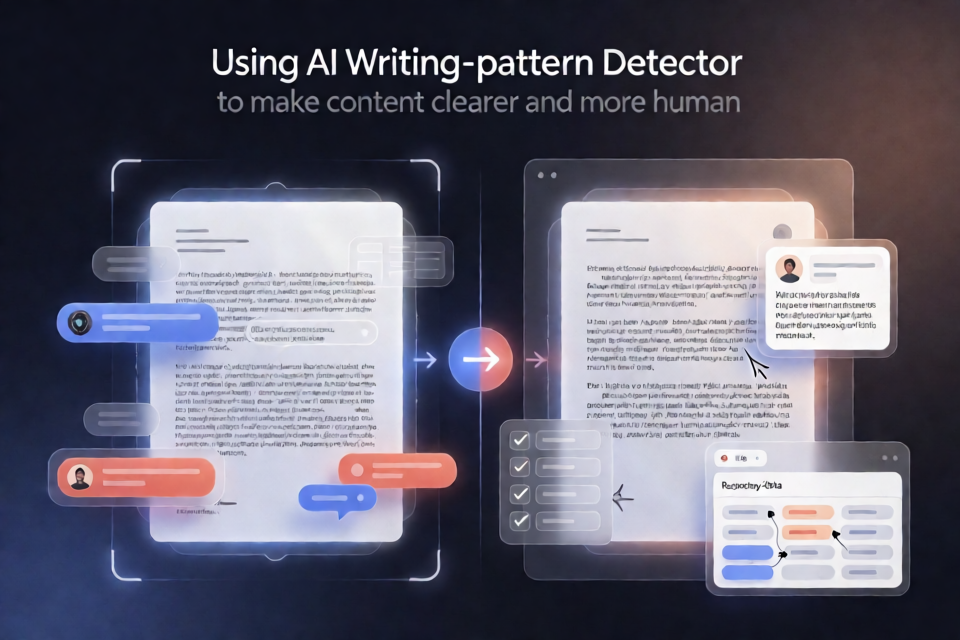
What AI Slop Detector does
AI Slop Detector is a reference list of 120 writing patterns that can make text sound generic, formulaic, or AI-generated. The patterns are organized into nine categories, including vocabulary, stock phrases, sentence patterns, structure and rhythm, imagery and metaphor, substance, formatting and punctuation, chatbot residue, and social media and LinkedIn writing.
Each pattern includes a short explanation, a bad example, and a plainer rewrite. You can give the list to an AI before it writes, or use it afterward as a checklist for reviewing a draft.
The project does not determine whether a person or an AI wrote a piece of text. People use these patterns too, and AI models can be instructed to avoid them. The central idea is that one pattern may be normal, while several patterns in the same paragraph can make the writing feel like slop.
Choose a way to use the detector
There are three main ways to work with the project:
- Install the skill for Claude Code, Codex, or another supported agent.
- Paste the README into ChatGPT, Claude, or another chat application.
- Use
patterns.jsonas structured data in your own tools.
You can also check a draft directly in your browser with the free AI Slop Detector.
Install the skill for Claude Code
For Claude Code, clone the repository and copy its skill into your local Claude skills directory:
git clone https://github.com/FeedHive/ai-slop-detector.git
cp -r ai-slop-detector/skills/ai-slop-detector ~/.claude/skills/
After installation, Claude Code can use the repository's AI Slop Detector skill when generating or reviewing content.
Agents such as Claude Code, Codex, and other coding assistants can also be instructed to install the skill directly. Give the agent this request:
Install the AI Slop Detector skill from https://github.com/FeedHive/ai-slop-detectorUse the list before generating text
When working with ChatGPT, Claude, or another chat application, paste the README into the conversation and tell the model to avoid every listed pattern in its next response.
A practical instruction might look like this:
Use the AI Slop Detector patterns as a writing constraint. Avoid the listed vocabulary, stock phrases, repetitive sentence structures, empty claims, unnecessary metaphors, and formulaic formatting. Write plainly and use specific facts whenever possible.
This approach is useful when you want a first draft that avoids common signals of generic AI writing. It does not guarantee that every sentence will sound natural, so review the result yourself.
Review an existing draft
To check a draft, paste both the README and the draft into a chat application. Ask the model to identify every pattern it finds and include the line where each pattern appears.
For example:
Review the draft below against the AI Slop Detector list. Identify every matching pattern, quote the line where it appears, explain why it matches, and suggest a plain rewrite. Do not claim that the text was written by AI.
This distinction matters. The detector identifies language and structure that may sound formulaic; it does not provide authorship detection.
Understand the pattern categories
Vocabulary and stock phrases
The vocabulary section flags words such as delve, leverage, seamless, and game changer when they are used as decoration rather than to communicate a precise fact. The stock-phrase section covers fillers such as let's dive in, at its core, and in conclusion.
A useful editing test is to replace an abstract phrase with a concrete result. Instead of saying, “Leverage AI to streamline your workflow,” explain the action: “Use AI to draft the weekly report.”
Sentence patterns and rhythm
Some problems come from sentence construction rather than individual words. The list includes repeated “not X, but Y” structures, rhetorical questions that are immediately answered, hedge stacking, synonym cycling, and predictable three-part lists.
The structure and rhythm category covers one-line paragraph stacks, fragment-heavy writing, repeated sentence starters, long list dumps, excessive bullets, and formulaic endings. Reading the draft aloud can help you notice these patterns.
Imagery and substance
The imagery section cautions against decorative metaphors such as calling content a “growth engine” or saying that data “whispers insights.” The substance section addresses more serious problems: vague attribution, invented specifics, generic claims, advice without steps, and hollow promises.
When editing, replace claims with evidence where you have it. “Posting daily works” is weaker than naming the study that supports it or describing the actual result from a documented test.
Use the structured data in your own tool
The repository includes patterns.json, which contains the full pattern list as structured data. You can use it as the source for a custom writing checker, prompt builder, editorial workflow, or internal review tool.
If you edit the structured list, run the build script to regenerate the README and the skill:
node scripts/build.mjsKeep the generated outputs synchronized with the source data so your prompts, documentation, and installed skill use the same pattern definitions.
Practical editing workflow
- Draft the useful information first. Focus on the facts, instructions, examples, and decisions the reader needs.
- Scan for recognizable patterns. Check vocabulary, stock phrases, sentence shapes, formatting, and paragraph rhythm.
- Replace filler with specifics. Add numbers, names, actions, dates, or verifiable examples when they are available.
- Remove unsupported claims. Cut vague references such as “experts agree” unless you can identify the relevant source.
- Read the revised version aloud. This makes repeated starters, fragments, and unnatural transitions easier to spot.
- Run a final review. Use the browser tool, a chat application, the Claude Code skill, or your own tool based on
patterns.json.
Advanced tips
Do not ban every flagged pattern blindly
The project does not say that every listed word or construction is always wrong. A single phrase can be natural in context. The goal is to reduce clusters of predictable language, not to force every piece of writing into the same style.
Prefer evidence over stronger adjectives
Words such as crucial, remarkable, or world-class do not prove anything by themselves. Replace them with the fact that supports the point. For example, describe how quickly a system syncs or how many posts were tested instead of calling it “seamless” or “meticulously crafted.”
Keep the tool focused on writing quality
Use the detector to improve clarity, specificity, and credibility. Do not treat its results as proof of AI authorship, and do not invent statistics or examples merely to make a sentence sound more concrete.
Conclusion
AI Slop Detector gives you a practical checklist for reducing generic AI-style language. Install its skill for Claude Code, provide the list to a chat application before writing, review drafts against the patterns, or build your own workflow with patterns.json. The most reliable improvement is simple: state what happened, show the evidence, and remove language that adds tone without adding meaning.