

What Is Splash?
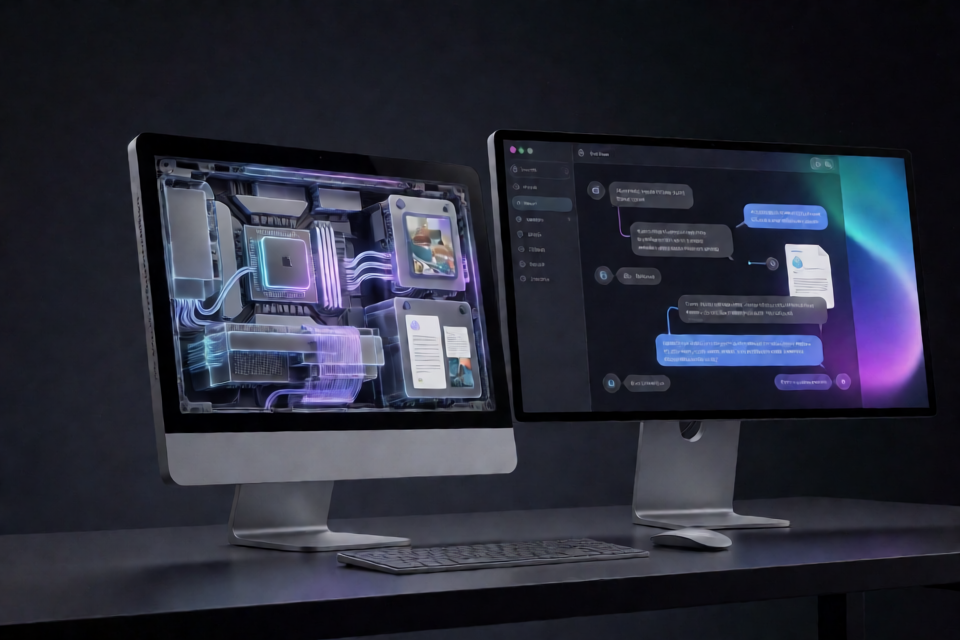
Splash is a local inference engine designed specifically for Apple silicon. It serves optimized language models to coding agents and applications that support OpenAI or Anthropic APIs. The server runs locally on one Mac and exposes its API at 127.0.0.1:8000.
Unlike a general-purpose inference engine, Splash specializes its kernels, speculative-decoding draft model, weight layout, and memory plan for each supported model. Model packages arrive ready to run, so you do not need Xcode, a compiler toolchain, or model-specific tuning.
Key Features
- Local Apple silicon inference: Splash runs models directly on a supported Mac.
- OpenAI compatibility: It provides Chat Completions at
/v1/chat/completionsand Responses at/v1/responses. - Anthropic compatibility: Anthropic Messages requests are available at
/v1/messages. - Advanced request support: The APIs support streaming, tool calls, JSON Schema output, images, and inline PDFs.
- Coding-agent integration: Splash includes commands for OpenCode, Claude, Codex, and Hermes.
- Model-specific acceleration: Every model package includes a DFlash 2 draft for speculative decoding and precompiled Metal kernels tuned to the model’s exact dimensions.
- Automatic memory planning: Splash calculates context, KV-cache capacity, and batch limits at startup based on the memory available to Metal.
- Prompt inspection: The
/tokenizeand/apply-templateendpoints return token IDs or rendered prompts without running inference.
System Requirements
Before installing Splash, confirm that your system meets all of these requirements:
- An Apple M3 or newer processor
- macOS 26.4 or later
- Homebrew
- At least 36 GB of unified memory
- 48 GB or more of unified memory recommended
Usable context capacity depends on available memory. Although supported models have a native context window of up to 256K, the full window may not fit on every Mac.
Install Splash
Install the packaged release through the Inco Homebrew tap:
brew install incoai/tap/splashThere is no configuration file to create. Splash uses command-line flags and environment variables for optional settings.
Start a Model Server
Serve the optimized Qwen3.8-27B package with this command:
splash serve --model incoai/Qwen3.8-27B-SplashOn the first run, Splash downloads and verifies the model package, checks available memory, creates a memory plan, and starts the server on 127.0.0.1:8000. The Qwen3.8-27B package is a 17.4 GB download and includes the 4-bit target model plus its DFlash 2 draft.
Wait until the terminal prints Ready. Keep that terminal open while using the model. You can then open http://127.0.0.1:8000 in a browser to access the chat page.
Press Ctrl+C in the server terminal when you want to stop Splash.
Use the Alternative Model
Splash also publishes a 20.9 GB package containing the 4-bit Qwen3.6-35B-A3B model and its DFlash 2 draft:
splash serve --model incoai/Qwen3.6-35B-A3B-SplashThe --model option can point to another owner/repo repository containing a valid Splash package. Plain MLX and Transformers checkpoints are not compatible. For a private Hugging Face repository, provide an appropriate HF_TOKEN.
Connect a Coding Agent
After the server reports that it is ready, open another terminal and launch one of the supported installed coding agents:
splash opencode
splash claude
splash codex
splash hermes
Run only the command for the agent you want to use. The original server process must remain active while the agent sends requests.
Call the OpenAI Chat Completions API
Applications can call Splash as an OpenAI-compatible local server. The following request asks the served model for a one-sentence explanation:
curl http://127.0.0.1:8000/v1/chat/completions \
  -H 'Content-Type: application/json' \
  -d '{
    "model": "incoai/Qwen3.8-27B-Splash",
    "messages": [
      {
        "role": "user",
        "content": "Explain speculative decoding in one sentence."
      }
    ]
  }'
The model property is optional. If you include it, its value must match the package currently being served.
Choose the Appropriate API Endpoint
- Use
/v1/chat/completionsfor OpenAI Chat Completions clients. - Use
/v1/responsesfor OpenAI Responses clients. - Use
/v1/messagesfor Anthropic Messages clients. - Use
/tokenizeto obtain token IDs without running the model. - Use
/apply-templateto inspect the rendered prompt without running inference.
Control Reasoning
Reasoning is enabled by default. To disable it, add "reasoning_effort": "none" to the request body. Qwen3.8-27B also accepts low, medium, and xhigh.
{
  "model": "incoai/Qwen3.8-27B-Splash",
  "reasoning_effort": "none",
  "messages": [
    {
      "role": "user",
      "content": "Summarize speculative decoding."
    }
  ]
}
Disabling reasoning can be useful when a task does not require an extended reasoning process. For Qwen3.8-27B tasks that do benefit from reasoning, select a supported effort level based on the workload.
Configure Memory and Context Limits
Splash automatically determines suitable defaults, but splash serve provides optional flags for tighter control:
--max-memory 28Gsets a ceiling on Metal allocations.--max-context 100Klimits the context window, up to the model’s native 256K limit.--max-image-pixelscontrols the maximum resized pixel count for each image. Its default is 4,194,304.--allowed-hostpermits an additional HTTPHostname, such as one used by a proxy. The option is repeatable.--no-webuidisables the browser chat page.
For example, the following command caps Metal allocations at 28 GB and limits context to 100K:
splash serve \
  --model incoai/Qwen3.8-27B-Splash \
  --max-memory 28G \
  --max-context 100K
If a model cannot fit in available memory, Splash prints a memory-budget breakdown and stops instead of starting an unusable server. Lowering the context or memory demands may help, but the model weights and required runtime state must still fit.
Protect the Local API
Authentication is disabled by default. You can require a key by setting SPLASH_API_KEY in the shell that starts the server:
export SPLASH_API_KEY='replace-with-your-key'
splash serve --model incoai/Qwen3.8-27B-Splash
Set the same environment variable in the shell used to launch a Splash-managed coding agent:
export SPLASH_API_KEY='replace-with-your-key'
splash opencode
API clients can submit the key as a bearer token or through the x-api-key header. You can also provide a key directly with the --api-key server option. Health and readiness probes remain public.
Advanced Tips
Plan Around the Model Cache
Downloaded packages are stored in the Hugging Face cache. Running brew upgrade splash preserves these packages, model links, and agent sessions, so upgrading the engine does not require discarding them.
Use Host Allowlisting with a Proxy
The server binds locally to 127.0.0.1:8000. If a local proxy sends a different HTTP Host value, add that hostname with --allowed-host. Repeat the flag when multiple hostnames must be accepted.
Disable the Web Interface for API-Only Use
If Splash will only serve applications or agents, start it with --no-webui. This turns off the chat page while leaving the supported API endpoints available.
Inspect Prompts Before Inference
Use /tokenize when you need token IDs or /apply-template when you need to inspect the final rendered prompt. Because these endpoints do not run the model, they are useful for debugging context size and prompt formatting.
Experiment with SSD Cache Offloading
An experimental implementation in pull request 3 can offload KV-cache and GDN states to SSD. Build that branch and start the server with --max-cache-disk 8G to enable it. This may preserve reusable prefixes when RAM is limited and reduce repeated prefill work.
The SSD offloading feature is experimental and is not part of the standard packaged workflow described in the quick start.
Understanding Splash Performance
Splash gains speed by specializing most of the inference stack for each model. Speculative decoding is the standard decode path rather than an optional mode. A model-specific DFlash 2 draft proposes token blocks, which the target model verifies in parallel.
Its fused Metal kernels are compiled for the model’s exact shapes and read specially packed weights mapped from disk without an extra copy. At startup, Splash also calculates context, cache, and batch limits for the current machine.
According to the project’s measurements on an M5 Pro with a 16-core GPU and 48 GB of memory, Qwen3.8-27B reached 74 tokens per second for short-prompt decoding and returned its first token in 282 ms when replaying a cached 32K context. Results depend on the model, prompt, concurrency, hardware, and memory conditions. The Splash launch post documents the benchmark method and comparisons.
Conclusion
Splash provides a streamlined way to run selected, highly optimized models on recent Apple silicon. Install it with Homebrew, start a compatible Splash model package, and then connect through the browser, a supported coding agent, or an OpenAI- or Anthropic-compatible API. Automatic defaults make initial setup simple, while memory, context, security, host, and interface options support more controlled deployments.