

What the project does
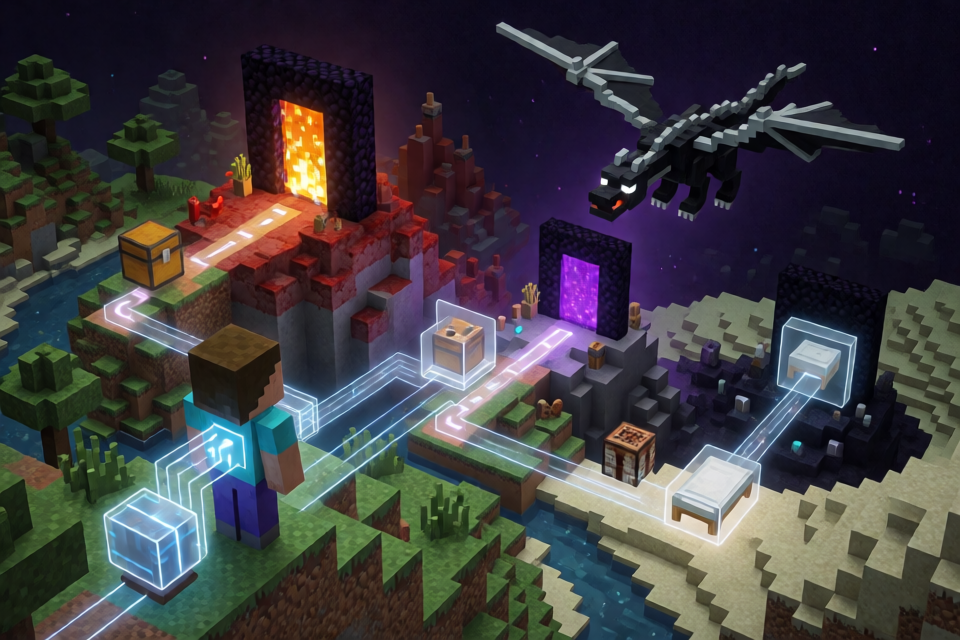
The Astra and JEV Minecraft agent completes a predefined Minecraft Java 1.16.5 route using structured game observations and bounded player actions. GPT-6 Astra, or optionally GPT-5.6 Sol, plans objectives, item targets, and travel waypoints. JEV then selects an available action, while Mineflayer performs movement, pathfinding, and normal game-protocol interactions.
This is not screenshot-only control and does not emulate individual keyboard presses. The models receive structured state, including blocks in loaded chunks and supplied coordinates for the known seed. Available actions include traveling, mining one block, collecting drops, crafting, opening chests, eating, sleeping, and combat interactions.
The latest verified run, nether-final-08, finished in 8 minutes 43.300 seconds. It began with an empty inventory in a fresh Survival world on Peaceful difficulty, traveled through the Nether, killed the Ender Dragon with six bed explosions on its first landing, and entered the exit portal with full health and no deaths. The run used 131 JEV decisions and 35 Astra calls.
The project uses the official vanilla server and sends selected actions through the normal player protocol. Its Java dragon sensor is read-only: it reports the exact dragon head position but does not grant items, move entities, alter health, or change game rules.
Key features
- Separated model roles: Astra or Sol plans the current objective, while JEV chooses one bounded action from the current observation.
- Normal Minecraft interactions: Mineflayer handles movement, pathfinding, block interactions, crafting, inventory operations, and protocol communication.
- Nether-assisted route: The fixed route uses the Nether as a travel shortcut before End combat.
- Read-only dragon observation: A local Java sensor reports the dragon head position for precise bed timing without modifying entity state.
- Native recording: A hidden official Minecraft Java 1.16.5 client renders native models, textures, animations, inventory screens, health, hunger, air, hotbar state, held items, and dragon health.
- Controlled camera movement: Camera turns are limited to 240 degrees per second per axis with acceleration of 960 degrees per second squared.
- Structured evidence: JSONL event logs, status files, victory evidence, video manifests, and world-state checks support later verification.
- Automated tests: The repository includes checks for completion events, native packets, action policy, and pathfinder cancellation.
Architecture and model configuration
The default planner model is openai/gpt-6-astra, called through /api/v1/chat/completions. You can select openai/gpt-5.6-sol through the PLANNER_MODEL environment variable. JEV uses typesafe/jev-1.13 through /api/alpha/decisions.
The planner does not directly perform arbitrary sequences. It establishes the current objective, desired items, and waypoint. JEV evaluates the current structured observation and chooses an allowed action. This separation keeps individual decisions bounded while allowing the overall run to follow a longer plan.
Requirements and important limitations
The launch and native-rendering scripts were developed on macOS. On another operating system, you must adapt runtime paths, Java locations, and local server settings. The supplied native launch script uses its own local Java 17 runtime.
You need Node.js and npm, Python 3 for the native client scripts, a compatible Java runtime, Google Application Default Credentials, access to a Google Secret Manager secret containing the OpenRouter key, and sufficient OpenRouter credit. Minecraft binaries, downloaded runtimes, saved worlds, recordings, and credentials are intentionally excluded from Git.
The documented game configuration is:
- Seed:
8398967436125155523 - Mode:
Survival - Difficulty used for the verified recording:
Peaceful - Active End portal center:
-1130, 34, 856 - Main server:
127.0.0.1:25576 - Status endpoint:
http://127.0.0.1:3078 - Local dragon sensor endpoint used by the agent:
http://127.0.0.1:3093 - Native protocol mirror port:
25578
The seed contains a village, three supply chests with 21 obsidian, and a naturally active End portal. The documented route does not require blaze rods. Coordinates were surveyed in a separate test world, but final-run movement and placements use normal player interactions.
Step 1: Install the Node.js dependencies
From the repository root, install the project packages:
npm installThis installs the JavaScript dependencies used by the agent, model relay, route logic, evidence tooling, and tests.
Step 2: Configure secure model access
The agent deliberately ignores the general OPENROUTER_API_KEY environment variable. Instead, model calls load the key from Google Secret Manager and retain it only in process memory. The key is not supposed to appear in source files or run logs.
- Open
model-relay.mjsandmodels.mjs. - Replace the original deployment's Google Cloud project and secret references with references for your own project.
- Authenticate locally with Google Application Default Credentials.
- Grant the authenticated identity permission to access the selected secret.
- Start the model relay according to the repository's relay setup.
- Set the relay URL when launching the agent:
MODEL_RELAY=http://127.0.0.1:3099Do not paste an OpenRouter key into source code, shell scripts, event logs, or run metadata. The project is designed to retrieve the key from Secret Manager and keep it in process memory.
Step 3: Prepare the server and dragon observer
Place the compatible vanilla Minecraft Java 1.16.5 server JAR at server/server.jar. The README notes that the installed Minecraft Java runtime can run this server.
The dragon observer is implemented in observer/DragonObserver.java. Build it with:
./build-observer.shStart the main server and its read-only sensor with:
./start-server.shThe observer adds a local-only observation call to the server dragon tick. It must remain read-only; it does not change the dragon AI or any player or entity state.
Create a genuinely fresh world
A new run directory does not reset the Minecraft world. Before a fresh recording, stop the server and choose an unused level-name in server/server.properties. Keep the configured seed unchanged, then restart the server.
Use the same new name for the run log directory. Preserve previous worlds when they form part of the evidence for earlier runs.
Step 4: Install and build the native client
The hidden native client provides the official Minecraft rendering used in new recordings. Install its Python-side dependencies and build the display and capture adapter:
python3 native-client/install.py
./native-client/build.sh
The client uses an isolated game directory, so it does not overwrite the user's normal Minecraft settings. Desktop focus and cursor control are disabled, and capture reads the game framebuffer rather than recording the desktop.
Step 5: Freeze the run configuration
Choose a unique identifier, represented below as NEW_RUN. Freeze the run before launching the agent:
node optimization/nether/freeze-run.mjs NEW_RUNThe final route is defined in optimization/nether/config.json. Freezing a run helps preserve the configuration associated with its resulting logs and recording.
Step 6: Start the agent
Launch the agent from the repository root. The following command selects Astra, enables the native view and recorder, waits for the native client, and connects to the dragon sensor:
PLANNER_MODEL=openai/gpt-6-astra RUN_ID=NEW_RUN \
NATIVE_VIEW=1 WAIT_NATIVE=1 NATIVE_RECORD=1 \
DRAGON_SENSOR_URL=http://127.0.0.1:3093 node nether-agent.mjs
If the relay URL is not already present in the process environment, include it as well:
MODEL_RELAY=http://127.0.0.1:3099 \
PLANNER_MODEL=openai/gpt-6-astra RUN_ID=NEW_RUN \
NATIVE_VIEW=1 WAIT_NATIVE=1 NATIVE_RECORD=1 \
DRAGON_SENSOR_URL=http://127.0.0.1:3093 node nether-agent.mjs
To use Sol as the planner instead, change the model value:
PLANNER_MODEL=openai/gpt-5.6-solStep 7: Launch the hidden Minecraft client
Wait until the local protocol mirror is listening on port 25578. Then open another terminal and run:
python3 native-client/launch.pyBecause WAIT_NATIVE=1 is enabled, the agent waits for the hidden client and recorder before taking its first action. The recorder stops after the exit-portal event.
The resulting capture is designed for 960 × 540 resolution at 20 frames per second without audio. It can show health, hunger, the hotbar, held items, inventory and crafting screens, native animations, and dragon health.
Monitoring and stopping a run safely
Current status is available from the local status endpoint:
http://127.0.0.1:3078The current progress is also written to status.json. To request a stop at an action boundary, create the following file:
runs/NEW_RUN/stopDo not immediately terminate the native client after the run ends. Wait for the recording completion marker:
runs/NEW_RUN/full-playthrough.mp4.finished.jsonThis helps avoid truncating or corrupting the final capture.
Understanding the generated evidence
Each run stores its evidence under runs/<run>. The most important files are:
events.jsonl: requests, model responses, selected actions, game results, and completion events.status.json: the latest run progress.victory.json: generated only when the required dragon-death and exit-portal evidence is present.full-playthrough.mp4: the native recording when recording is enabled.full-playthrough.mp4.finished.json: confirmation that recording finalization completed.
Dragon-death evidence can be the kill advancement or server-reported zero health combined with the dragon's dying phase. This distinction matters because bed kills can omit the kill advancement. For Java 1.16.5, the exit event uses numeric reason 4.
A valid final review should not rely on victory.json alone. It should also inspect the world's DragonFight state and the video.
Run the automated checks
Use the repository's Node test suite to check completion events, native mirror packets, action policy, and pathfinder cancellation:
node --test evidence.test.mjs native-mirror.test.mjs optimization/*.test.mjs optimization/pass-2/policy.test.mjs optimization/nether/*.test.mjsThese tests do not replace live validation. Movement, crafting, combat, server integration, and recording still require tests against a running Minecraft server.
How End combat works
The combat implementation in end-combat.mjs exposes one bounded bed attack for JEV to select. The action places one bed, aims at it, waits until the observed dragon head enters the configured attack window, and sends one use command.
The action aborts if the player loses cover or if dragon breath enters the cover area. According to the README, local tuning improved damage from 11 to 46 per bed by aiming before use and tightening the attack window.
The final verified run killed the dragon with six bed explosions on the first landing. However, dragon flight and landing timing varies between runs, so identical completion times are not guaranteed.
Use the combat lab correctly
The combat-lab directory is a separate test environment. It may use prepared positions, inventories, and other test changes. Its hardcoded driver, combat-probe.mjs, uses port 25577 and does not call either model.
Never present a combat-lab result as a complete model-controlled Survival run. Lab results validate isolated combat behavior, not the full route from an empty inventory.
Advanced recording and verification tips
Add and verify an information overlay
The repository documents an overlay workflow that adds a translucent top banner showing model names, elapsed milliseconds, XYZ coordinates, the planner objective, and the selected action. These labels are based on recorded model responses and game events.
For the documented example run, create and verify the overlay with:
node overlay.mjs nether-final-02
node verify-run.mjs nether-final-02 nether-final-02 full-playthrough-overlay.mp4
For the older Prismarine Viewer recording, the documented commands are:
node assemble-video.mjs recorded-06
node verify-run.mjs recorded-06
The older recorded-06 workflow used Prismarine Viewer and a custom HUD. New recordings use the official Minecraft Java 1.16.5 client through the read-only protocol mirror.
Preserve pauses and code-update history
If a recording contains multiple capture files because the agent required a code update, preserve every active gameplay section. Mark each update pause in the combined video and report all deaths and pauses. Such a run must not be described as uninterrupted or deathless unless that description is accurate.
Avoid unsafe portal entry strategies
A lab test showed that a long fall into an End portal can carry fall damage into the End. The recorded route rejected that strategy and instead used short, checked downward-mining steps. Keep this safety constraint when modifying route behavior.
Keep victory terminal
The current implementation prevents another game action after victory. Retain this behavior if you modify the action loop, because post-victory actions can make logs and recordings harder to interpret.
Keep local artifacts out of Git
Recordings and generated evidence remain local by design. The latest video's documented path is runs/nether-final-08/full-playthrough-banner.mp4, with its verification, timing comparison, and action log in the same run directory. Do not commit recordings, downloaded runtimes, server binaries, worlds, or credentials.
Troubleshooting checklist
- The agent does not begin: Confirm that the mirror is listening on port
25578and that the native client has connected. WithWAIT_NATIVE=1, waiting is expected. - Model requests fail: Verify Google Application Default Credentials, Secret Manager permissions, the project and secret references in
model-relay.mjsandmodels.mjs, relay availability on port3099, and OpenRouter credit. - The run starts in an old world: Stop the server and set a genuinely unused
level-name. Creating only a new run directory is insufficient. - Dragon observations are unavailable: Build the observer, start the server with its sensor, and confirm the agent uses
DRAGON_SENSOR_URL=http://127.0.0.1:3093. - No finished recording marker appears: Leave the native client running until
full-playthrough.mp4.finished.jsonis written. - A platform-specific path fails: Adjust Java, Minecraft runtime, native client, and server paths because the supplied scripts were developed on macOS.
Conclusion
The Astra and JEV project demonstrates a structured, evidence-oriented Minecraft agent rather than an unrestricted game bot. Astra or Sol plans the route, JEV selects bounded actions, Mineflayer executes them through the normal protocol, and a read-only sensor supports precise dragon combat. A reliable run requires careful credential handling, a genuinely fresh world, synchronized native recording, preserved logs, automated tests, and final review of both game state and video evidence.
For related foundations, consult the official TypeSafe introduction, the Mineflayer repository, and the official Astra model documentation.