

Project Overview
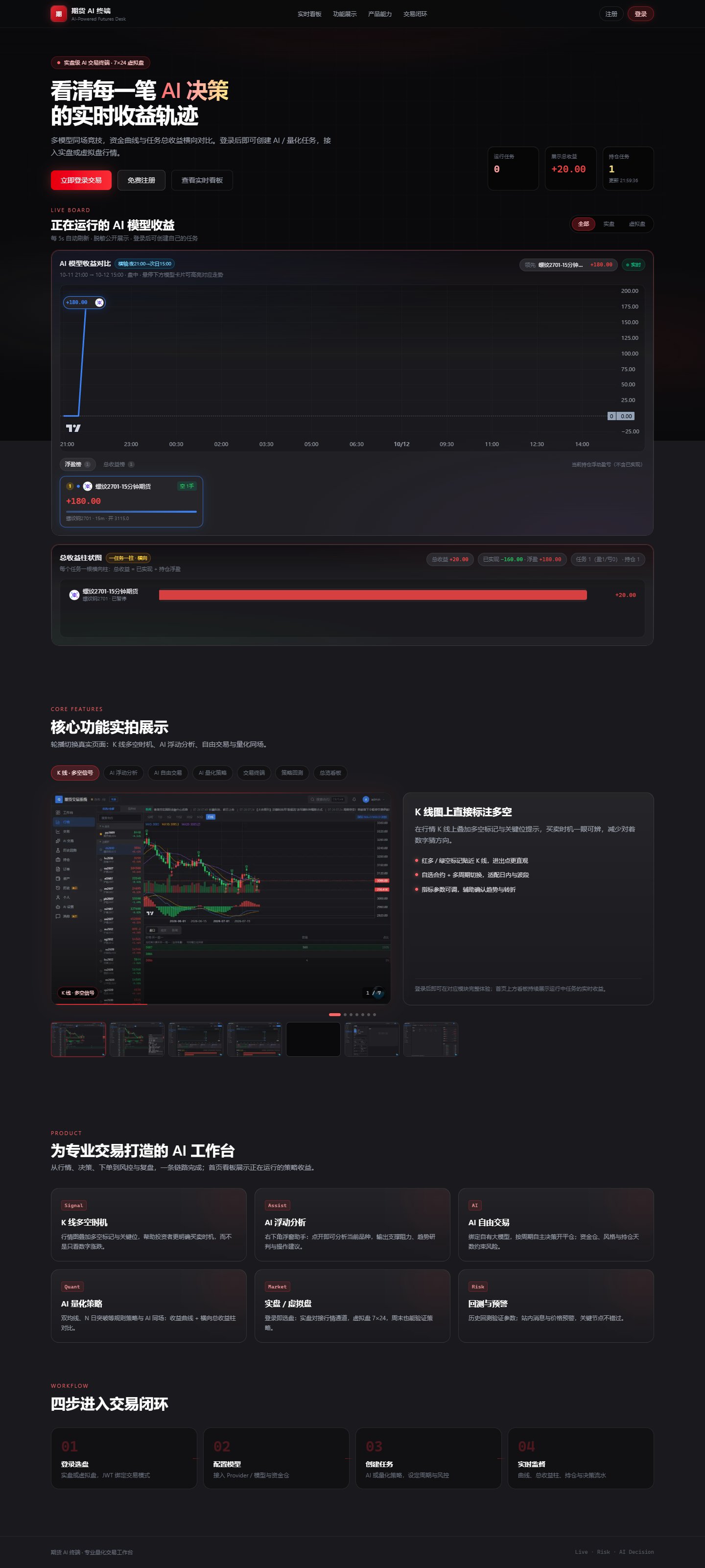
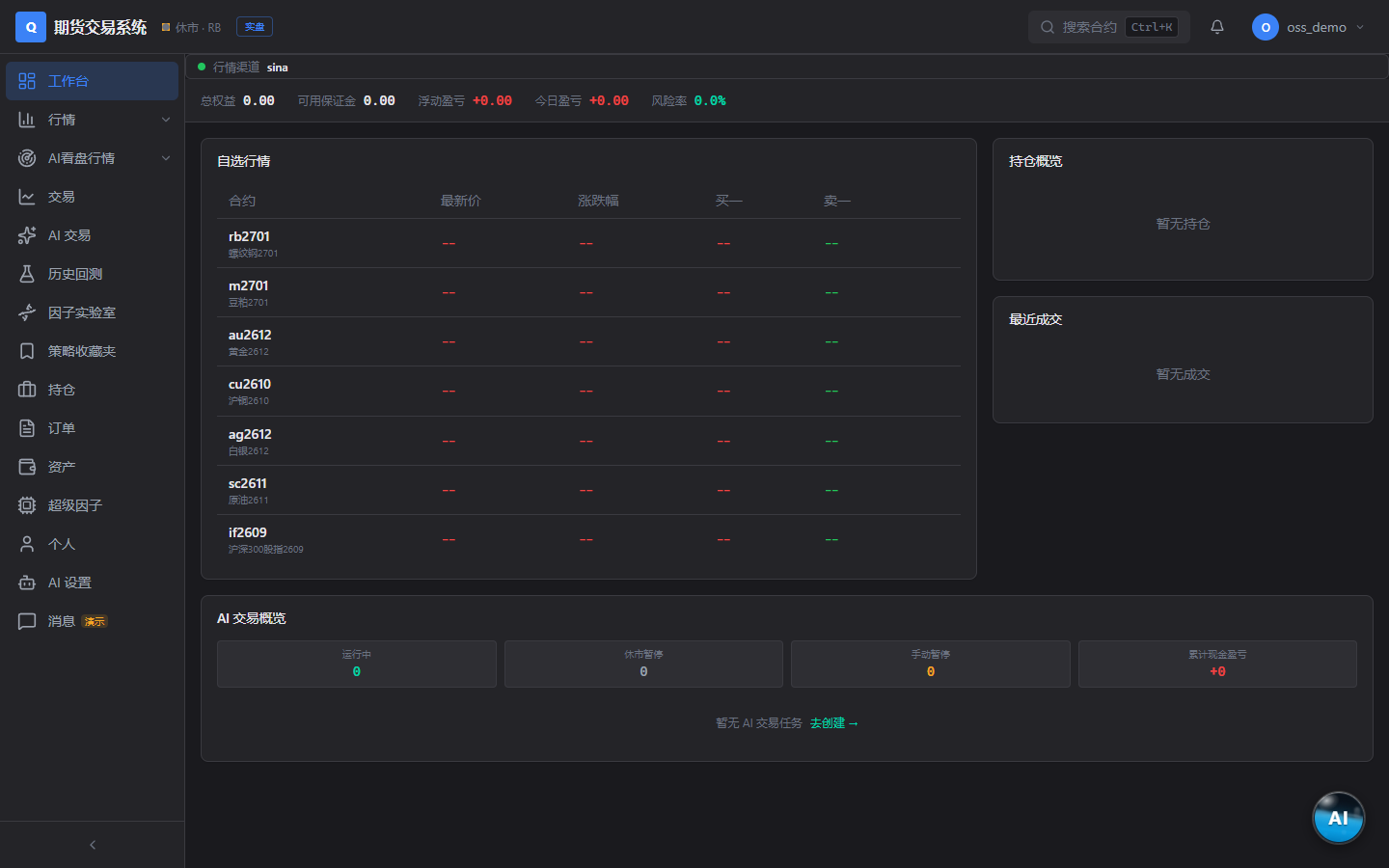
Futures Factor Mining Experiment is an out-of-the-box platform for futures quantitative research and paper trading. It brings market viewing, factor mining, strategy backtesting, paper trading, real-time quantitative tasks, and AI-assisted market analysis into one self-hosted system, making it suitable for learning, research, and simulation experiments.
By default, the project provides free Sina Finance market data, refreshed approximately every 5 seconds, with no market-data account required. The database, cache, and business data are self-hosted by the operator. If you have your own CTP-compatible market-data front end, you can also configure its tcp:// address in the admin console.
This project is intended for learning, research, and paper-trading experiments only and does not constitute investment advice. When connecting to live market-data or trading interfaces, users are solely responsible for the associated risks and compliance obligations.
Core Features
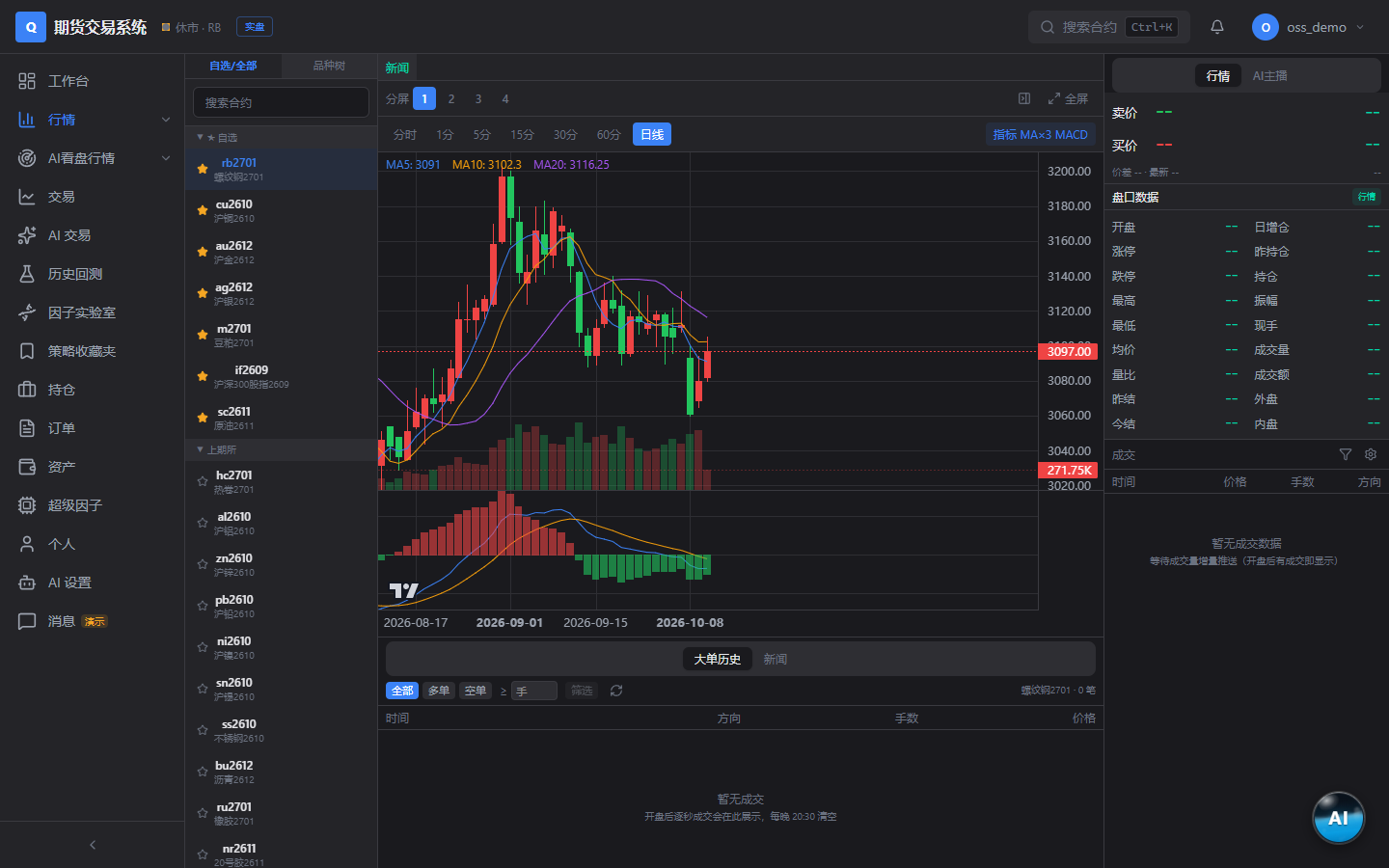
- Market Terminal: Provides free real-time quotes and historical K-lines from Sina, along with watchlists and an instrument tree. Features such as the five-level order book depend on the connected market-data source.
- Factor Lab: Includes more than 60 built-in features, supports factor mining through expressions, and uses token encoding to reproduce experiments.
- Historical Backtesting: Supports multi-timeframe K-line backtesting, AI-generated K-line backtesting, and decision-model backtesting.
- Paper Trading: Provides paper accounts, order matching, position management, equity curves, and multiple exit criteria.
- Quantitative Tasks: Calculates strategy signals in real time, with support for multi-timeframe resonance and signal K-line stop-losses.
- AI Market Analysis: Uses self-configured LLM channels to generate anchor-style market reports and trading assistance.
- Admin Console: Manages market-data channel monitoring and primary/standby switching, K-line sources, users, and quotas.
Technical Architecture
The backend is based on Python 3.12, FastAPI, asynchronous SQLAlchemy, PostgreSQL, and Redis. The frontend uses Next.js 15, React 19, and Tailwind CSS. The complete service stack is orchestrated with Docker Compose.
This architecture brings the frontend, API, database, and cache together in a containerized deployment, making it suitable for self-hosting on a personal server or in an internal research environment.
Installation and Startup
Step 1: Prepare the Deployment Environment
Before starting, make sure Docker is installed and Docker Compose is available in the runtime environment. Then obtain the project source code and enter the repository root.
Step 2: Create the Environment File
Copy the example configuration provided by the repository:
cp .env.example .envOpen .env and review or modify settings such as the database, Redis, and JWT keys for your deployment environment. For public deployments, do not continue using easily guessable keys or keys identical to the examples.
Step 3: Start the Containers
Run the following command from the repository root:
docker compose up -dThis command starts the services defined by Compose in the background. After startup, use the following command to view the container status:
docker compose psRefer to SELF-HOSTING.md in the project for database initialization, data configuration, and the complete environment-variable reference. The README does not make a fixed commitment about the access port, so determine the actual address from the Compose file and local environment variables.
Configure Market-Data Sources
Use the Default Sina Market Data Directly
For a first trial, you can keep the default sina market-data source. It requires no account or server address and refreshes approximately every 5 seconds by default, making it suitable for quickly validating the market page and basic research workflow.
Connect Your Own CTP-Compatible Front End
If you already have an available CTP-compatible market-data service, select ctp_sim, then enter your address on the “Market Data Channel Monitor” page in the admin console, for example:
tcp://host:portThe open-source repository does not include paid or private market-data server addresses. The operator must obtain and configure a legally available, valid front-end address.
Use the openctp 7×24 Simulation Environment
openctp_724 corresponds to the 7×24 simulation environment of openctp and is suitable for virtual-market experiments. Different data sources may provide different fields and levels of depth. For example, five-level order-book data requires the corresponding market-data source to support it.
Basic Workflow
1. Select a Research Instrument from the Market Terminal
After entering the market terminal, use the watchlist or instrument tree to view futures quotes and historical K-lines. Confirm that market data is updating before starting factor experiments or backtests to reduce misjudgments caused by abnormal data sources.
2. Run Experiments in the Factor Lab
The Factor Lab provides more than 60 built-in features and supports combining factors with expressions. It is recommended to begin with relatively simple expressions, record the instrument, timeframe, and parameters used, and then gradually increase complexity.
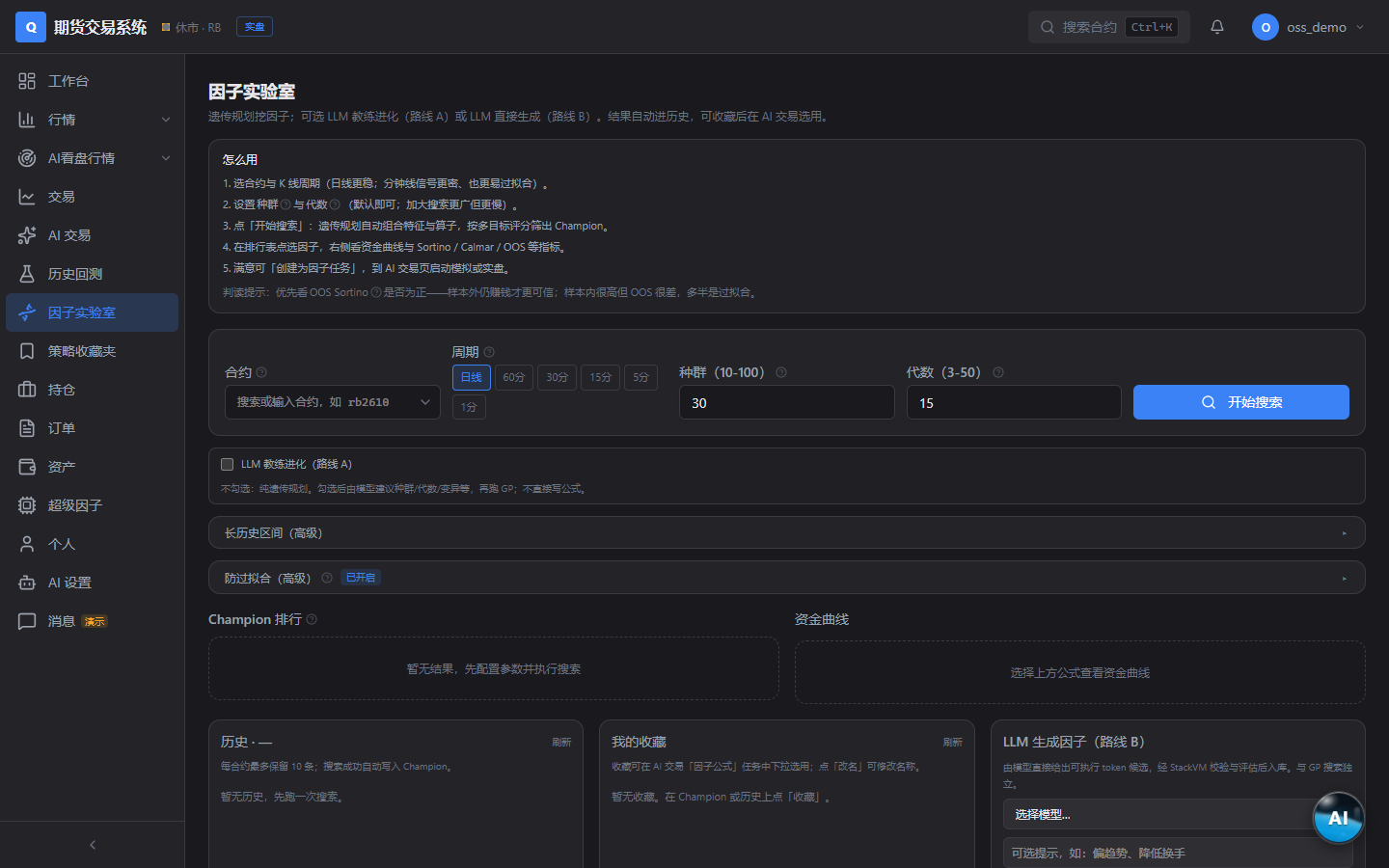
The platform's token encoding can be used to reproduce experiments. After completing a valuable factor study, save the corresponding token and record the data source and time range used. This makes it easier to ensure consistent experimental conditions when rerunning or comparing results.
3. Run a Historical Backtest
Enter the backtesting module and select multi-timeframe K-line backtesting, AI-generated K-line backtesting, or decision-model backtesting according to your research objective. During backtesting, carefully check whether the selected timeframe, signal logic, and exit conditions match the original assumptions.
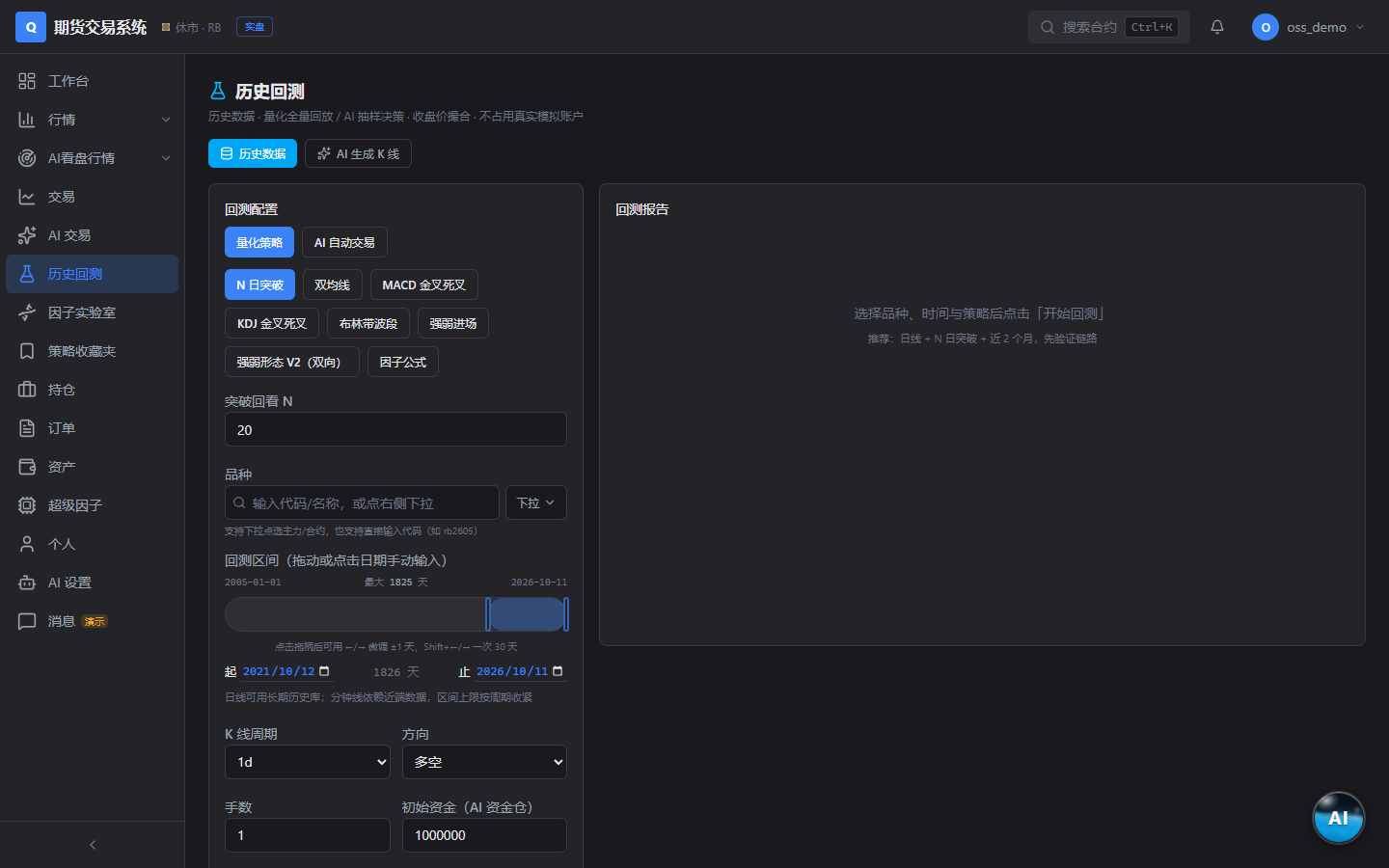
Do not focus only on a single return result. Since the README does not specify particular evaluation metrics or default parameters, base your analysis on the backtest results displayed by the system and compare different timeframes and conditions.
4. Validate with Paper Trading
After historical backtesting, you can use a paper account for simulation validation. The paper-trading module supports order matching, position viewing, and equity curves, and offers exit criteria such as indicator death crosses, factor thresholds, and swing references.
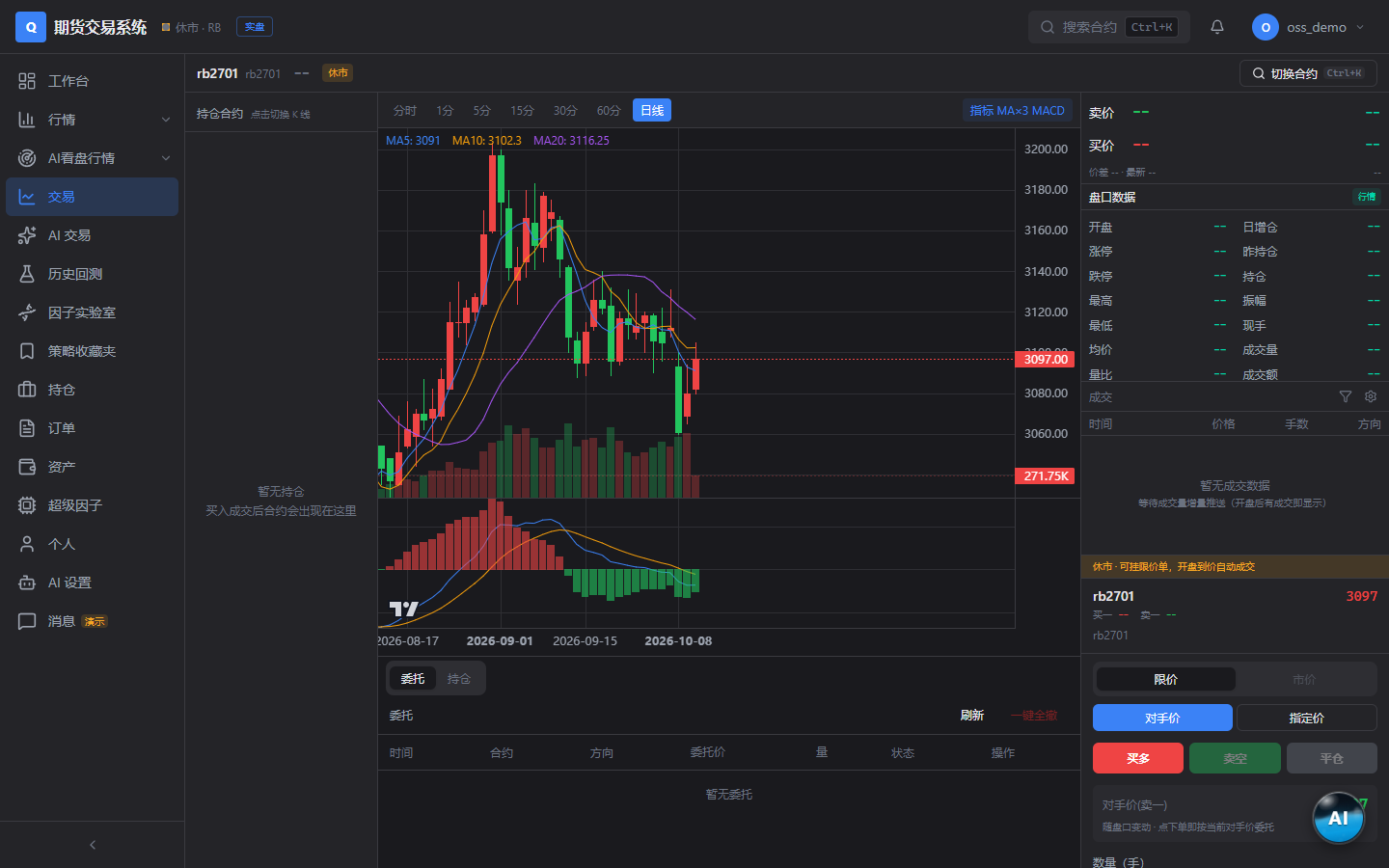
It is recommended to first observe how signals perform through continuous market data in a paper account instead of treating historical backtest conclusions as direct indicators of future performance. In particular, verify that order status, position changes, and the equity curve match the strategy's expectations.
5. Create a Real-Time Quantitative Task
Quantitative tasks can calculate strategy signals in real time and support multi-timeframe resonance and signal K-line stop-losses. In practice, first validate signals on a single timeframe, then add other timeframes for resonance filtering to distinguish the effect of the base signal from multi-timeframe conditions.
6. Configure AI Market Analysis
AI market analysis requires the operator to configure model channels. After the LLM channel is configured, the system can provide anchor-style market reports and trading assistance.
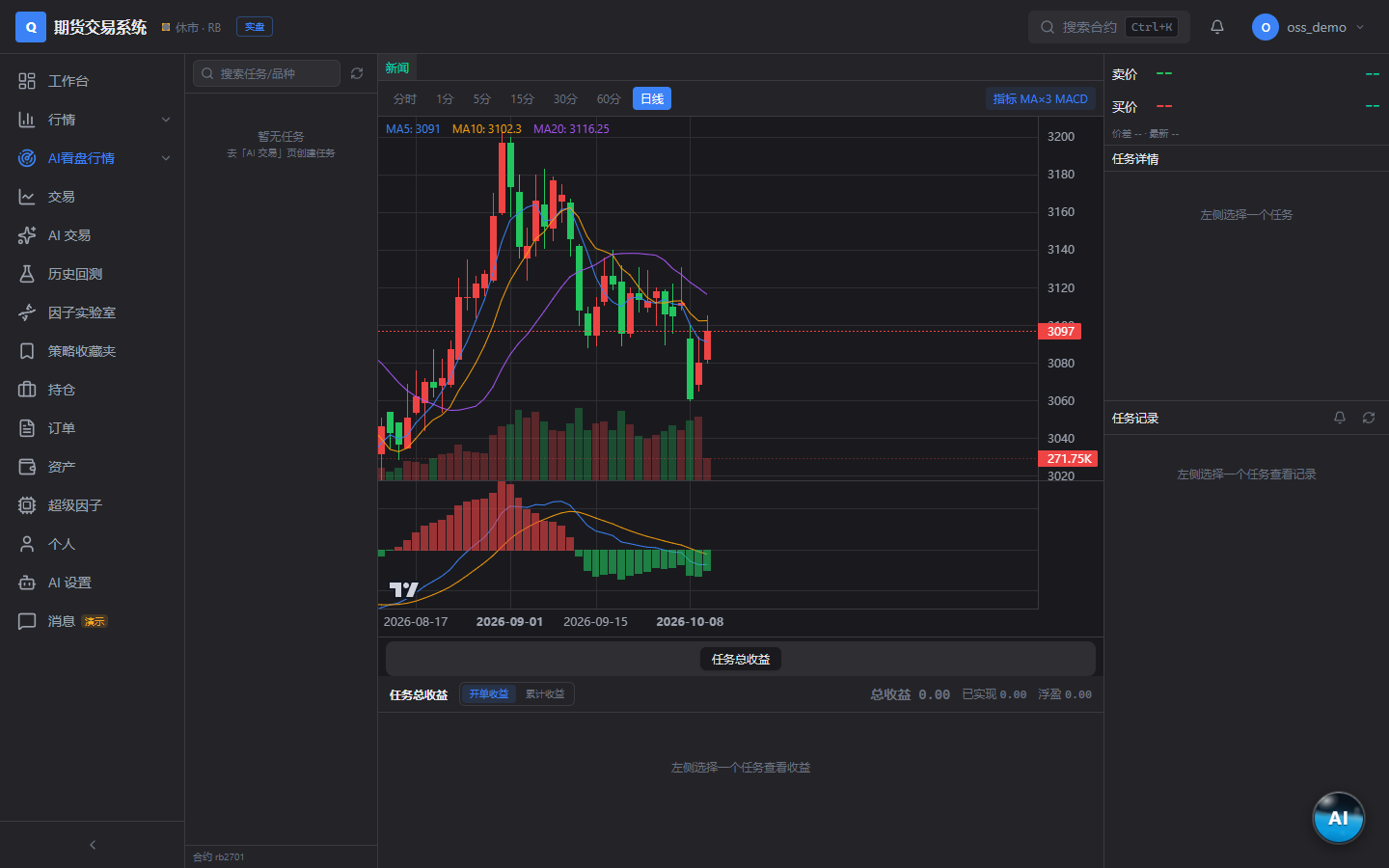
AI output should serve as research assistance rather than a definitive trading conclusion. When using AI-generated K-lines or market interpretations, independently verify them against the original market data, backtest results, and paper-account performance.
Advanced Usage Recommendations
Keep Experiments Reproducible
- Save the token encoding corresponding to each factor expression.
- Record the instrument, K-line timeframe, data source, and experiment time range.
- When comparing experiments, change only one key variable whenever possible.
- After switching market-data sources, recheck the available data fields and order-book capabilities.
Validate Strategies in Stages
- Build and inspect factors in the Factor Lab.
- Use historical backtesting to evaluate performance across different timeframes.
- Use a paper account to test order matching, position, and exit workflows.
- Create a quantitative task and observe real-time signals and multi-timeframe resonance.
- Use AI market analysis as supplementary information rather than a replacement for strategy rules.
Improve Availability with Market-Data Channel Management
If multiple market-data channels are configured, use the admin console for channel monitoring and primary/standby switching. Check connection status regularly and ensure that the standby channel has a correctly entered, accessible service address.
Protect the Self-Hosted Environment
Change the JWT key before deployment and properly protect connection information for PostgreSQL, Redis, the market-data front end, and model channels. Users and quotas can be managed through the admin console to avoid unnecessary resource consumption or unauthorized access.
Common Operations Commands
View the current container status:
docker compose psView service logs:
docker compose logsFollow logs continuously:
docker compose logs -fStop the Compose services:
docker compose downTo adjust the database, Redis, JWT, or other settings, first consult the project's self-hosting documentation and then operate according to the current Docker Compose configuration.
Conclusion
Futures Factor Mining Experiment provides a complete self-hosted research path: starting with free market data and factor construction, moving through multi-timeframe backtesting and paper trading, and extending to real-time quantitative tasks and AI market analysis. It is recommended to complete the basic workflow with the default Sina market data first, then connect your own market-data front end and model channels as needed, while always validating strategies cautiously within research and simulation environments.