

Project Overview
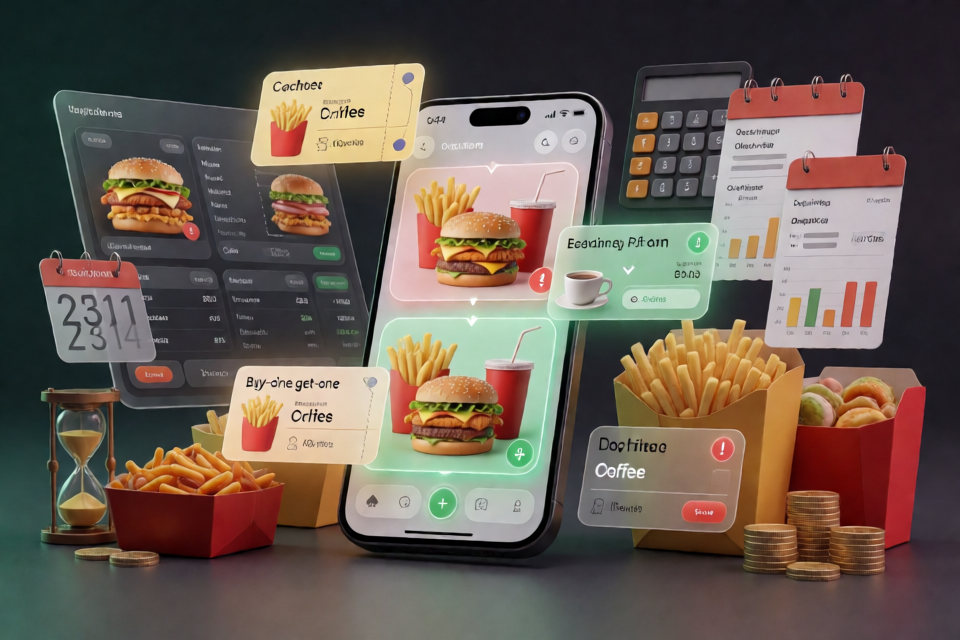
MaiMai Savings Assistant (mcd-coupon-strategist) is an ordering cost assistant built on McDonald's China MCP. It not only answers “What is the cheapest way to place this order?” but also analyzes order history and coupon inventory to show which soon-to-expire offers are turning into actual losses.
The project divides savings into two workflows:
- Short-term optimization: Read the current store menu and available account coupons, enumerate individual items, meals, coupon uses, and add-on options, then use
calculate-priceto obtain the actual price for each option. - Long-term auditing: Use
order-listandquery-my-couponsto analyze spending, average order value, frequently ordered items, and soon-to-expire coupons.
The project's core perspective is not simply to help users keep spending, but to first identify losses that are already occurring.
Core Features and How They Work
Real Pricing Based on the Current Store
Prices and availability may vary by store, so the project does not hard-code menu prices. Every candidate option is ultimately priced by the MCP calculate-price tool instead of having the model guess the amount.
The output includes not only the lowest final payment, but also explains whether the price difference comes from meal structure, coupons, or add-on items. For example, a three-item meal may cost less than ordering a burger and fries separately. In that case, the system clearly recommends the meal and explains how much it saves.
Identify Add-On Traps
Using a coupon does not always make an order cheaper. Suppose the originally planned items cost 46.5 yuan. Adding a 3.5-yuan item to use a “12 yuan off 50 yuan” coupon would result in a final payment of 38 yuan. If a similar meal costs only 33.5 yuan, the add-on option is still 4.5 yuan more expensive.
The project compares the final payment rather than looking only at the discount shown on the coupon. Unless the added item was already something the user wanted, it actively advises against this kind of option.
Calculate the Hidden Cost of Coupons
The “hidden cost of a coupon” is the value of a coupon that is about to expire but has not yet been used. Since the coupons returned by MCP may contain only names, the project checks the current store menu to determine their value:
- Spend-and-save coupons: “12 yuan off 50 yuan” is calculated directly as 12 yuan.
- Buy-one-get-one coupons: “Buy one, get one free medium fries” is valued using the menu price of the corresponding item.
- Fixed-price coupons: “Medium iced Americano for 9.9 yuan” is calculated as the original menu price minus 9.9 yuan.
If the corresponding item cannot be found on the menu, the project records the coupon value as 0 and marks it in the report. It does not enter an apparently reasonable estimate without supporting evidence.
Analyze Long-Term Spending Habits
The auditing module summarizes the number of orders, total spending, average order value, and frequently ordered items from order history, then provides structural suggestions. For example, if the same burger has been ordered separately several times, the system may suggest comparing it with the corresponding meal, since switching to the meal will often reduce spending. Fully refunded orders are filtered out so they are not counted as spending.
Prerequisites
Before using the online MCP features, prepare the following:
- A client that supports custom MCP connectors, such as WorkBuddy demonstrated in the README.
- A Token obtained from the McDonald's MCP Open Platform.
- Python 3.8 or later if you need to run the local tests.
The four local test suites do not require an MCP Token. However, a valid Token is required to query the real menu, account coupons, and order history.
Apply for and Configure an MCP Token
Step 1: Apply for a Token
Visit the McDonald's MCP Open Platform, sign in with your phone number, activate MCP in the console, and copy the MCP Token.
Step 2: Create the MCP Configuration
The repository provides a redacted configuration file, mcp-config.example.json. Its structure is as follows:
{
  "mcpServers": {
    "mcd-mcp": {
      "type": "streamablehttp",
      "url": "https://mcp.mcd.cn",
      "headers": {
        "Authorization": "Bearer ${MCD_MCP_TOKEN}"
      }
    }
  }
}
Replace ${MCD_MCP_TOKEN} with your own Token, then add it to the MCP Client configuration. Do not commit the real Token to a public repository or expose it in screenshots, logs, or issue reports.
Step 3: Enable It in WorkBuddy
- Open WorkBuddy, go to “Experts, Skills, Connectors” on the left, and select the “Connectors” tab.
- Click “Custom Connector,” then select “Configure MCP.”
- Paste the JSON configuration with the Token replaced, then save it.
- Return to the custom connector list and enable
mcd-mcp.
Basic Usage
Example 1: Find a Combination Within a Budget
First select a store, then clearly specify your budget, desired food types, and the number of options to compare. You can send:
I'm ordering delivery from McDonald's. After I select the store, please calculate this for me:
I have coupons and want one burger + one serving of fries + one drink, with a budget of 40 yuan.
What's the cheapest way to order? Compare two options for me.
The assistant reads the current store menu and available coupons, generates candidate combinations, and uses MCP for real pricing. A typical result might recommend a 33.5-yuan McSpicy Chicken Fillet Burger three-item meal and compare it with a 37-yuan option consisting of a burger and fries ordered separately.
Example 2: Set Main and Side-Dish Requirements
I have a budget of 35 yuan and want a chicken-based main item and one side.
Please check the currently available items at this store and provide recommended,
alternative, and not-recommended options, explaining why each is cheaper or more expensive.
This type of prompt lets the assistant consider the budget, satiety needs, and item categories at the same time, avoiding recommendations that have the lowest absolute price but do not meet the actual requirements.
Example 3: Decide Whether an Add-On Is Worth It
I have a “12 yuan off 50 yuan” coupon.
Please compare the final payments for buying directly, adding items to use the coupon,
and switching to a meal based on my current needs.
If adding items makes it more expensive, clearly warn me.
The key comparison is the final payment, not the discount amount shown on the coupon. The project includes the cost of added items and points out whether a meal is a better deal than adding items.
Example 4: Audit Recent Spending
Please analyze my McDonald's orders from the past few months:
Count the number of orders, total spending, and average order value, and find frequently ordered items.
Also list coupons that are about to expire, their estimated value, and remaining days,
then tell me what I should handle first this month.
This triggers the long-term auditing workflow. The output focuses on the total value of soon-to-expire coupons, spending habits, and actionable structural suggestions, rather than only the lowest price for a single order.
Run the Local Tests
After obtaining the project source code, run the following tests from the repository root using Python 3.8 or later:
python src/test_saver.py
python src/test_auditor.py
python src/test_adapter.py
python src/test_order_adapter.pytest_saver.py: Verifies option enumeration, sorting, and add-on trap detection.test_auditor.py: Verifies hidden costs, spending habits, and date boundary conditions.test_adapter.py: Verifies unit conversion and MCP response parsing.test_order_adapter.py: Verifies order and coupon parsing, refund filtering, and coupon value estimation.
All four test suites run entirely locally and do not require an MCP Token. The README does not list any additional package installation commands, so follow the actual code and integration documentation in the repository.
Understand the Project Architecture
The project uses an adapter layer to isolate raw MCP responses from business algorithms. The main modules are:
src/saver.py: Handles the single-order savings workflow, enumerates candidate combinations, and compares actual final payments.src/auditor.py: Handles long-term auditing, calculates coupon hidden costs, and generates spending profiles.src/mcd_adapter.py: Handles field mapping, refund filtering, coupon value lookup, and the only conversion from cents to yuan.MCP_INTEGRATION.md: Documents the MCP Server, tools, call flow, and observed call contracts.SKILL.md: Describes the Skill definition and overall workflow.
The algorithm layer does not directly access raw MCP responses, which helps avoid field differences and confusion between monetary units. In particular, note that different interfaces may use cents and yuan in opposite directions; conversions should always be handled through the adapter layer.
Advanced Usage Tips
Clarify What You Want to Eat Before Comparing Prices
The lowest price is not always the right option. Specify the main item, side, drink, number of people, budget, and minimum requirements in the prompt so the system compares options that meet the same needs.
Ask for the Savings Breakdown
You can ask the output to state “which coupon was used, which meal it was changed to, which add-on item was added, and how much was saved compared with the baseline option.” This gives you both the conclusion and enough detail to judge whether the recommendation fits your actual needs.
Distinguish Coupon Face Value from Actual Savings
A coupon with a theoretical value of 12 yuan does not necessarily save 12 yuan on the current order. The threshold, eligible stores, eligible items, and add-on cost all affect the actual benefit. Check both the coupon face value and the final payment.
Prioritize Coupons That Are Near Expiration and Have Clear Values
During long-term audits, sort coupons by remaining days and verifiable value. Coupons whose original prices cannot be looked up in the menu should remain marked as unknown or 0. Do not guess an amount just to produce a complete report.
Always Use Current Store Data
Do not reuse prices from another store or from historical orders. Menus, availability, and coupon eligibility may change, so every decision should use the current official results for the selected store.
Protect Account Credentials
Always store the Token in an environment variable or the client's secure configuration whenever possible. When sharing the configuration publicly, keep only a placeholder such as ${MCD_MCP_TOKEN}.
Design Boundaries and Important Notes
- All prices should be based on the actual response from MCP
calculate-price. - Coupon values that cannot be confirmed from the menu are treated as 0 and marked accordingly; they are not estimated.
- Refunded orders are excluded from spending.
- The project does not encourage unnecessary add-on purchases just to use a coupon.
- Food items, prices, availability, and coupon eligibility are subject to the real-time results from official McDonald's channels.
- This project is an independently developed competition entry, not an official McDonald's product.
- The output is for consumer decision-making reference only and does not constitute medical, nutritional, or other professional advice.
Conclusion
MaiMai Savings Assistant combines real-time ordering optimization with long-term spending audits. In the short term, it uses real pricing to select meal, individual-item, and coupon combinations. In the long term, it identifies hidden losses such as high average order values, repeated individual-item orders, and expired coupons by analyzing orders and coupon inventory.
After configuring the MCP Token, start with an ordering request that includes a budget and food requirements, then gradually try add-on comparisons and monthly spending audits. For developers, the separation among saver.py, auditor.py, and mcd_adapter.py also provides a clear reference for dual-workflow MCP orchestration.