

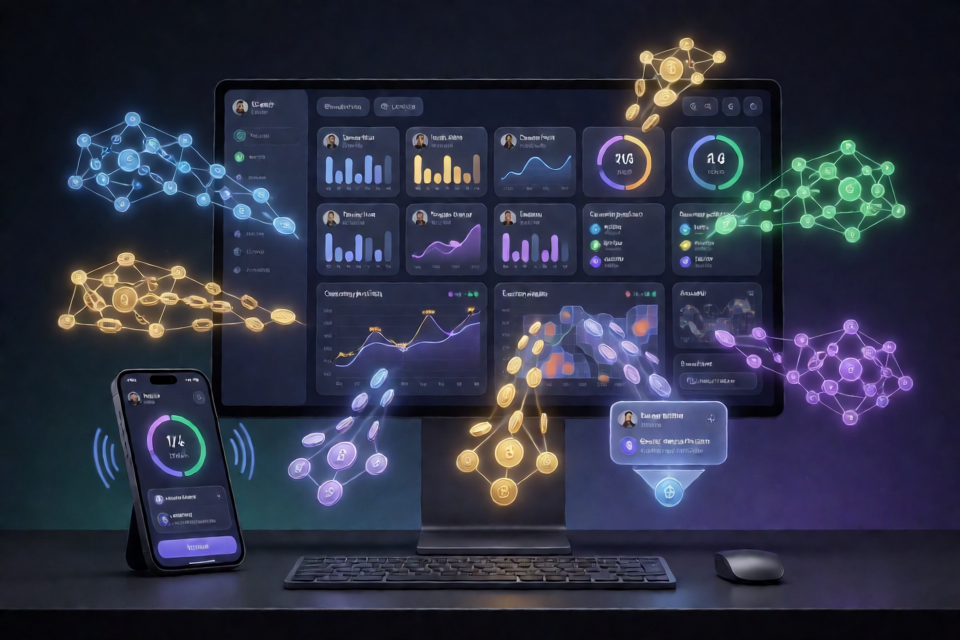
What Smart Money Tracker 2026 Does
Smart Money Tracker 2026 is presented as a wallet screener and monitoring tool for identifying potentially successful on-chain traders. Instead of ranking wallets only by transaction size, it uses metrics such as win rate, realized profit and loss, trading history, activity duration, and token specialization.
The tracker supports Base, BSC, Arbitrum, and Solana. You can define minimum quality thresholds, review current wallet positions, and receive alerts when tracked wallets enter or exit positions.
Key Features
- Wallet screener: Ranks wallets using win rate, realized PnL, trade history, and specialization.
- Quality filters: Lets you set minimum win rate, realized PnL, and active-day requirements.
- Real-time entry alerts: Reports wallet purchases with token, size, entry price, unrealized PnL, and an explorer link.
- Position feed: Shows current holdings, entries, exits, average prices, and open positions.
- Token intelligence: Identifies when multiple tracked wallets accumulate the same token.
- Multi-chain monitoring: Follows activity across Base, BSC, Arbitrum, and Solana.
- Verification records: Links wallet activity to explorers and stores alert data in
signals.csv.
Installation and Initial Setup
Start by downloading and extracting the tracker from the project’s provided download page. Because the README distributes an executable through an external link, review the source and scan downloaded files before running them.
1. Open the Installation Directory
After extracting the files, open PowerShell and change to the tracker directory. The example below uses the location shown in the README.
cd C:\Bots\Smart-Money2. Install Dependencies
Install the required packages with npm:
npm installThe README assumes that Node.js and npm are available on your system. If the command is not recognized, install a current Node.js release before continuing.
3. Connect Telegram
To receive alerts in Telegram, run the connection command from PowerShell:
./smart.exe alerts connectFollow the prompts supplied by the executable to complete the Telegram connection.
Configure Wallet Quality Filters
Use the configuration command to define the minimum standards for wallets shown by the screener. This example requires a 65 percent win rate, at least 100,000 USD in realized PnL, and 90 active days:
./smart.exe config --min-winrate 65 --min-pnl 100000 --min-days 90These settings are intended to reduce the number of wallets that do not meet your chosen criteria. They do not guarantee that a wallet will remain profitable or that its trades can be copied successfully.
Example Configuration File
You can also express the main settings in config.json:
{
  "chains": ["base", "arbitrum"],
  "screener": { "min_winrate_pct": 65, "min_pnl_usd": 100000, "min_active_days": 90 },
  "alerts": { "entries": true, "exits": true, "multi_wallet_signal": true },
  "signal_threshold": 2,
  "max_tracked_wallets": 50,
  "telegram": true
}
In this configuration, the tracker monitors Base and Arbitrum, enables entry and exit alerts, generates a multi-wallet signal when two tracked wallets meet the condition, limits tracking to 50 wallets, and enables Telegram notifications.
Run a Scan and Start Monitoring
Run the screener first, then start the tracker:
./smart.exe scan
./smart.exe start
The scan applies your configured filters. Once the tracker starts, it can monitor qualifying wallets and report activity according to the enabled alert settings.
Understanding the Screener Output
The README shows an example in which more than two million wallets are scanned and only wallets meeting the configured thresholds remain. A typical result includes the wallet address, win rate, recent PnL, trading style, and current holdings.
[SCREENER] 2,140,318 wallets scanned → 87 pass your filters (65% WR, $100k+ PnL)

  WALLET           WINRATE  30d PnL   STYLE          NOW HOLDING
  0xw1se...f00d    71%      +$84k     memecoin sniper  MOON2, AI9
  0x4rbd...c9e2    68%      +$310k    early acc.       AI9 (3 buys/wk)
  0x91de...b3f2    66%      +$95k     swing            PEPE2
Use these results as a starting point for investigation rather than as an automatic trading list. Review the wallet’s transaction history and trading behavior before deciding whether it belongs in your tracked set.
Use Entry, Exit, and Multi-Wallet Alerts
Entry alerts identify purchases by tracked wallets and can include the token, transaction size, and entry information. Exit alerts indicate when a wallet sells, including partial exits where available.
The multi-wallet signal is designed to highlight overlapping activity. For example, if two tracked wallets accumulate the same token and your signal_threshold is set to 2, the tracker can report that shared activity as an accumulation pattern.
[11:22:14] ALERT  0x4rbd...c9e2 bought 0.6 ETH → AI9 (4th buy this week)
[11:22:14] SIGNAL 2 tracked wallets now hold AI9 → accumulation pattern
[13:45:02] ALERT  0xw1se...f00d sold 50% MOON2 → +112% realized
Signals show what tracked wallets are doing; they are not instructions to buy or sell. Check the transaction details and token conditions before taking any action.
Verify Wallet Activity Yourself
The README emphasizes that wallet performance should be verifiable through public on-chain records. Use the explorer links attached to tracked wallets and alerts to inspect the underlying activity.
- Open the wallet’s explorer page to review its full transaction history.
- Compare wins and losses with the claimed win rate rather than accepting the metric without review.
- Open the transaction hash attached to an alert on the relevant explorer, such as Basescan or Solscan.
- Review
signals.csvfor timestamps, wallets, tokens, and actions recorded by the tracker.
Verification is especially important when a wallet has a high win rate but limited history, uses concentrated positions, or trades tokens with low liquidity.
Advanced Tips for Better Monitoring
Start with Conservative Filters
Use the win-rate, PnL, and active-day settings to reduce noise. A longer activity requirement can help exclude wallets with very short or unusually favorable histories, while a PnL threshold can focus the screener on wallets with meaningful realized results.
Limit the Number of Tracked Wallets
The max_tracked_wallets setting controls the size of your monitoring list. Keeping the list manageable makes it easier to review alerts and investigate each wallet rather than reacting to every signal.
Combine Entry and Exit Data
Do not review purchases in isolation. Compare new entries with later exit alerts, average prices, and realized results. This helps reveal whether a wallet tends to hold positions, scale out gradually, or exit soon after attracting attention.
Use Multi-Wallet Signals as Confirmation
When multiple tracked wallets hold the same token, treat the overlap as an additional research signal rather than proof of quality. Investigate the token, liquidity, transaction history, and the timing of each wallet’s activity.
Keep Chain Context in Mind
Activity on Base, BSC, Arbitrum, and Solana can differ in token availability, transaction costs, liquidity, and explorer tooling. Compare activity within its chain context before drawing conclusions across networks.
Important Limitations and Risks
Historical wallet performance cannot predict future results. A wallet with a 70 percent win rate can still lose several trades, including trades placed after you begin monitoring it.
Some wallets may benefit from followers. A trader could buy quietly, wait for copy-flow, and then sell into increased demand. Entry, exit, and multi-wallet alerts may help you identify this behavior, but they cannot eliminate the risk.
Survivorship bias is another limitation. A screener focused on current winners may not show wallets that previously performed well and later lost substantial capital. The tracker is an information tool, not financial advice, and all decisions and risks remain your responsibility.
Past performance is not a guarantee of future results. Verify wallet activity and assess risk before acting on any alert.
Conclusion
Smart Money Tracker 2026 provides a workflow for screening wallets, filtering them by measurable criteria, monitoring current positions, and receiving Telegram alerts across several chains. To use it responsibly, configure clear thresholds, inspect the underlying wallet history, review both entries and exits, and treat shared wallet activity as research information rather than a guaranteed trading signal.