

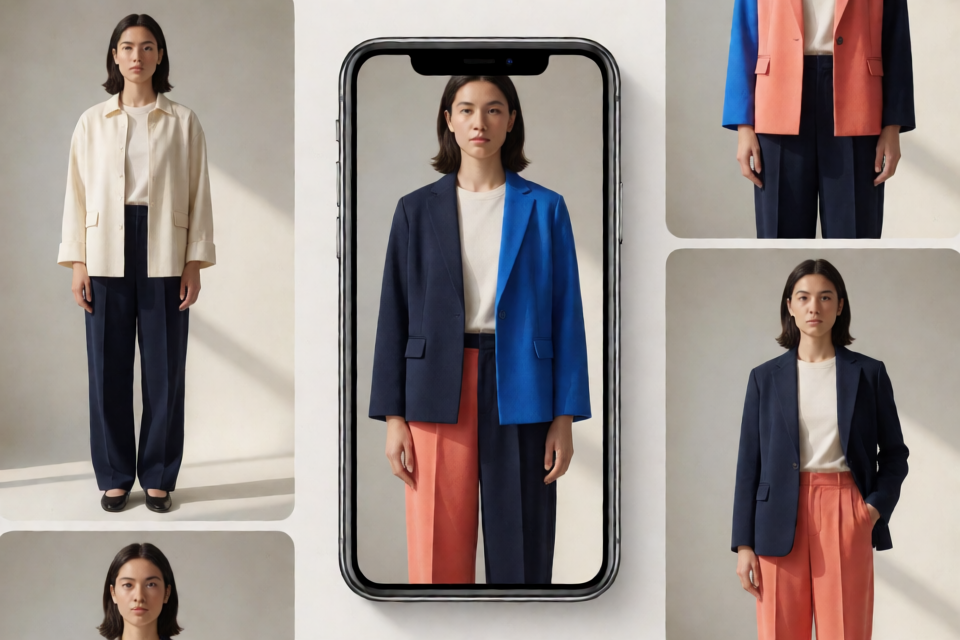
What Photo Try-On Does
Photo Try-On is a mobile browser service that generates a photorealistic image of a person wearing a selected garment. You provide a photo of the person and a photo of the clothing, then choose the relevant category. The service attempts to preserve the person’s identity, body shape, pose, lighting, and background while regenerating the clothing area.
It supports four categories: upper body, lower body, dresses, and full outfits. You can also compare multiple generated looks from the same person photo.
Photo Try-On is a website-only service. It does not provide a downloadable application, public API, local model, or self-hosted version.
Before You Begin
Use a supported phone and a mobile browser. The service is designed for phone screens and is not supported on desktop or laptop browsers. Tablets are not officially supported either.
- iPhone: iOS 16 or newer with Safari or Chrome.
- Android: Android 10 or newer with Chrome or Samsung Internet.
- Connection: Use a stable internet connection because image generation runs on the server.
- Permissions: Allow camera and photo access if you want to capture or select images directly.
How to Create a Try-On
- Open the service. On your phone, visit templace-sr4.icu.
- Add a person photo. Upload an existing image or take a new photo with your phone’s camera.
- Add a garment. Upload a clothing image or choose an item from the built-in catalogue.
- Select a category. Choose upper body, lower body, dress, or full outfit.
- Start the generation. Press Try on and wait for the result, which should appear within a few seconds under normal conditions.
- Save or continue. Download the result, or replace the garment and generate another look.
You can try the service without an account for your first try-ons. Signing in allows the service to retain your history and increases the daily limit.
Prepare a Better Person Photo
The input images have a major effect on the generated result. For the person photo, use a sharp image with the subject facing the camera. A full-body or half-body composition is recommended, with the head visible down to at least the mid-thigh.
- Use even lighting and a calm, uncluttered background.
- Keep the person centered and clearly visible.
- Avoid crossed arms and objects held over the clothing area.
- Do not use photos with other people in the frame.
- Avoid coats, scarves, or layers covering the area you want to replace.
Prepare a Better Garment Photo
For the garment image, use a front-facing flat-lay or ghost-mannequin photo where the entire item is visible. A plain background and sharp fabric detail help the service reproduce textures, logos, prints, and folds more accurately.
- Use a clear front view with minimal perspective distortion.
- Keep the garment fully inside the frame.
- Avoid strong shadows and extreme camera angles.
- Do not use a photo of someone already wearing the garment when possible.
Accepted formats are JPEG, PNG, and WebP. Each file can be up to 15 MB. Very small images may be upscaled and can produce a softer result.
What the Result Includes
Successful generations provide a full-resolution image that you can download. The original person photo is kept next to the result for comparison. If you are signed in, recent try-ons are also available in your history.
Advanced Tips for More Reliable Results
Choose the Narrowest Suitable Category
When a garment fits a specific category, select that category rather than a broader option. This can help reduce unwanted changes around the replaced area. For example, select lower body for trousers or a skirt instead of full outfit when only the lower clothing needs to change.
Keep Hands Away from the Garment Area
Hands overlapping the clothing are one of the most common sources of distortion. If possible, use a pose with the arms resting away from the area being replaced.
Generate Again When Details Look Incorrect
Small logos, fine text, and complex fabric structures may not be reproduced precisely. If the face or garment looks slightly wrong, try again with a sharper, better-lit image. A new generation may produce a more accurate result.
Set Realistic Expectations
The output shows a visual approximation rather than a physical fitting. It cannot confirm your real size or how a garment will feel. Transparent, reflective, fringed, or heavily structured materials may also be approximated.
Known Limitations
- Back views, strong side angles, and seated poses are handled poorly.
- Hands and fingers can distort when they overlap the replaced clothing.
- Fine text and small logos may be imprecise.
- Belts, bags, and jewellery inside the replaced area may disappear.
- The visual fit does not provide real measurements or size recommendations.
Troubleshooting
- The site asks you to switch devices: Open the service in a phone browser because desktop and laptop browsers are not supported.
- The camera or gallery will not open: Enable camera and photo permissions for the site in your browser settings.
- An upload is rejected: Confirm that the file is JPEG, PNG, or WebP and is smaller than 15 MB.
- The garment bleeds into the background: Use a cleaner person photo or try a narrower clothing category.
- The result ignores the garment: Use a flat-lay garment photo instead of an image showing the item on a model.
- The face looks slightly different: Generate again with a sharper, evenly lit person photo.
- Generation hangs or times out: Reload the page, retry, and check the status information on the website for service incidents.
- You reached the daily limit: Wait for the limit to reset or sign in for a higher limit.
Privacy and Responsible Use
According to the project documentation, uploaded photos are used to produce your result. You can delete uploads and results from your history, while guest uploads are removed automatically after a short retention period. The service states that photos are not sold or shared with third parties. The privacy policy published on the service website is the authoritative source for current privacy details.
Only upload images when you have permission to use them. Do not create sexualised, degrading, or misleading imagery, and never upload photos of minors. If you publish generated images, label them as synthetic and follow the data-protection rules that apply to personal and biometric data in your location.
Frequently Asked Questions
Can I run Photo Try-On locally?
No. The repository contains documentation, examples, issues, and release notes, but not the model or a runnable product. There is no self-hosted version.
Is there a public API?
No public API is currently available. For integration enquiries, use the contact form on the service website.
Is an account required?
No account is required for the first try-ons. Signing in saves your history and raises the daily limit.
Is the service free?
A free tier is available with a daily limit. Current plans are listed on the website.
Can I use the results commercially?
Commercial use depends on the rights to the uploaded photos and the current terms of service. Review those terms before publishing or using generated images commercially.
Conclusion
Photo Try-On provides a simple phone-based workflow for previewing garments on a person’s photo: upload the person image, add a garment, select a category, and generate the result. For the best outcome, use clear front-facing images, uncluttered backgrounds, and fully visible garments. Remember that the result is a visual approximation, not a real fitting, and use the service only with appropriate consent and responsible intent.