

What Is AI Shorts Generator?
AI Shorts Generator is a free, open-source Python project for converting long YouTube videos or local video files into short, ready-to-post clips. It automatically transcribes the source, identifies potentially engaging moments, removes overlapping selections, and renders the best candidates in a vertical or custom aspect ratio.
The project is positioned as a self-hosted alternative to short-video SaaS products. It does not add pre-clip credits or watermarks. Its broader feature set also includes subtitles, translation, voiceover, context-aware opening hooks, a command-line interface, a local web interface, and an API for integration into other projects.
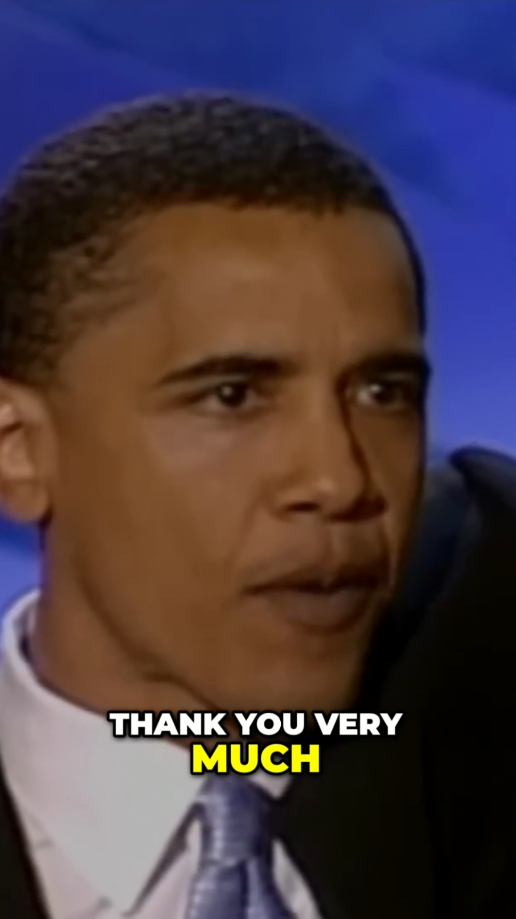
Example output
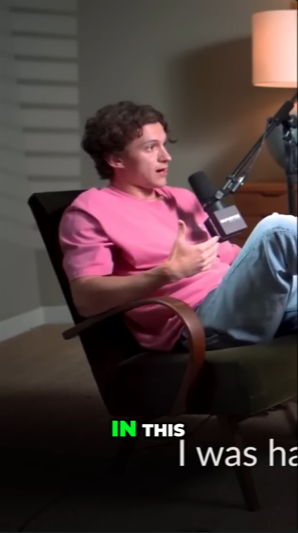
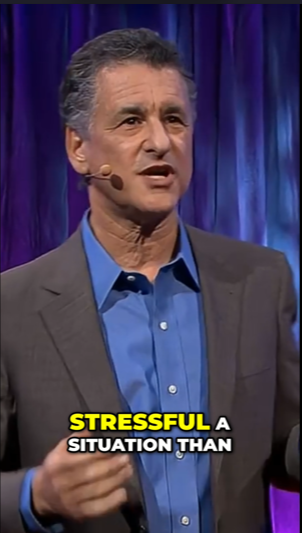
The generated clips can transform speeches, interviews, podcasts, tutorials, and similar long-form material into mobile-friendly videos.
How the Processing Pipeline Works
- Source retrieval: The program downloads a YouTube video or reads the local file path you provide.
- Transcription:
faster-whispercreates a timestamped transcript locally. This step is the same for every supported LLM provider. - Content classification: The selected LLM determines whether the source resembles a podcast, interview, tutorial, vlog, or another content type. It also evaluates pacing so that highlight selection can be adapted to the material.
- Highlight ranking: OpenAI, Gemini, or MuAPI examines the transcript for hooks, emotional peaks, strong opinions, revelations, conflict, quotable statements, story peaks, and practical value. It returns ranked highlight candidates with scores from 0 to 100.
- Deduplication: Overlapping candidates are collapsed according to their scores.
- Top-N selection: The highest-ranked candidates are selected based on the
--noption. - Rendering: Each selected segment is automatically cropped and rendered at the requested aspect ratio. Unless disabled, an AI-generated contextual hook is placed at the beginning.
Requirements
- Python 3.10 or newer
- An API key for OpenAI, Gemini, or MuAPI
- The Python packages listed in
requirements.txt
Gemini offers a free tier with a daily limit. OpenAI is paid, while MuAPI uses paid, pay-per-use access without a subscription. Provider terms and pricing can change, so review the relevant service before processing a large collection.
Install the Project
1. Clone the repository
git clone https://github.com/Colafornia/short-video-generator-AI.git
cd short-video-generator-AI
2. Create a virtual environment
On Windows, run:
python -m venv venv
venv\Scripts\activate
On Linux or macOS, run:
python -m venv venv
source venv/bin/activate
A virtual environment keeps the generator's packages separate from other Python projects on your computer.
3. Install the dependencies
pip install -r requirements.txtConfigure the LLM and Whisper
Create a .env file in the project directory. Set LLM_PROVIDER to openai, gemini, or muapi, and add the corresponding API key.
LLM_PROVIDER=openai

OPENAI_API_KEY=your_openai_key_here
OPENAI_MODEL=gpt-4o-mini

GEMINI_API_KEY=your_gemini_key_here
GEMINI_MODEL=gemini-2.5-flash

MUAPI_API_KEY=your_muapi_key_here

LOCAL_WHISPER_MODEL=base
LOCAL_WHISPER_DEVICE=auto
You only need a valid key for the provider selected by LLM_PROVIDER. The model fields shown for OpenAI and Gemini are optional.
- Gemini: Obtain a key from Google AI Studio.
- OpenAI: Obtain a key from OpenAI Platform.
- MuAPI: Obtain a key from MuAPI.
Choose a Whisper model
LOCAL_WHISPER_MODEL accepts tiny, base, small, medium, or large-v3. The default example uses base. For device selection, use auto, cpu, or cuda.
Keep LOCAL_WHISPER_DEVICE=auto if you want the program to select the available device. Use cuda when you have a compatible CUDA environment, or cpu when you explicitly want CPU processing.
Generate Your First Short
Pass a YouTube URL to main.py:
python main.py "https://www.youtube.com/watch?v=video_id"By default, the program renders three clips at a 9:16 aspect ratio and uses a source download resolution of 720. Rendered files are saved in the output directory.
Control the Number, Ratio, and Resolution
The following command selects three highlights, formats them as vertical videos, and requests a source resolution of 1080:
python main.py "https://www.youtube.com/watch?v=video_id" \
  --n 3 \
  --ratio 9:16 \
--resolution 1080--ncontrols how many clips are rendered. Its default is3.--ratioaccepts a custom ratio. Use9:16for vertical shorts or1:1for square output.--resolutioncontrols the source video download resolution. Supported documented values are360,480,720, and1080.
Process a Local Video
A local file path can replace the YouTube URL. This example creates four vertical clips at 720 resolution and forces Whisper to treat the speech as Chinese:
python main.py "/Users/Admin/Folder/video.mp4" \
  --n 4 \
  --ratio 9:16 \
  --resolution 720 \
  --language zh
The default language setting is auto. Use --language with a Whisper language code such as en when automatic detection is unsuitable or when you already know the video's spoken language.
Disable the Generated Hook
AI-generated hooks are enabled by default. To render highlights without inserting a new hook at the beginning, add --no-hook:
python main.py "https://www.youtube.com/watch?v=video_id" --no-hookThis is useful when the selected segment already has a strong opening or when you want the short to begin exactly as it appears in the source.
Use the Local Web Interface
The web version provides a visual way to queue multiple videos and adjust rendering flags. It still reads the LLM provider and API credentials from .env; the interface handles only video input and rendering options.
1. Start the backend
python3 server.py2. Serve the frontend
Open another terminal in the project directory and run:
cd web
python3 -m http.server 8000
3. Open the interface
Visit http://localhost:8000/shorts-generator-ui.html in your browser.
Advanced Usage Tips
Match the aspect ratio to the destination
Use 9:16 for standard vertical short-form video. Choose 1:1 when you need square output, or provide another ratio supported by the generator for a different layout.
Limit clips while testing
Set --n 1 during initial configuration. This reduces the number of clips rendered while you verify API credentials, transcription behavior, language settings, hooks, and output dimensions.
python main.py "https://www.youtube.com/watch?v=video_id" --n 1 --resolution 360Force the language when appropriate
Automatic language detection is convenient, but explicitly setting --language can be helpful when you know the source language. This option applies to Whisper transcription.
Adjust local transcription settings
The transcription runs locally even though highlight analysis uses an external LLM provider. Select the Whisper model and device in .env according to the resources available on your machine. The README exposes these settings but does not prescribe one model for every workload.
Keep provider configuration separate from interface choices
Changing from the CLI to the web interface does not change the configured LLM provider. Update LLM_PROVIDER and the matching API key in .env whenever you switch between OpenAI, Gemini, and MuAPI.
Review generated clips before publishing
The highlight system uses transcript analysis and a virality framework to select candidates automatically. Review the files in output to confirm that cropping, transcription, context, and the optional hook fit your intended use before posting them.
Conclusion
AI Shorts Generator combines local Whisper transcription, LLM-based highlight detection, deduplication, ranking, and automatic cropping in one open-source workflow. After installing the dependencies and configuring a provider in .env, you can process either a YouTube URL or a local file from the command line. The local web interface offers an alternative when you want to queue videos and select render options visually.
The project is available under the MIT License. You can report issues, contribute changes, or fork the repository from GitHub.