

When we see a stunning AI image, or an AI image we like, our first reaction is often to immediately beg for the prompt!
Actually, there’s no need to!
Next time you come across an image you like, just use the reverse-engineering formula below.
Whether it’s highly sophisticated portrait photography, landscape photography, Chinese-style illustrations, logo design, and more, all you need to do is learn how to break down an image across these core dimensions: subject, style, lighting, and texture.
AI can then generate a relatively perfect Prompt in the same style for you!
Below, I’ve created examples for five common scenarios, along with practical Prompt templates. They work with GPT, Doubao, MJ, Kling, and more.
Once you master this, you can also reverse-engineer image prompts and get the images you want.
PS: Reverse-engineering examples included.
1
General Image Reverse-Engineering
A universal template that works for all types of images.
Seven Elements for Breaking Down an Image
Subject matter: What is the core focus of the image?
Style: Realistic / illustration / 3D / pixel art
Color analysis: warm or cool tones, dominant colors, contrast
Lighting direction: front lighting / backlighting / side lighting / ambient lighting
Composition: symmetry / rule of thirds / close-up / bird’s-eye view
Texture and details: resolution, materials, textures
Mood and atmosphere: healing / cyberpunk / retro / epic
Prompt Example
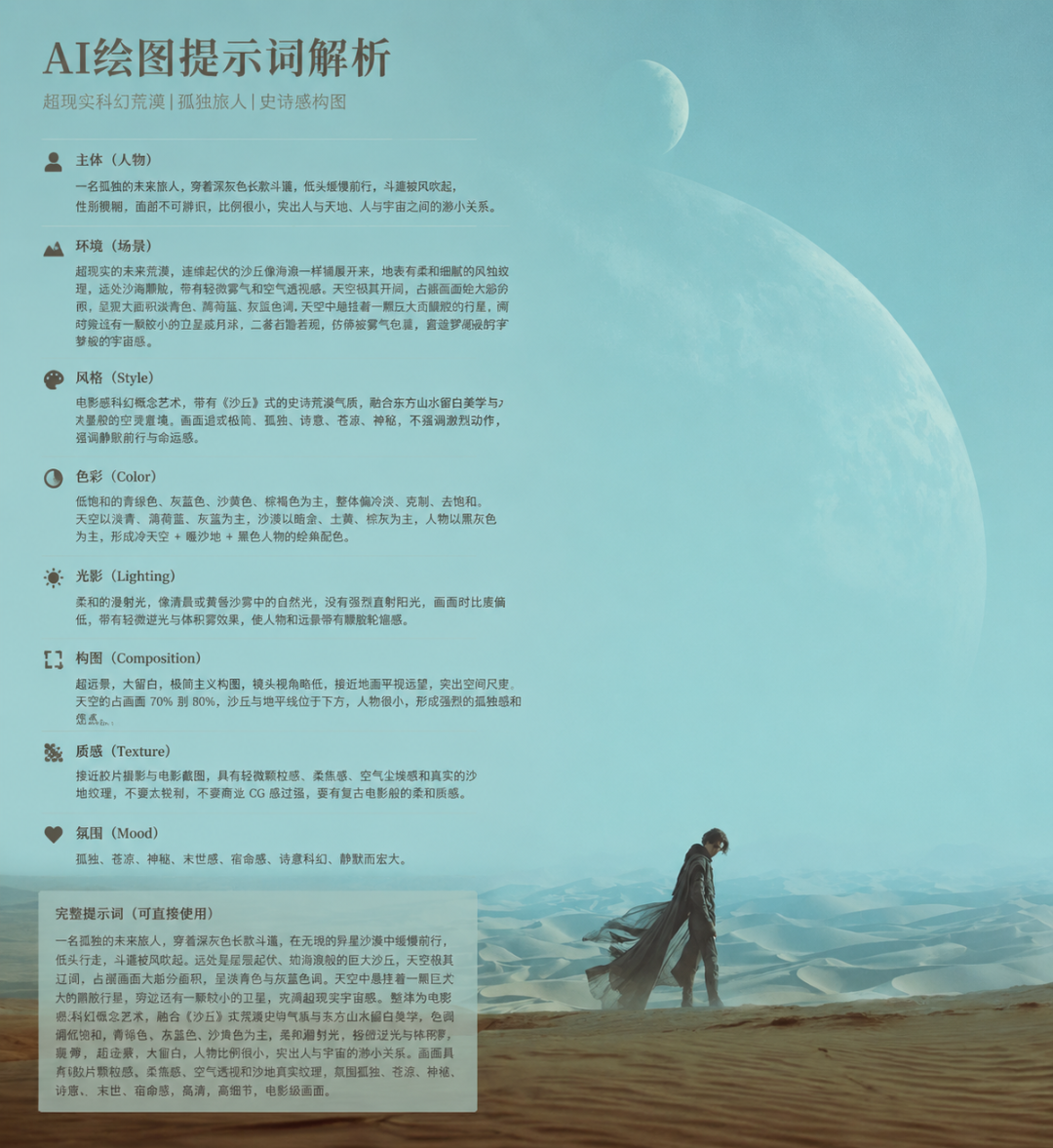
Please reverse-engineer the AI image-generation prompt for this image in detail.
Analyze it according to the following dimensions:
Subject, style, colors, lighting, composition, texture, atmosphere, and resolution.
Output the complete Prompt.
2
Typography / Logo Design
Suitable for brand identity, typographic posters, and logo design.
Four Dimensions for Breaking Down Typography
Letterform characteristics: serif / sans serif, rounded corners / sharp corners, weight
Texture and effects: metal / glass / neon / embossed / frosted
Layout: centered / tilted / circular / scattered and reassembled
Color scheme: gradient / solid color / contrasting colors / black, white, and gold
Prompt Example
Reverse-engineer the complete prompt for this logo / typography design.
Analyze:
Typography style (modern / retro / handwritten / pixel)
Three-dimensional effects (embossing / shadow / glow / outline)
Material texture (metallic sheen / frosted / glass refraction)
Relationship between the colors and the background
Output the complete Prompt.
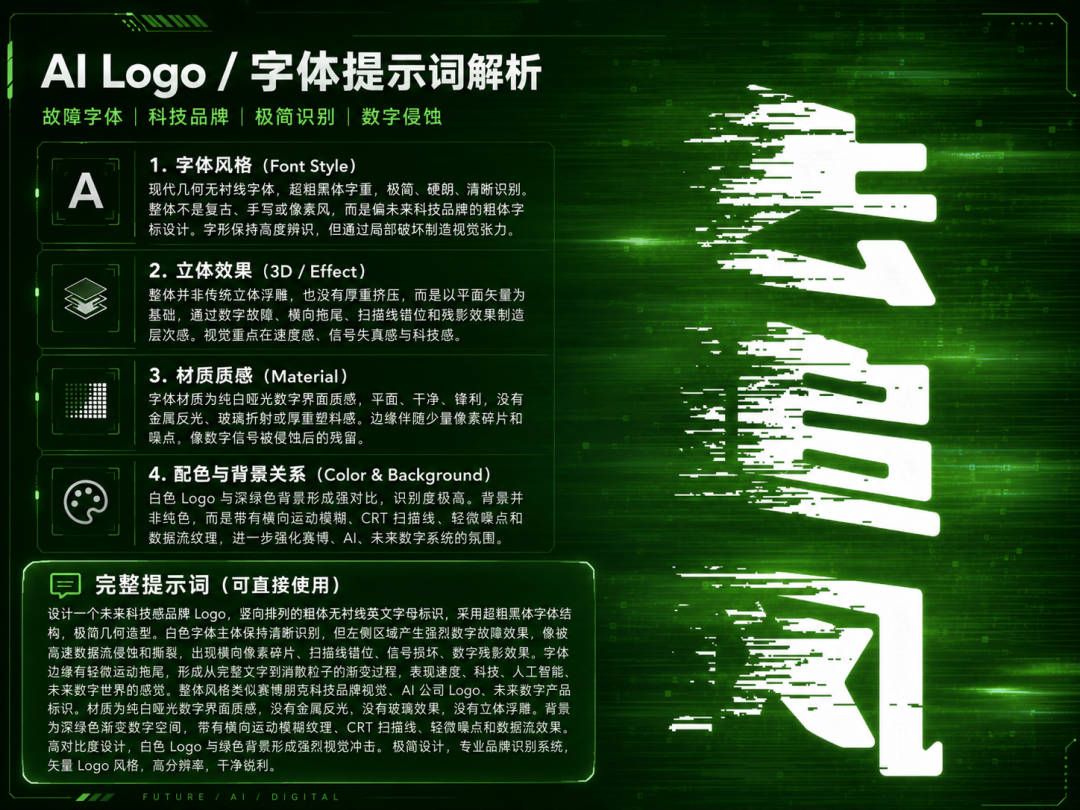 >Example demonstration
3
Landscapes / Scenes
Suitable for natural landscapes, city nightscapes, and fantastical scenes.
Five Layers for Breaking Down a Landscape Image
Foreground elements: flowers and plants / rocks / people / buildings
Midground subject: mountains / lakes / streets / forests
Background: sky / clouds / light / mist
Time and lighting: golden hour / blue hour / noon / night
Atmosphere: tranquil / majestic / mysterious / dreamlike
Prompt Example
Reverse-engineer the AI image-generation prompt for this landscape image.
Analyze it layer by layer:
Scene subject and season
Time of day (sunrise / dusk / night)
Weather and lighting conditions
Color tendency (warm tones / cool tones / Japanese-style)
Lens perspective (wide-angle / telephoto / aerial / fisheye)
Output the complete Prompt.
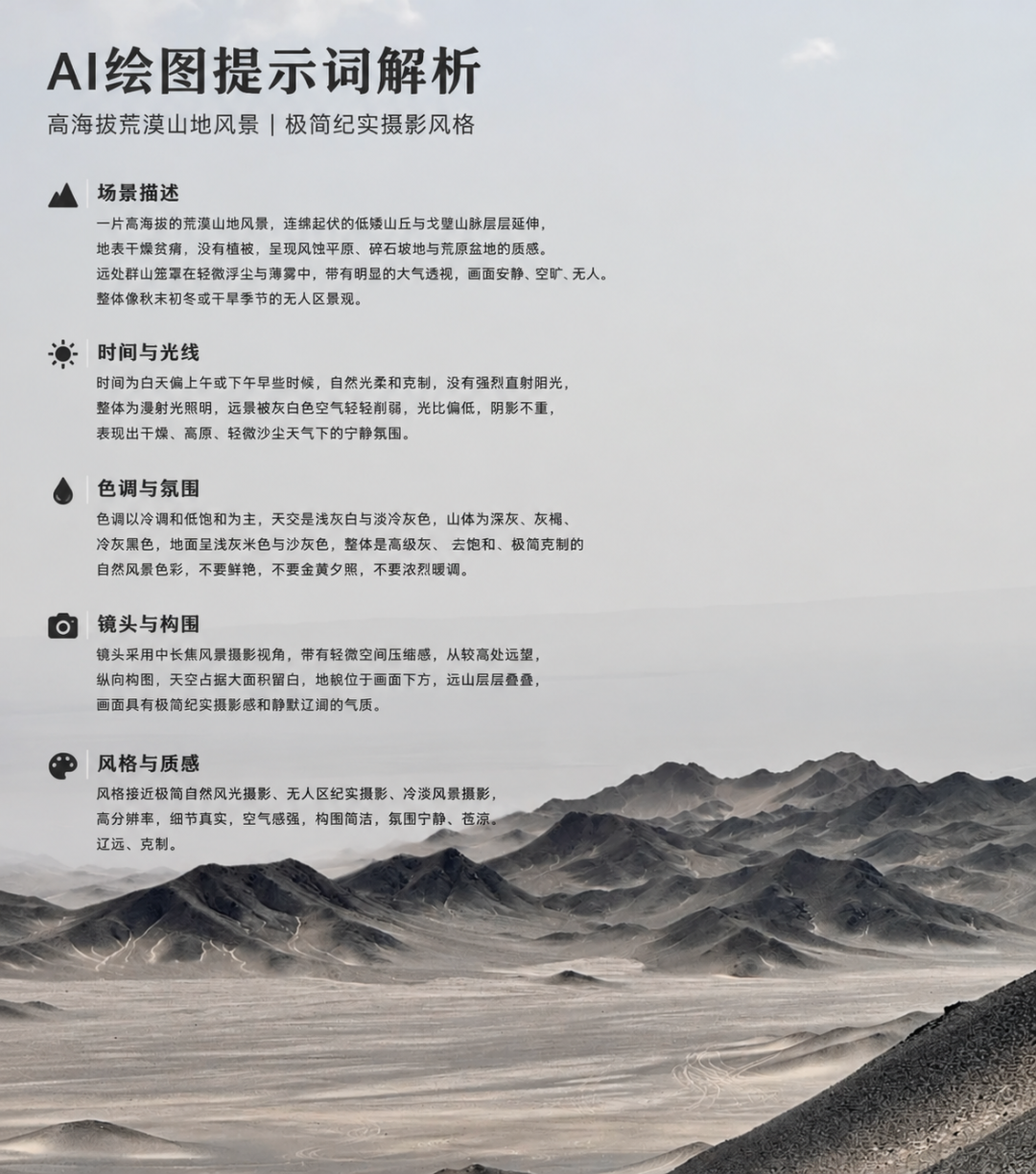 >Example demonstration
4
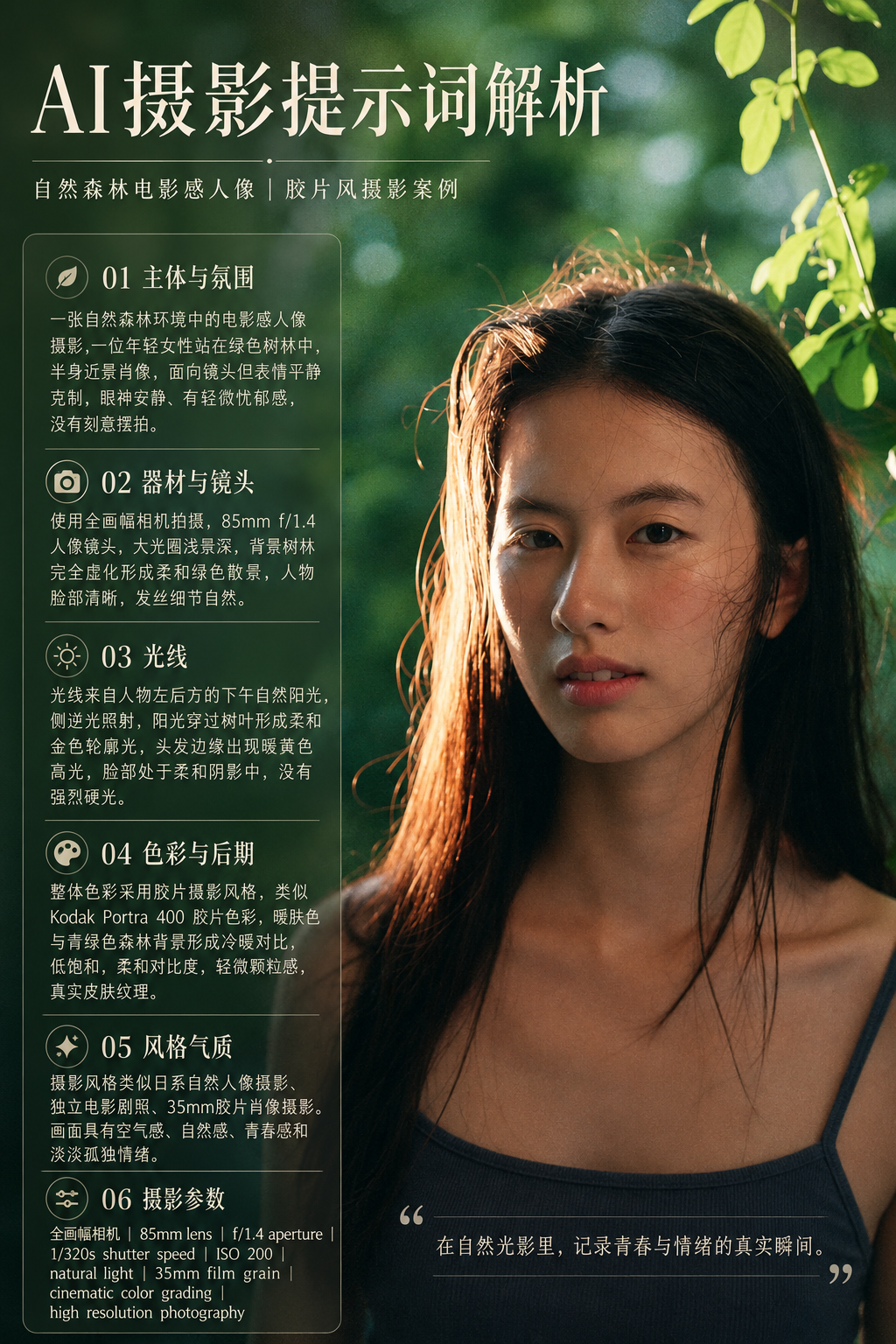
Photography / Portraits
Suitable for portrait photography, product photography, and candid street photography.
Six Parameters for Breaking Down a Photograph
Focal length: 35mm / 50mm / 85mm / 200mm
Lighting type: natural light / studio lighting / ring light / backlighting
Depth-of-field control: wide-aperture blur / deep focus / medium
Color style: film / Japanese-style / European and American / cyberpunk
Composition: rule of thirds / leading lines / frame within a frame / minimalist
Post-processing: grain / high contrast / low saturation / HDR
Prompt Example
Reverse-engineer the shooting parameters and AI prompt for this photograph.
Analyze:
Camera and lens (focal length, aperture)
Lighting (direction, hardness, color temperature)
Post-processing style (film / digital / retro)
Subject’s pose and mood
Output the complete Prompt including photography parameters.
 >Example demonstration
5
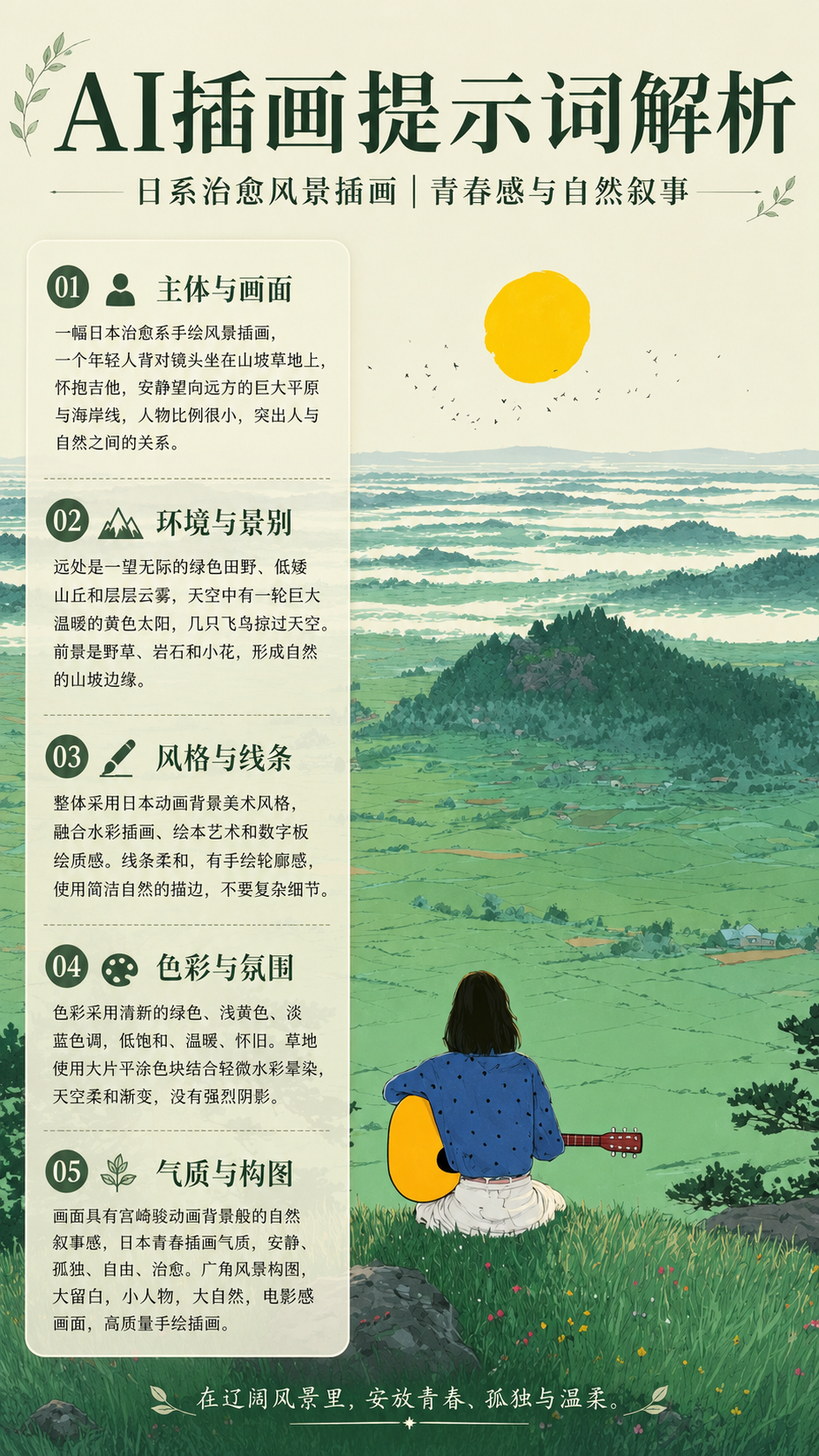
Illustration / Anime-Style
Suitable for flat illustrations, soothing styles, digital painting, and concept art.
Four Aspects for Breaking Down an Illustration
Art style: flat / painterly / cel-shaded / watercolor / line art
Brushwork characteristics: bold lines / delicate / textured / lineless
Color logic: Morandi / highly saturated / gradient / limited palette
Narrative elements: characters / props / setting / sense of story
Prompt Example
Reverse-engineer the artistic style and AI image-generation prompt for this illustration.
Analyze:
Art style (hand-drawn / digital painting / AI style / hybrid)
Line characteristics (whether there is an outline, line weight)
Coloring method (flat coloring / painterly / gradient)
Color scheme and atmosphere
Reference artist’s style
Output the complete Prompt + style keywords.
 >Example demonstration
6
Summary
Subject: What is in the image?
Style: Which artistic school or artist does it resemble?
Colors: Warm or cool tones? What is the color scheme?
Lighting: What is the direction of the light source, and is it hard or soft light?
Composition: Perspective, depth of field, negative space?
Texture: Materials, resolution, level of detail?
Atmosphere: Mood, narrative, artistic conception?
Reverse-engineering is essentially a methodology for breaking down an image. You can even have it analyze the image in greater detail according to your own approach.
Of course, don’t limit yourself to images from the five scenarios above. You can apply this method to images from many other categories as well.