

What Is Biosecurity Agent?
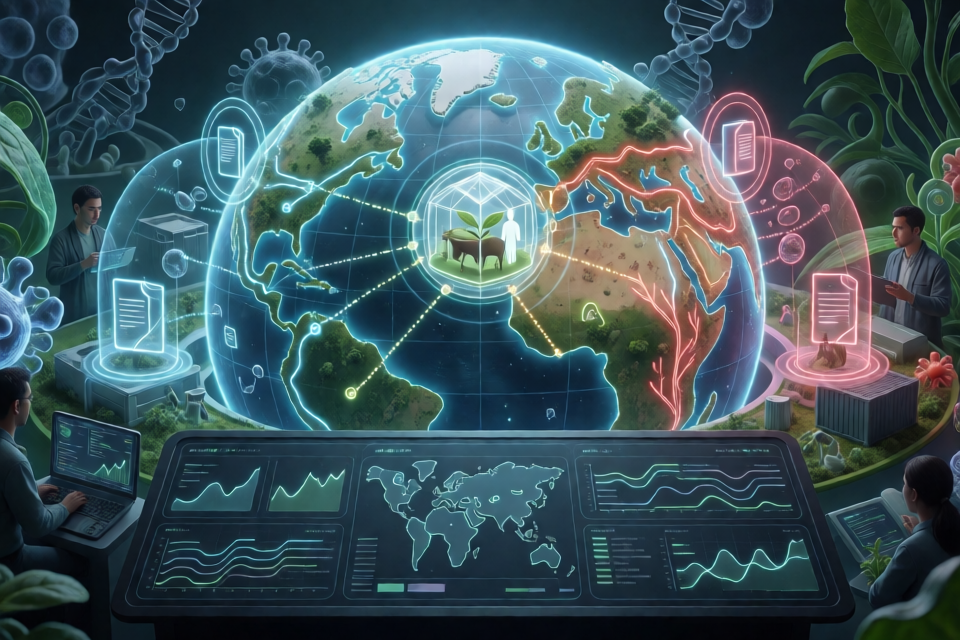
Biosecurity Agent is a local AI agent that builds a live, target-centred biosecurity world. You describe what you want to protect, and the agent investigates relevant information, connects evidence across locations and time, tracks changes, and supports defensive simulations.
A target can be a person, animal, plant, product, place, organisation, or a connected group of these. You can enrich the target model with files, private context, public URLs, and custom sources so that the collected evidence reflects your circumstances.
The project is terminal-first. Its terminal exposes the processing lanes used for discovery, retrieval, claim extraction, synthesis, live watching, simulation, and protection. The underlying evidence remains inspectable rather than being hidden behind a single generated answer.
Key Features
- Natural-language target definition: Describe one target or several connected targets in ordinary language.
- Broad source coverage: The agent can investigate official and scientific sources, news, the open web, public OSINT, sensors, surveillance, connected data, and custom sources.
- Live world synthesis: It connects entities, relationships, evidence, places, and timelines into a target-centred world.
- Background monitoring: Watchers keep the world updated as relevant conditions change.
- Evidence-backed simulation: The agent can simulate future paths and recommend defensive actions linked to inspectable evidence.
- Clear claim boundaries: Observed, inferred, and simulated claims remain distinct.
- Local persistence: Targets, watchers, relationships, processing events, and the generated world are restored when the runtime restarts.
- Optional visualizer: A read-only viewer presents maps, relationships, evidence, and simulations.
- Provider compatibility: The project supports agents and model providers through an OpenAI-compatible adapter, with native Codex and Claude adapters.
Install the Agent
Install the Release Candidate
The README provides a packaged release candidate named forsy-biosecurity-agent-0.1.2.tgz. From the directory containing that archive, install it with npm:
npm install ./forsy-biosecurity-agent-0.1.2.tgzAfter installation, start the terminal application with:
npx biosecurity-agentRun the Published npm Package
After the package is published to npm, the documented quick-start command is:
npx @forsy/biosecurity-agentUse the release-candidate procedure when working with the referenced archive. Use the scoped npx command when the package is available through npm.
Configure Your AI Agent
On launch, configure the AI agent and model provider you want to use. Biosecurity Agent supports OpenAI-compatible providers and includes native adapters for Codex and Claude.
The README does not prescribe one provider-specific configuration sequence, so follow the prompts exposed by the installed release. Keep provider secrets private and grant only the permissions needed for your intended workflow.
Define What You Want to Protect
Begin by describing a target in ordinary language. The interface is conversational, so you can start broadly and refine the target as the agent learns more.
For example, a target description could connect a household, an animal, and a journey:
Protect a London household, their animal Milo, and their journey from Heathrow to Singapore.This example follows the connected target scenario shown in the project’s terminal excerpt. You can also begin with a single person, plant, product, place, or organisation.
Add Relevant Context
Improve relevance by supplying context that the project supports:
- Files containing target-specific details
- Private contextual information
- Public URLs
- Custom information sources
- Relationships between multiple targets
Provide only information that is necessary for the defensive task. Because the runtime preserves its world locally, the target model can be refined over multiple sessions instead of being rebuilt each time.
Follow the Investigation in the Terminal
After targets are defined, the agent begins investigating and tracking automatically. The terminal exposes the active processing lanes, allowing you to see how source collection becomes a synthesized world.
A persisted run can report activity similar to this:
TARGET MODELLING          ✓ 3 targets
OFFICIAL + SCIENTIFIC     ✓ 5 sources
NEWS + OPEN WEB           ✓ 4 sources
SOCIAL + COMMUNITY        ✓ 3 sources
SENSORS + SURVEILLANCE    ✓ 4 sources
CUSTOM SOURCES            ✓ 2 sources
WORLD SYNTHESIS           ✓ 18 entities · 18 relationships
LIVE WATCH                ● 3 watchers

SIMULATION · +14 DAYS
London household · Milo · Heathrow → Singapore
3 future paths · 1 protection · 3 evidence links
Use these lanes to understand where information came from and how it contributes to the current world. The terminal remains the controller for targets, sources, evidence, simulations, protection recommendations, watchers, and optional alerts.
Inspect Evidence and Claims
Do not treat every item in the generated world as equally certain. Biosecurity Agent deliberately separates three categories:
- Observed claims: Information represented as directly supported by collected evidence.
- Inferred claims: Conclusions derived from the available state and relationships.
- Simulated claims: Possible future developments produced during forward simulation.
Review evidence links before acting on a result. This separation helps prevent a predicted path from being mistaken for an observed event.
Run Defensive Simulations
Once the agent has built a current live state, use its simulation capability to explore possible future paths. The project’s example simulates a period of +14 DAYS and reports multiple future paths, a protection recommendation, and associated evidence links.
Simulations are intended to support defensive biosecurity decisions. Examine the evidence behind each recommendation and compare possible paths rather than relying only on the summarized result.
Biosecurity Agent is designed for defensive biosecurity. It is not intended for pathogen engineering or clinical diagnosis.
Open the Optional Visual Viewer
The terminal is the primary interface, but the project also includes an optional read-only visualizer. From the terminal, use:
viewThe viewer can present maps, target relationships, evidence, and simulations. Because it is read-only, continue to manage targets, sources, simulations, and protection workflows through the terminal.
Stop and Resume a Session
You can exit the runtime when needed. On the next launch, the local runtime restores the same targets, watchers, world state, target relationships, and processing events.
This persistence is useful for long-running monitoring. Instead of creating a new investigation every time, resume the existing world and refine it as targets or external conditions change.
Advanced Tips
Start Small, Then Connect Targets
Begin with one clearly described target when you are learning the workflow. After validating the evidence and sources, add connected people, animals, places, products, or organisations. This makes relationships easier to inspect before the world becomes more complex.
Refine Targets Conversationally
Treat target modelling as an ongoing process. Update descriptions and relationships as travel plans, locations, organisations, or other relevant circumstances change. The persisted local world allows these refinements to accumulate across sessions.
Balance Public and Private Context
Public sources can establish the wider situation, while files and private context can determine whether that evidence matters to a specific target. Add sensitive context selectively and keep the task focused on protection.
Audit Each Processing Lane
Use the terminal’s lane-by-lane reporting to check whether the world includes suitable official, scientific, open-web, community, sensor, surveillance, and custom information. Inspect evidence links whenever a relationship or recommendation materially affects a decision.
Keep Forecasts Separate from Facts
Pay close attention to whether a claim is observed, inferred, or simulated. A plausible future path is not proof that an event will occur, and an inferred relationship is not the same as a directly observed one.
Use the Viewer for Exploration
Open the visual viewer when maps or relationship structures are easier to understand spatially. Return to the terminal for control and configuration because the viewer is intentionally read-only.
Privacy and Safety
Biosecurity Agent runs locally. According to the README, targets, files, and secrets are not uploaded to Forsy by default. External content is treated as untrusted, and actions require explicit permissions.
These safeguards do not eliminate the need for careful operation. Review requested permissions, protect model-provider credentials, inspect external evidence, and avoid using the project as a substitute for qualified clinical advice.
Dataset and License
The associated dataset is available from BiosecurityAgent01 on Hugging Face.
The project is released under the Apache-2.0 license. Consult the repository’s LICENSE file for the complete terms.
Conclusion
Biosecurity Agent turns conversational target descriptions into a persistent, evidence-linked biosecurity world. Install the release candidate or published npm package, define what you want to protect, inspect the processing lanes, and use watchers and simulations to follow change over time. For responsible use, keep observed facts, inferences, and simulated outcomes distinct and apply the system only to defensive workflows.