


AI video editing has been quite popular recently, so I decided to give it a try on WorkBuddy: ChatCut’s core concept is "Vibe Editing"—users describe their intentions in natural language, and the AI Agent understands the video content and automatically completes the editing. Unlike the traditional model of “generate with AI first, then edit manually,” ChatCut builds its interface around AI from the ground up, rather than “adding” AI features to an existing editor. In fact, this is also about turning SaaS businesses into agents, which is a trend. Create a workspace in WorkBuddy and simply say:
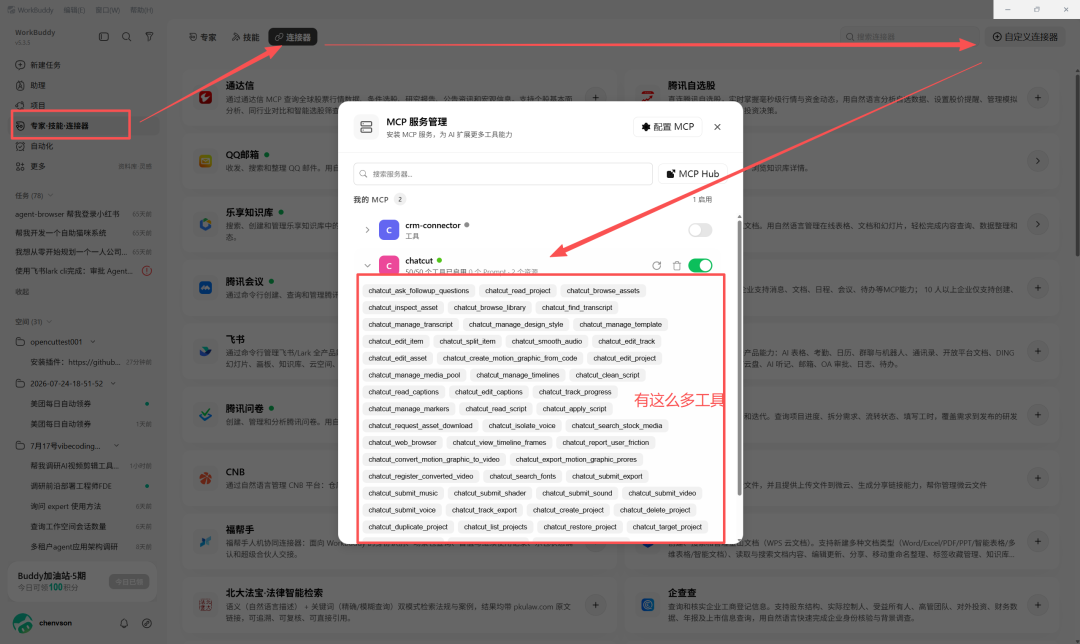
Install the plugin: https://github.com/ChatCut-Inc/agent-plugin This plugin was prepared by ChatCut for claude code and codex. It includes mcp (tools for connecting to the ChatCut platform) and some skills for specific business scenarios. But that’s okay—mcp is a general-purpose connector, and skills that target specific agent product features can also be omitted. Put simply, as long as the large model is capable enough and has tools available, WorkBuddy can orchestrate the tasks on its own. It can ask us for confirmation when uncertain.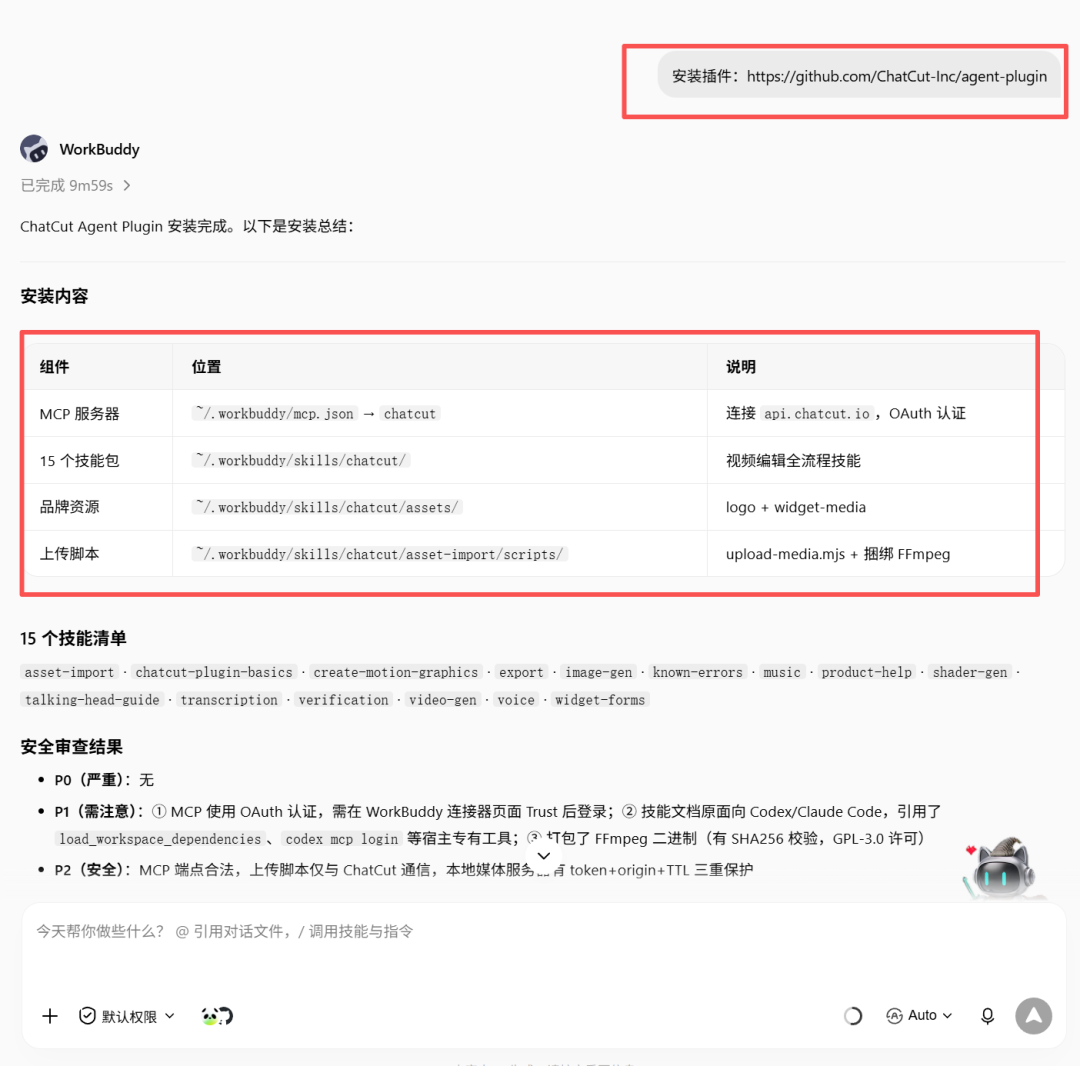 >WorkBuddy now automatically performs a security review for us. Nice. After installation (which actually means pulling the project files into the corresponding WorkBuddy directory and making some configurations), you need to connect to ChatCut’s mcp server. See the prompt below:
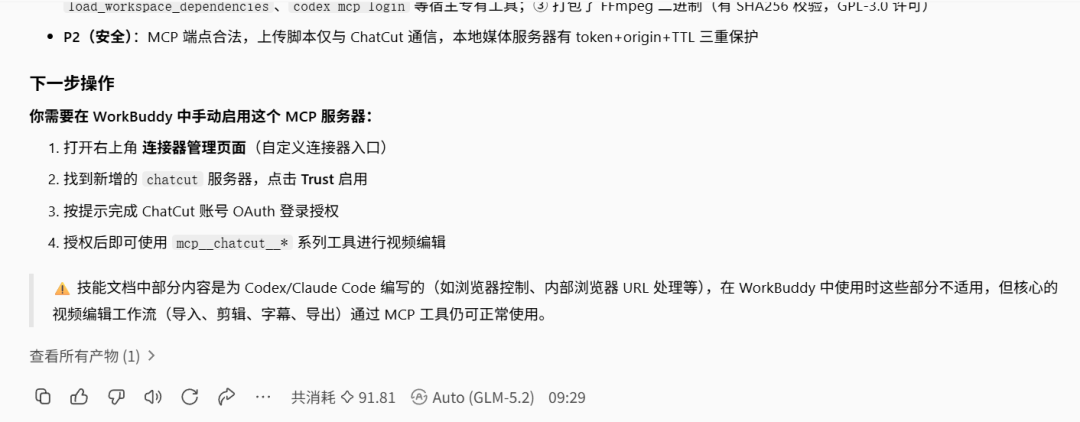 >There are so many tools. WorkBuddy uses these tools to make the corresponding function calls through tool_call.
 >After connecting, I usually first ask what features are available: ChatCut’s mcp is connected. Let’s see which tools can be called and what each one does.
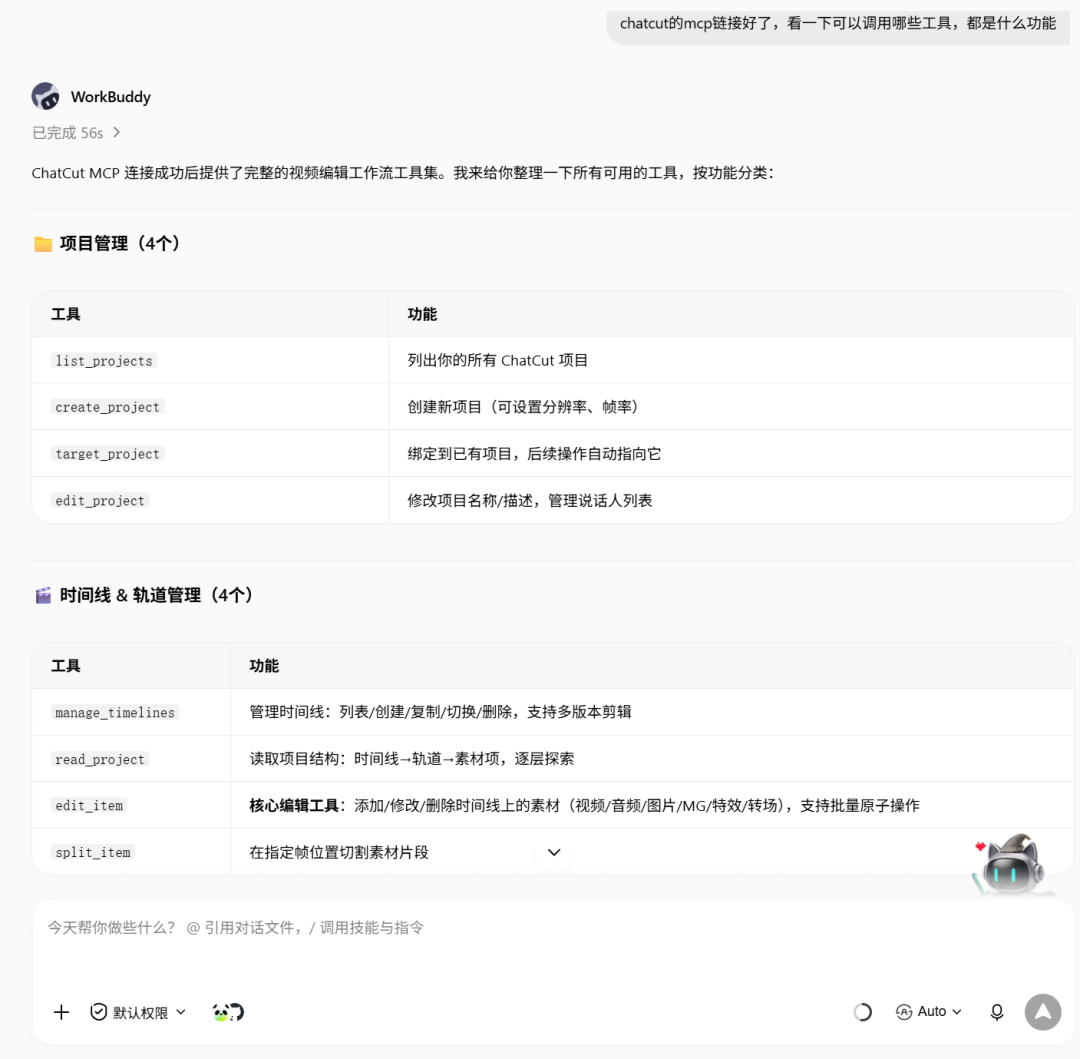 >In other words, it presents the tool names and descriptions so we can get a general idea of what they can do. I also asked about the skills:
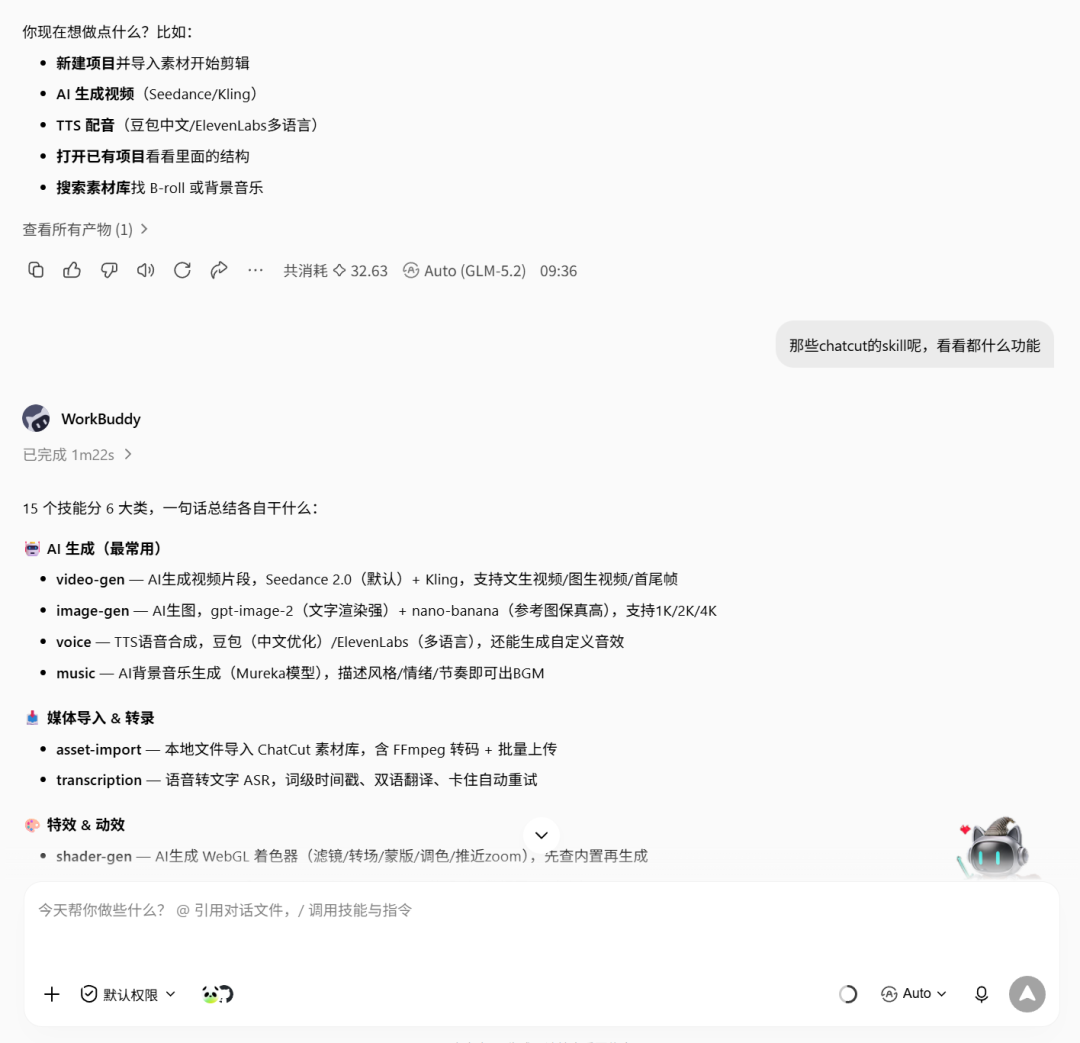 ⚠️ Compatibility Note: These skill documents were originally written for Codex/Claude Code, and the host-specific features they reference, such as
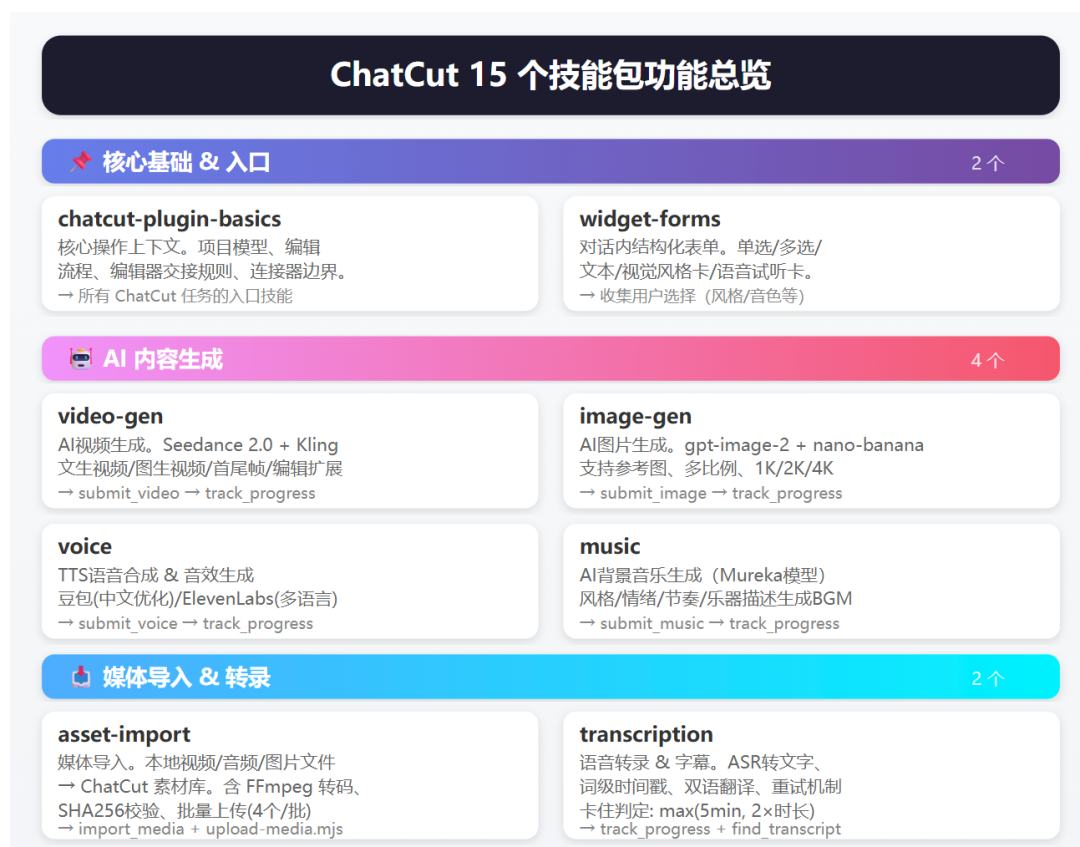
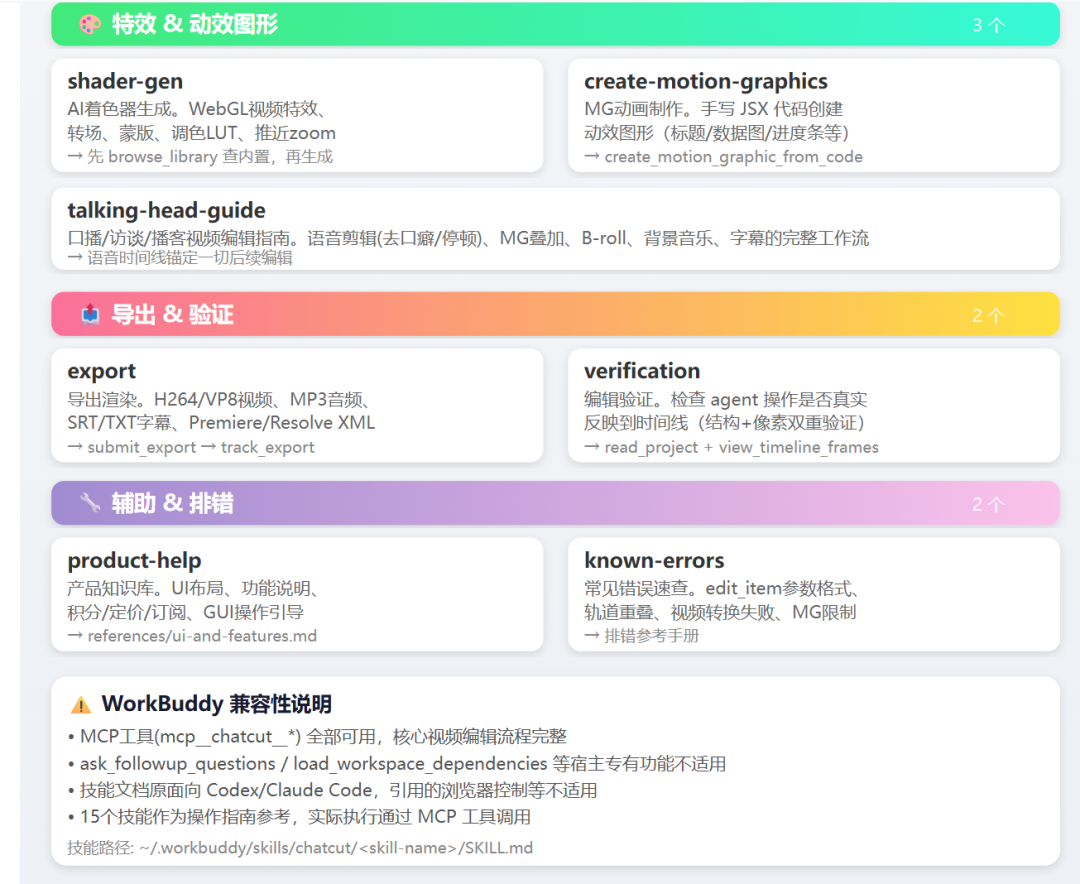 >I didn’t know how to use this plugin either, so I continued asking: Import materials to start editing. What materials should be imported? Give me an example.
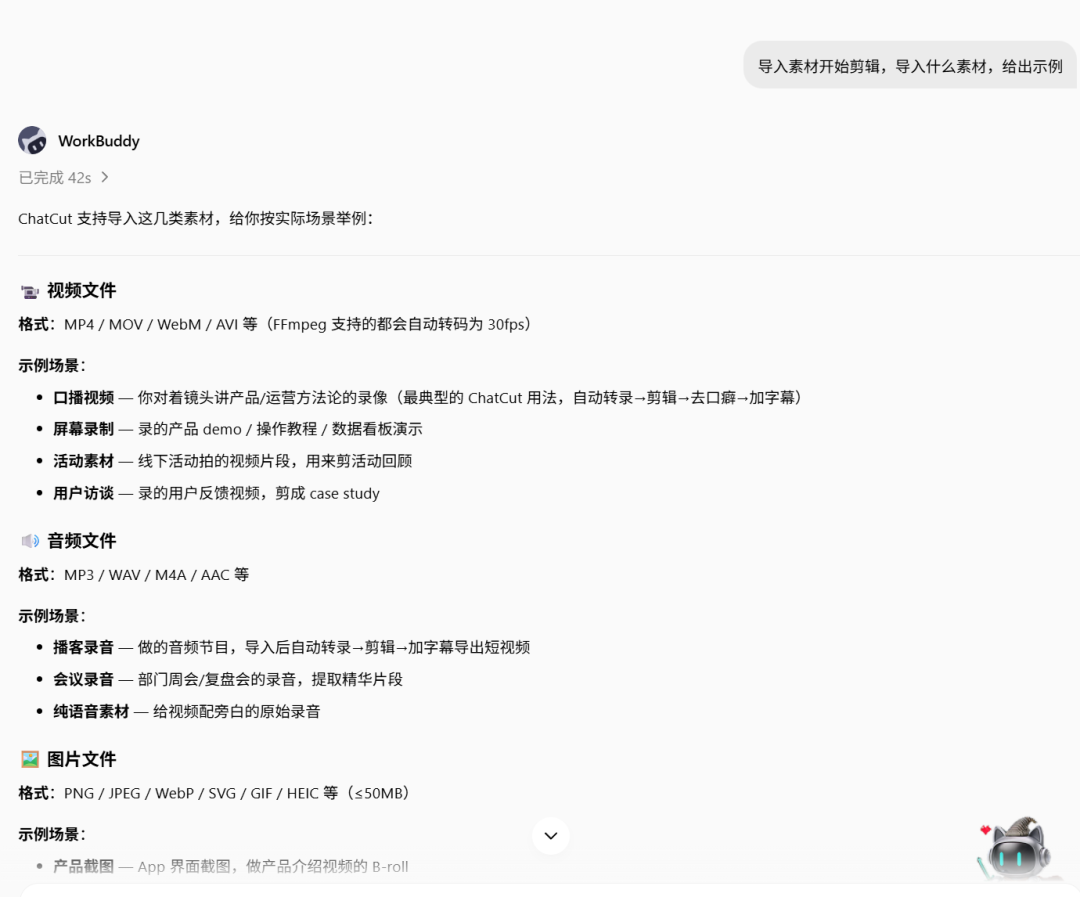
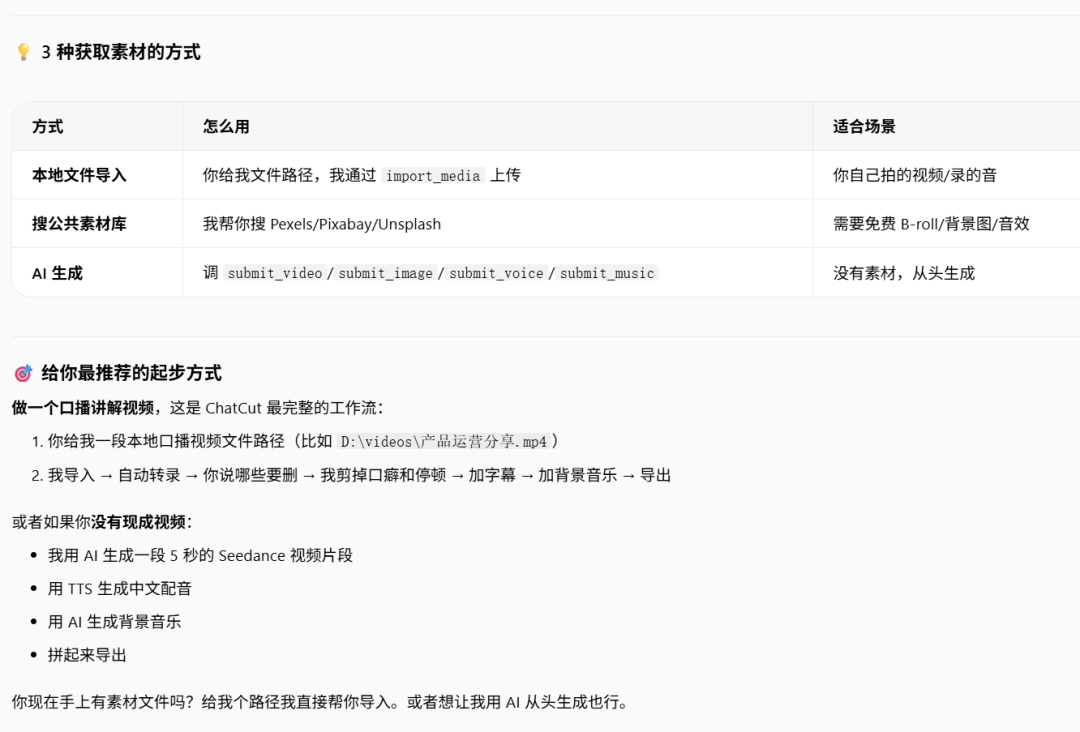 >Following the prompt, I placed an AI short video previously generated with Xiaoyunque in the workspace: The material file is in your workspace, and its filename is: 产品介绍.mp4
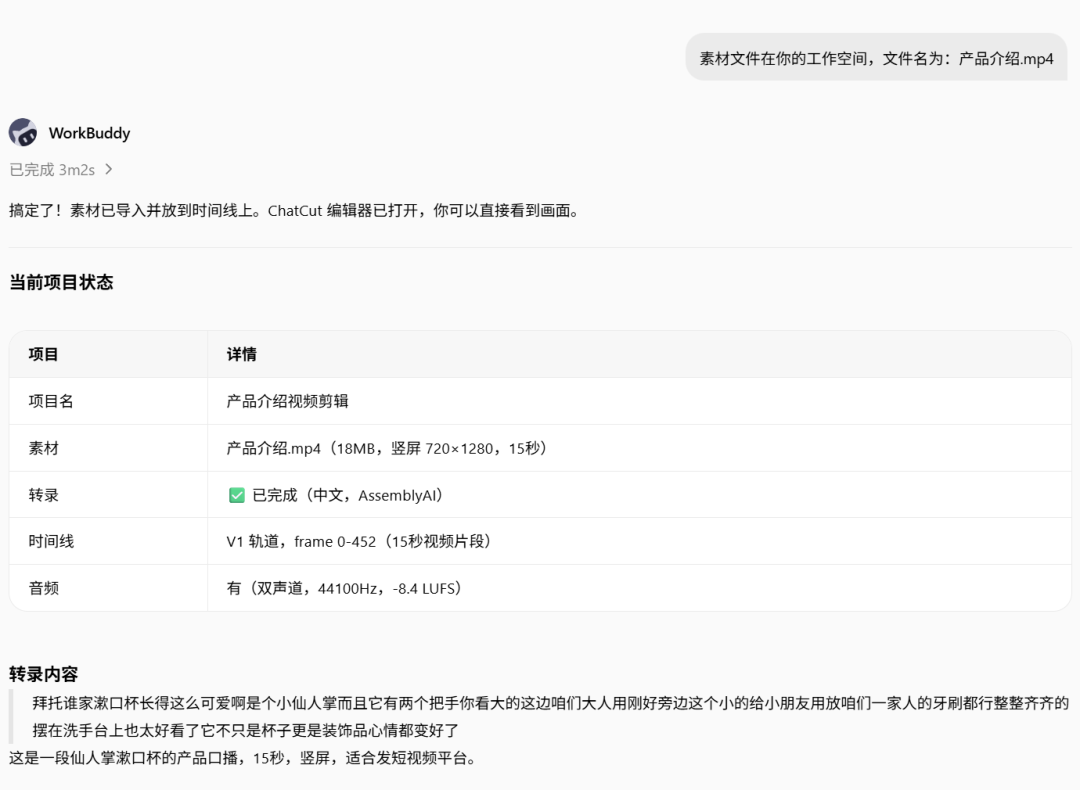 >It then provided many features, which you can use according to your needs. WorkBuddy passes parameters to call the corresponding tools provided by ChatCut’s mcp, triggering the corresponding operations on the ChatCut platform. In other words, the editing tasks are performed on the ChatCut platform, and the video files provided also need to be uploaded to the platform. After all editing tasks are completed, the files can then be downloaded locally through the tools.
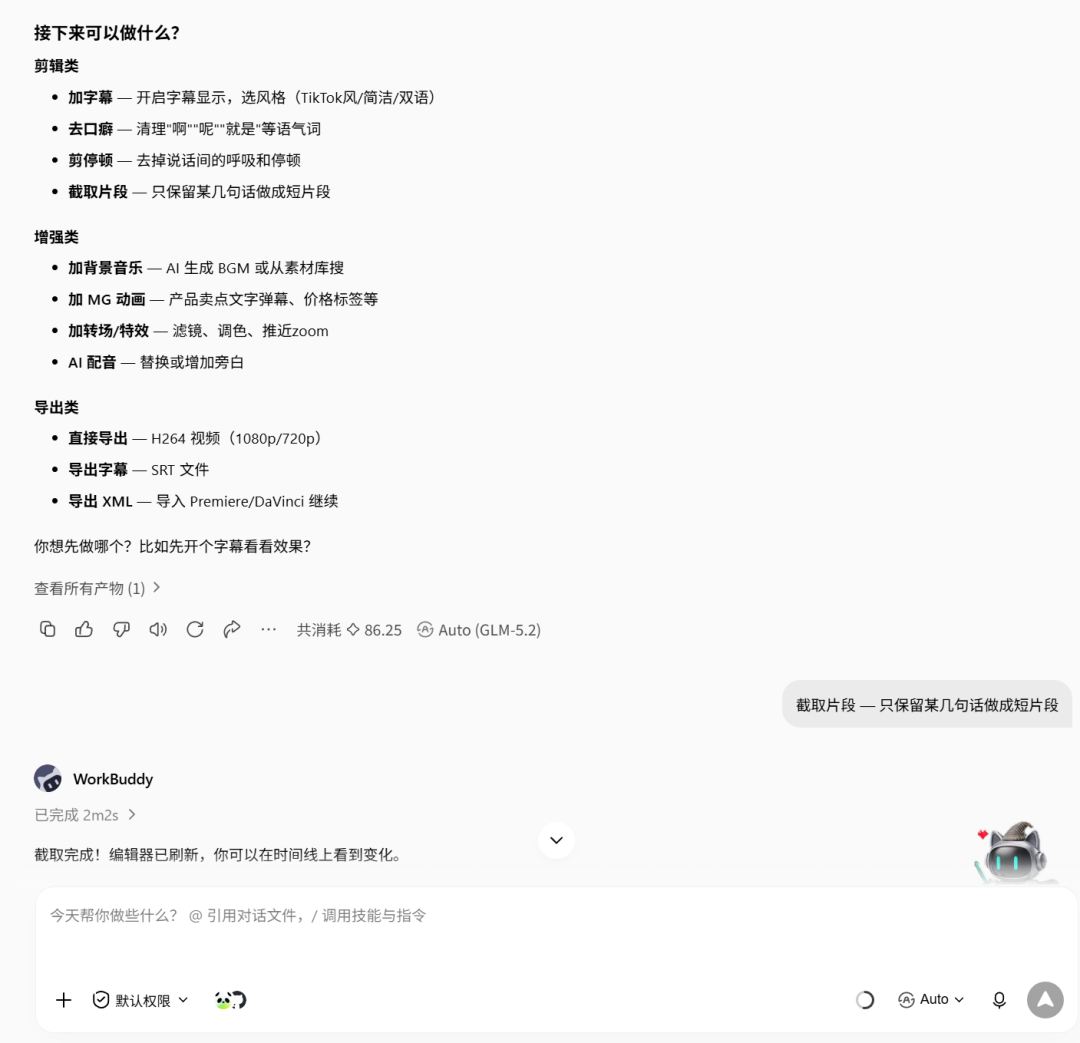
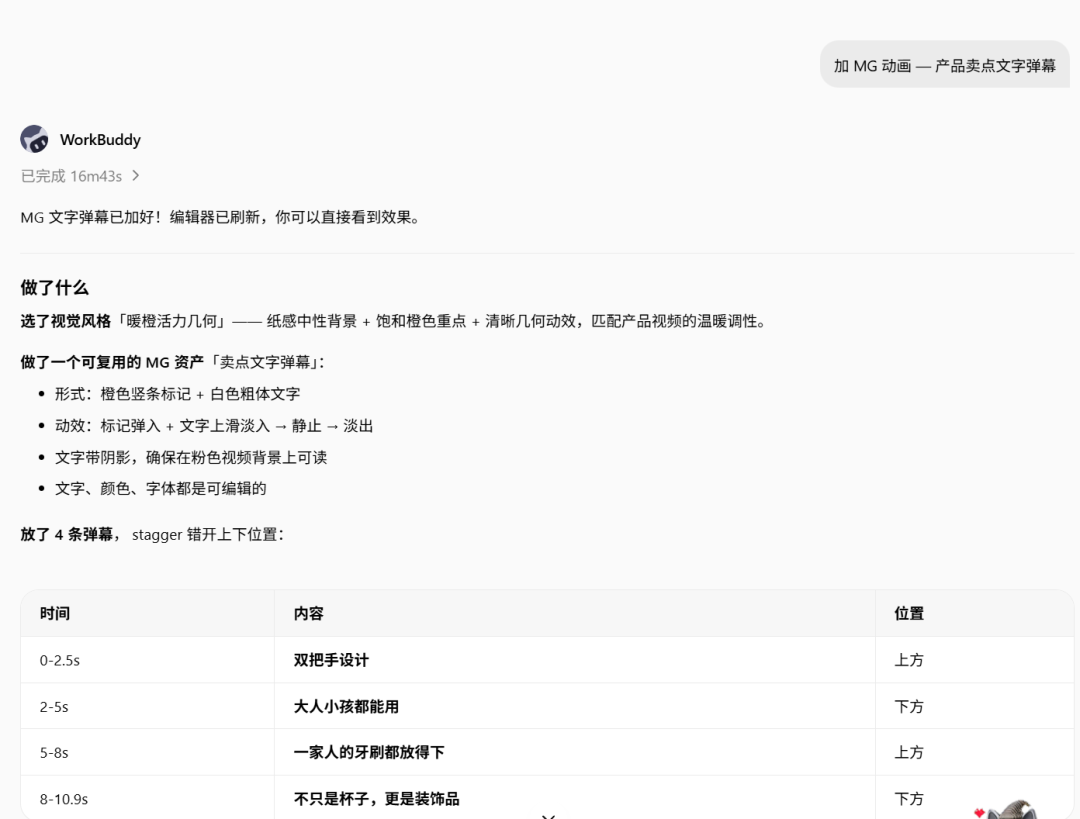
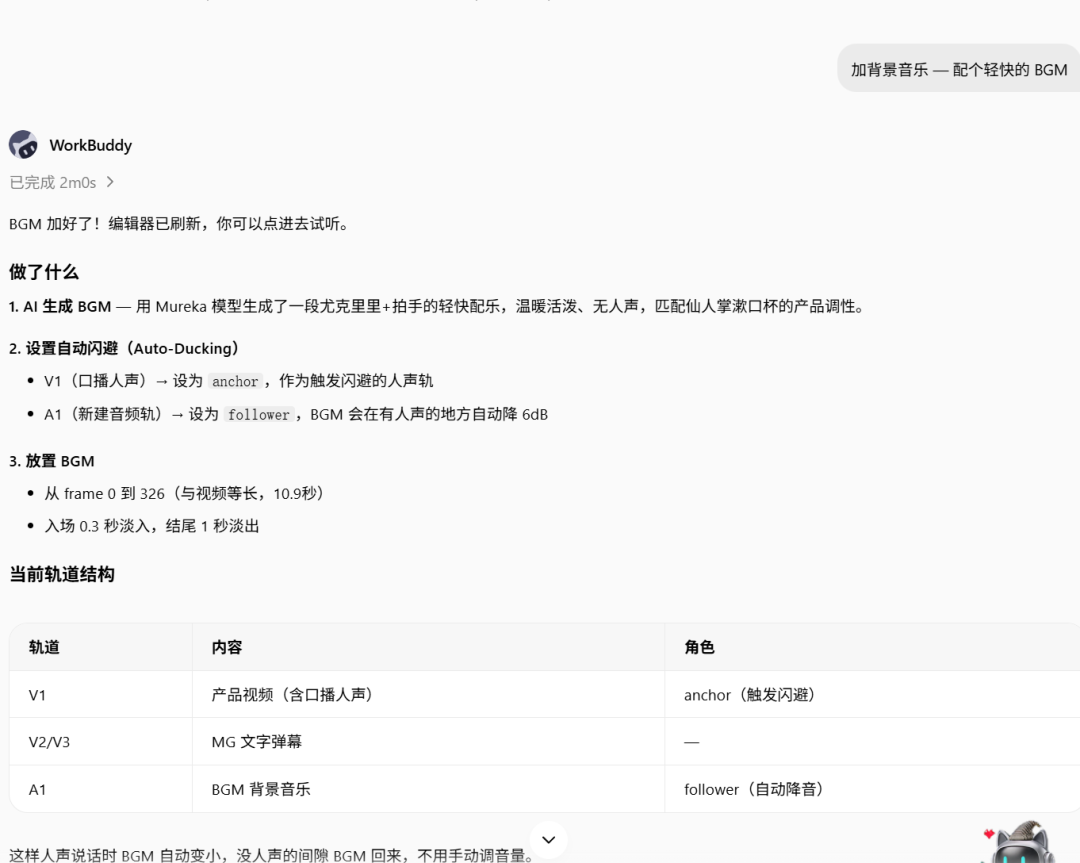
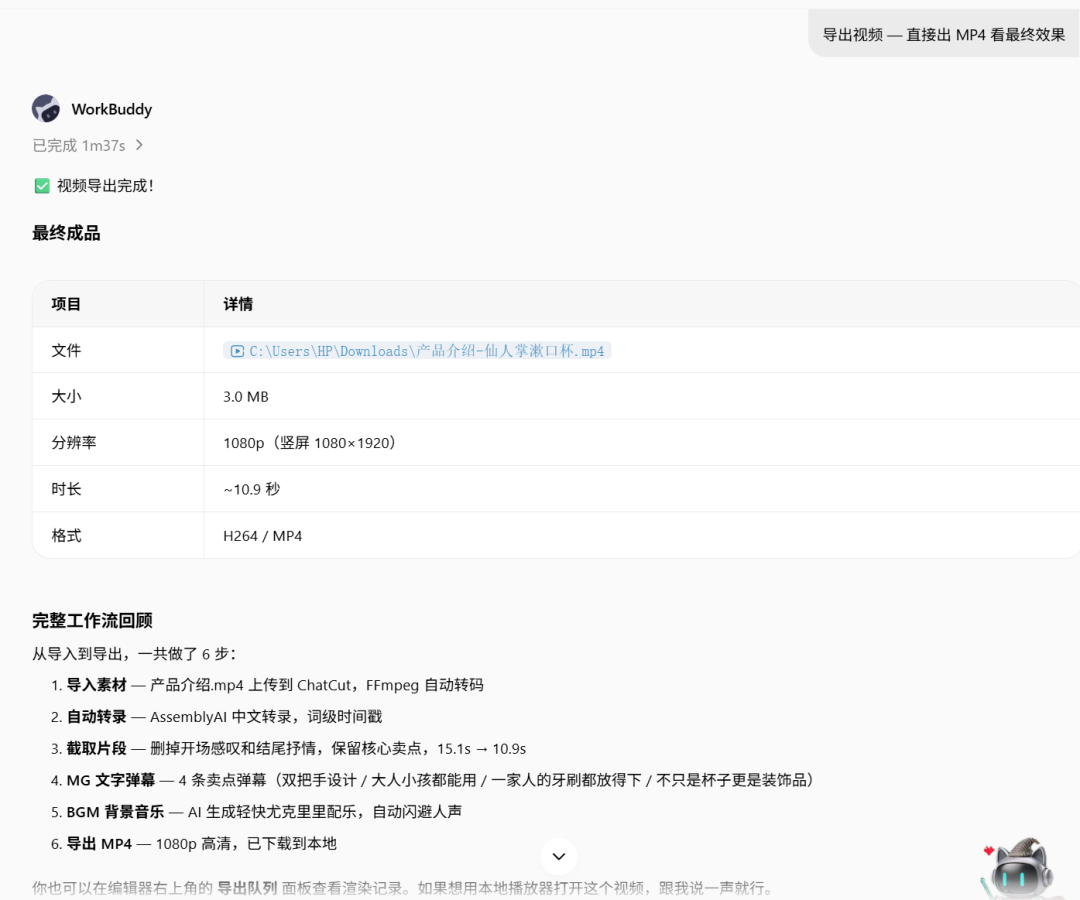
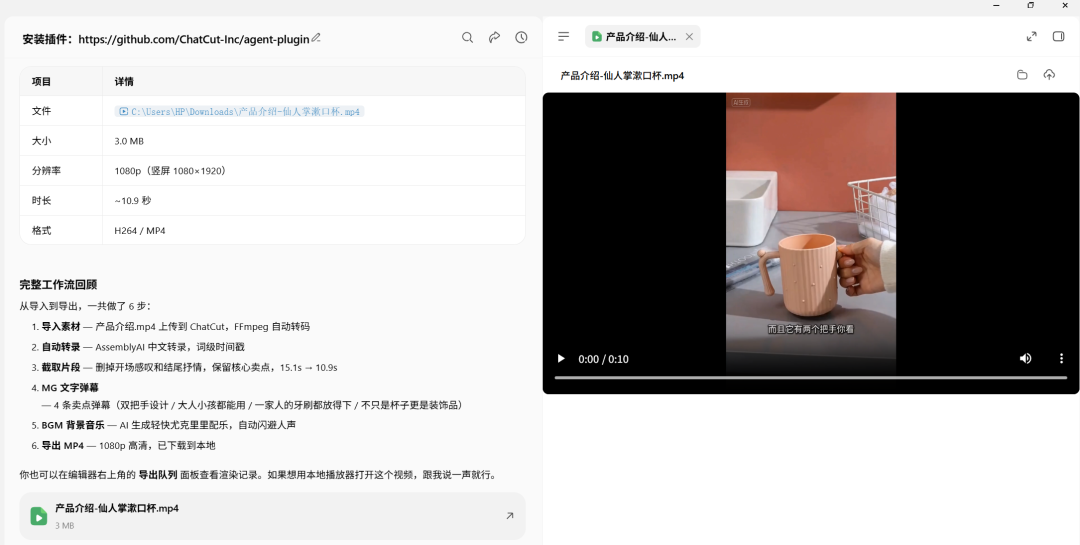 >You can also use AI programming tools to perform local video editing. There are open-source projects such as openchatcut (https://github.com/0xsline/OpenChatCut), which I may try later.
Install the plugin: https://github.com/ChatCut-Inc/agent-plugin This plugin was prepared by ChatCut for claude code and codex. It includes mcp (tools for connecting to the ChatCut platform) and some skills for specific business scenarios. But that’s okay—mcp is a general-purpose connector, and skills that target specific agent product features can also be omitted. Put simply, as long as the large model is capable enough and has tools available, WorkBuddy can orchestrate the tasks on its own. It can ask us for confirmation when uncertain.
>WorkBuddy now automatically performs a security review for us. Nice. After installation (which actually means pulling the project files into the corresponding WorkBuddy directory and making some configurations), you need to connect to ChatCut’s mcp server. See the prompt below:>There are so many tools. WorkBuddy uses these tools to make the corresponding function calls through tool_call.>After connecting, I usually first ask what features are available: ChatCut’s mcp is connected. Let’s see which tools can be called and what each one does.>In other words, it presents the tool names and descriptions so we can get a general idea of what they can do. I also asked about the skills:⚠️ Compatibility Note: These skill documents were originally written for Codex/Claude Code, and the host-specific features they reference, such as ask_followup_questions, load_workspace_dependencies, and browser control, are unavailable in WorkBuddy. However, the core video-editing workflow is executed entirely through mcp__chatcut__* MCP tools and is unaffected.>I didn’t know how to use this plugin either, so I continued asking: Import materials to start editing. What materials should be imported? Give me an example.>Following the prompt, I placed an AI short video previously generated with Xiaoyunque in the workspace: The material file is in your workspace, and its filename is: 产品介绍.mp4>It then provided many features, which you can use according to your needs. WorkBuddy passes parameters to call the corresponding tools provided by ChatCut’s mcp, triggering the corresponding operations on the ChatCut platform. In other words, the editing tasks are performed on the ChatCut platform, and the video files provided also need to be uploaded to the platform. After all editing tasks are completed, the files can then be downloaded locally through the tools.>You can also use AI programming tools to perform local video editing. There are open-source projects such as openchatcut (https://github.com/0xsline/OpenChatCut), which I may try later.