

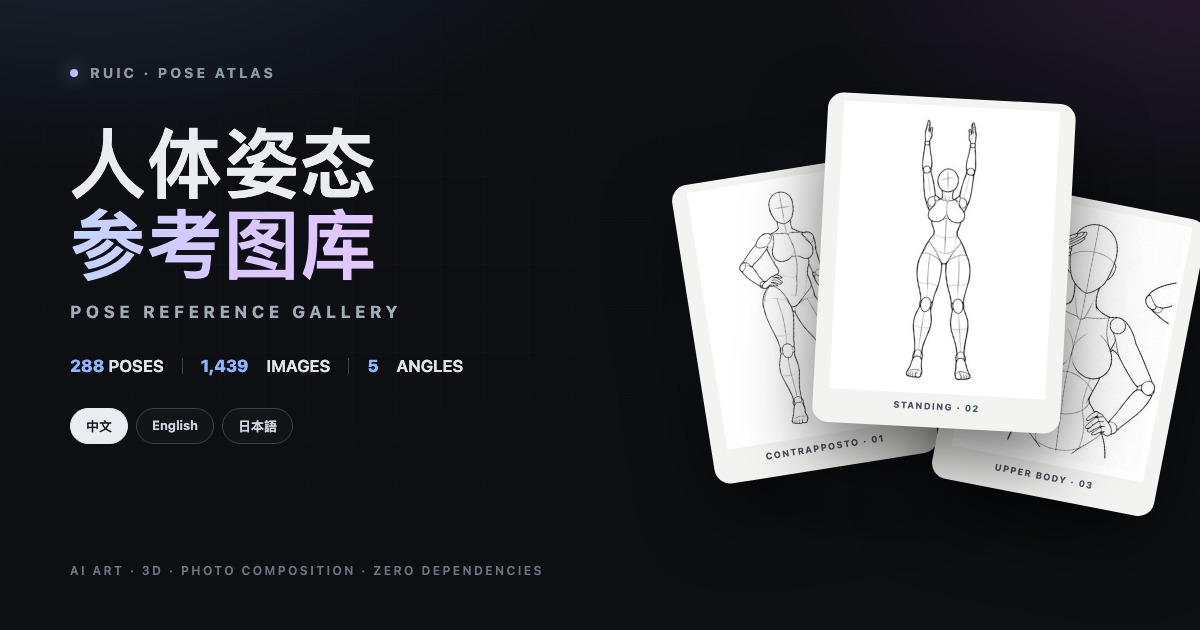
About RuiC-PoseAtlas
RuiC-PoseAtlas is a fully static human pose reference library with zero runtime dependencies. The project includes 288 pose sets and 1,439 mannequin line drawings, organizing front, three-quarter, side, top, and bottom views of each pose together for easy comparison of body posture, proportions, limb direction, and camera relationships.
It is suitable for AI art, illustration, comics, 3D modeling, animation, photography composition, and visual design. It can also serve as a learning example for native frontend projects. The website is built with pure HTML, CSS, and ES Modules, without React, Vue, or a bundler.
Content notice: This project is intended for adult creators, and some content may be unsuitable for minors. Please comply with the laws, regulations, and platform policies applicable in your location.
To browse directly, open the RuiC-PoseAtlas online demo. If you need to study the source code, customize the data, or deploy it yourself, clone the repository and follow the subsequent steps.
Core Features
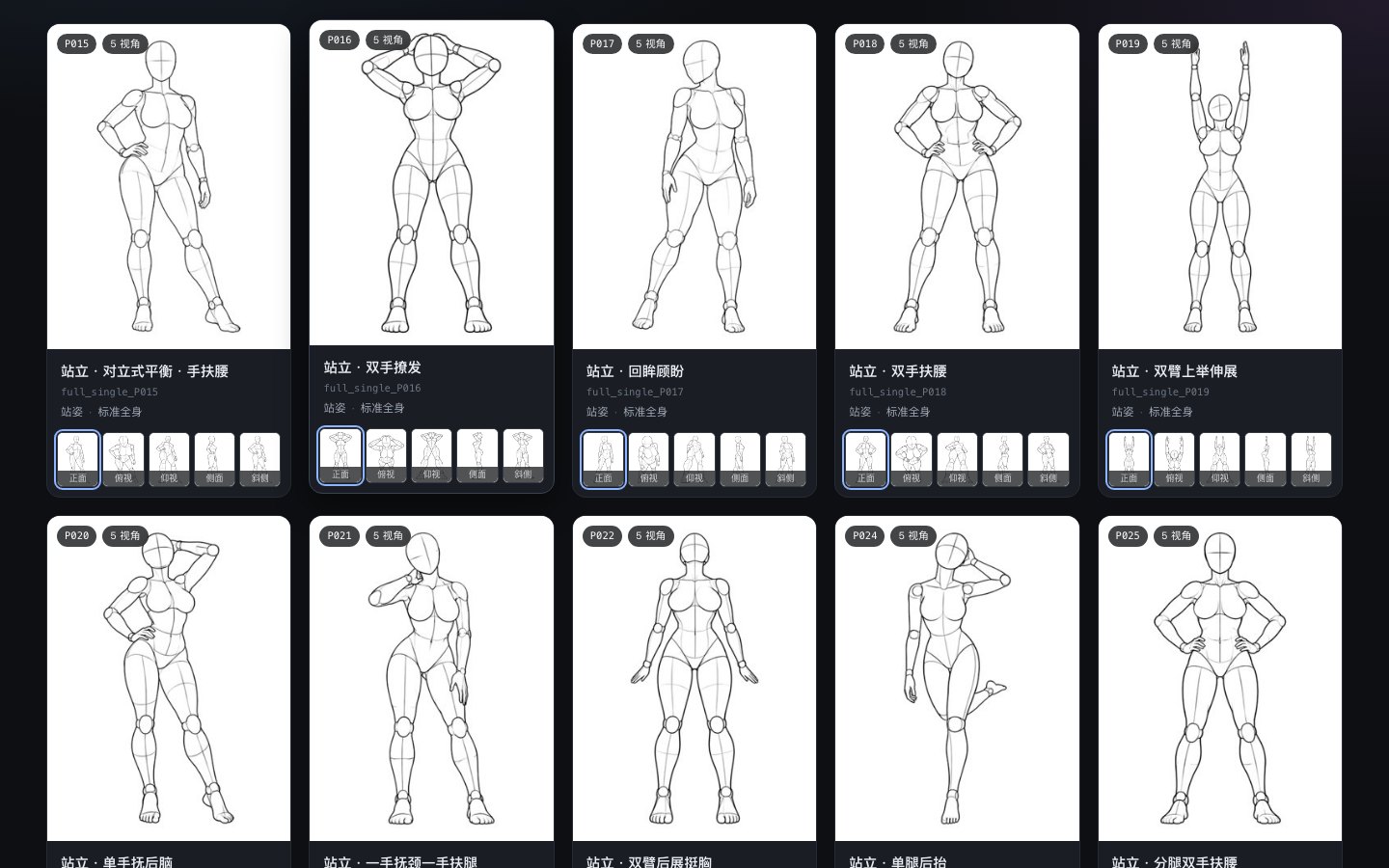
- Multi-angle comparison: Each pose set includes 4 to 5 angles, which can be switched in cards or on the large-image page.
- Two browsing modes: “By Pose” groups angles from the same set, while “Single” mode expands every angle.
- Combined filtering: Filter by series, category, and angle. The project includes 4 content series and 26 subcategories.
- Cross-language search: Chinese, English, and Japanese names are indexed together. You can also search by pose number, category, and series.
- Three-language interface: Switch instantly between Chinese, English, and Japanese. The selection is saved to
localStorage. - Keyboard controls: Arrow keys switch angles and poses, while
Esccloses the large image. - Original image downloads: The large-image page provides 900 × 1200 PNG downloads.
- Deep links: Share a specific language, pose, and angle directly through the URL.
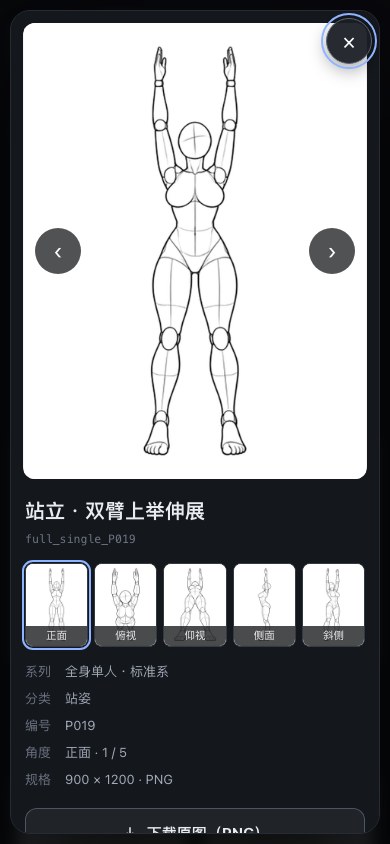
- Responsive layout: Supports multi-column desktop grids, two-column mobile cards, and large-image browsing on narrow screens.
- Engineering validation:
npm run verifychecks data, translations, file references, image dimensions, and i18n keys.
Prepare the Runtime Environment
Everyday browsing only requires a modern browser and a static HTTP server. The README recommends Python 3. If you need to regenerate data, restore images, or run full integrity checks, you will also need Node.js 18 or later.
- A modern browser such as Chrome, Edge, Safari, or Firefox
- Python 3 or another static server
- Node.js 18 or later, only for script tasks
- Enough disk space: the original PNGs require about 654 MB, and the thumbnails about 25 MB
Local Installation and Startup
Step 1: Clone the Repository
git clone https://github.com/HRuiCcc/RuiC-PoseAtlas.git
cd RuiC-PoseAtlas
The repository includes all 1,439 original PNGs and 1,439 JPEG thumbnails, so the initial clone may take some time.
Step 2: Start a Static Server
python3 -m http.server 8123 --bind 127.0.0.1Then visit the following address in your browser:
http://127.0.0.1:8123/If Node.js is already installed, you can also run the command provided by the project:
npm startDo not double-click
index.html. The page readsdata/poses.jsonthroughfetch(), which may be blocked by the browser's same-origin policy under thefile://protocol, resulting in a blank page.
Basic Usage
Search and Filter Poses
- Enter a Chinese, English, or Japanese pose name in the search box, or enter a number such as
P019. - Use the series tabs at the top to narrow the content range.
- Continue by selecting categories and angles to combine multiple filters.
- Switch between “By Pose” and “Single” for pose-set comparison or image-by-image filtering.
- On mobile devices, tap “Filters” to expand the collapsed filter panel.
Browsing Cards and Large Images
Click an angle thumbnail at the bottom of a card to preview that angle directly in the card. Click the card's main image or title to open the large image. If you select an angle in the card first and then click the main image, the large-image page will start at that angle.
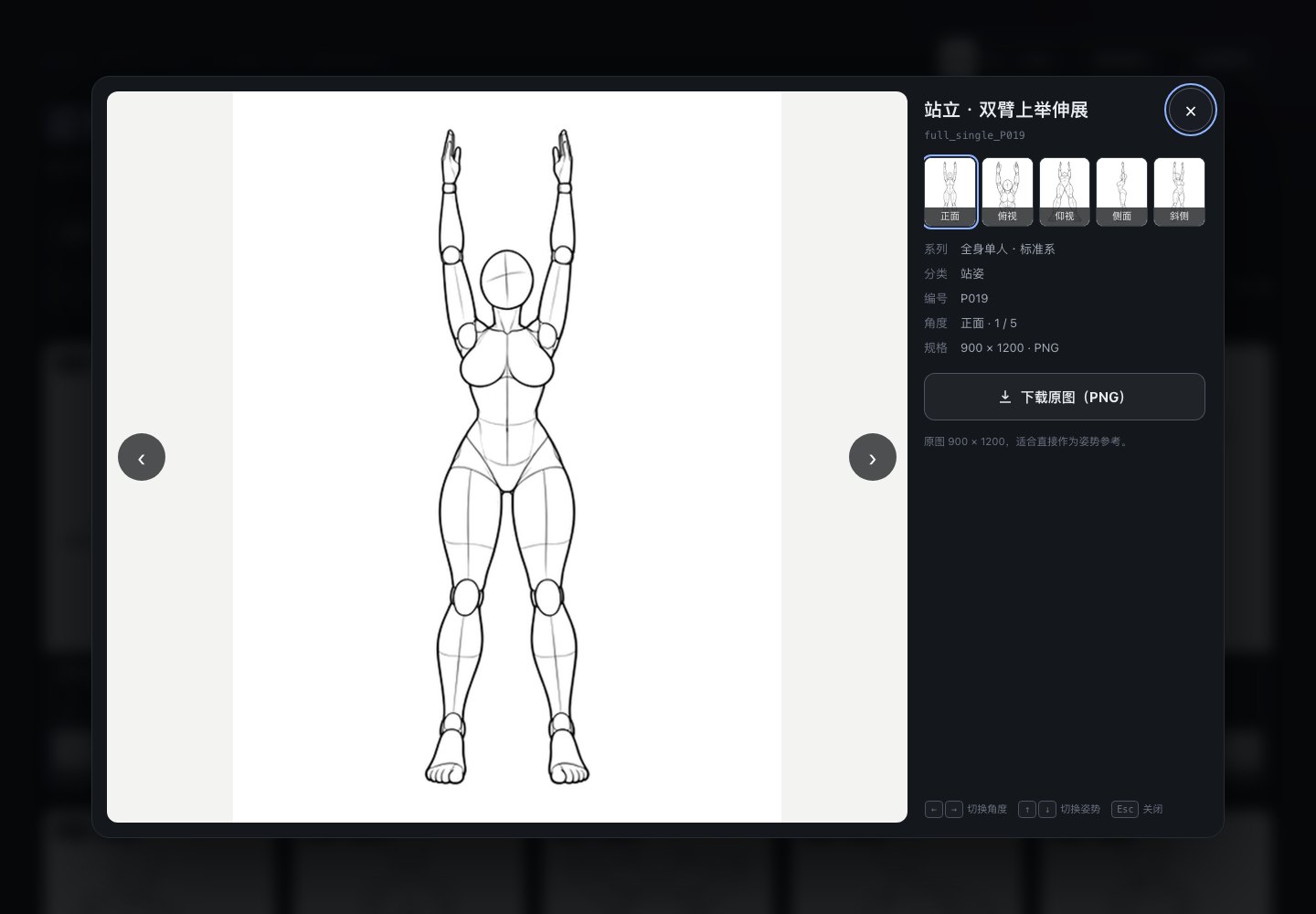
The large-image page supports the following keyboard controls:
←and→: Switch to the previous or next angle.↑and↓: Switch to the previous or next pose.Esc: Close the large image.Tab: Cycle focus through the controls on the large-image page.
The page also displays the pose name, number, series, category, current angle, and image dimensions. To save reference material, click “Download Original (PNG).”
Switch Languages and Share Deep Links
You can switch between Chinese, English, and Japanese in the upper-right corner. The language selection is read first from the URL parameter, then from localStorage, and finally determined from the browser language.
http://127.0.0.1:8123/?lang=en
http://127.0.0.1:8123/?lang=ja#pose=full_single_P019&angle=side
The second example opens the Japanese interface and navigates to the side angle of full_single_P019. After online deployment, you can use the same parameters and hash structure to share specific content.
Understanding the Project Structure
The project uses a data-driven design, with data/poses.json as the core data source for the library. Filters, search, cards, and the large-image page are all generated from this data.
RuiC-PoseAtlas/
├── index.html
├── assets/
│   ├── css/app.css
│   ├── js/app.js
│   └── js/i18n.js
├── data/poses.json
├── img/
├── thumbs/
├── scripts/
├── .github/workflows/
└── package.jsonassets/js/app.js: Handles data loading, search and filtering, page rendering, large-image interactions, and shortcuts.assets/js/i18n.js: Stores interface text in the three languages.data/poses.json: Stores 288 pose sets, three-language names, and image paths.img/: Stores the 900 × 1200 original PNGs.thumbs/: Stores the 300 × 400 JPEG thumbnails.scripts/: Contains data-building, image-recovery, and integrity-check scripts.
Rebuild and Validate the Data
The data scripts do not depend on third-party packages. After modifying the source data or English names, run:
npm run data
npm run verify
npm run data merges the Chinese and Japanese records in scripts/source/ with the English name table, groups angles by pose number, and generates the compact data/poses.json.
npm run verify checks pose and image counts, three-language names, series and category translations, image references, duplicate files, image formats and dimensions, and whether all i18n keys used by the page are present. Always run this command after modifying the data to avoid missing images, broken links, or missing translations.
Add a New Pose Set
- Place 4 to 5 original PNGs in
img/. - Place the corresponding 300 × 400 JPEG thumbnails in
thumbs/. - Add the pose entry to the source records in
scripts/source/. - Add the English name to
scripts/en-pose-names.json. - Run
npm run data && npm run verify.
Before adding images, confirm that you have the necessary rights to use and distribute them. The project source code is licensed under the MIT License, but the images, original data, and names are not covered by the MIT License.
Restore Missing Image Files
If some images are missing after a fresh clone, run:
npm run fetch-imagesThe script collects image paths from the pose data and downloads missing files concurrently. It skips existing files with valid signatures and validates PNG and JPEG file signatures. If a download fails, it switches sources and retries. The repository also provides a GitHub Actions workflow named Fetch image assets.
Deploy as a Static Website
Use GitHub Pages
The repository includes .github/workflows/deploy-pages.yml. After pushing site-related files to the main branch, the workflow deploys automatically. You can also manually run Deploy to GitHub Pages from the Actions page.
This process packages only the entry point, assets, data, and images required to run the site. It does not expose the README, build scripts, or all other files in the documentation directory.
Use Cloudflare Pages
- Connect the GitHub repository in Cloudflare Pages.
- Set the Framework preset to
None. - Leave the Build command blank.
- Set the Output directory to
/. - Save the settings and start the deployment.
The included _headers configures one-year immutable caching for original images and thumbnails, five-minute caching for data files, and revalidation of index.html on every request.
Other Hosting Platforms
Netlify, Vercel, object storage, and Nginx can all host the project. Since there is no build step, simply use the repository root as the static site directory. If you use a custom domain, it is recommended to change og:image in index.html to an absolute URL so social platforms can fetch the cover image.
Advanced Usage Tips
- Reduce deployment size: If you only need grid browsing, you can keep only the thumbnails and adjust the original-image fields in the data and the download logic, but the large-image and original-image download features will then be unavailable.
- Use on-demand loading: The gallery grid requests only JPEG thumbnails; PNG originals are loaded only when opening a large image or downloading it. There is no need to delete the originals for initial-page-load speed.
- Add a new language: You need to modify
assets/js/i18n.js, thenamesfields in the pose data, and the language switcher, then run the full integrity check. - Keep relative paths: All project resources use relative paths, so the project can be deployed at either a domain root or a subdirectory.
- Run verification after changes: Whether adding images, adjusting categories, or modifying translations, run
npm run verify. - Mind the publishing scope: If using GitHub Pages branch-based publishing, restrict the published directory to avoid exposing scripts, documentation, or unrelated repository files as static resources.
Copyright and Usage Boundaries
The project's frontend code, styles, scripts, and documentation are released under the MIT License. The copyrights to the images, original data, and names belong to their original creators and are not covered by the MIT License. The original creators permit using the works as creative references, including for commercial creations, editing, and reference, but prohibit redistributing, reposting, or reselling the image data itself. Before commercial use, read the original site's terms and independently confirm compliance.
The original project is POSE-DB-01, created by ギア. RuiC-PoseAtlas is an unofficial curated version focused primarily on organizing the data, adding English names, and rewriting the frontend.
Summary
RuiC-PoseAtlas organizes scattered, multi-angle pose materials into a searchable, filterable, and downloadable trilingual static gallery. General users can use it directly to assist with composition and styling, while developers can learn from its data-driven architecture, native ES modules, internationalization, accessibility, and static deployment approach. After completing the local setup, it is recommended to first become familiar with keyboard navigation and deep links, then expand the data or deploy your own version as needed.