

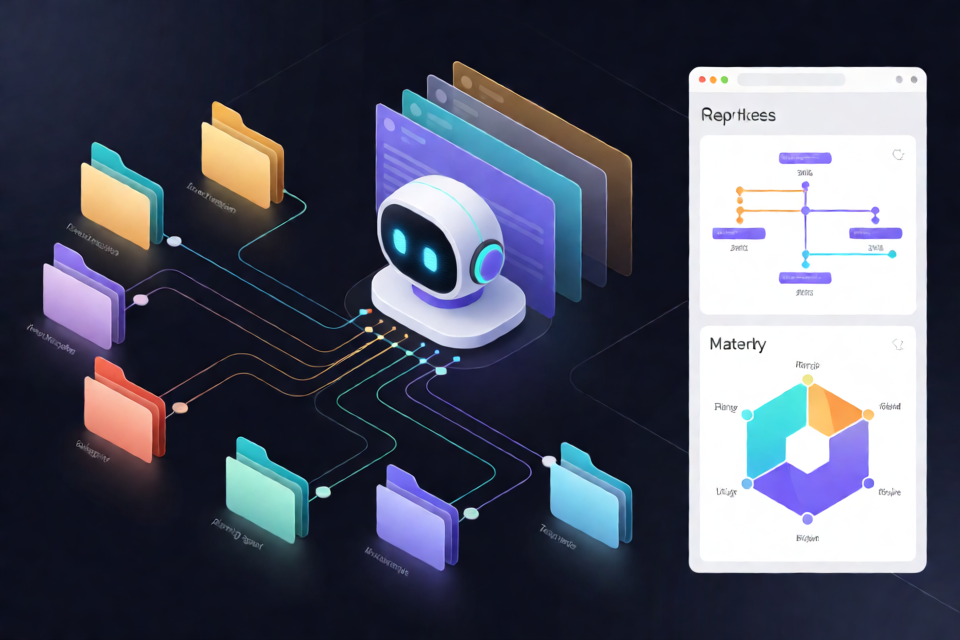
What harness-map does
harness-map reads the configuration surrounding Claude Code and turns it into a single visual assembly map. This surrounding configuration, called the harness, includes instruction files such as CLAUDE.md, automatic memory, MCP servers, skills, permissions, hooks, rules, and related settings.
The effective harness can change according to the folder where Claude Code starts and the way a new agent is launched. A main session, fork, subagent, Explore or Plan agent, teammate, or claude -p invocation may receive different information. harness-map makes those differences visible for each selected starting folder and launch method.
The project uses Python 3 and requires no additional Python packages. Its scripts read configuration without modifying it, produce a structured harness.json file, and build a browser-viewable harness-map.html report.
Key features
- Folder-specific analysis: Compare as many starting directories as needed by repeating
--cwd. - Agent handoff visualization: See whether each component is inherited from a parent session, read again from a file, or not passed to a new agent.
- Rule interaction analysis: Inspect five handling patterns: replacement, merging with denial taking priority, running all rules, concatenation without priority, and selecting only one rule.
- Risk and attention cases: Identify situations such as automatic memory being divided by folder or team functionality causing a permission mode to pass to a new agent.
- Maturity assessment: Review levels 1 through 5 across six harness disciplines in a hexagonal chart.
- Privacy-aware output: Record structural metadata while omitting instruction bodies, environment variable values, tokens, command arguments, and other sensitive details.
- Portable rendering: Paste another person's
harness.jsoninto the report interface to redraw their map.
Before you begin
You need Python 3, Git, and access to the Claude Code configuration belonging to your normal user account. No package installation with pip is required.
Run harness-map as the same user who runs Claude Code. Do not use
sudo. Administrator execution can change the effective home directory and expose another user's configuration, so the script refuses to run that way.
Choose the actual directories from which you commonly start Claude Code. Scanning a parent directory does not reveal all configuration that would apply when starting inside a child project, because configuration is resolved upward from each starting folder.
Installation
Clone the repository and enter its directory:
git clone https://github.com/Dominic-DK/harness-map.git
cd harness-map
You can review the project at github.com/Dominic-DK/harness-map. The project is distributed under the MIT License.
Step 1: Scan your Claude Code harness
Run harness-map.py with one --cwd argument for each workspace you want to compare. The following command scans two example folders and writes the result to harness.json:
python3 harness-map.py --cwd ~/work/a --cwd ~/work/b -o harness.jsonYou may repeat --cwd as many times as necessary. If you omit it, harness-map scans only the current directory:
python3 harness-map.py -o harness.jsonThe initial scan reads configuration files and performs checks that can be completed from those files and from aggregate conversation-history counts.
Change the conversation-history period
The default aggregation period is 30 days. Use --days when you need a different observation window. For example, this command uses 90 days:
python3 harness-map.py --cwd ~/work/a --days 90 -o harness.jsonConversation analysis counts events only. It does not copy conversation text, command contents, or file contents into the result.
Step 2: Print the agent probe plan
Some checks require an agent to perform controlled tests rather than merely inspect static configuration. Print the project-provided procedures and safety rules with:
python3 harness-map.py --probe-planRead this output before asking an agent to perform the checks. Follow the generated instructions rather than improvising probe commands. The checks can include reading configuration, counting relevant history events, and testing behavior inside a temporary directory.
Step 3: Perform or skip the probes
Have the agent carry out the printed probe plan and save its observations in probes.json. Each probe records what was run and what was observed as supporting evidence.
This step is optional. If you do not perform a probe, the corresponding item appears as not checked and is excluded from level calculations. Avoid manually claiming successful behavior that was not actually observed, especially for level 5 checks.
Step 4: Merge probe results
Run the scan again with the same starting folders and add --probes probes.json:
python3 harness-map.py --cwd ~/work/a --cwd ~/work/b --probes probes.json -o harness.jsonUsing the same --cwd set keeps the final calculation aligned with the workspaces covered by the first scan.
Step 5: Build and open the report
Generate the HTML report from the completed JSON file:
python3 build.py harness.jsonOn macOS, open it with:
open harness-map.htmlOn Linux, use:
xdg-open harness-map.htmlOn Windows, use:
start harness-map.htmlReading the harness map
In the report, switch between starting folders and launch methods to see the effective harness for each situation. For every component, the report distinguishes three delivery states:
- The new agent receives it directly from the parent session.
- The new agent reads it again from a file.
- The component is not passed to the new agent.
This comparison helps explain why two agents using the same repository may behave differently. For example, a subagent may not receive everything available to the main session, while settings associated with a particular starting folder may not apply elsewhere.
Understand overlapping rules
The report also shows how overlapping rules are resolved. Depending on the configuration type, a later value may replace another value, rules may merge with denial taking priority, every matching action may run, text may be concatenated without a priority order, or only one option may be selected.
Review these interactions when an instruction, permission, or hook appears ineffective. The problem may be rule combination behavior rather than a missing file.
Understanding the maturity assessment
harness-map scores six areas from level 1 to level 5:
- Instruction design
- Memory and location
- Tool scope
- Preventive blocking
- Post-action verification and observability
- Delegation design
The script can automatically calculate up to level 4 when the available data supports it. The result records which conditions passed and where evaluation stopped. The scoring definitions are stored in SCORECARD inside harness-map.py.
Level 5 requires evidence from an actual observed check. For example, preventive blocking reaches level 5 only when there is a record showing that a prohibition really stopped a command. Merely having a prohibition in configuration is not sufficient.
The assessment can also lower a score when configuration exists but appears unused, such as a tool that was not used during the selected history period or sessions that ran under a permission mode different from the configured one.
When several starting folders are scanned, the displayed level is the median of the folder-level scores. For an even number of folders, the lower middle value is used. The report also shows the minimum-to-maximum range.
Higher levels are not automatically better. harness-map estimates the level each area needs from usage patterns, including whether you work alone, how frequently you launch subordinate agents, and how often you run commands that are difficult to reverse. It highlights areas that fall below the estimated need rather than warning about every score below level 5.
Privacy and output review
The scanner reads files but does not change configuration. It deliberately limits what is copied into its output:
- For
CLAUDE.mdand rule files, it records paths, line counts, and when they are read, but not their text. - For settings, it records permission modes, rule counts, and environment variable names, but not environment variable values or rule contents.
- For hooks, it records the event, source, and executable filename, but omits command arguments and paths.
- For MCP servers, it records names and sources, but omits commands, arguments, headers, and tokens.
- For paths, it replaces the real home-directory prefix with
~.
Files that cannot be read are placed in an unreadable list. According to the project, Claude Code also cannot read those files under the same user permissions.
The output still contains folder names and the list of installed plugins. Open and inspect both
harness.jsonandharness-map.htmlbefore sharing them.
The repository's .gitignore is configured to keep harness.json and harness-map.html out of version control, but you should still verify staged files before committing.
Delegate the workflow to a coding agent
You can ask Claude Code or another coding agent to follow the repository instructions. Replace the example folders with your own commonly used starting directories. A suitable request is:
Read the README at https://github.com/Dominic-DK/harness-map and follow the direct execution steps.
My usual starting folders are ~/work/a and ~/work/b.
Perform the step 3 agent checks according to the documented safety rules and record the results.
When finished, open harness-map.html in a browser and summarize the result in about five clear sentences.
Keep human oversight on the probe stage. The agent should follow the exact safety plan produced by --probe-plan.
Advanced tips
Scan every meaningful entry point
Do not assume that scanning a repository root covers nested projects. Add each directory from which you actually launch Claude Code as a separate --cwd. This produces a more useful comparison of inherited instructions, memory boundaries, and tool availability.
Choose an observation window that matches your work
The default 30-day window is appropriate for recent activity, but infrequently used tools may require a longer period. Use --days deliberately because evidence of non-use can affect maturity scoring.
Separate configuration from verified behavior
Treat file-based findings as evidence of intended configuration, not proof that a control works at runtime. Use the optional probes when you need confidence that hooks, restrictions, or other behavior actually take effect.
Compare reports without exposing raw configuration
If someone sends you a reviewed harness.json, use the report's paste area to redraw it. Even though sensitive values are omitted, both parties should inspect the JSON first because project names, folder names, and plugin names remain present.
Use the fallback when Python is unavailable
If Python 3 is not available, copy the contents of PROMPT.md into an agent. The agent can read the configuration directly, create JSON in the same format, and build the screen. The README warns that this method is more likely than the script to omit items or count them incorrectly.
Known limitations
- The handoff rules are fixed in
SPAWN_RULESinharness-map.py; they are not derived from observing your live sessions. - The README says these rules follow Claude Code 2.1.287 documentation checked on October 2, 2026. Behavior may differ in later versions.
- The cited sources are the official sub-agents, agent teams, and memory documentation.
- The project notes one discrepancy: documentation says subagents do not read automatic memory, while the author's environment reportedly passed a memory list to a subagent. The report marks this as a difference between documentation and observation.
- Command-line-only settings such as
--agentsand--permission-modeare not stored in files and therefore cannot be discovered by the scanner. - For installed plugins, the scanner reads the newest version found in the plugin installation directory.
Conclusion
harness-map provides a practical way to understand the configuration Claude Code actually receives across projects and agent launch modes. Start by scanning every meaningful working directory, optionally run the documented probes, rebuild the data with their evidence, and generate the HTML report. Use the visualization and maturity assessment to find configuration gaps, but review generated files before sharing and treat documented handoff rules as version-dependent.