

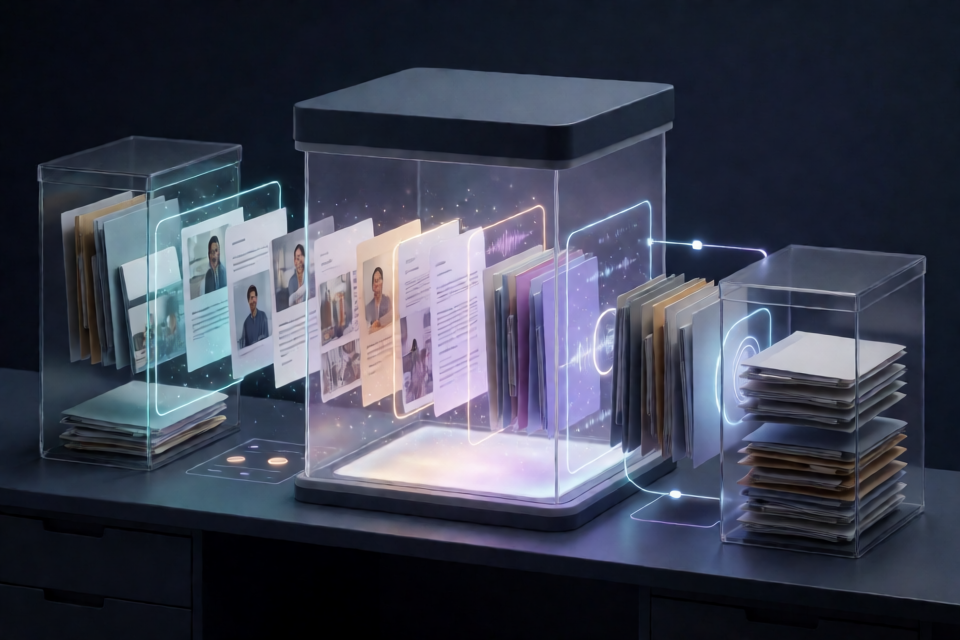
What is watermarks-remover?
watermarks-remover is a Python service and agent skill for inspecting and removing supported AI provenance marks from text and files. It is intended for privacy and content hygiene on material you own.
The project separates cleaning into several layers. Layer A deterministically removes invisible Unicode, exotic spaces, bidirectional characters, tag characters, and related text artifacts. Layer B addresses statistical token-sampling watermarks through an agent rewrite or the optional rewrite_text.py hook. File cleaners handle supported metadata and document properties, including C2PA, EXIF, XMP, and office-document metadata.
Use the project only on content you own or are authorized to modify. Detection and cleaning are separate operations, and some optional detectors are research tools rather than authoritative vendor verification systems.
Key features
- Standard-library core: the local HTTP service and core scripts require Python 3.10 or newer and have no mandatory Python dependencies.
- Broad file routing: supported formats include text, HTML, Markdown, PNG, JPEG, WebP, AVIF, HEIC, BMP, GIF, TIFF, SVG, PDF, DOCX, XLSX, PPTX, EPUB, ODT, MP4, MOV, M4A, M4V, WAV, and MP3.
- Unified commands:
inspect_file.pyandclean_file.pydetect supported formats and select the appropriate pipeline. - HTTP integration: inspect, detect, clean, and batch endpoints are available without vendoring the Python implementation.
- Safer format handling: text tools refuse likely binary files, while unrecognized formats are classified as
unknownand are not automatically cleaned. - Optional detection: configured text detectors and SynthID image scoring can run independently or before and after cleaning.
- Optional advanced backends: the project supports a MarkLLM verification harness, reverse-SynthID scoring, and CtrlRegen pixel-domain image processing through separate installations.
Install and start the service
1. Clone the repository
git clone https://github.com/guillaumemeyer/watermarks-remover.git
cd watermarks-remover
2. Start the standard-library HTTP server
The fastest setup uses the local Python service. It listens on loopback by default:
make serveYou can also launch it directly:
python3 service/scripts/server.py --host 127.0.0.1 --port 8765Verify that the service is available:
curl -s http://127.0.0.1:8765/healthThe response contains ok: true and the service version. Use GET /capabilities to see which optional tools and backends are available, or GET /openapi.json for the generated OpenAPI 3.0.3 specification.
3. Install the optional agent skill
The agent skill contains no service implementation. It is a thin client that calls the HTTP server, so start the service before using the skill.
mkdir -p .grok/skills
ln -sfn "$(pwd)/skills/remove-ai-marks" .grok/skills/remove-ai-marks
For a user-global Grok installation, create the link under your home directory:
mkdir -p ~/.grok/skills
ln -sfn "$(pwd)/skills/remove-ai-marks" ~/.grok/skills/remove-ai-marks
Invoke it with /remove-ai-marks, or ask the agent to strip supported AI watermarks or provenance metadata. If the service is not at http://127.0.0.1:8765, set WATERMARKS_SERVICE_URL.
4. Install the optional Cursor text-only skill
The repository also includes a self-contained Cursor skill for authorized manuscripts, documentation, and web copy. It excludes file metadata, images, C2PA, the HTTP service, and external-model tooling.
python3 install_skill.pyOn Windows, use py install_skill.py. Existing installations are preserved unless --force is supplied.
Inspect and clean files from the command line
Use the unified file tools
Set a short variable for the scripts directory, then inspect or clean supported files:
SCRIPTS=service/scripts

python3 "$SCRIPTS/inspect_file.py" draft.md
python3 "$SCRIPTS/clean_file.py" draft.md -o draft.cleaned.md
python3 "$SCRIPTS/clean_file.py" photo.png -o photo.cleaned.png
python3 "$SCRIPTS/clean_file.py" notes.docx -o notes.cleaned.docx
inspect_file.py reports the detected kind and suspicious content without modifying the input. clean_file.py routes the file to the appropriate cleaner and writes the result to the path supplied with -o.
Clean Layer A text artifacts
For known text files, use the dedicated text commands:
python3 "$SCRIPTS/inspect_text.py" draft.md
python3 "$SCRIPTS/clean_text.py" draft.md -o draft.cleaned.md --stats
The --stats option reports what the deterministic text cleaning changed.
Avoid passing binary files to text tools
The text scripts reject files that appear to be ZIP containers, PDFs, images, or other binary data. This prevents compressed bytes from being decoded and written back as corrupted text.
python3 "$SCRIPTS/inspect_text.py" report.docxUse inspect_file.py or clean_file.py for such files. Although --force-text overrides the protection, it should only be used when you deliberately want to scan raw bytes.
Similarly, the unified cleaner refuses files classified as unknown. Supply a recognized filename extension when appropriate, or explicitly opt into text handling with --as text or --force-text.
Use the Layer B rewrite hook
Statistical text watermarks require rewriting rather than Unicode cleanup. By default, the rewrite script prints a prompt and does not call a model:
python3 "$SCRIPTS/rewrite_text.py" draft.md \
  --backend print-prompt \
  --strength paraphrase
An optional local Ollama backend can produce rewritten output:
WATERMARKS_REWRITE_BACKEND=ollama \
WATERMARKS_REWRITE_MODEL=llama3.2 \
python3 "$SCRIPTS/rewrite_text.py" draft.md -o draft.rewritten.md
Loopback endpoints are allowed by default. Remote model endpoints require WATERMARKS_REWRITE_ALLOW_REMOTE=1 or --allow-remote. API credentials must be supplied through WATERMARKS_REWRITE_API_KEY, never as command-line arguments.
Call the HTTP API
Clean one file
The API accepts file bytes encoded as Base64 and uses the supplied filename to assist format routing:
WM="http://127.0.0.1:8765"
curl -s -X POST "$WM/clean" \
  -H 'Content-Type: application/json' \
  -d "{\"file\": \"$(base64 < notes.md | tr -d '\n')\", \"name\": \"notes.md\"}"
A successful response includes the detected kind, a Base64-encoded cleaned file, and a cleaning report.
Inspect or detect without cleaning
Use POST /inspect for structural inspection and POST /detect for configured watermark detectors. Detection is opt-in and separate from cleaning; the service does not call vendor or external detector APIs unless requested and configured.
curl -s -X POST "$WM/inspect" \
  -H 'Content-Type: application/json' \
  -d "{\"file\": \"$(base64 < notes.md | tr -d '\n')\", \"name\": \"notes.md\", \"detect\": true}"
For before-and-after measurements, pass detect_before and detect_after in the cleaning options:
{"file":"BASE64_DATA","name":"notes.md","options":{"detect_before":true,"detect_after":true}}Detector failures are fail-soft. If a detector is unavailable, times out, or returns an error, the report records available: false and cleaning continues.
Process a batch
POST /inspect/batch and POST /clean/batch process multiple entries through the same per-file pipeline. The default request limit is 50 files and can be changed with WATERMARKS_MAX_BATCH_FILES.
{"files":[
  {"file":"BASE64_DATA_1","name":"notes.md"},
  {"file":"BASE64_DATA_2","name":"photo.png","options":{}}
]}
A malformed batch entry receives ok: false and an error message without aborting the remaining entries.
Run the project with Docker
The published core image includes the service, cleaners, ExifTool, qpdf, and c2patool. Build the local core image and expose it only on loopback:
make docker-core-build
docker run --rm \
  -p 127.0.0.1:8765:8765 \
  --read-only \
  --tmpfs /tmp \
  watermarks-remover
You can also run a cleaner directly inside the container:
docker run --rm -v "$(pwd):/data" watermarks-remover \
  /app/scripts/clean_file.py /data/notes.md \
  -o /data/notes.cleaned.md
Docker Compose starts only the core service by default. Optional profiles add research harnesses or heavy image backends:
docker compose up -d
docker compose --profile harness up -d
docker compose --profile heavy up -d
docker compose --profile harness --profile heavy up -d
Validate the running stack with make compose-check. It checks the core health endpoint and verifies that enabled optional services can run their help commands.
Configuration and security
No environment variables are required for ordinary text cleaning. Optional settings can be copied into a repository-level .env file, which Docker Compose loads automatically:
cp .env.example .env
docker compose up -d
The file is gitignored and should never be committed. Important settings include:
WATERMARKS_SERVER_API_KEYrequires bearer authentication for the HTTP API.WATERMARKS_SERVICE_URLtells clients where to reach the service.WATERMARKS_REWRITE_BACKEND,WATERMARKS_REWRITE_MODEL, and related variables configure direct Layer B model calls.WATERMARKS_SYNTHID_SCORER_URLconnects the core service to the optional SynthID image-scoring sidecar.HF_TOKENprovides an environment-only Hugging Face token to optional backends that use gated models.
The server binds to loopback by default and is intended for a trusted network. If you change --host to expose it beyond the local machine, configure WATERMARKS_SERVER_API_KEY and add appropriate network protections.
Advanced tips
Install optional metadata tools for host-side runs
The core Python scripts use the standard library, but external tools improve particular workflows. c2patool inspects C2PA manifests, exiftool removes residual metadata, especially from PDFs, and qpdf is required for a real structural PDF strip. These tools are already present in the core Docker image.
Score SynthID-class image signals
The optional reverse-SynthID integration can produce a pixel-domain confidence score. It is detection only and does not remove pixel watermarks. Its upstream checkout is not bundled because it uses a non-commercial research license.
SCRIPTS=service/scripts
"$SCRIPTS/setup_synthid.sh"

REVERSE_SYNTHID_DIR=~/reverse-SynthID \
~/reverse-SynthID/.venv/bin/python \
"$SCRIPTS/inspect_image.py" shot.png
The heavy Compose profile can run this scorer as an HTTP sidecar. Configure WATERMARKS_SYNTHID_SCORER_URL and a shared WATERMARKS_SYNTHID_SCORER_API_KEY, then request detection before and after cleaning.
Use CtrlRegen for pixel-domain processing
CtrlRegen is an optional external backend for SynthID-class, StegaStamp, Tree-Ring, and StableSignature pixel-domain marks. It is not bundled or published because its upstream repository has no license file. Its setup creates an isolated environment with pinned research-era dependencies.
SCRIPTS=service/scripts
"$SCRIPTS/setup_ctrlregen.sh"

NOAI_WATERMARK_DIR=~/noai-watermark \
~/noai-watermark/.venv/bin/python \
"$SCRIPTS/clean_image.py" shot.png \
-o shot.cleaned.png --remove-pixel ctrlregen
The default strength is a conservative 0.25. Documented presets range from 0.15 for minimal regeneration to 0.7 for maximum strength. Higher values can remove more of the signal but also regenerate more image content.
CtrlRegen works natively at 512 by 512 pixels. Larger inputs are tiled automatically, so processing time and memory use grow with tile count. A GPU is strongly recommended, approximately 10 GB of model downloads should be expected, and very large images should be downscaled first when practical.
Verify controlled text experiments with MarkLLM
The optional MarkLLM harness can generate and re-detect test text using matching KGW or SynthID scheme configurations. It is useful for controlled experiments, but it is not a vendor oracle and cannot prove that a vendor detector will reject rewritten text.
SCRIPTS=service/scripts
"$SCRIPTS/setup_markllm.sh"
For meaningful results, use the same scheme configuration and keys for generation and detection.
Conclusion
watermarks-remover provides a cautious, format-aware workflow for cleaning supported provenance surfaces from authorized content. Start with the unified inspection commands, use deterministic Layer A cleaning where possible, add Layer B rewriting only when needed, and enable external detectors or pixel backends selectively. For application integration, the local HTTP API and generated OpenAPI specification provide the most flexible interface.