


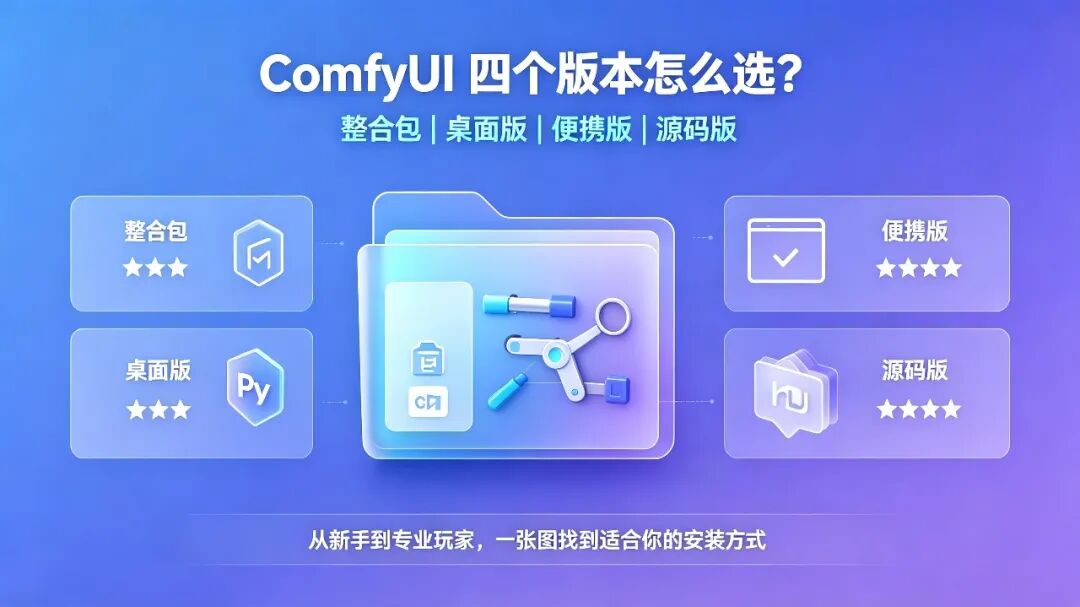
I've been wrestling with a question for the past two days. There are several versions of ComfyUI available online now. Besides the integrated package I'm currently using, I found out that there are also official desktop, portable, and source-code versions.
Each version has its advocates, but which one should we actually choose? Choosing the wrong version isn't the scary part; the real problem is wasting time and effort on things that aren't necessary.
Based on the pitfalls shared by fellow users and what I've learned over the past few days, I'll briefly explain the pros and cons of these four versions. Hopefully, this will help you find the one that suits you best.
To get straight to the conclusion, my understanding of their difficulty levels, from easiest to hardest, is:
Integrated package ⭐
Official desktop version ⭐⭐
Official portable version ⭐⭐⭐
Source-code version ⭐⭐⭐⭐
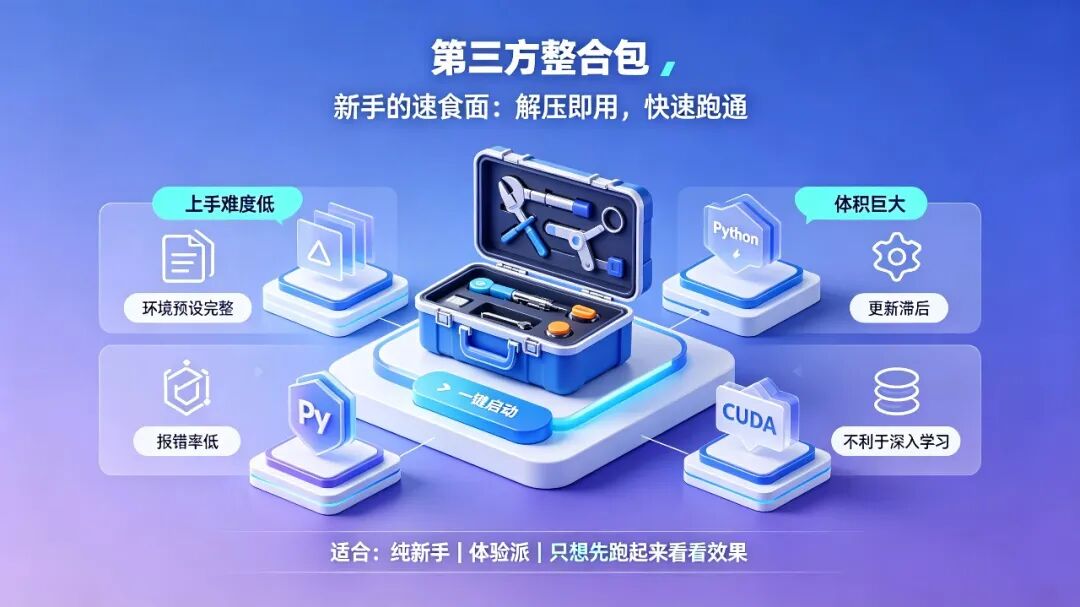
1. Third-Party Integrated Packages: “Instant Noodles” for Beginners
This is probably the entry-level version for many people. Integrated packages created by community experts such as 秋叶 and aaaki focus on being ready to use right out of the box.
✅ Pros
Easy to get started: Just extract the package and use it. A graphical launcher is included, so you can start generating with a double-click.
Complete environment preset: The Python environment, CUDA dependencies, commonly used plugins, and basic model configurations are included, giving you a relatively high chance of getting everything running successfully right away.
Low error rate: The environment has already been tested and configured by experienced creators, so beginners rarely encounter problems.
❌ Cons
Huge size: Because so much is preinstalled, the extracted package can take up dozens or even hundreds of GB, which is inconvenient for users with limited disk space.
Closed environment and difficult troubleshooting: Installing new plugins or updating the version can easily cause dependency conflicts. When errors occur, it feels like facing a “black box” with no idea where to start.
Delayed updates: Updates depend heavily on the creator releasing a new package and can sometimes lag far behind.
Not ideal for in-depth learning: When something goes wrong, you can only ask the creator or search through tutorials, making it difficult to identify the root cause yourself.
Who is it for?
Complete beginners with no experience: People who have never used the command line and just want to get things running and see the results.
Casual users: People who simply want to play around and do not plan to study the underlying logic in depth.
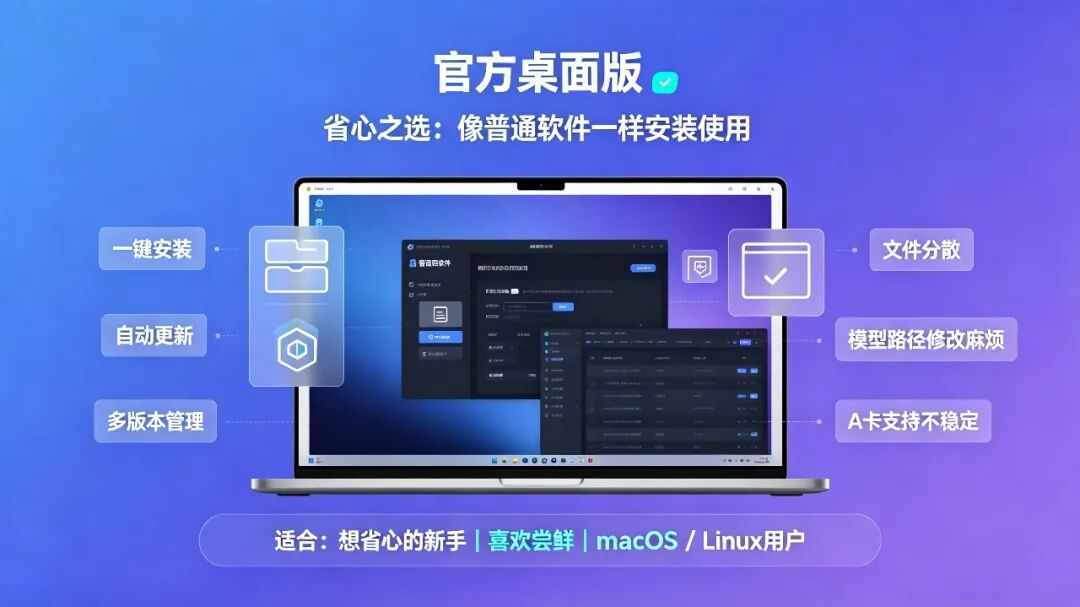
2. Official Desktop Version (ComfyUI Desktop): The Hassle-Free Choice
This is the official installation version with a graphical interface, designed to let you install and use ComfyUI like a regular application.
✅ Pros
One-click installation: It includes an installation wizard and is as easy to install as WeChat or QQ, with no commands to type.
Automatic updates: An automatic update system is built in, and a snapshot is created before each update. If something goes wrong, you can roll back with one click.
Multiple version management: You can install and run multiple versions of ComfyUI at the same time, making testing and comparison convenient.
❌ Cons
Scattered files: After installation, files are distributed across different system locations rather than being kept together and controllable like in the portable version.
Changing model paths is cumbersome: To change where models are stored, you need to create a symbolic link (mklink), which can be complicated and error-prone for beginners.
Unstable model compatibility: Some users have reported crashes when loading specific models such as WAN and Flux Klein. AMD GPU support is also still immature and not stable enough.
Who is it for?
Beginners who want convenience: People who want to install it like a regular application without touching any configuration files.
Users who like trying new things: Automatic updates and multi-version management are relatively practical.
macOS / Linux users: This is the official primary option for these systems.
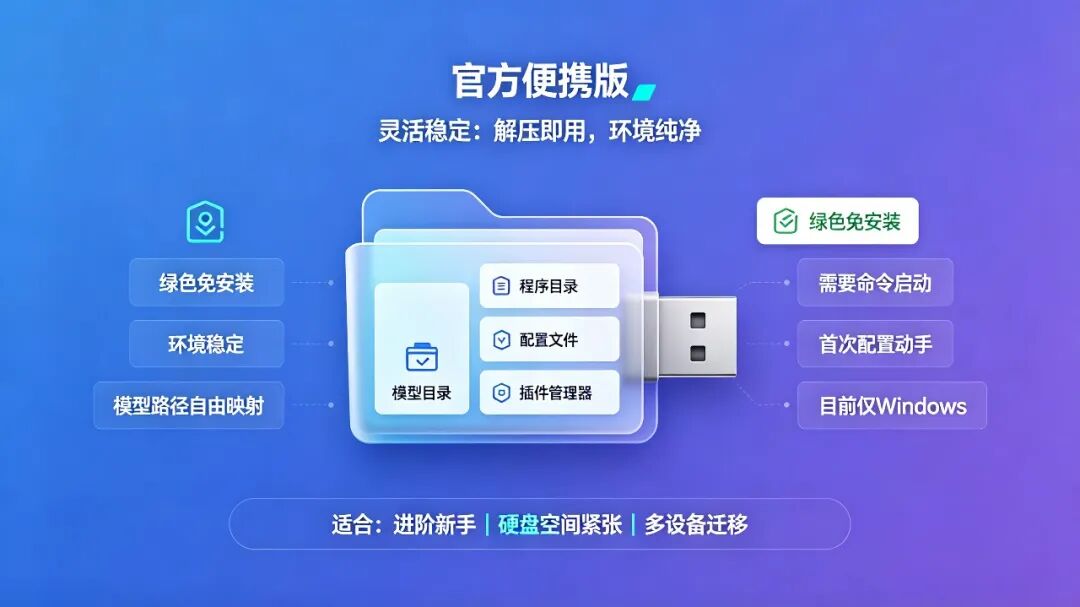
3. Official Portable Version: Greater Flexibility
This is the installation method officially recommended for users with some experience who plan to use ComfyUI long term.
✅ Pros
Portable and installation-free: Extract and run it. All files are kept in one folder, and the entire folder can be copied to a USB drive or a new computer and run directly.
Clean and stable environment: It includes an officially standardized Python and CUDA environment, so dependency conflicts like those found in integrated packages are rare.
Flexible model path mapping: By editing the configuration file, you can point the large-model directory to a hard disk, helping resolve insufficient space on an SSD.
Timely updates: You can use git pull at any time to retrieve the latest official code and try new features as soon as they are released.
Flexible plugin management: Used together with ComfyUI-Manager, installing plugins is just as convenient as with an integrated package, without forcing you to preinstall a bunch of things you do not need.
❌ Cons
No graphical launcher: You need to start it through the command line or a batch script, which presents a slight barrier for complete beginners.
Initial setup requires some hands-on work: You do not need to install Python yourself, but you still need to follow a tutorial to install Manager and edit configuration files.
Currently, the official version is available only for Windows.
Who is it for?
Advanced beginners: People willing to spend a little time configuring it in exchange for long-term stability and flexibility.
Users with limited disk space: If you need to store large models on a separate drive, the portable version is the best solution.
Users who need to move between multiple devices: If you frequently use different computers, you can simply copy the portable version over and use it.
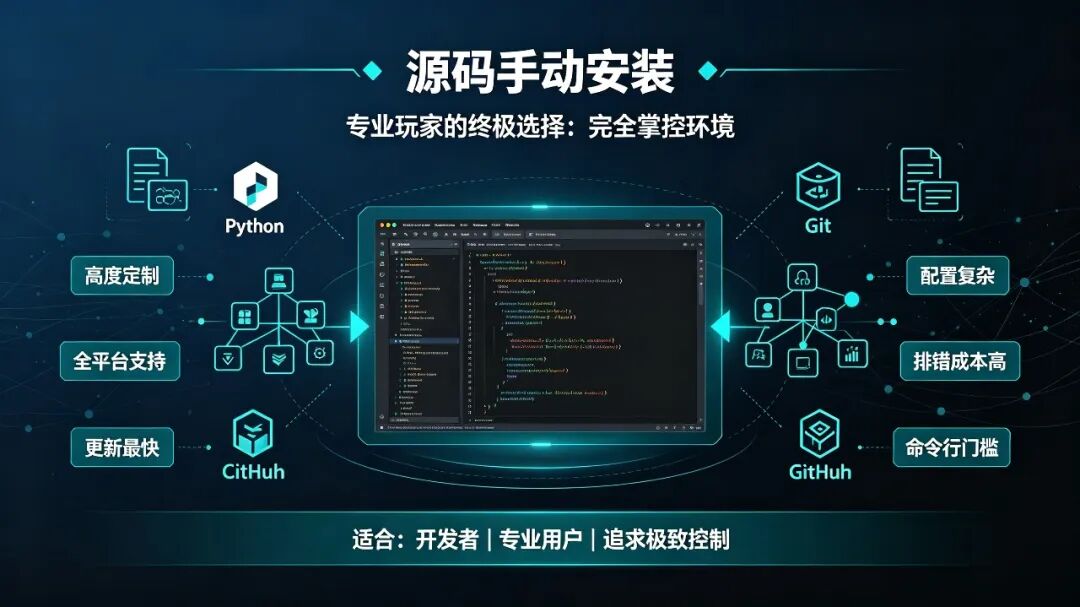
4. Manual Source-Code Installation: The Ultimate Choice for Advanced Users
This method has the highest barrier to entry, but it is also the most powerful. If you plan to develop extensions or deploy ComfyUI on a server in the future, this is an unavoidable path.
✅ Pros
Flexibility: Freely choose any version of Python, CUDA, or PyTorch and customize the environment according to your needs.
Cross-platform support: Supports Windows, Linux, and macOS, providing the foundation for deployment to the cloud or Linux clusters.
Fast updates: Pull the latest code directly from GitHub, making this faster than any other version.
Deep understanding: After configuring everything yourself, you will thoroughly understand ComfyUI's file structure and operating principles, allowing you to pinpoint problems accurately.
❌ Cons
Complex environment configuration: You must manually install Python, CUDA, and Git and configure environment variables. Beginners can spend a long time stuck on version mismatches and incorrect paths.
No graphical assistance: Startup relies entirely on the command line, which is unfriendly to users accustomed to clicking through graphical interfaces.
High troubleshooting costs: If problems occur when installing plugins or updating, you must search the documentation or find solutions yourself.
Who is it for?
Developers: People who want to develop extensions or contribute code.
Professional/industrial users: People who need to deploy to the cloud or clusters, or who require strict control over the environment and dependencies.
Users seeking maximum control: People who dislike “black boxes” and want 100% control over their toolchain.
Final Summary
Choosing a version is essentially a trade-off between practicality and control. There is no absolute best or worst option—only what is or is not suitable for you right now.
If you are also a beginner like me, starting with an integrated package or the desktop version is perfectly fine. Getting it running is more important than anything else. Once you become familiar with it and understand what you are looking for, you will naturally want to switch to a more flexible and controllable version.