

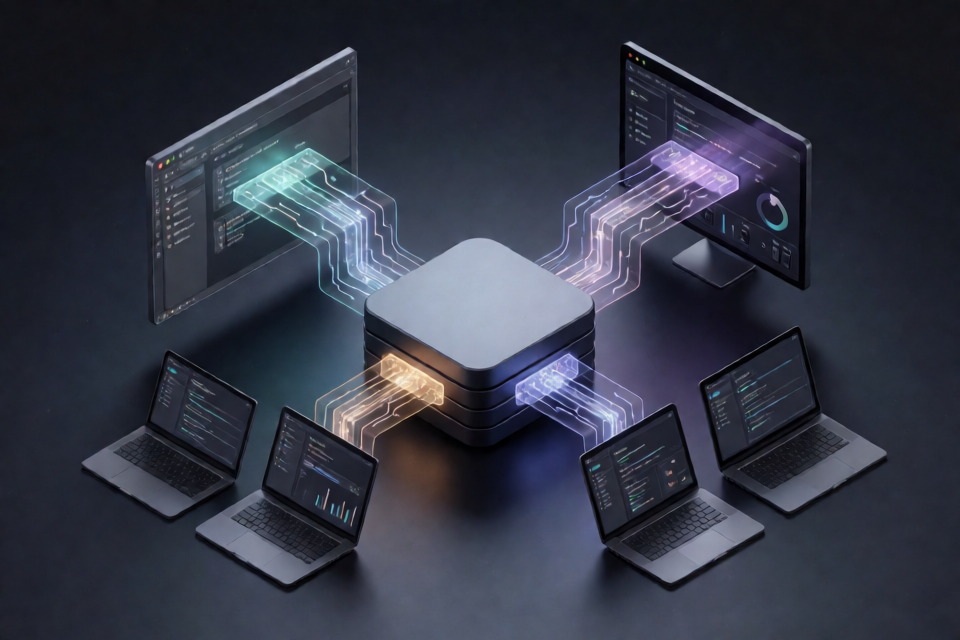
What My Free Code Does
My Free Code v0.8 is an independent, multi-provider gateway for Claude Code and other coding agents. It runs a local FastAPI gateway that accepts agent requests, selects a configured model, translates the request for the relevant provider, and streams the response back to the client. The project is not affiliated with Anthropic.
The gateway supports the Anthropic Messages protocol at /v1/messages, Anthropic token counting at /v1/messages/count_tokens, and an OpenAI Responses-compatible endpoint at /v1/responses. It also exposes model discovery through /v1/models, a health endpoint at /health, a local Admin UI at /admin, and authenticated administrative APIs under /api/admin/*.
Key Features
- Multiple agent protocols: Accept Anthropic Messages and OpenAI Responses-compatible requests through one gateway.
- Agent capabilities: Handle streaming Server-Sent Events, tool definitions, tool calls, tool results, images, and reasoning metadata pass-through.
- Claude tier routing: Assign different upstream models to Fable, Opus, Sonnet, and Haiku requests.
- Resilient routing: Use ordered model fallbacks, provider health backoff, per-provider concurrency controls, and rate-window control.
- Stable model identity: Preserve the public gateway model identity even when the router sends a request to another provider.
- Reasoning normalization: Keep Claude-style thinking intent separate from provider-specific request fields.
- Local model support: Connect Ollama, LM Studio, or llama.cpp through their OpenAI-compatible endpoints.
- Agent launchers: Prepare the proxy environment for Claude Code, Codex, Pi, OpenCode, Cline, Hermes, DeepSeek Harness, Grok Build, and Muse Code.
The provider catalog includes a broad collection of cloud services and local runtimes. Common OpenAI-compatible providers use a shared transport, while providers with unusual authentication or protocols require dedicated adapters. A catalog entry should therefore not be interpreted as a claim of universal support without provider-specific configuration.
How the Architecture Works
             Coding Agents / IDEs
                      |
          +-----------+-----------+
          |                       |
    Anthropic Messages       OpenAI Responses
          |                       |
          +-----------+-----------+
                      |
                FastAPI Gateway
                      |
                Model Router
                      |
          +-----------+-----------+
          |                       |
       Primary                  Fallbacks
          |                       |
          +-----------+-----------+
                      |
              Provider Runtime
                      |
       +--------------+--------------+
       |              |              |
 OpenAI-compatible  Specialized   Local
     adapter          adapter     runtime
       |              |              |
     APIs          provider API  Ollama/LM Studio
The design separates incoming wire protocols from routing and provider integrations. HTTP adapters receive requests, the application layer selects and executes a route, and the provider runtime communicates with either a shared OpenAI-compatible transport, a specialized adapter, or a local runtime. CLI launchers remain a separate layer that configures the client environment and delegates execution to the installed coding agent.
Install the Gateway
Prerequisites
- Python 3.10 or newer.
- A local copy of the repository.
- Credentials for any remote providers you plan to use.
- The coding-agent client you want to launch, installed and available on
PATH.
1. Create a virtual environment
python -m venv .venv2. Activate it and install dependencies
On Windows PowerShell, run:
.venv\Scripts\Activate.ps1
python -m pip install -r requirements.txt
copy .env.example .env
On macOS or Linux, run:
source .venv/bin/activate
python -m pip install -r requirements.txt
cp .env.example .env
3. Start My Free Code
python -m my_free_codeBy default, the gateway is available at http://127.0.0.1:8082. You can check the service through http://127.0.0.1:8082/health and open the local Admin UI at http://127.0.0.1:8082/admin.
Configure Models and Providers
Edit the generated .env file to choose a default model, assign models to Claude tiers, and define ordered fallbacks. The following example uses models from several providers:
MODEL=open_router/openrouter/free
MODEL_SONNET=deepseek/deepseek-chat
MODEL_HAIKU=groq/llama-3.3-70b-versatile
MODEL_OPUS=nvidia_nim/meta/llama-3.3-70b-instruct
FALLBACK_MODELS=deepseek/deepseek-chat,ollama/llama3.1
Add the corresponding provider API keys to .env. Use .env.example as the reference for the supported configuration fields. Restart the gateway after changing its environment.
MODEL selects the general gateway model. Tier-specific variables such as MODEL_SONNET, MODEL_HAIKU, and MODEL_OPUS let the router direct Claude model tiers to different upstream services. FALLBACK_MODELS is a comma-separated, ordered list of alternatives.
Connect Claude Code
Option 1: Set the environment manually
In Windows PowerShell, point Claude Code at the local Anthropic-compatible gateway:
$env:ANTHROPIC_BASE_URL="http://127.0.0.1:8082"
$env:ANTHROPIC_AUTH_TOKEN="local"
$env:CLAUDE_CODE_ENABLE_GATEWAY_MODEL_DISCOVERY="1"
claude
The base URL redirects Claude Code requests to My Free Code, while model discovery lets the client query the gateway model catalog.
Option 2: Use the launcher adapter
python -m my_free_code.cli.mfc claudeThe launcher prepares the local proxy environment and then delegates arguments to the installed Claude Code client. It does not install the client itself.
Launch Other Coding Agents
The same launcher abstraction supports several additional clients:
python -m my_free_code.cli.mfc codex
python -m my_free_code.cli.mfc pi
python -m my_free_code.cli.mfc opencode
python -m my_free_code.cli.mfc cline
python -m my_free_code.cli.mfc hermes
python -m my_free_code.cli.mfc deepseek-harness
python -m my_free_code.cli.mfc grok
python -m my_free_code.cli.mfc muse
Before running one of these commands, confirm that the corresponding client is installed and accessible on PATH. The launcher only sets up the gateway environment and invokes the existing program.
Understand Ordered Fallbacks
Suppose the environment contains this routing configuration:
MODEL_SONNET=deepseek/deepseek-chat
FALLBACK_MODELS=groq/llama-3.3-70b-versatile,ollama/llama3.1
A Sonnet request first goes to deepseek/deepseek-chat. If that attempt fails before producing output, the router tries groq/llama-3.3-70b-versatile. If the second attempt also fails before output, it tries ollama/llama3.1.
Claude Code
    |
    v
deepseek/deepseek-chat
    |
    | failure before output
    v
groq/llama-3.3-70b-versatile
    |
    | failure before output
    v
ollama/llama3.1
Once a streaming response has committed output, the gateway does not silently change providers. This avoids duplicating a turn or combining partial responses from different models.
Use Local Models
Ollama
Start an Ollama service separately, then configure its OpenAI-compatible base URL and model:
OLLAMA_BASE_URL=http://127.0.0.1:11434/v1
MODEL=ollama/llama3.1
LM Studio
Start the LM Studio local server and use:
LM_STUDIO_BASE_URL=http://127.0.0.1:1234/v1
MODEL=lmstudio/qwen3.5-coder
llama.cpp
Run a llama.cpp server and configure:
LLAMACPP_BASE_URL=http://127.0.0.1:8080/v1
MODEL=llamacpp/my-model
Local runtimes can also appear in FALLBACK_MODELS, allowing a local model to act as an alternative when a remote request fails before emitting output.
Configure Reasoning Behavior
The gateway accepts Claude-style thinking intent and normalizes it before a provider adapter translates the request. Supported modes are:
auto
on
off
An optional effort level can be:
low
medium
high
This separation keeps the agent-facing reasoning policy independent of provider-specific fields. Each provider adapter can map the normalized mode and effort to fields documented by that upstream provider.
Monitor the Gateway
Open the Admin UI locally at:
http://127.0.0.1:8082/adminThe authenticated JSON Admin API includes:
GET /api/admin/status
GET /api/admin/models
GET /api/admin/providers
Use these endpoints to inspect gateway status, the model catalog, and configured providers. Administrative endpoints require authentication and should remain private.
Advanced Tips
Keep public model identity stable
A request may be routed to a tier-specific model or fallback provider, but the gateway keeps its public model identity stable. Client applications can therefore interact with the gateway model without needing to track every upstream routing decision.
Design fallback order intentionally
Place models in FALLBACK_MODELS in the exact order in which they should be attempted. Consider provider availability and whether a local runtime should be the final option. Remember that fallback occurs only before streaming output is committed.
Respect provider differences
Many providers use a common OpenAI-compatible transport, but unusual authentication schemes or protocols need specialized adapters. Confirm that the relevant provider adapter and credentials are available instead of assuming every catalog entry behaves identically.
Use the protocol endpoints directly when needed
- Send Anthropic Messages requests to
/v1/messages. - Count Anthropic-format tokens through
/v1/messages/count_tokens. - Use the OpenAI Responses-compatible interface at
/v1/responses. - Discover models through
/v1/models. - Check service health through
/health.
Run the test suite
pytest -qThe repository includes deterministic tests for routing, protocol conversion, authentication, reasoning, the model catalog, and streaming primitives. Run them after changing gateway, routing, or provider code.
Security Guidelines
My Free Code is intended for local use. Apply the following precautions:
- Keep
HOST=127.0.0.1so the service binds to the local machine. - Set a non-trivial
PROXY_AUTH_TOKEN. - Never commit the
.envfile to source control. - Do not expose the Admin endpoints directly to the Internet.
- Keep provider credentials in the environment or configuration. The gateway does not send one provider's credentials to another provider.
Conclusion
My Free Code provides a local compatibility and routing layer between coding agents and multiple cloud or local model providers. After installing the Python dependencies, configuring models and credentials, and starting the gateway, you can connect Claude Code or another supported client, assign models by Claude tier, and build a controlled fallback chain. Its separated protocol, routing, provider, and launcher layers also make the project easier to inspect and test.