

Project Overview
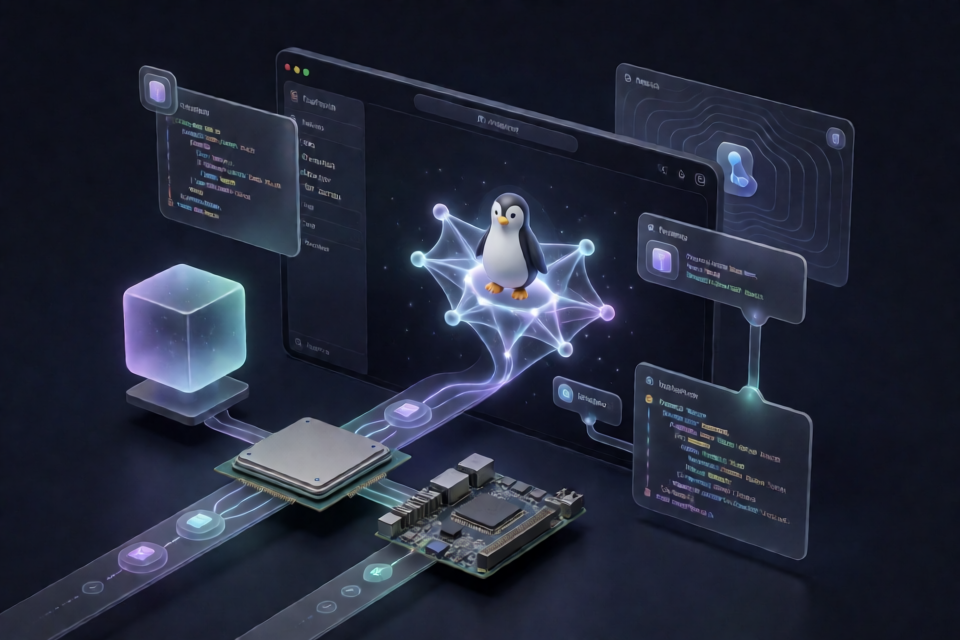
DeepSeek Harness Linux is a downstream fork of the official DeepSeek Harness. It aims to provide Linux users with a desktop version that can be downloaded, installed, and updated directly. It retains the upstream desktop agent, skills, network capabilities, frontend, plugin system, and communication protocol, while adding only Linux packaging, testing, and distribution support.
Note: This project is not an official DeepSeek distribution and does not modify the agent core. The upstream project is still in developer preview and may receive frequent updates or breaking changes.
The project supports both x64 and arm64. The former is suitable for common AMD and Intel computers, while the latter is suitable for Raspberry Pi 5, ARM servers, and Linux running on Apple Silicon devices.
Key Features
- Three distribution formats: AppImage,
.deb, and.tar.gz. - Dual-architecture support: Builds are available for both x64 and arm64.
- AppImage automatic updates: Updates use
electron-updaterand thenightly-linux.ymlupdate channel. - Native CI: The corresponding architectures are built using
ubuntu-24.04andubuntu-24.04-armrunners. - Tracks upstream: The agent core and major desktop capabilities stay synchronized with the official project.
- MIT licensed: The upstream code and the added Linux packaging layer are distributed under the MIT license.
Choose the Right Package
AppImage: The Choice for Most Users
AppImage is a single-file application that requires no traditional installation and supports the automatic update channel provided by the project. It is suitable for users who want to get started quickly or avoid modifying the system package manager state.
DEB: For Debian and Ubuntu
The .deb file can be installed using Debian system package management tools and launched from the application menu or terminal. It is suitable for users who want the application integrated into their desktop environment.
tar.gz: Portable Execution
The .tar.gz archive can be extracted and run without installation. It is suitable for portable directories, testing environments, or situations where system packages cannot be installed.
Confirm the Architecture Before Installation
First, check the current system architecture in a terminal:
uname -m- When the output is
x86_64, download the version whose filename containslinux-x64. - When the output is
aarch64orarm64, download the version whose filename containslinux-arm64.
Packages are available from the project's Releases page. Download community builds only from Releases in this repository.
Method 1: Run the AppImage
AppImage is the installation method recommended by the README. It depends on FUSE 2, so install the appropriate runtime for your distribution first.
Debian or Ubuntu users should run:
sudo apt install libfuse2Fedora or RHEL-family users should run:
sudo dnf install fuse2After downloading the AppImage matching your architecture, add execute permission to the file. The following example uses an x64 file:
chmod +x deepseek-harness-*-linux-x64.AppImage
./deepseek-harness-*-linux-x64.AppImage
arm64 users should replace linux-x64 in the commands with linux-arm64, or use the actual downloaded filename directly.
Method 2: Install the DEB Package
On Debian, Ubuntu, and derivative distributions, use dpkg to install the downloaded package:
sudo dpkg -i deepseek-harness-*-linux-x64.debAfter installation, launch the application from the desktop application menu or run it in a terminal:
deepseek-harnessOn an arm64 system, install the DEB package whose filename contains linux-arm64.
Method 3: Run the Portable Archive
If you do not want to install a system package, extract the .tar.gz archive and run the launcher in the directory directly:
tar -xzf deepseek-harness-*-linux-x64.tar.gz
cd deepseek-harness-*-linux-x64
./deepseek-harness
arm64 users must likewise select and extract the package for the corresponding architecture.
Basic Usage
After the program starts, you can use the desktop capabilities inherited from upstream, including the agent, skills, network functionality, and desktop frontend. This Linux fork does not change the agent core, plugin system, or communication protocol, so related behavior follows the implementation of the official DeepSeek Harness.
When using AppImage, keep the downloaded single file and run it again whenever needed. After installing the DEB package, launch it with the deepseek-harness command or from the application menu. For the portable version, run ./deepseek-harness from the extracted directory.
Running on a Remote Desktop or Headless Environment
This is a desktop application. When using it with VNC on a remote server, make sure that DISPLAY is set correctly. For example, in an xfce4 and TigerVNC environment, the display number may be :1:
export DISPLAY=:1
./deepseek-harness
When the display environment is available, the desktop application will start automatically. The actual display number depends on the current VNC or graphical session configuration.
Build from Source
Prepare the Dependencies
Source builds require Node.js 24 or later, pnpm, and libfuse2 on the build host. libfuse2 is used to assemble the AppImage.
Clone the Repository and Install Dependencies
git clone https://github.com/Zhou-Yujing114514/deepseek-harness-linux.git
cd deepseek-harness-linux
pnpm install
Prepare the Linux Environment File
Copy the example file provided by the project and fill in the release settings as needed:
cp apps/desktop/.env.linux.example apps/desktop/.env.linuxBuild for the Target Architecture
Build the x64 packages:
pnpm --dir apps/desktop run package:linux:x64Build the arm64 packages:
pnpm --dir apps/desktop run package:linux:arm64Each architecture generates AppImage, DEB, and tar.gz packages. The project's Desktop (Linux) workflow also builds on native runners as needed. Artifacts are available from GitHub Actions Artifacts or automatically created Releases.
Automatic Updates and Security Verification
AppImage uses the AppImage update channel through electron-updater. The update descriptor is nightly-linux.yml, and transmission uses HTTPS.
Important: Current Linux builds are not code-signed. Automatic updates rely only on HTTPS transport and feed metadata verification and do not include code-signature verification. They are therefore unsuitable for high-trust scenarios without additional verification.
After downloading or updating, compare the file's SHA256 checksum with the checksum provided on the Releases page. Use the following command to calculate the digest:
sha256sum deepseek-harness-*-linux-x64.AppImageConfirm that the output exactly matches the value published in the Release. DEB, tar.gz, and arm64 files can be verified in the same way.
Known Limitations
- Unsigned builds: Linux binaries have no code signature or system-level notarization.
- Office document conversion is unavailable: DOCX, XLSX, and PPTX to PDF conversion depends on Linux-native bindings for LibreOffice Kit, which are not included in the current packages.
- Upstream is still in preview: The official project is in developer preview and may undergo frequent or breaking changes.
- No app store version: The project is not distributed through an app store release process.
The Office conversion limitation does not affect the other desktop capabilities explicitly listed in the README, including the agent, skills, network functionality, and frontend.
Advanced Recommendations
- Match the architecture first: Do not download an arm64 package on an x64 system, or vice versa.
- Choose AppImage when updates are needed: The README does not state that DEB and tar.gz use the AppImage update channel.
- Keep the verification process: Check the SHA256 published in the Release for both initial downloads and updates.
- Monitor upstream changes: This fork continuously rebases upstream commits, so review the Release notes before upgrading.
- Use native CI as a developer: When both architectures need to be verified, use the project's existing
Desktop (Linux)workflow instead of assuming that cross-build results are equivalent to native builds.
Before running the application, also read the upstream SAFETY.md. The official upstream project is located at deepseek-ai/deepseek-harness.
Summary
DeepSeek Harness Linux adds x64 and arm64 Linux distribution support to the official desktop application. Most users should choose the AppImage with automatic updates. Debian and Ubuntu users can also install the DEB package, while tar.gz is suitable for portable use. Since current builds are not signed, always verify SHA256 when downloading, updating, or deploying, and be aware of compatibility changes during the developer preview stage.