

What Robot Fleet Analytics Does
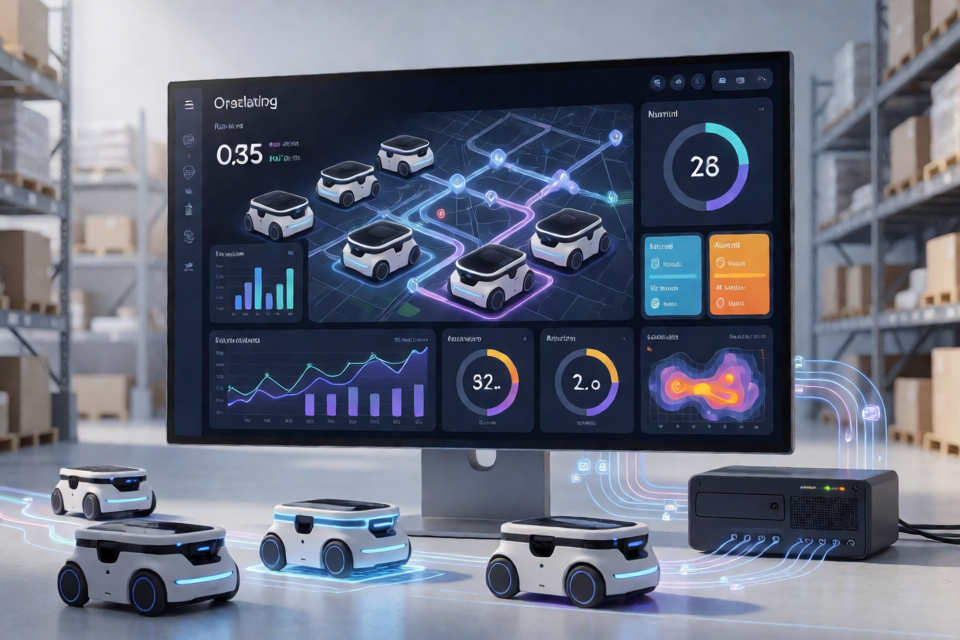
Robot Fleet Analytics is an interactive dashboard for monitoring and evaluating autonomous robot fleet performance. It transforms operational records stored in MySQL into filtered metrics, interactive charts, and operational insights.
The project focuses on data such as task execution, failures, travel distance, battery consumption, task completion time, and downtime. By bringing these measures together, the dashboard helps teams evaluate fleet reliability, find bottlenecks, and identify high-risk robots or locations.
How the Application Works
The application follows a straightforward analytics pipeline:
- Operational records are stored in a MySQL database.
- The Python application queries the robot operations data.
- Pandas processes and aggregates the returned records.
- NumPy supports numerical analysis, including battery-consumption trend calculations.
- Streamlit provides the interactive dashboard interface.
- Plotly renders interactive charts for fleet and robot-level analysis.
Users can filter the dashboard by date range, robot, location, and task type. The KPIs and visualizations update dynamically when these selections change.
Key Dashboard Areas
Fleet Overview
The fleet overview provides a high-level summary of current performance. It includes active robots, tasks executed, success and failure rates, average task completion time, fleet reliability, total distance traveled, total downtime, and average battery usage.
Robot Performance
Robot-level comparisons help identify which units are performing well and which may require investigation. The dashboard compares task failure rate, average completion time, total downtime, task volume, and number of failures.
Operations Analysis
Operations analysis reveals broader trends across the fleet. It includes monthly task failure rates, location-based failure analysis, and task execution trends.
Resource Efficiency
The resource section examines the relationship between distance traveled and battery consumption. It also includes battery-consumption trends calculated with NumPy linear regression and failure-rate analysis by task type.
Fleet Exceptions
Robots are categorized according to observed task failure rates using three exception levels: NORMAL, WATCH, and ATTENTION. These categories make it easier to prioritize operational review.
Operational Insights
The dashboard highlights the highest-risk robot, highest-risk location, and best-performing robot. It also surfaces failure rates, downtime, and average task execution time to support faster investigation.
Installation and Setup
The README identifies Python, Streamlit, Pandas, NumPy, MySQL, MySQL Connector/Python, and Plotly as the core technologies. Because the exact repository entry-point filename and database configuration format are not specified, use the project files to confirm the required command and connection settings.
- Clone or download the repository.
- Create and activate a Python virtual environment.
- Install the dependencies listed by the project. A typical environment requires packages such as
streamlit,pandas,numpy,mysql-connector-python, andplotly. - Prepare a MySQL database containing the robot operations data expected by the application.
- Configure the application's database connection using the method provided in the repository, such as configuration variables or Streamlit secrets.
- Start the Streamlit entry point specified by the project.
A typical Streamlit launch command has the following form, where app.py should be replaced with the repository's actual entry-point file:
streamlit run app.pyDo not hard-code production database credentials in application source code. Use the repository's supported configuration mechanism and keep credentials outside version control.
Basic Dashboard Usage
1. Start with the fleet-wide view
After launching the application, review the overview KPIs to understand the current fleet condition. Pay particular attention to success rate, failure rate, average completion time, downtime, distance, and battery usage.
2. Narrow the analysis with filters
Use the date range to compare different operating periods. Then select a specific robot, location, or task type to move from a fleet-wide summary to a focused investigation. Since the dashboard updates dynamically, the resulting charts and KPIs should reflect the selected combination of filters.
3. Compare individual robots
Use the robot performance section to compare failure rates, task counts, failures, downtime, and completion times. A robot with a high failure rate and significant downtime may deserve deeper operational review.
4. Investigate locations and task types
Location-based failure analysis can reveal areas where robots encounter recurring problems. Task-type failure rates can show whether a particular class of work is associated with lower reliability.
5. Review resource relationships
Examine distance traveled alongside battery consumption. The relationship between these measures can help teams detect unusual energy usage or understand how operating distance affects battery demand.
Example Analytics Workflow
A practical investigation might follow this sequence:
- Set a date range covering the period of interest.
- Review fleet-level success and failure rates.
- Identify robots in the WATCH or ATTENTION categories.
- Compare those robots by downtime, task volume, and average completion time.
- Filter by location to determine whether failures are concentrated in a particular area.
- Filter by task type to check whether one operation is driving the failures.
- Compare distance traveled and battery usage before drawing conclusions about resource efficiency.
Advanced Tips for Analysis
Combine metrics instead of relying on one KPI
A high task failure rate is important, but it should be interpreted alongside task volume, downtime, and average completion time. A robot with many tasks may naturally record more failures than a lightly used robot, so reviewing rates and counts together provides better context.
Use filters to isolate operational patterns
Start with a broad date range, then progressively narrow the data by robot, location, and task type. This approach helps distinguish fleet-wide issues from problems tied to a specific operating context.
Interpret the battery trend with operational context
The dashboard uses NumPy linear regression to calculate a battery-consumption trend. Treat this as an analytical signal rather than a complete explanation: distance, task type, robot workload, and operating location may all influence battery usage.
Prioritize exception categories
Use the NORMAL, WATCH, and ATTENTION categories as a triage mechanism. Investigate ATTENTION robots first, then compare their failure patterns with location and task-type results to find possible causes.
Use Plotly interactions during exploration
Plotly visualizations are designed for interactive exploration. Hover over chart elements, compare categories, and use the dashboard filters together rather than reviewing each chart in isolation.
Technology Roles
- Python: application and analytics logic.
- Streamlit: interactive dashboard interface.
- Pandas: data processing and aggregation.
- NumPy: numerical analysis and trend calculation.
- MySQL: operational data storage.
- MySQL Connector/Python: database connectivity.
- Plotly: interactive data visualizations.
Conclusion
Robot Fleet Analytics provides a single workspace for understanding autonomous fleet performance. Its MySQL, Python, Pandas, NumPy, Plotly, and Streamlit architecture supports both high-level monitoring and detailed investigation. By combining dynamic filters with reliability, efficiency, downtime, and exception metrics, teams can move from raw robot records to clearer operational decisions.