

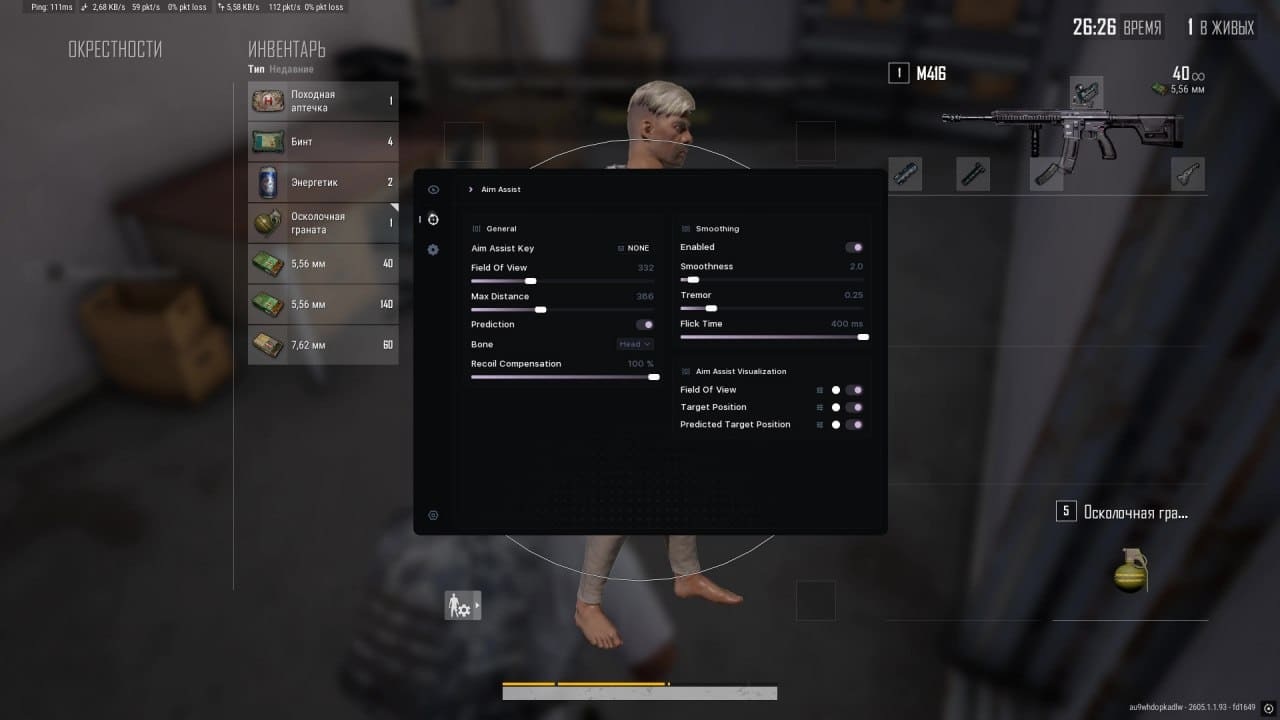
Project overview
The repository presents a Windows-compatible third-party PUBG tool. According to its README, version 4.1.6 includes aim assistance, automatic firing, player and item overlays, radar information, and visibility adjustments.
Important: The repository’s “undetected” and performance claims are not independently verified. Cheat software may violate PUBG’s terms, lead to permanent account bans, undermine fair play, or expose a computer to unsafe code. Only inspect or test software when you have authorization, and never weaken security controls merely to run it.
Advertised features
- Aimbot: Advertised as improving aiming accuracy during gameplay.
- Soft aim: Mentioned as an aim-assistance option, although the README does not document its configuration.
- ESP: Advertised as displaying players, loot, and vehicles through obstacles.
- Triggerbot: Described as firing automatically when an opponent enters the crosshairs.
- Radar: Intended to show opponent locations in real time.
- Visibility options: Advertised as making opponents easier to see in grass or behind cover.
- Settings menu: The project description mentions a user-friendly menu, but provides no menu reference or screenshots of individual settings.
Before installation
The README identifies Windows as the supported platform and distributes the program through a GitHub release archive rather than documenting a source build. Before opening an executable from any third-party release, inspect the repository and release history, confirm that the download comes from the expected project, and scan the extracted files with reputable security tools.
- Use a non-production computer or isolated test environment when reviewing unknown software.
- Back up important files before testing.
- Do not enter personal, game, email, or payment credentials into an unverified program.
- Do not disable antivirus, firewall, driver protections, or other security features to make the program run.
- Review PUBG’s current rules and understand the risk of suspension or permanent account loss.
Installation and setup
The repository provides only a short installation procedure. It does not list prerequisites, supported Windows versions, required runtimes, executable names, or troubleshooting steps.
- Visit the project’s GitHub release page.
- Review the release metadata and download the archive only if you understand and accept the associated risks.
- Unpack the archive into a dedicated directory.
- Open the included
README.txtfile. - Follow the instructions in that file after checking that they do not request unsafe actions or unnecessary privileges.
If the archive does not contain README.txt, or its instructions differ substantially from the public repository documentation, stop and verify the release with the maintainers. The public README does not provide any additional installation commands.
Basic usage
The README lists the tool’s intended capabilities but does not explain how to launch it, connect it to PUBG, open the settings menu, assign controls, or configure individual options. Consequently, there is no verified command-line or interface example to reproduce from the public documentation.
After installation, consult the bundled README.txt for documented controls. Before changing anything, identify whether the package provides settings for the advertised categories:
- Aim assistance and soft aim
- Player, loot, and vehicle ESP
- Triggerbot behavior
- Radar display
- Visibility adjustments
Avoid assuming that a setting exists merely because a feature appears in the repository description. Do not guess command-line flags, configuration keys, hotkeys, or file paths that the maintainers have not documented.
Advanced review tips
Assess the release carefully
A public license or GitHub page does not establish that a compiled binary is safe. Compare release files with published source when possible, inspect recent repository activity, and check whether maintainers provide reproducible build instructions or file checksums. The README does not currently provide checksums or a documented source-build process.
Troubleshoot conservatively
If the software fails to start, do not respond by disabling security software, installing unknown drivers, or granting administrator access without understanding why it is required. Instead, review logs and documentation, confirm system compatibility, and report the issue to the project maintainers.
Keep testing separate
For code review or authorized testing, use an isolated environment that does not contain personal documents or saved credentials. Isolation reduces exposure, but it does not make online cheating acceptable or prevent enforcement by a game operator.
Contributing to the repository
The project welcomes bug reports, feature requests, and code contributions. Its README asks contributors to use C++, keep changes small, and remain consistent with the existing code.
1. Fork and create a branch
Fork the repository to your GitHub account, clone your fork, and create a clearly named feature branch:
git checkout -b feature/your-feature-name2. Make a focused change
Follow the existing C++ style and avoid combining unrelated modifications. Review the working tree before committing:
git status3. Stage and commit
Add the intended files and write a concise commit message that explains the change:
git add .
git commit -m "feat: add new features for enhanced gameplay experience"
Before using git add ., inspect git status to ensure that generated files, credentials, archives, or local configuration files are not included accidentally.
4. Push the branch
git push origin feature/your-feature-name5. Open a pull request
Create a pull request describing what changed, why the change was needed, and how it was tested. Include reproducible test information, but do not publish personal credentials or sensitive system details.
Conclusion
The repository advertises several PUBG gameplay modifications and provides a minimal Windows installation path through its release archive. However, its public README lacks detailed launch, configuration, build, and verification instructions. Treat the claims cautiously, consider game rules and security risks, and use the documented Git workflow when contributing code.