

What the Replica skill does
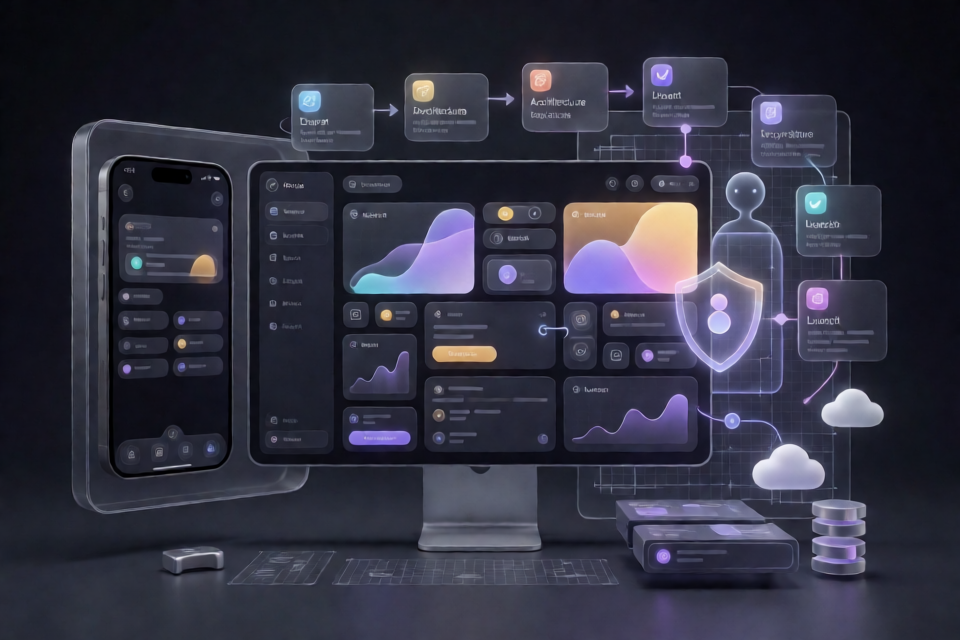
The Replica skill is a collection of eleven Claude skills that helps you rebuild an app's functionality and user flows from scratch. The workflow covers research, architecture, design, implementation, backend services, testing, comparison, positioning, branding, launch preparation, and deployment.
It is designed for clean-room reconstruction. The project studies what an app does, not what it owns. You can reproduce features and interaction patterns, but you should not copy source code, proprietary assets, logos, trademarks, text, private APIs, or protected content.
It rebuilds what an app does, never what it owns.
The repository is MIT licensed, requires no signup or API key, and includes standard-library Python tools that do not contact external networks.
Install the skills
Install through Claude
Paste the repository URL and the installation instruction into Claude:
https://github.com/Jakeschincariol/replica-skill

install skill
Install as a Claude Code plugin
In Claude Code, add the marketplace and install the plugin:
/plugin marketplace add Jakeschincariol/replica-skill
/plugin install replica-skill@replica-skill
When installed as a plugin, Claude Code namespaces the skills. For example, the recon skill appears as /replica-skill:replica-recon.
Copy the folders manually
To use plain skill names such as /replica-recon, clone the repository and copy its skill folders into your global Claude skills directory:
git clone https://github.com/Jakeschincariol/replica-skill.git
cp -r replica-skill/replica-* ~/.claude/skills/
For project-local skills, copy the same folders into your repository's .claude/skills/ directory. You can also paste an individual SKILL.md file into a Claude conversation to run it as a mode, although that approach does not include the Python tools.
The tools require Python 3.8 or newer. There are no packages to install with pip.
Understand the eleven-skill workflow
The recommended process runs the skills in sequence. Each skill reads the artifacts written by the previous one in the project's replica/ directory.
recon -> architect -> design -> build -> backend -> test -> diff -> entrepreneur -> brand -> launch -> deploy/replica-reconreverse-engineers screens, flows, components, and an inferred data model from permitted sources./replica-architectplans the technology stack, database schema, API, and implementation order./replica-designconverts visual observations into design tokens for colors, typography, spacing, and components using your own assets./replica-buildimplements the application screen by screen from the recon map./replica-backendadds authentication, databases, payments, and integrations./replica-testtests user flows, edge cases, and bugs./replica-diffcompares the replica with the original and reports parity and missing functionality./replica-entrepreneuranalyzes real user reviews to identify complaints, product opportunities, and positioning angles./replica-brandcreates a distinct name, visual identity, and voice, then checks the codebase for remnants of the original brand./replica-launchprepares a landing page, pricing, and App Store or Google Play listing./replica-deployruns a preflight review and helps ship the product on your own domain.
Run a complete project
1. Recon the target application
Start with /replica-recon and provide the app's URL or other permitted research sources. The skill can use public pages, help centers, pricing pages, store listings, public walkthroughs, screenshots, and your own account. It produces files such as replica/recon.md and features.csv.
The recon output records screens, user flows, components, and an inferred data model. It also separates features that can be rebuilt from resources that belong to the original company, such as a private network or proprietary catalog.
2. Plan the architecture
Run /replica-architect to turn the recon results into an implementation plan. It selects or recommends a stack, defines the database schema and API, and orders development around the most important end-to-end flow.
For example, a scheduling product might need users, event types, availability, and bookings. The architecture should also account for domain-specific constraints, such as preventing two guests from booking the same time slot.
3. Rebuild the design system
Use /replica-design to describe the observed interface as design tokens rather than copying the original's assets. The output can cover color roles, typography, spacing, controls, and component specifications. Replace original icons, fonts, words, and imagery with assets you are allowed to use.
4. Implement the application
/replica-build works through the application screen by screen. A practical order is to build the shell, implement the primary flow, and then complete secondary screens and states. The feature matrix helps track what is complete.
5. Add backend capabilities
Run /replica-backend for authentication, database behavior, payments, and integrations. Use your own credentials and the official APIs of any service you connect. For instance, a scheduling replica could use Google's own API for calendar integration, Stripe for paid bookings, and an email provider for reminders.
6. Test every flow
/replica-test creates a test plan from the recon flow list and can define end-to-end tests. Include both successful paths and edge cases, such as time zones, a slot becoming unavailable during booking, and duplicate submissions. Continue logging and fixing bugs until critical and high-severity issues are closed.
7. Measure parity
Use /replica-diff to compare the result with the original. It reports a parity score and a missing-feature list, helping distinguish intentional exclusions from unfinished work. A lower score is not automatically a problem if the omitted feature depends on a network, catalog, or license you cannot reproduce.
8. Find a product opportunity
Run /replica-entrepreneur when you want evidence for product positioning. It analyzes review data you provide, ranks recurring complaints, and preserves links to the source rows. It does not invent quotes, numbers, or customer opinions. Themes with too few reviews or sources are marked as thin.
9. Create an independent brand
/replica-brand develops a new name, palette, logo brief, and voice. It also provides trademark and domain checks to run. Complete this stage before launch and remove the original name, domain, colors, and other identifying references from the codebase.
10. Prepare the launch
/replica-launch drafts the landing page, pricing, and store listing. Its listing tool checks App Store and Google Play limits, ranking claims, wasted keyword characters, and references to the original's name.
11. Deploy only after preflight
Finally, use /replica-deploy to run the preflight process. It checks tests, parity, the brand sweep, and the store listing before production setup. It can provide DNS records for your domain and ship only when you approve the release.
Use the included Python tools
The repository includes six command-line tools. They use Python's standard library and do not touch the network.
python3 replica-diff/imgdiff.py original.png clone.png --out diff.png
python3 replica-diff/parity.py replica/features.csv
python3 replica-entrepreneur/reviews.py replica/reviews.csv
python3 replica-design/contrast.py replica/design/tokens.json
python3 replica-brand/sweep.py . --avoid "Original App"
python3 replica-launch/listing.py replica/launch/listing.jsonimgdiff.pyconverts screenshots into edge maps and compares layout regions while ignoring color differences.parity.pyweights must, should, and could features, counts partial completion as half, and lists missing items.reviews.pyremoves reviews without links and prints quotes tied to the source rows you supplied.contrast.pychecks WCAG contrast for design tokens.sweep.pysearches code, including identifiers, for the original's name, domain, and colors.listing.pychecks store limits, ranking claims, keyword usage, and copycat references.
Run the repository's test suite with:
python3 -m unittest discover -s tests -vWork within the project's boundaries
Use only information you are allowed to access, such as public pages and your own account. Do not scrape behind a login, bypass a paywall, violate a site's terms, or access another person's account. If an account's terms prohibit building a competitor, follow those terms.
The workflow also cannot reproduce what an app owns. A music product's player, playlists, and sharing flow may be rebuildable, but its music catalog is not yours to copy. Similarly, do not reuse proprietary copy, logos, trademarks, source code, or assets.
Before selling the result, complete the trademark checks, review the terms of every service and asset you used, and consult a lawyer when the project involves meaningful commercial or legal risk. The repository's guidance is not legal advice.
Conclusion
The Replica skill turns app reconstruction into a documented sequence: investigate permitted sources, plan the system, rebuild the interface and behavior, test the result, measure parity, identify an opportunity, rebrand it, and deploy it independently. Install the skills, keep artifacts in replica/, and use the included checks to make the final product functionally inspired but legally and visually your own.
Explore the project on GitHub and learn more about its creator at opusjake.ai.