

What Machine Skill does
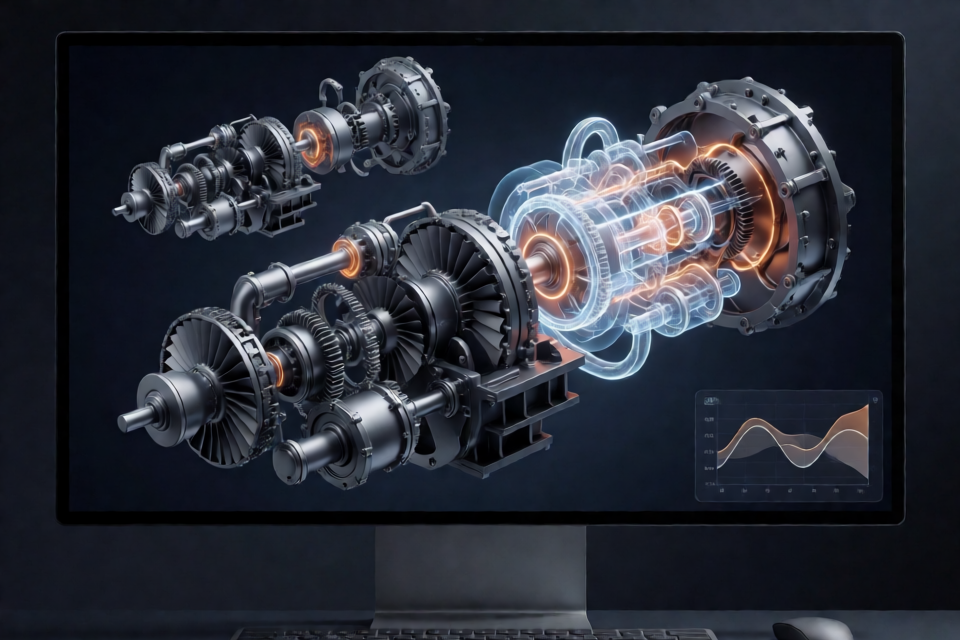
Machine Skill is an open-source Agent Skill for Claude Code. You describe a machine in one line, and Claude researches the real device before generating a photorealistic, interactive 3D simulation in a single HTML file.
Generated pages can represent mechanisms, engines, instruments, and industrial equipment. They use procedural three.js geometry, real proportions, named components, materials, interactive modes, and a small physics solver appropriate to the machine. You can open the resulting HTML file in a browser, inspect its parts, change operating conditions, cut it open, or break it under a computed failure condition.
The project also includes a recorder for producing repeatable films, screenshots, and social-media formats from the generated pages.
Key features
- Realistic machine construction: models include real dimensions, named parts, solid components, blades, gears, bolts, pipes, and other procedural geometry.
- Physics-driven behavior: solvers such as Brayton-cycle, rocket-nozzle, pump-curve, torsional-oscillator, Darcy, and Kienzle models drive motion and displayed values.
- Interactive presentation: pages support dragging, pausing, live labels, slow motion, explode views, x-ray views, and cutaways with solid section faces.
- Studio-quality rendering: the runtime provides materials, lighting, shadows, ambient occlusion, bloom, heat glow, and presentation environments.
- Deterministic films: a film mode lets the recorder advance the simulation frame by frame so repeated takes render consistently.
- No build step: generated pages are standalone HTML files using an inlined runtime and a pinned three.js 0.170 CDN dependency.
Requirements
To build machines, install Claude Code or use another host that supports Agent Skills. To run the generated pages, use a browser with WebGL 2, such as current desktop versions of Chrome, Safari, Firefox, or Edge.
For screenshots and films, you also need Node 18 or newer, Playwright, Chromium, and ffmpeg.
npm i -D playwright
npx playwright install chromium
Install ffmpeg through your operating system's package manager. Phones can run lighter pages, but complex simulations perform best on a recent computer with a real GPU.
Install Machine Skill
The recommended installation uses the skills CLI and installs the repository as a Claude Code skill.
npx skills add AirsupHQ/machine-skill -g -a claude-codeThe global installation places the skill at ~/.claude/skills/machine. To install it only for the current project, omit the global and agent options:
npx skills add AirsupHQ/machine-skillThis project installation places the skill at .claude/skills/machine. You can also clone the repository directly:
git clone https://github.com/AirsupHQ/machine-skill.git ~/.claude/skills/machine

# Or install into one project
git clone https://github.com/AirsupHQ/machine-skill.git .claude/skills/machine
Claude Code normally detects new skills in a running session. If the skills directory did not exist when the session began, run /reload-skills.
Generate your first machine
After installation, open Claude Code and use the /machine command followed by a specific description.
/machine a mechanical watch movement, the escapement tickingClaude creates an HTML page such as watch.html. Open that file in a WebGL 2 browser and interact with the simulation. Depending on the generated machine, you can drag the view, inspect labels, explode the assembly, cut it open, or trigger its modeled failure behavior.
Other valid prompts include:
/machine a hydroelectric Francis turbine/machine a Swiss lever escapement, slowed down so I can see the impulse/machine the gearbox of a 5 MW wind turbine, cut open/machine a steam locomotive's valve gear, and give me a 30 second video for X
Write better machine prompts
Machine Skill works best when the prompt supplies enough engineering context for Claude to research the intended object and select a useful operating point.
- Name the real machine. A prompt such as “a turbofan like the ones on a 787” gives more direction than “a jet engine.”
- Specify motion and failure behavior. Explain what should move and what should break, such as asking Claude to rev an engine until its valves float.
- Describe the destination. Tell Claude whether the output is for an embedded page, a social video, or a still image. For video, include the intended aspect ratio or duration.
The generated physics is an honest small model rather than CFD or FEA. Each page explains what it computes and what it simplifies, so treat the values as educational and illustrative rather than certified engineering results.
Record a film
Use the repository's record.mjs script to render a generated page into a video file.
node ~/.claude/skills/machine/scripts/record.mjs watch.html out/watch.mp4 --music freepd:Classical/Easy_LemonWhen working from a cloned repository, use the local script path:
node scripts/record.mjs examples/turbofan.html out/turbofan.mp4 --music freepd:Classical/Easy_LemonYou can create a portrait video for a feed by setting the output dimensions:
node scripts/record.mjs examples/turbofan.html out/turbofan-feed.mp4 --w 1080 --h 1350To export selected still frames instead of a video, provide an output directory and the frame numbers:
node scripts/record.mjs examples/turbofan.html out/stills --stills 3,9,14,19The recorder supports additional rendering controls. Use --ss 1.5 for supersampling, --blur 2 for motion blur, and --fps 60 for fast motion. Music can be a local file, a URL, or a freepd:<Category>/<Name> track from FreePD.
Generated pages can run in deterministic film mode with query parameters such as ?film=1&shot=main. In this mode, time advances only when the recorder steps it, which makes every frame fully rendered and makes repeated takes consistent.
Check rendered output
Machine Skill includes safeguards for headless rendering failures. The recorder checks screenshots for solid magenta frames, and pinkscan.mjs can scan finished videos.
node scripts/pinkscan.mjs out/*.mp4If a pink frame is detected, the command exits with a nonzero status so it can be used in an automated workflow.
Explore the repository
SKILL.mddefines the quality bar, research and modeling workflow, critic rounds, film process, and on-screen writing style.kit/lab-kit.jsis the runtime inlined into generated pages. It contains the studio, post-processing, materials, geometry helpers, labels, effects, interaction modes, and film timeline.kit/template.htmlis the starting page template for manually created machines.references/solvers.mdcontains physics recipes and real constants for machines such as gas turbines, rockets, piston engines, pumps, rotors, and electric machines.scripts/contains tools for screenshots, recording, pink-frame checks, and inlining the runtime.examples/contains standalone HTML demonstrations, including a turbofan, rocket engine, process pump, and compressor.film/launch.htmlis the director page used for the launch film.
Understand the interactive cutaway
The cutaway system works with closed solids and clipping planes. When a plane opens a solid, the runtime detects the section surface and renders a solid section face with the material's machined appearance and a subtle hatch. Because the section depth is written correctly, the cutaway can occlude other geometry without requiring separate cap meshes.
This allows the cut position to sweep through the model while preserving a convincing metal or material face. The same runtime supports half and quarter sections, x-ray presentation, exploded assemblies, labels, flow streaks, plumes, sparks, and rigid debris.
Adapt the workflow for other agent hosts
Machine Skill is packaged as a standard Agent Skill. In Claude.ai or the Claude desktop app, you can zip the skill folder and upload it under Settings, Capabilities, and Skills. For the Claude Agent SDK or API, mount the folder as a skill directory. Other Agent Skills-compatible tools can point directly to SKILL.md.
If you are not using an agent, copy kit/template.html and fill its sections by hand. The generated pages remain ordinary HTML files that run in a browser.
Know the limitations
- The skill is intended for machines, mechanisms, engines, instruments, and devices. People, landscapes, and maps are weaker use cases.
- Geometry is procedural three.js content. It aims for accurate proportions and part counts, not manufacturing tolerance or CAD-export precision.
- Physics models are deliberately small and transparent. They are checked against public figures but are not a substitute for CFD, FEA, or certified engineering analysis.
- Complex pages can contain roughly 600,000 triangles and may need a recent laptop GPU to maintain smooth performance with shadows, ambient occlusion, and bloom.
Conclusion
Machine Skill turns a concise engineering prompt into an explorable browser simulation with real proportions, computed behavior, and presentation-ready rendering. Install it with the skills CLI, describe a specific machine with clear motion and failure requirements, then open the generated HTML page. When you are ready to publish, use the deterministic recorder to produce videos or stills from the same simulation.