

Project Overview
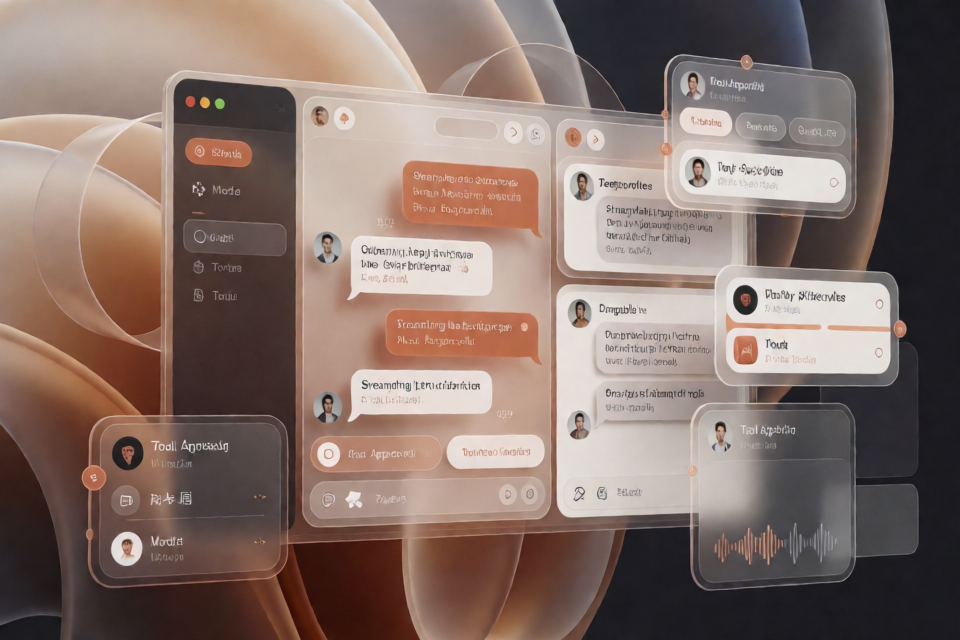
open-claude-ui is an open-source UI component library and motion engine for modern desktop AI clients. Built on the REA reverse-engineering framework, the project performs static AST analysis, closure-code deobfuscation, runtime tracing, and ASAR resource decomposition, then organizes the findings into reusable React components, Hooks, theme styles, and technical documentation.
It does more than reproduce the visual appearance of an interface. It also restores the engineering mechanisms that affect interaction quality, such as physical spring parameters, CJK input method protection, scroll-edge fading, streaming message scroll control, cursor-anchored zooming, drag dead zones, and Web Audio synthesized notification sounds.
Compliance note: The project does not distribute proprietary binary assets such as commercial fonts or recordings. Instead, it uses a system-font fallback stack and code-only sound effects generated with the Web Audio API. The project is released under the MIT License, and its related work is intended for learning, research, and engineering exchange.
Suitable Projects
If you are developing an AI chat client, model console, tool-call approval interface, desktop assistant, media viewer, or multi-agent collaboration space, you can import components from this repository as needed without having to retune visual tokens and complex interactions yourself.
- Web AI applications: Use conversation bubbles, rich-text composers, model switchers, and Token gauges.
- Streaming-generation interfaces: Use scroll pins, collapsible thinking processes, and fade masks.
- Desktop applications: Use the Electron window factory, macOS title bar, and Vibrancy material scheme.
- Artifacts and multimedia applications: Use split-pane dragging, media lightboxes, shared-element transitions, and iframe sandbox bridges.
- Accessible applications: Use the WAI-ARIA-aligned Roving TabIndex focus-navigation Hook.
Core Features
Design Tokens and Visual System
The project provides a low-contrast surface scale from Surface 0 through Surface 3, terracotta orange #d97757, hairline-border compensation for high-DPI displays, a system-font fallback stack, and a radius matrix for buttons, panels, bubbles, and input fields. Global theme variables and keyframes are centralized in code-examples/cds-theme.css.
30 Independent Code Modules
The repository contains 11 foundational atomic controls and 19 architecture or interaction modules. Component source is located in code-examples, while the unified TypeScript export entry point is src/index.ts. These modules cover buttons, segmented controls, input fields, conversation bubbles, MCP decision cards, media viewers, streaming Diff, desktop windows, multi-agent canvases, and other scenarios.
Production-Grade Interaction Mechanisms
- 4 physical spring presets: Bouncy, Snappy, Gentle, and Heavy Snap.
- Scrollable areas use 7 levels of nonlinear Alpha masks, dynamically adjusted based on whether the viewport is at the top or bottom.
- Input fields protect CJK input methods with the dual conditions
isComposingandkeyCode === 229. - Streaming output uses a 40px bottom tolerance and a 150ms manual-scroll cooldown to prevent automatic scrolling from taking over the viewport.
- Microphone waveforms use an 8% noise gate and 0.7-power Gamma compression.
- Dragging and gallery interactions include a 4px pointer-movement dead zone to filter minor hand jitter.
Offline Component Preview
The repository includes a single-file interactive storybook at docs/claude-components-storybook.html. You can view the terracotta color system, dark mode, button feedback, segmented capsules, spring motion, attachment tiles, and copy-state animations without starting a local development server.
Installation and Environment Setup
Confirm the Tech Stack
According to the repository documentation, the project should have the following environment:
- React 18 or later.
- TypeScript 5.5 or later.
- Tailwind CSS 3.4 or later.
- Framer Motion 11 or later.
The README does not provide installation commands for a specific package manager. Before getting started, configure the project according to your workspace, Git dependencies, or package publication method so that it can access open-claude-ui, and ensure that the peer technologies listed above are configured.
View the Offline Storybook First
If you have obtained the repository source, you can open the preview file directly:
open docs/claude-components-storybook.htmlWithout modifying the application project, this step helps you confirm whether the component visuals, dark theme, and interaction animations meet your requirements.
Configure Theme Styles
Import the Global CSS
Import the CDS theme file in your application's global style entry point. It contains the CSS custom properties and keyframes required by the components:
@import "open-claude-ui/code-examples/cds-theme.css";The theme provides surface colors, the terracotta brand color, borders, shadows, and motion foundations. To keep components consistent, use the existing CSS variables whenever possible instead of hard-coding colors repeatedly in each component.
Extend the Tailwind Configuration
Load the theme extension provided by the repository in your project's tailwind.config.js:
const cdsTheme = require("open-claude-ui/code-examples/tailwind.config.js");

module.exports = {
  content: [
    "./src/**/*.{js,ts,jsx,tsx}",
    "./node_modules/open-claude-ui/**/*.{js,ts,jsx,tsx}"
  ],
  theme: {
    extend: {
      ...cdsTheme.theme.extend
    }
  }
};
The content array must cover both your application source and the files in open-claude-ui that contain Tailwind class names. Otherwise, the utility classes used by the components may not be generated in production builds.
Basic Usage: Build a Model Control and Chat Input Area
The following example combines three core modules:
ScrollFadeContaineradds fading at the top and bottom edges of a scrollable area.ModelSwitcherWithTokenGaugedisplays model selection, Extended Thinking status, and the Token budget.ChatComposerprovides core message input and a send callback.
import React, { useState } from 'react';
import {
  ChatComposer,
  ModelSwitcherWithTokenGauge,
  ScrollFadeContainer
} from 'open-claude-ui';

export function App() {
  const [model, setModel] = useState<
    'sonnet-3.5' | 'haiku-3.5' | 'opus-3'
  >('sonnet-3.5');
  const [thinking, setThinking] = useState(true);

  return (
    <div className="flex h-screen w-full bg-[var(--cds-surface-1)]">
      <ScrollFadeContainer
        axis="vertical"
        fadeSize={32}
        className="flex-1 p-6"
      >
        <div className="mx-auto max-w-3xl space-y-4">
          <ModelSwitcherWithTokenGauge
            currentModel={model}
            onModelChange={setModel}
            extendedThinking={thinking}
            onThinkingChange={setThinking}
            tokenBudget={{
              inputTokens: 12400,
              outputTokens: 3200,
              cacheReadTokens: 48000,
              cacheWriteTokens: 16000,
              maxContextWindow: 200000
            }}
          />

          <ChatComposer
            onSend={(text) => console.log('Send message:', text)}
          />
        </div>
      </ScrollFadeContainer>
    </div>
  );
}
Understand State Management
currentModel and extendedThinking are both managed by the application layer, allowing the model switcher to stay synchronized with the actual model request configuration. The example's tokenBudget passes input, output, cache-read, cache-write, and maximum context-window values to the gauge separately.
In the example, ChatComposer's onSend only logs the message. In a real project, use this callback to call your conversation service, update the message list, and trigger streaming-response state.
Common Component Selection Guide
Basic Controls
CdsButton: Provides XS, SM, MD, and LG sizes, along with Primary, Secondary, Ghost, Outline, and Danger variants.SegmentedControl: Used for mode switching, with pure geometric positioning and Framer MotionlayoutIdanimation options.StatusIndicators: Includes a terracotta breathing light, real-time activity pulse, three-dot thinking animation, and skeleton shimmer.ConfirmationDialog: Used to confirm standard or dangerous actions, with a blurred overlay and keyboard-focus trapping.AttachmentCard: Supports both desktop tiles and inline capsules in input-field rows for displaying attachments.
Conversations and Tool Calls
ChatMessageBubbles: Distinguishes user bubbles from transparent assistant typography.ThinkingAccordion: Displays a collapsible thinking process and can remain forcibly expanded during generation.RichComposerWithMentions: Suitable for input terminals that require/commands,@context, and Token prediction.McpToolDecisionCard: Used for tool authorization flows, covering thepending_approval,running,success, anderrorstates.
Media, Code, and Artifacts
MediaLightboxViewer: Provides a 75vw gallery runway, cursor-anchored Pan/Zoom, a drag dead zone, and Ctrl+wheel zooming.ArtifactsSplitPaneResizer: Handles two-column resizing, edge collapsing, double-click 50/50 snapping, and iframe pointer-event interference.EpitaxyIframeBridge: Connects to the preview sandbox through Origin validation and an isolatedpostMessageRPC protocol.StreamingDiffViewer: Supports incremental streaming appends and both unified and split Diff modes.CodeBlock: Provides a code container and a 2.5-second copy-state fade-out.
Advanced Practices
Protecting Chinese, Japanese, and Korean Input Methods
If a chat input needs to extend keyboard events, input method composition protection must be preserved. When users press Enter while the Pinyin or Kana candidate window is open, the message should not be submitted. The project uses a dual check:
const composing =
  event.nativeEvent.isComposing || event.keyCode === 229;

if (event.key === 'Enter' && !composing) {
  // Submit the message
}
For the Escape key, also prevent the event from continuing to bubble when closing the input method candidate layer, which could otherwise accidentally close the dialog window.
Preventing Streaming Output from Seizing the Scroll Position
Use useClaudeScrollPinning to manage continuously appended tokens. Its core strategy includes a 40px bottom tolerance, a 150ms manual-scroll cooldown, and a 35vh elastic buffer. When the user remains near the bottom, the interface can follow the output. Once the user actively scrolls up to browse message history, automatic scrolling should not immediately pull the viewport back to the bottom.
Use Motion Presets Consistently
The project provides four tuned spring configurations in ClaudeMotionPresets.ts. When developing new components, prefer reusing Bouncy, Snappy, Gentle, or Heavy Snap instead of arbitrarily setting stiffness and damping for each animation. This keeps buttons, panels, drag snapping, and shared-element transitions consistent in their physical language.
Handle iframe Split-Pane Dragging Correctly
When dragging a divider across an iframe, the iframe may capture pointer events and interrupt the drag. ArtifactsSplitPaneResizer enables event-consumption prevention when dragging is active, combined with a 4px movement dead zone, edge constraints, and double-click center snapping. If the application includes an Artifacts preview, prefer reusing this module instead of listening only for mouse events on the divider itself.
Preserve Complete Navigation for Keyboard Users
useClaudeRovingFocus supports one- or two-dimensional arrow-key navigation, Home and End boundary jumps, and RTL mirroring. When building model grids, attachment lists, or tool card arrays, also maintain correct ARIA semantics and visible focus states.
Handle Model Rate Limits and Service Failures
useRateLimitBackoff targets 429 and 503 responses, providing truncated exponential backoff, jitter injection, and three automatic circuit-breaker recovery attempts. It is suitable for the model request layer, but the application must still use its own API response structure to determine when to retry, when to show an error, and when to allow manual recovery.
Learn in Depth with the Technical Manual
In addition to the component source code, the repository provides a technical design system manual exceeding 3,000 lines. Read it in the following order:
- First read the design philosophy, Surface color scale, corner-radius matrix, and hairline border rules.
- Then learn about buttons, segmented controls, status indicators, and confirmation dialogs.
- Next study session input, the CJK guard, model switching, and the MCP state machine.
- When complex motion is needed, review the spring parameters, ambient light, and scroll masks.
- When developing desktop applications, media tools, or collaborative workspaces, read the corresponding system architecture chapters.
The complete manual is located at docs/Claude Design System (CDS).md. The project's reverse-engineering work was completed with REA.
Collaborating with an AI Coding Agent
The repository provides AGENTS.md, CLAUDE.md, .cursorrules, and Copilot instruction files. When using tools such as Cursor, Claude Code, or GitHub Copilot to generate new interfaces, ask the Agent to follow the repository's existing tokens, spring presets, border principles, and input method protection rules.
Example prompt: Please strictly follow the specifications in this repository's AGENTS.md, and use the CDS terracotta design tokens and ClaudeMotionPresets spring presets to build the current component.
Summary
open-claude-ui organizes the visual tokens, session controls, motion physics, multimedia interactions, and desktop architecture of an AI client into reusable modules. The most reliable integration approach is to first confirm the result through offline Storybook, then introduce theme CSS and Tailwind extensions, and finally compose core components such as the chat input, model switcher, and scroll container. For complex scenarios such as streaming output, CJK input, iframe dragging, and keyboard navigation, reuse the repository's existing hooks and state machines whenever possible instead of copying only the surface styling.