

What brand-identity does
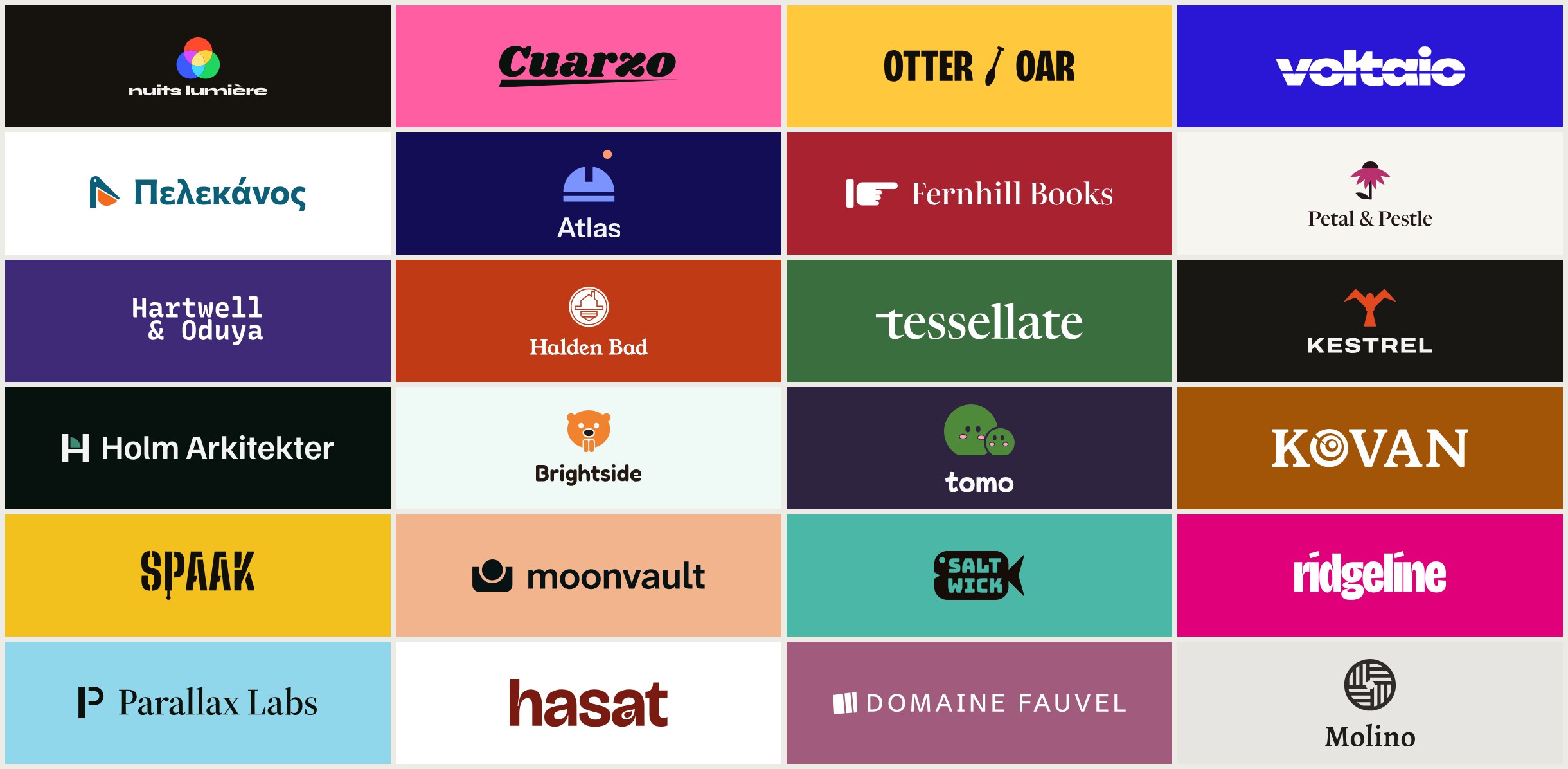
brand-identity is a Claude Code skill for designing a brand identity as one connected system. Instead of choosing a logo, typeface, and colour palette independently, each direction is built around a single idea or mechanism that informs all three.
The skill produces three, or sometimes four, identity sets. It presents them side by side as identity cards, measures important technical properties, and stops so you can choose a direction. After you select a set—or combine parts from multiple sets—it creates a brand guidelines kit.
Key features
- Coordinated identity sets: Each set connects its mark, typography, and palette through one central mechanism.
- Measured decisions: The skill checks WCAG 2 and APCA contrast, colour-blindness simulation, glyph coverage, font licences, tabular figures, and logo rendering at 16 and 32 pixels.
- Quality gates: Failed measurements stop a set until the issue is fixed. Heuristics are labelled as warnings, while subjective choices are identified as judgement.
- Brand guidelines kit: The standard kit includes an eight-page PDF, logo files, design tokens in CSS, SCSS, Tailwind, and DTCG JSON, plus a font sheet with embed code. The
--fulloption adds grid, dark mode, accessibility, iconography, and imagery sections for 13 pages. - Website restyling: Give the skill a URL to preview each direction on your existing pages. You can keep some elements and refresh others.
- Focused work: Request only a logo, type system, palette, or critique of an existing identity.
Install the skill
Recommended: install it as a Claude Code plugin
In Claude Code, add the marketplace and install the plugin:
/plugin marketplace add fatihaydost/brand-identity-skill
/plugin install brand-identity@brand-identity-skill
Install it as a plain skill
Download brand-identity.zip from the latest release, unzip it into ~/.claude/skills/, and let Claude Code load the skill from there.
You can also clone the repository and create a symbolic link:
git clone https://github.com/fatihaydost/brand-identity
mkdir -p ~/.claude/skills
ln -s "$PWD/brand-identity-skill/skills/brand-identity" ~/.claude/skills/brand-identity
Check the requirements
The project requires Python 3.10 or newer and a Chromium-based browser such as Chrome, Chromium, Edge, or Brave. uv is recommended because the scripts use it to install Python packages into a cached environment on first use.
Run the built-in check to identify missing dependencies:
python3 skills/brand-identity/scripts/brand.py checkWith uv, there is normally no need to install fonttools, uharfbuzz, or skia-pathops manually. Claude Code is the recommended host. In claude.ai chat, the sandbox does not allow Google Fonts by default, so type measurement and rendering can fail.
Run your first identity project
1. Start with a plain-language brief
Ask Claude Code for the outcome you need. For example:
Logo, fonts and colours for a specialty coffee roaster in Lisbon.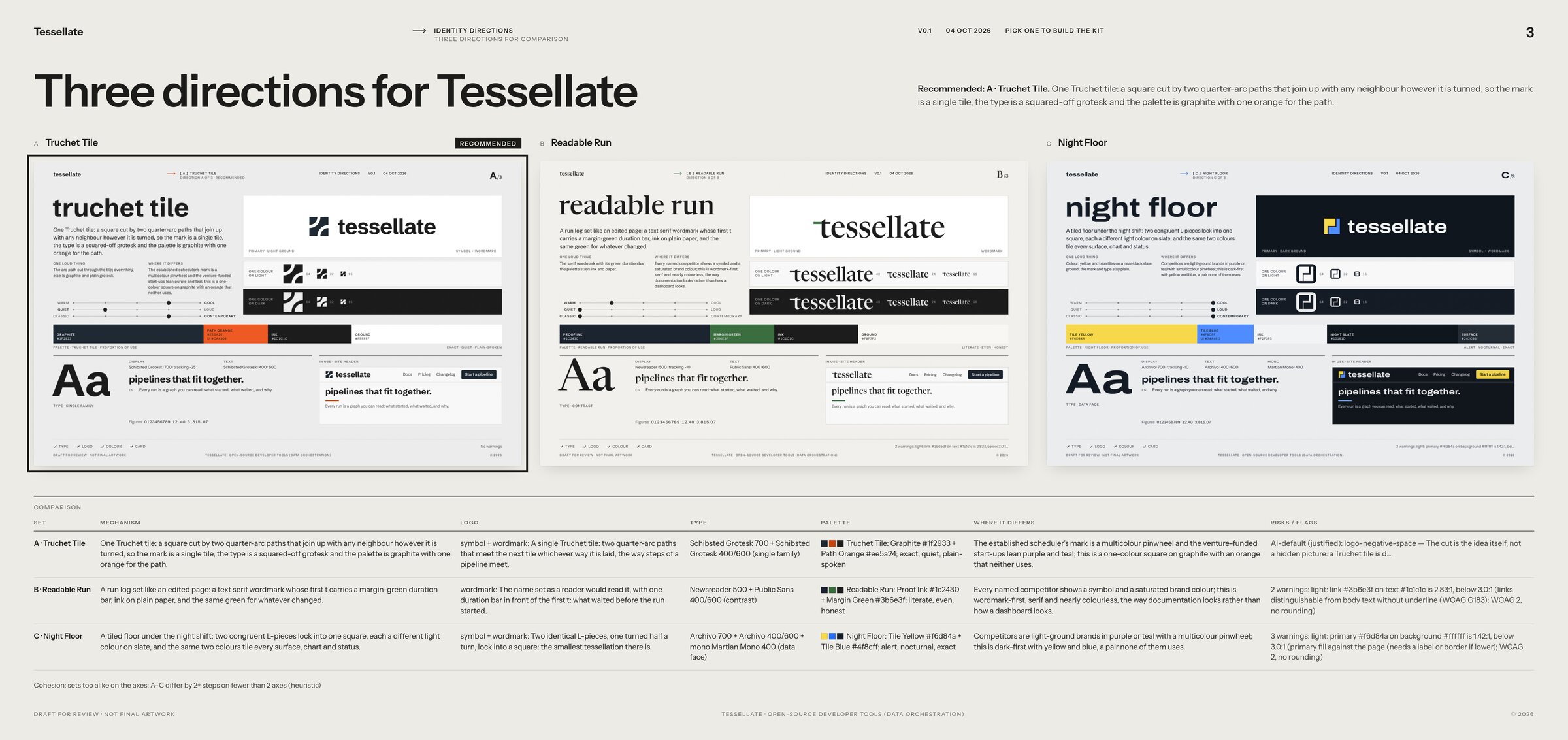
You can also focus the request:
New type and palette for https://example.com, keep the logo.Just a type system for my newsletter.Critique our brand identity.2. Answer the questions
The skill asks one round of questions about what to create, how many sets to generate, the languages the brand uses, and relevant competitors. Provide specific information about the audience, tone, market, applications, and constraints when possible.
3. Review the identity board
The skill builds the proposed directions and shows them on a comparison board. Each direction includes a mechanism, mark, type choice, palette, and measurements. A full run to the board takes about 40 agent turns and uses roughly 0.9 million billed-input-equivalent tokens, based on measurements across six briefs.
The skill does not choose a direction for you. Compare the concepts, how well they answer the brief, and whether their measurements pass the required gates.
4. Pick or combine elements
After reviewing the board, choose one set or request a combination such as the logo from set A and the palette from set B. The skill then builds the selected kit.
Understand the generated deliverables
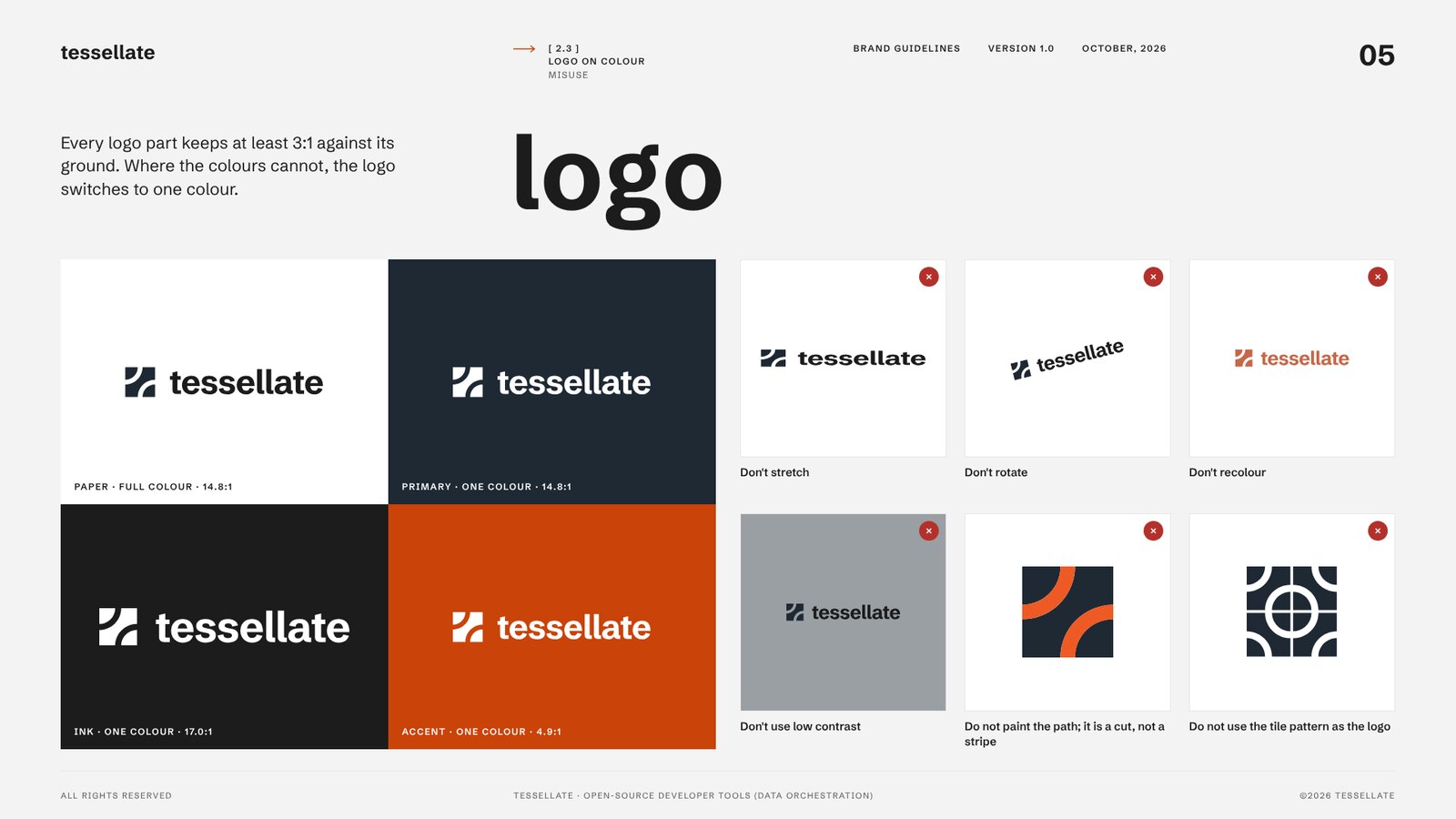
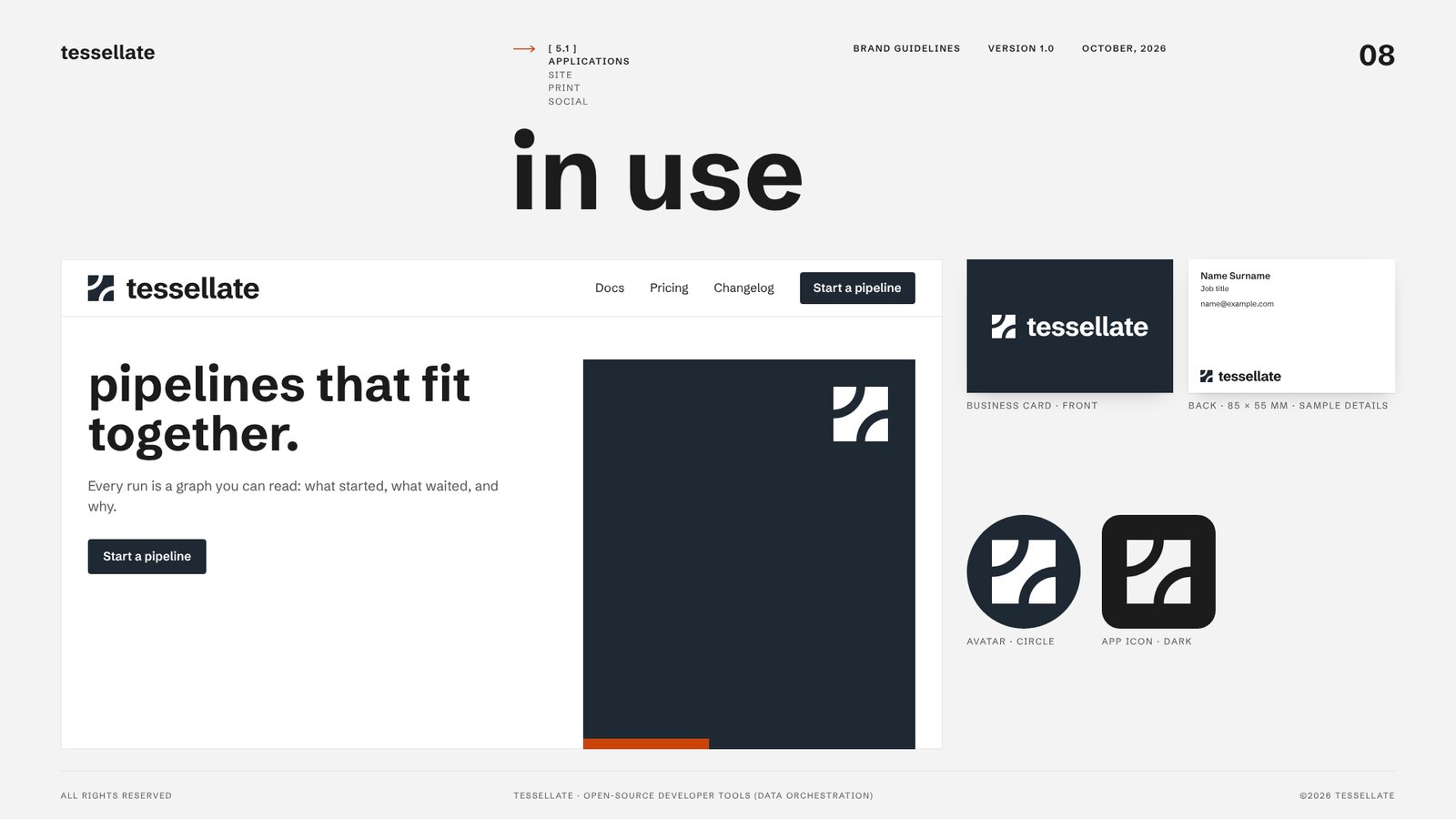
The selected identity produces an eight-page guidelines PDF covering the cover, idea, logo, variations, logo use on colour, misuse examples specific to the mark, colours, typography, and applications. Use --full when you also need grid, dark mode, accessibility, iconography, and imagery guidance.
The kit also contains logo exports in SVG and PNG formats, including full colour, one colour, reversed, app icon, and favicon versions. Design tokens are available for CSS, SCSS, Tailwind, and DTCG JSON. A font sheet documents the selected typefaces and provides embed code.
How the workflow works
The process separates creative direction from technical verification:
- Questions: Claude Code gathers the brief, language requirements, competitor context, and desired number of sets.
- Set generation: It creates
sets.jsoncontaining the mechanism, mark, type choice, and palette seeds. - Logo review: Logos are rendered into a contact sheet at 16 and 32 pixels, with defects corrected through repeated passes.
- Build and audit: The scripts generate palette roles, identity cards, audits, and the comparison board.
- Gate handling: Contrast, font licensing, glyph coverage, file validity, and rendering failures send a set back for correction.
- Selection and kit creation: After you choose, the skill exports the PDF, logo files, tokens, and font sheet.
Advanced tips for better results
Use language requirements explicitly
Tell Claude Code every language the brand must support. The skill checks glyph coverage against the languages the brand writes in, so this information affects typeface selection and validation.
Make accessibility a design constraint
Do not treat contrast as a final visual check. The project uses WCAG 2 and APCA measurements, colour-blindness simulation, and logo size checks as gates. Include the intended backgrounds and use cases in your brief so the generated palette can be evaluated in context.
Ask for a website preview
When you provide a site URL, the skill reads the current logo, type, and colours, then previews each identity direction on your pages. Use keep for elements that should remain and refresh for parts that should evolve.
Challenge familiar AI defaults
Brand-identity is designed to avoid automatic convergence on combinations such as cream, terracotta, gold, Fraunces, Inter, or a letter hidden inside a circle. When a direction uses a familiar pattern, the skill asks for a reason grounded in the brief, and at least one set per run uses none of those defaults.
Review licences and network access
The skill downloads fonts and metadata from Google Fonts and the google/fonts repository. uv contacts PyPI for Python packages, and the browser opens your site or named competitor sites only when you provide their URLs.
There is no telemetry and nothing is uploaded. Fonts are not subset or redistributed; the kit links to them and supplies embed code. Font licences are checked per family, with OFL used by default and additional notes for Fontshare or commercial faces.
Develop and test locally
If you want to contribute or validate the repository, install the development requirements and run the test commands:
pip install -r requirements-dev.txt
python3 -m unittest discover -s tests
python3 tools/smoke_test.py
python3 tools/package_skill.py
The repository includes the skill under skills/brand-identity/, development tools in tools/, unit tests in tests/, evaluation fixtures in evals/, and architecture and testing documentation in docs/.
Conclusion
brand-identity turns a natural-language brief into several connected identity directions, then combines creative exploration with measurable technical checks. Install it in Claude Code, describe the brand and its constraints, compare the generated sets, and select or combine the elements that best fit the brief. The result is a practical guidelines kit rather than an isolated logo concept.
The project is released under the MIT licence. For implementation details, consult the repository's GitHub project.