


opencode’s primary use case isn’t necessarily programming. Besides writing code and interacting with the operating system, it can also help with many everyday tasks.
You can think of it as a coordinated process involving a versatile agent—you describe what you need, and it searches, finds, downloads, verifies, and ultimately puts the result in front of you.
Some students say, “I installed it too, but I don’t know how to use it.”
Today, let’s walk through a real example: find an English speaking tutorial on Bilibili and download the first episode to the desktop.
Be Clear About What You Need
First, here’s how I gave the command:
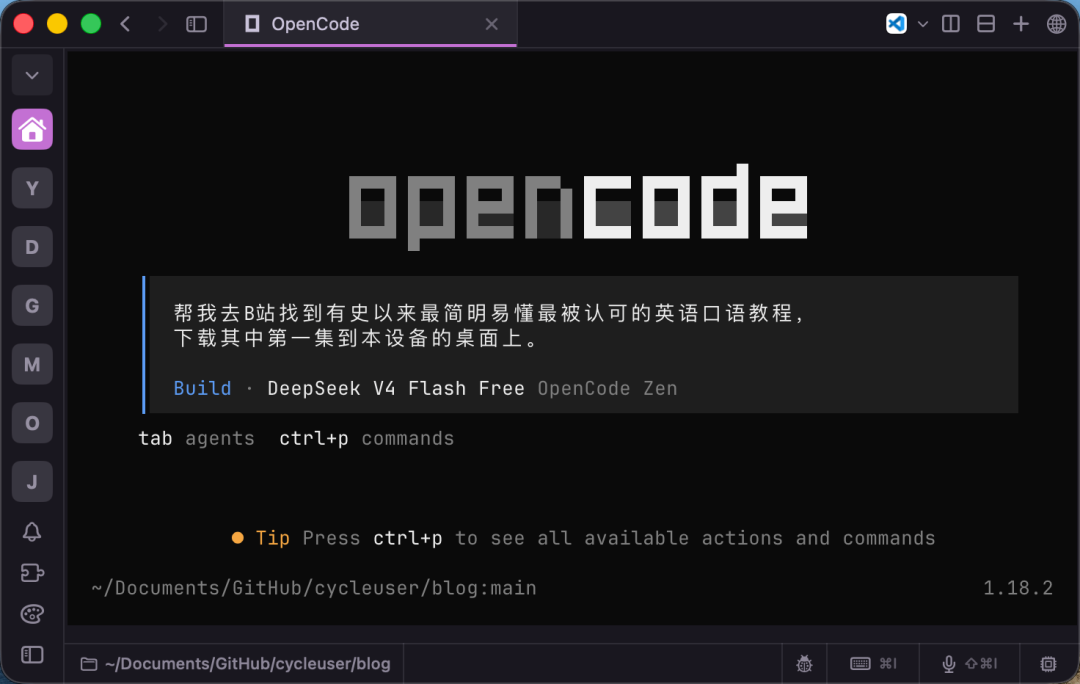
>Give the command
“Go to Bilibili and find the clearest, easiest-to-understand, and most widely acclaimed English speaking tutorial ever, then download the first episode to this device’s desktop.”
That’s all it took. But notice the key information included:
Where to search: Bilibili. Not Douyin, not Kuaishou—Bilibili. You need to define the search scope; otherwise, the quality of what it finds may not meet your expectations.
What kind: The clearest, easiest to understand, and most widely acclaimed. These phrases define the selection criteria— not a 100-episode grammar course, and not an overhyped course-selling pitch, but something well-regarded and easy to get started with.
Which episode: The first one. Not all of them, and not “use your judgment.” Downloading everything might exceed your disk capacity.
Where to save it: This device’s desktop. Not the Downloads folder or a project directory—the desktop, where it’s immediately visible. Of course, this isn’t a good habit; it’s better to use a dedicated folder. We’re doing it this way for the sake of demonstrating the process to beginners.
Missing any one of these four points can cause trouble. If you only say, “Help me download an English video,” it might download a cute animated nursery rhyme or a set of CET-6 listening practice questions. You might want to blame it, but the problem isn’t that it’s stupid—it’s that you weren’t clear.
Think of it as a language-conversion process: converting natural human language into an executable search operation and the result you want to receive. Clarity and precision matter. What this tool needs most is efficient communication from you—you have to explain things clearly for the task to get done.
What should you do when you can’t explain things clearly? Say as much as possible. Don’t worry about perfect wording or literary flair. Your job is to describe what you want to do with as much information as possible. Its comprehension is quite good; if you give it several clues, it can piece them together. The real problem is giving it too little information, forcing it to guess—and then disliking the result when it guesses wrong.
It Gets to Work
After receiving the command, it started searching on its own:
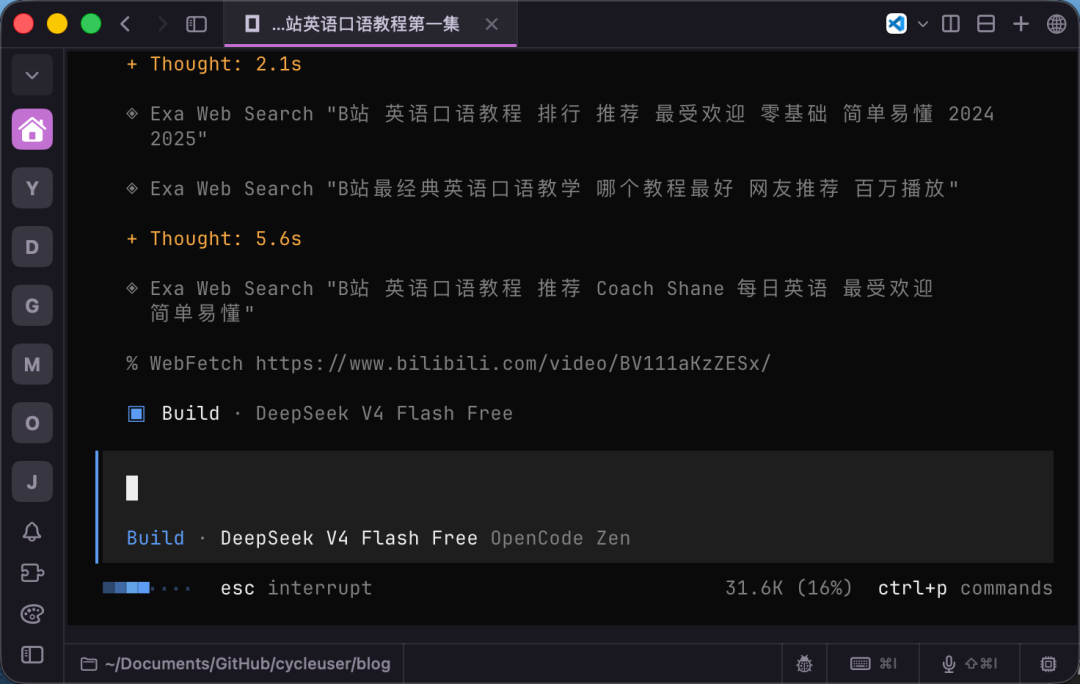
>Model search
It called a web-search tool and changed the keywords several times—“simplest, easiest-to-understand English speaking tutorial,” “Bilibili’s most classic English speaking lessons,” and “million views.” It was repeatedly fine-tuning its search strategy, trying another round whenever one wasn’t enough. Looking at the results, there really are plenty of tutorials like this on Bilibili: “170-Episode Classic English 900 Sentences,” “100-Day English Speaking Challenge,” and Coach Shane’s Daily Easy English Expression.
After several rounds of searching, it chose Coach Shane’s series. It explained its reasoning: each episode is 3 to 5 minutes long and focuses on one natural expression, covering not only the meaning but also pronunciation details such as linking and weak forms. Even beginners can learn from it quickly. The main channel has millions of subscribers, the series has been reposted by multiple users on Bilibili, and it has accumulated tens of millions of views. It has also been recommended by various marketing accounts, so it enjoys fairly high recognition in English-learning circles.
You might spend half a day browsing comments and comparing several videos to make this selection yourself, while the model can pinpoint one after a few rounds of searching. That’s the value of tool use—it isn’t guessing blindly. It actually checked, and then explained why it chose this one.
It Didn’t Go Smoothly the Whole Way
After finding the video, it tried to download it with yt-dlp:
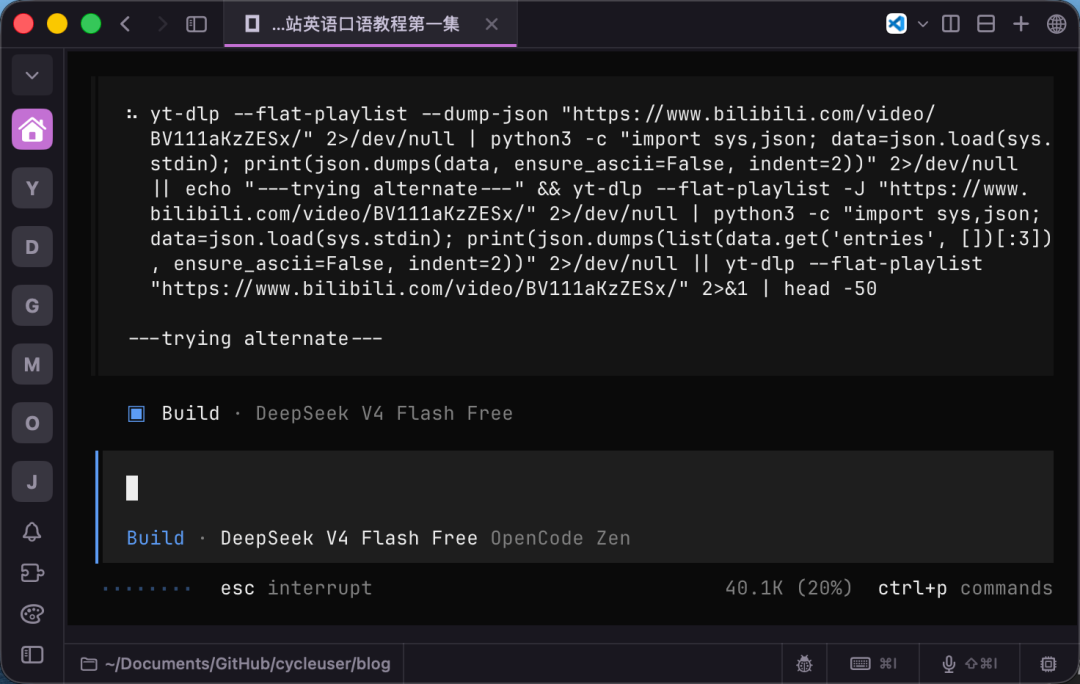
>Attempt download
It returned an error: HTTP Error 412: Precondition Failed. Bilibili’s anti-scraping mechanism had blocked it.
Look at how it responded—it didn’t get stuck or tell you, “Sorry, I can’t download it. Please do it yourself.” It first added a User-Agent and Referer header, then tried again, but still got a 412. It then realized that the yt-dlp version might be too old to handle Bilibili’s WBI signature mechanism, so it ran pip install -U yt-dlp to upgrade to the latest version and tried once more. This time, it worked.
This ability to install tools and fix problems on its own is the biggest difference between opencode and an ordinary web chat box. If you directly tell the web versions of Qianwen, Doubao, or similar services, “Help me download a video,” they will very likely say, “Sorry, I can’t access the external network to download files,” and the task ends there. opencode is different: it has a terminal, can install packages, change parameters, and try repeatedly. When one approach fails, it switches paths and tools instead of turning back at the first obstacle.
That’s the difference between an agent and a chatbot. A chatbot can only talk to you; an agent can take action.
Done
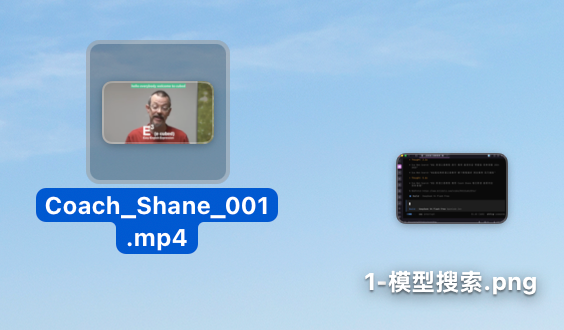
Finally, the video was downloaded to the desktop:
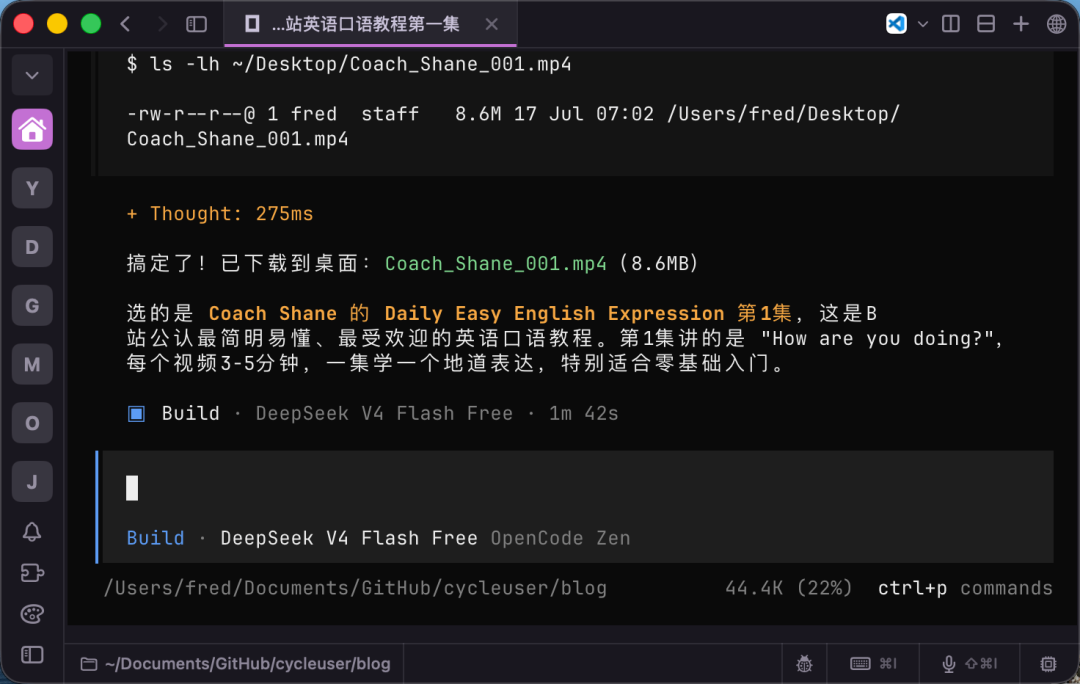
>Give the result after completion
/Users/fred/Desktop/Coach_Shane_001.mp4, 8.6MB, Episode 1, “How are you doing?”, 3 minutes 21 seconds.
After downloading it, the model also verified that the file existed and that its size was normal. Then it told you which series it had selected, why it chose it, and what the first episode covered. It didn’t just hand you a file and call it done; it explained the entire context.
What did you do during the whole process? You only said that opening sentence. The rest—searching, filtering, downloading, installing tools, fixing errors, and verifying—was all handled by the model. The time you saved would have been enough to watch two tutorial episodes.
You Can Keep the Conversation Going
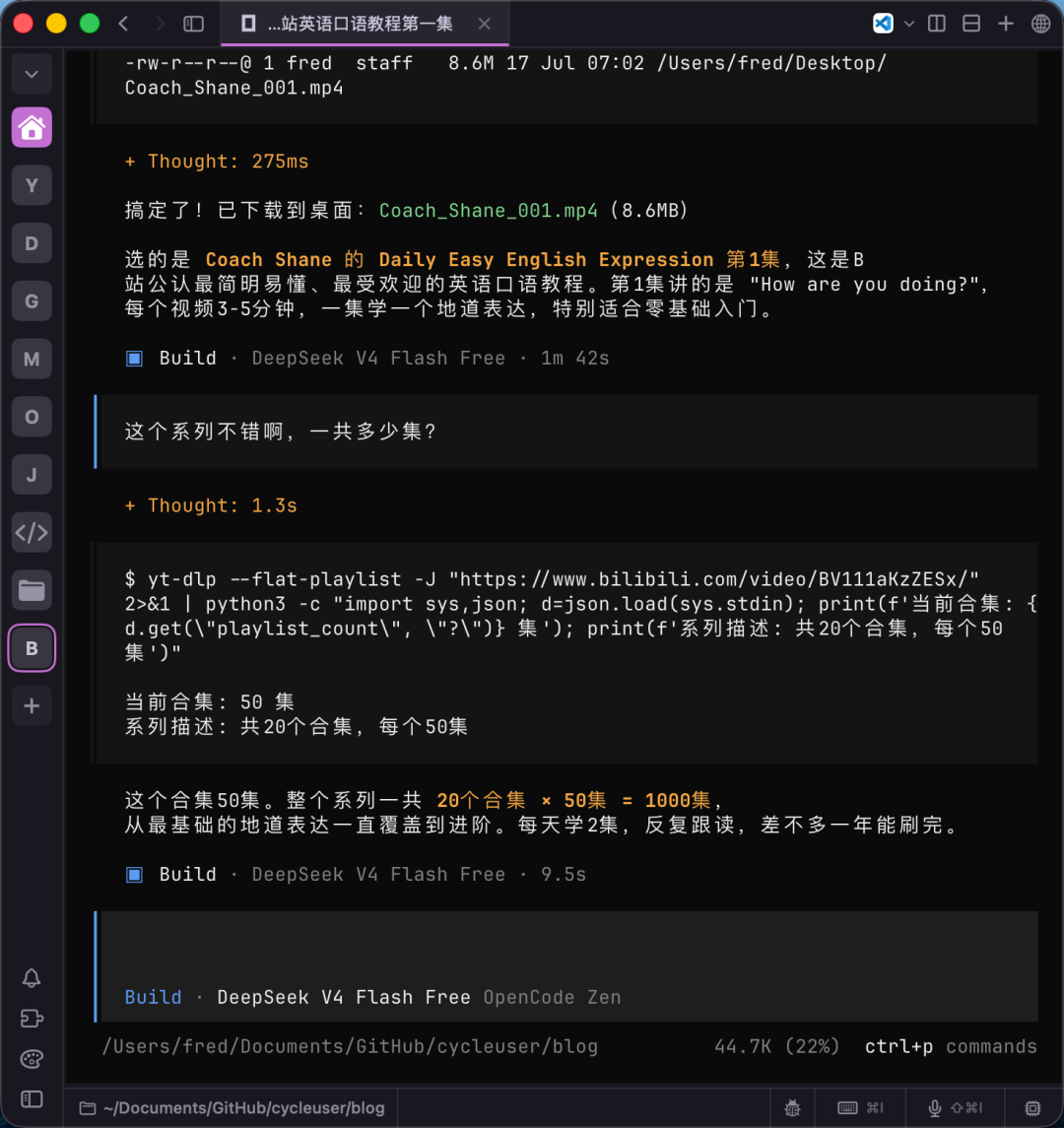
Afterward, I asked, “This series is pretty good. How many episodes are there in total?”
>Continue the interaction
It remembered the previous context and directly checked the playlist information. It told me that one collection has 50 episodes, the complete series contains 20 collections, and that makes 1000 episodes in total. Studying 2 episodes a day would take about a year to finish.
This is conversational continuity—you don’t have to explain the background from scratch every time because it remembers what you were doing. This is also better than a web chat box: refresh a web page and the context is gone, while an opencode session continues. You can keep following up on one task as naturally as you would in a conversation with a person.
Why Not Just Use a Web-Based Model?
Some students may ask: Why not just open the web versions of Qianwen, Doubao, or Kimi and ask there? Why bother opening a terminal and using opencode?
You can ask questions, but many tasks can’t be completed. Web-based models are mainly for text conversations, and they also impose limitations on file uploads. They lack multi-tool capabilities: they can’t run commands, install packages, download something and verify it afterward, or operate your local file system. If you say, “Help me download a video,” they can only tell you how to do it, not download it for you. If you say, “Help me sort these ten images on my desktop by date,” they can only teach you how to write a Python script; they can’t directly sort them for you.
opencode is different. It has a terminal, file-system access, network access, and the ability to install packages on your machine. You describe the task, and it takes action. That’s the essential difference between an agent and a chat assistant.
And the most important point is this—it’s free. The free model included with opencode can handle most everyday scenarios. Downloading a video, searching for a document, organizing files, or looking up information costs you nothing. You can simply use it as a free assistant and save a great deal of time on manual tasks. It may not be 100% satisfactory every time, but it’s still much better than doing everything yourself.
Why Recommend the Command-Line Terminal?
As I said, I recommend using the command-line terminal version of opencode to minimize distractions from other things.
In the terminal, there’s just one input box, one conversation, and one result. You don’t need to care what the interface looks like, where the buttons are, or whether an ad has popped up. Just explain the task clearly, watch it work, and verify the result. Nothing else matters.
The biggest difference from a web chat box is that the web version is a “conversation,” while opencode is “collaboration.” A conversation is you asking and me answering; collaboration is you describing a task and me carrying it out. The latter is closer to what you actually want—you don’t want to chat with AI; you want AI to get the work done for you.
A Message for University Freshmen
I hope that after entering university, freshmen will first practice this skill.
What should you practice? Practice the ability to explain things clearly.
University is different from high school. In high school, asking teachers and classmates questions is perfectly normal, but many university students feel embarrassed to speak up. Some think, “I don’t know this—how embarrassing to ask someone,” some are afraid of disturbing others, and some are simply socially anxious. At times like these, you can quietly ask a model. Nobody needs to know, and there’s nothing embarrassing about it.
But asking a model questions has its own barrier to entry—you have to know how to ask.
If you say, “Doubao, do my homework for me,” it may not be able to do it, and you won’t know how it did the work. It may even try to bluff its way through.
If you say, “Help me find an English speaking tutorial on Bilibili,” it might find something you have no interest in watching. The problem isn’t necessarily the model; your description may simply be too vague.
Explaining things clearly doesn’t require literary talent or fancy wording. What matters is providing enough information: where to search, what kind of thing to find, which part you want, and where to put it. Explain these four points clearly, and it can generally handle the task properly. Explain them vaguely, and it can only give you a vague result.
This is really communication practice. Once you become comfortable communicating with a model, you’ll also communicate better with people, because you’ll be used to breaking down requirements, explaining the background, and making expectations explicit. This skill will be useful no matter what you do in the future.
Once you can confidently use opencode to search for videos, download documents, organize materials, and look up information, you’ll never again need to ask a teacher questions like “Where did you find that video?” or “Where can I download that software?”—asking questions like these is what really makes you look clueless. You can also let it handle software installation. We’ll talk about that next time.
In today’s tutorial-search-and-download process, you saw it call several tools: web search, webpage retrieval, command-line downloading, and package-manager upgrades. If it can’t find a particular tool, it installs it itself. This is extremely convenient because you don’t need to worry about the details.
But if you want to know exactly how it worked, you can ask it directly: “What command did you use to download that video just now? Why did it fail the first time?”
It will tell you, one by one, the command it used, the reason for the failure, and how it fixed the problem. While helping you get the work done, it also lets you understand what’s happening behind the scenes—much easier than searching through documentation on your own.
University life is about to begin, so start practicing as soon as possible.