

Project Overview and Usage Notes
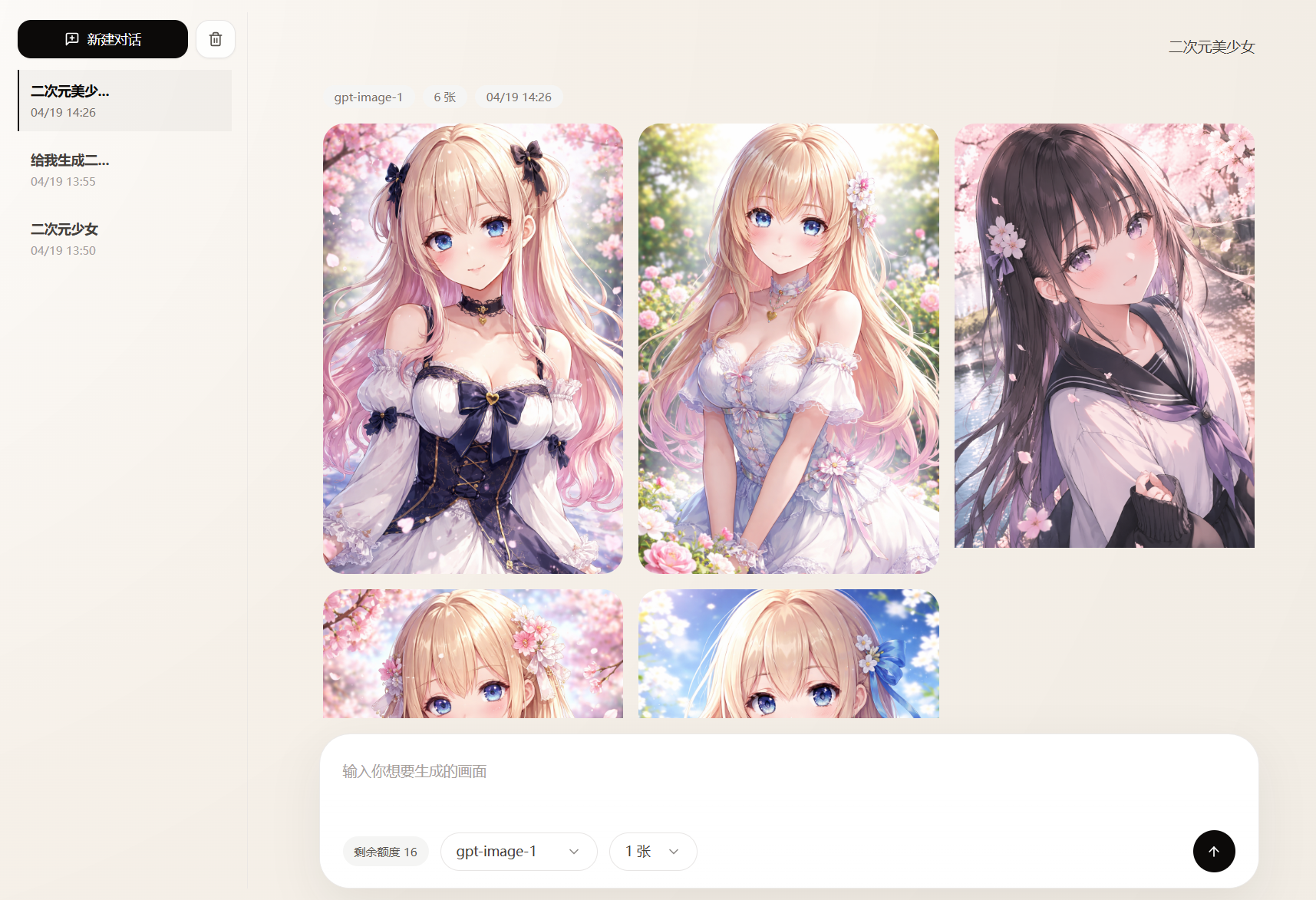
ChatGPT2API is a project that reverse-engineers, organizes, and wraps capabilities related to the official ChatGPT website. It provides OpenAI-compatible APIs and proxies for image generation, image editing, and multi-image composition editing scenarios. The project also integrates an online image workspace, account pool management, multiple account import methods, and Docker self-hosted deployment.
Important reminder: The project README explicitly states that it is intended only for personal learning, technical research, and non-commercial technical exchange. Do not use it for commercial purposes, bulk operations, automated abuse, large-scale requests, or any activity that violates OpenAI's Terms of Service or local laws and regulations. When testing, do not use important, frequently used, or high-value accounts.
The project involves reverse-engineering official website interfaces, so account restrictions, temporary bans, or permanent bans may occur during use. Before using it, confirm that you understand and accept the associated risks.
Key Features
OpenAI-Compatible API
- Compatible with the
POST /v1/images/generationsimage generation endpoint. - Compatible with the
POST /v1/images/editsimage editing endpoint. - Provides image-focused compatible interfaces for
POST /v1/chat/completionsandPOST /v1/responses. - Exposes image and related model lists through
GET /v1/models. - Supports returning multiple generated results with the
nparameter; the current backend limit is 1 to 4 images. - Supports generating editable PPT and PSD files.
Online Image Generation and Editing
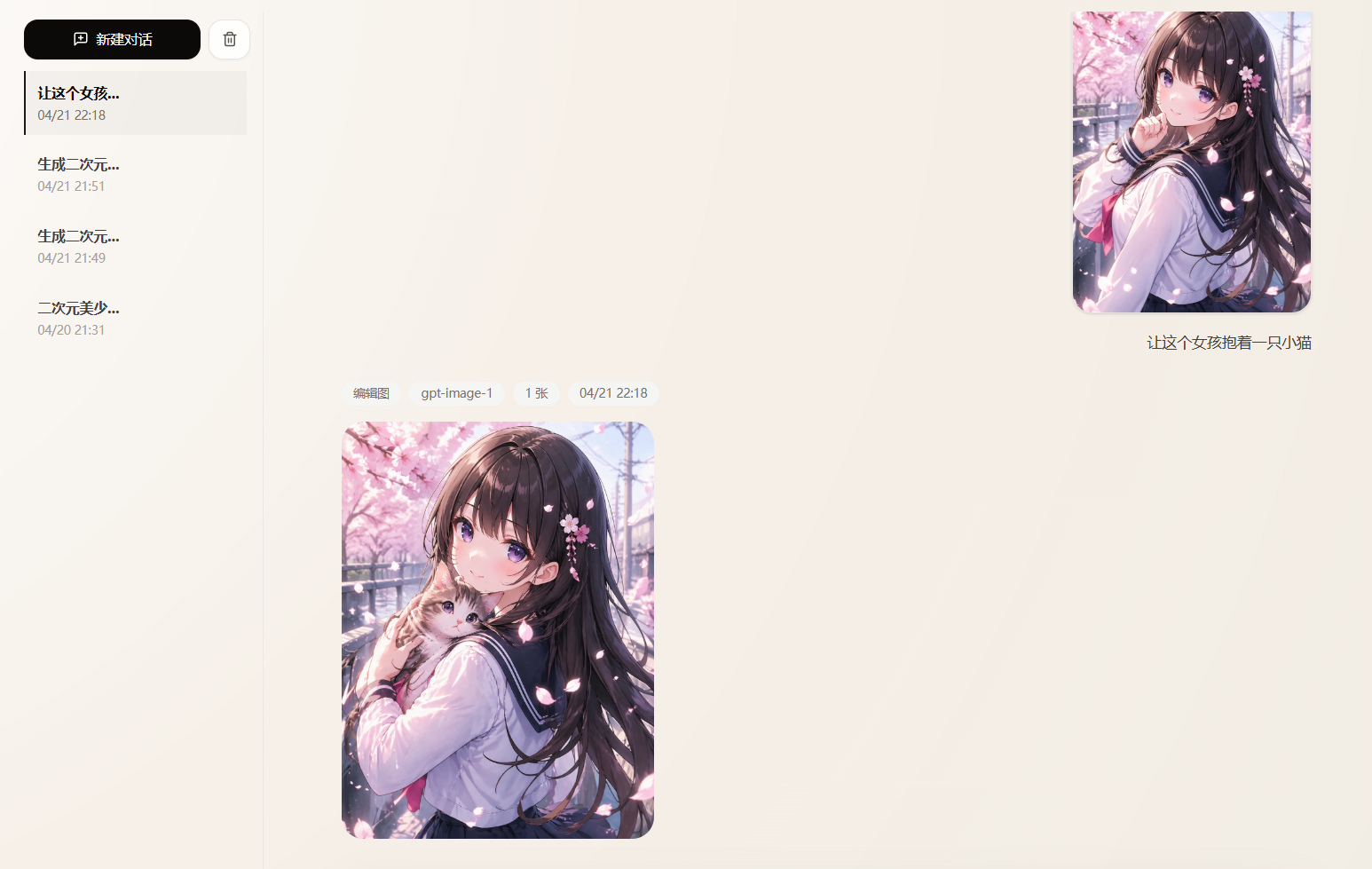
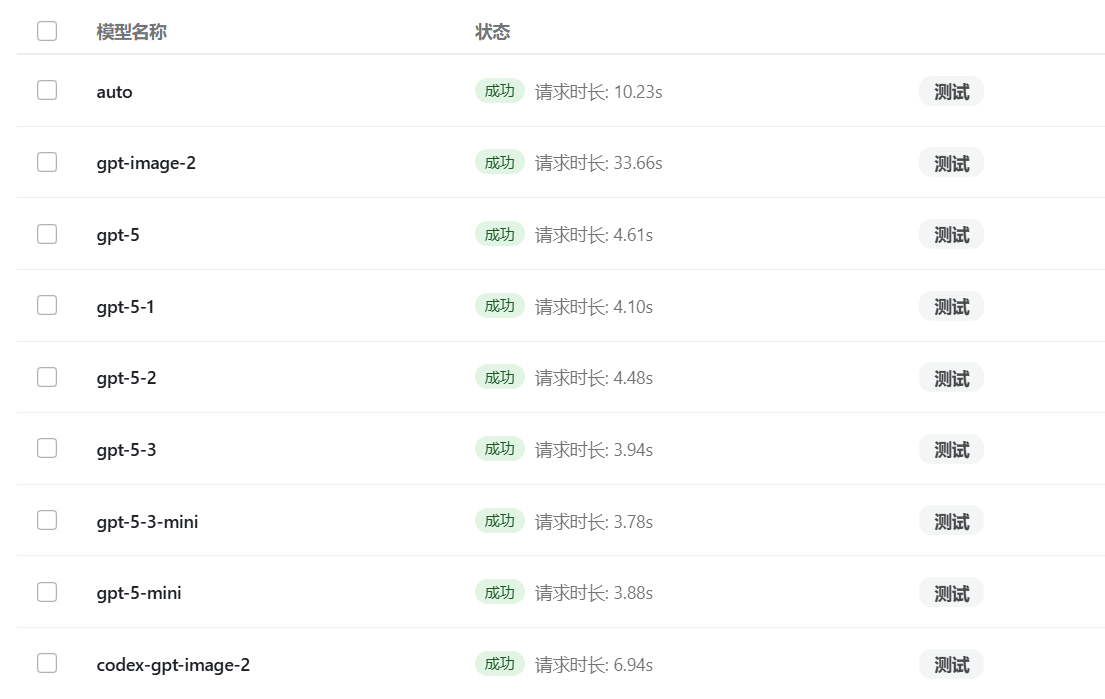
The built-in workspace supports text-to-image generation, reference-image editing, and multi-image composition editing. Available models include gpt-image-2, codex-gpt-image-2, auto, and the GPT model aliases listed in the README. The frontend also provides image session history, local saving, deletion and clearing, server-side image URL caching, generation progress tracking, lazy loading, and scroll-position memory.
Account Pool Management
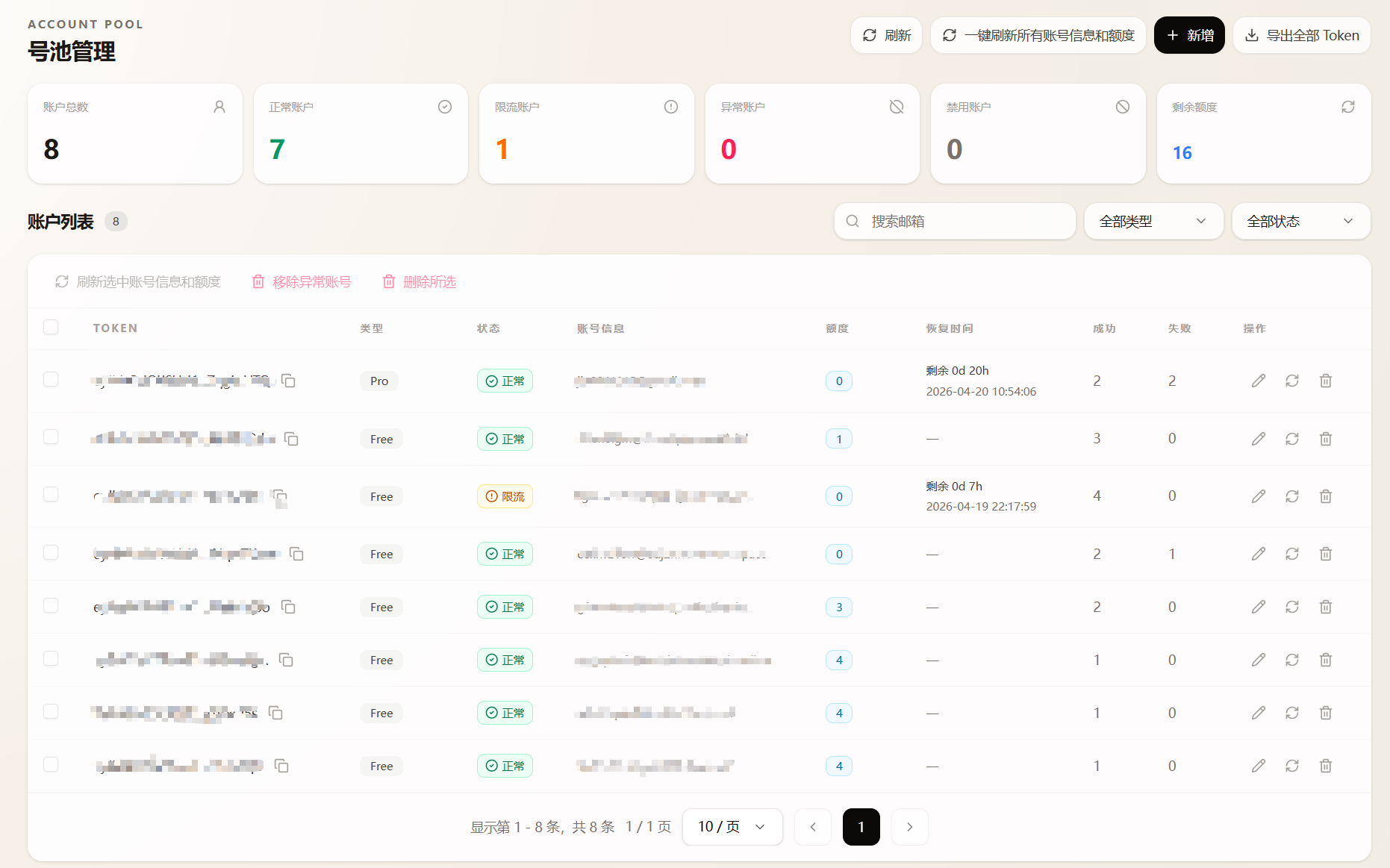
The account pool can asynchronously refresh account email addresses, types, quotas, and recovery times, then poll available accounts to perform image generation and editing. When Token-related errors occur, the system can automatically remove invalid Tokens. For rate-limited accounts, it also supports scheduled checks, password re-login, and automatic recovery.
The project supports HTTP, HTTPS, SOCKS5, and SOCKS5H proxies, as well as a stable proxy runtime composed of WARP, Privoxy, and FlareSolverr. Account import methods include local CPA JSON, remote CPA servers, sub2api servers, and access_token.
Quick Deployment with Docker
1. Get the Project and Start the Service
Using Docker Compose to start the complete service is recommended. Run the following commands to clone the project and run it in the background:
git clone https://github.com/iamdurant/chatgpt2api-personal.git chatgpt2api
cd chatgpt2api
docker compose pull
docker compose up -d
Before starting, set auth-key in config.json. You can also override this setting with the CHATGPT2API_AUTH_KEY environment variable in docker-compose.yml.
By default, the Web panel is available at http://localhost:3000, the API base URL is http://localhost:3000/v1, and data is stored in ./data under the project directory. Some curl examples in the README use localhost:8000; when making actual requests, change the port according to your Compose port mapping.
2. Access the Web Panel
After the service starts, open http://localhost:3000 in a browser. On first use, complete the required configuration for the authorization key, accounts, and proxies, then use the workspace to test image generation or editing.
3. Update the Service
To update the images later, run:
docker compose pull
docker compose up -d
Enable WARP and FlareSolverr for a Stable Proxy
If image requests are frequently intercepted by Cloudflare, use the WARP, Privoxy, and FlareSolverr deployment setup included with the project:
cp .env.example .env
docker compose -f docker-compose.warp.yml pull
docker compose -f docker-compose.warp.yml up -d
This Compose configuration starts the following services:
warp-proxy: Provides a WARP SOCKS5 exit.privoxy: Converts WARP SOCKS5 into an HTTP proxy.flaresolverr: Refreshes the Cloudflare clearance.init-config: Idempotently writes the defaultproxy_runtimeconfiguration.app: Runs the ChatGPT2API main service.
By default, only upstream OpenAI or ChatGPT requests use the stable proxy. Auxiliary routes such as account email and CPA are not forcibly routed through it. Proxy priority is: the proxy configured on the account, the stable proxy runtime, an explicit proxy, and the legacy global proxy. You can adjust ports and runtime parameters in .env, and test the proxy and clearance on the backend settings page.
Local Development Environment
Start the Backend
The project README uses uv to manage Python dependencies. Run the following commands to start the backend:
git clone https://github.com/iamdurant/chatgpt2api-personal.git chatgpt2api
cd chatgpt2api
uv sync
uv run main.py
Start the Frontend
Enter the Web directory, install dependencies with Bun, and start the development server:
cd chatgpt2api/web
bun install
bun run dev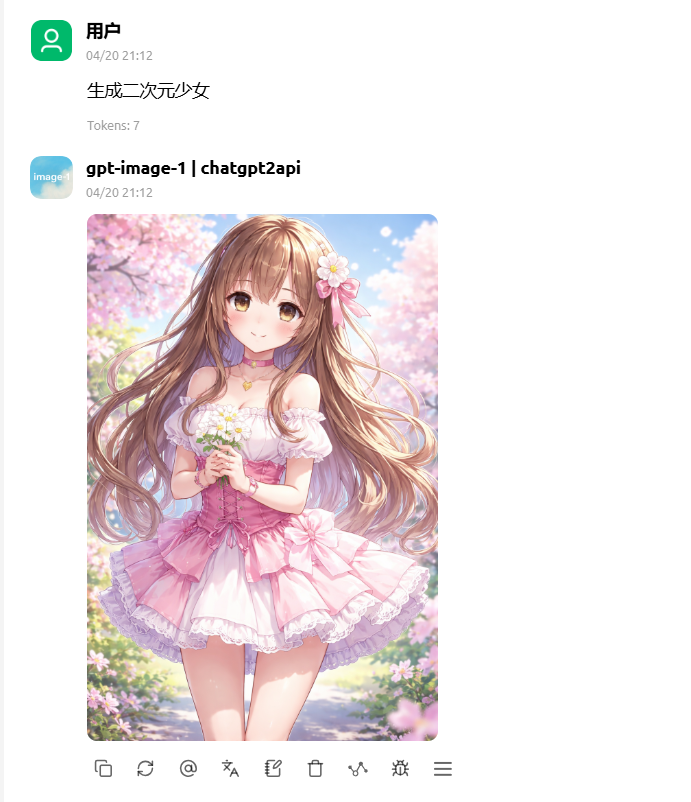
Configure the Storage Backend
The project uses the STORAGE_BACKEND environment variable to select the storage method:
json: Local JSON file, the default method.sqlite: Local SQLite database.postgres: External PostgreSQL;DATABASE_URLmust be set.git: Private Git repository;GIT_REPO_URLandGIT_TOKENmust be set.
For example, when using PostgreSQL, add the following to the Compose environment variables:
environment:
  - STORAGE_BACKEND=postgres
  - DATABASE_URL=postgresql://user:password@host:5432/dbname
Call the Image Generation API
All AI interfaces require the following authorization header:
Authorization: Bearer <auth-key>First call the model list endpoint to view the models currently exposed:
curl http://localhost:8000/v1/models \
  -H "Authorization: Bearer <auth-key>"
Use POST /v1/images/generations for text-to-image generation. The following example generates a cat floating in space:
curl http://localhost:8000/v1/images/generations \
  -H "Content-Type: application/json" \
  -H "Authorization: Bearer <auth-key>" \
  -d '{
    "model": "gpt-image-2",
    "prompt": "A cat floating in space",
    "n": 1,
    "response_format": "b64_json"
  }'
model should use an available value returned by /v1/models. The README recommends gpt-image-2 for image generation. n sets the number of generated images, but the current backend limit is 1 to 4. The example uses b64_json for response_format.
Call the Image Editing API
Upload a Local Image with multipart
The image editing endpoint supports uploading a local file and describing the requested changes with a prompt:
curl http://localhost:8000/v1/images/edits \
  -H "Authorization: Bearer <auth-key>" \
  -F "model=gpt-image-2" \
  -F "prompt=Change this image to a cyberpunk nightscape style" \
  -F "n=1" \
  -F "image=@./input.png"
Edit Using an Image URL
You can also pass an image URL in JSON format:
curl http://localhost:8000/v1/images/edits \
  -H "Authorization: Bearer <auth-key>" \
  -H "Content-Type: application/json" \
  -d '{
    "model": "gpt-image-2",
    "prompt": "Change this image to a cyberpunk nightscape style",
    "images": [
      {"image_url": "https://example.com/input.png"}
    ]
  }'
Edit a Specified Area with Comment Anchors
The comments array can simulate comment-style image editing in the web interface. x and y support normalized values from 0 to 1, percentage strings, or values from 0 to 100:
curl http://localhost:8000/v1/images/edits \
  -H "Authorization: Bearer <auth-key>" \
  -H "Content-Type: application/json" \
  -d '{
    "model": "gpt-image-2",
    "prompt": "Keep the rest unchanged",
    "images": [
      {"image_url": "https://example.com/input.png"}
    ],
    "comments": [
      {"x": "27.5%", "y": "70%", "text": "Replace the celadon teapot with a white porcelain teapot with gold trim"},
      {"x": 0.36, "y": 0.315, "text": "Add another golden hairpin to the bun"}
    ]
  }'
When a request includes comments, prompt can be omitted. Each comment can also use image_index to specify the corresponding input image; the default value is 0.
Edit with Markup Strokes
The project also supports the markup brush in the web interface. When using markup_strokes, points is a polyline of normalized coordinates, color defaults to #FF3B30, and width is the line-width ratio relative to the shorter side of the image:
curl http://localhost:8000/v1/images/edits \
  -H "Authorization: Bearer <auth-key>" \
  -H "Content-Type: application/json" \
  -d '{
    "model": "gpt-image-2",
    "prompt": "Change the neon sign inside the circle to green",
    "images": [
      {"image_url": "https://example.com/input.png"}
    ],
    "markup_strokes": [
      {
        "points": [[0.62, 0.18], [0.78, 0.22], [0.75, 0.42], [0.6, 0.38], [0.62, 0.18]],
        "color": "#FF3B30",
        "width": 0.01
      }
    ]
  }'
If you already have a transparent markup PNG with the same aspect ratio as the original image, you can also upload it as a markup file using multipart. The project aligns the markup with the input image and composites them before performing the edit.
Using the Chat Completions and Responses-Compatible APIs
Chat Completions
POST /v1/chat/completions provides compatibility for text, web search, and image scenarios, but the README specifically notes that it is not a complete general-purpose chat agent. Image generation example:
curl http://localhost:8000/v1/chat/completions \
  -H "Content-Type: application/json" \
  -H "Authorization: Bearer <auth-key>" \
  -d '{
    "model": "gpt-image-2",
    "messages": [
      {
        "role": "user",
        "content": "Generate a cyberpunk cat on a Tokyo street on a rainy night"
      }
    ],
    "n": 1
  }'
The messages in this API can carry text, search, and image request content. tools supports the web search tools listed in the README, while stream remains experimental for text, search, and image scenarios.
Responses API
POST /v1/responses supports image generation tool calls and web search compatibility logic, but is likewise not a complete general-purpose Responses API proxy:
curl http://localhost:8000/v1/responses \
  -H "Content-Type: application/json" \
  -H "Authorization: Bearer <auth-key>" \
  -d '{
    "model": "gpt-5",
    "input": "Generate an image of a futuristic city skyline",
    "tools": [
      {
        "type": "image_generation"
      }
    ]
  }'
Here, tools supports image_generation, web_search, web_search_preview, and web_search_preview_2025_03_11. Streaming responses have been implemented but remain experimental.
Advanced Usage Recommendations
- Verify authorization and the model list first: After deployment, call
/v1/modelsto confirm thatauth-keyand the port configuration are correct before making image requests. - Choose the storage backend appropriately: Personal testing can use the default JSON or SQLite. Configure PostgreSQL only when an external database is needed, and protect the connection string properly.
- Handle Cloudflare blocks: When upstream request stability is poor, prioritize configuring a stable proxy according to the WARP Compose solution provided by the project, then test the proxy and clearance in the admin panel.
- Control account-pool risks: Regularly remove invalid Tokens, and use search, filtering, and batch refresh features to maintain account status. Avoid batch or abusive operations prohibited by the README.
- Distinguish model aliases:
codex-gpt-image-2is used for Codex image generation and is available only with Plus, Team, and Pro subscriptions. The available models should be determined by the results returned from/v1/models. - Pay attention to API boundaries: Chat Completions and Responses are primarily intended for the text, search, and image scenarios described in the README and should not be treated as complete general-purpose proxies.
Summary
ChatGPT2API wraps image capabilities related to the ChatGPT web interface in OpenAI-style APIs and provides an online workbench, enhanced image editing, an account pool, a proxy runtime, and multiple deployment methods. You can start with a basic Docker deployment, then configure the storage backend, stable proxy, and account imports as needed, and finally integrate image generation and editing workflows through /v1/images/generations and /v1/images/edits. Always comply with the project's disclaimer, the upstream service terms, and applicable local laws and regulations.