

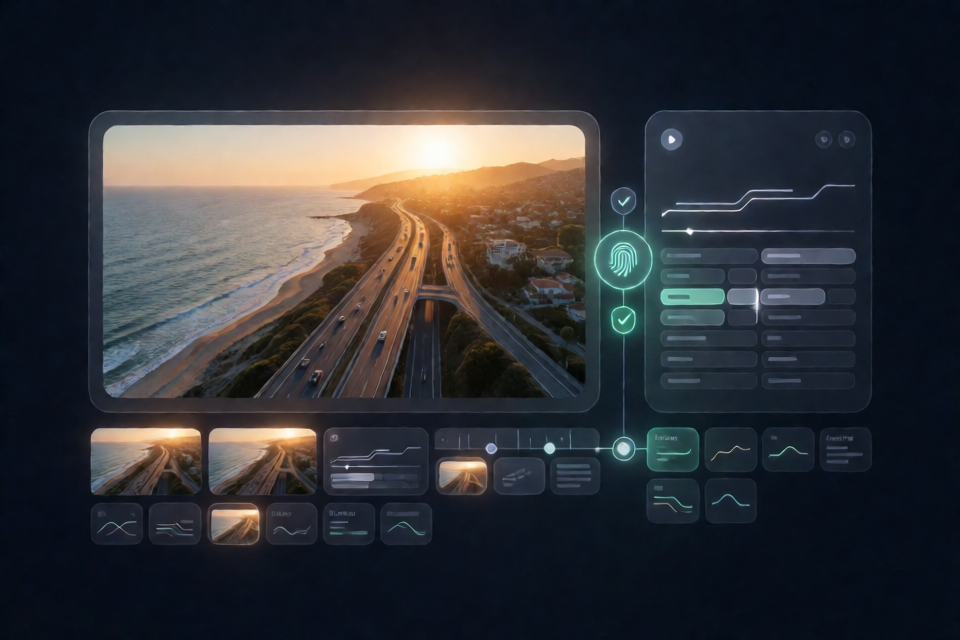
What CDAF Does
CDAF, short for Cached Descriptive Asset Files, is an open sidecar format for video. It stores a timestamped, plain-text description next to a video using the same basename. For example, sunset-drone.mp4 is paired with sunset-drone.cdaf.
The goal is to describe a video once and reuse that description across later AI tasks. Instead of sending the same footage through a video-understanding model for every question, an agent can verify and read the much smaller CDAF file.
footage/
sunset-drone.mp4
sunset-drone.cdaf
The original video remains untouched and playable by ordinary video software. The sidecar is UTF-8 text containing a small metadata header followed by a Markdown description optimized for language models.
Why the Sidecar Is Safe to Reuse
A CDAF header records the exact video's SHA-256 hash and byte size. Conforming tools use these values to determine whether the description is still valid. If the video changes, the sidecar becomes stale and should not be used.
--- CDAF/1.0
video: sunset-drone.mp4
sha256: 4a7d1ed4…
bytes: 48211394
duration: 00:00:31.500
generator: gemini-2.5-flash
created: 2026-08-26T14:03:12Z
---

## Summary
A 31-second aerial drone clip of a coastal highway at golden hour…

## Segments
[00:00.0-00:05.2] Wide aerial establishing shot…
[00:05.2-00:12.8] The drone pushes in and descends…

## Transcript
(no speech)

## On-screen Text
(none)

## Tags
drone, aerial, coastal highway, golden hour, sunset
The body can provide a summary, timestamped segments, a transcript, on-screen text, and tags. See the project's CDAF 1.0 specification for the normative format, freshness semantics, versioning rules, and section grammar.
Key Features
- Verified reuse: SHA-256 and byte-size metadata connect a sidecar to the exact video it describes.
- Readable text format: Agents can consume, search, and reuse descriptions without decoding video again.
- Timestamped segments: Segment ranges can support clip selection and cut-list creation.
- Zero-dependency core: Parsing, serialization, hashing, freshness checks, and segment extraction use the Python standard library.
- Batch-oriented CLI: The command-line tool can generate sidecars for a directory and skip those that are already fresh.
- Multiple detail profiles: Generation supports
brief,standard, andrichoutput. - Agent skill: A packaged skill teaches coding agents to check for verified sidecars before analyzing video.
- Optional local generation: The repository includes a
--localprovider for generating with a local model and no API key. - Optional probing: CDAF can use ffprobe for duration, resolution, and frame-rate metadata, while degrading gracefully when ffprobe is unavailable.
Install the Agent Skill
The quickest way to teach a supported coding agent the sidecar-first workflow is:
npx cdaf-skillBy default, this installs the skill at ~/.claude/skills/cdaf, making it available across projects. Other supported installation modes include:
npx cdaf-skill --project
npx cdaf-skill --dir <path>
npx cdaf-skill --print--projectinstalls into./.claude/skills/cdaffor the current project.--dirinstalls into a chosen directory.--printwrites the skill to standard output so it can be pasted into another agent framework.
Re-running the installer is safe. An unchanged skill is left alone, while a modified skill is backed up as SKILL.md.bak before replacement.
Before analyzing a video file, look for a
.cdaffile with the same basename. If itsbytesandsha256header values match the video, read it instead of processing the video.
Install the CDAF CLI
The Python CLI requires Python 3.10 or newer. The current README installs it directly from the repository because a PyPI release is still on the roadmap.
pip install "cdaf[generate] @ git+https://github.com/UditAkhourii/cdaf.git#subdirectory=cli"If you are working from a cloned repository, install the CLI from the local cli directory:
pip install ./cli[generate]The generator implementation uses the Gemini Files API. Obtain a Gemini API key from Google AI Studio, then set it in your environment.
macOS and Linux
export GEMINI_API_KEY=your-keyWindows PowerShell
$env:GEMINI_API_KEY="your-key"Your footage is processed through your own API key. Commands that only read or verify existing sidecars do not require an API key or generator dependencies.
Generate Sidecars
Place one or more videos in a directory and run cdaf generate against that directory:
cdaf generate ./footageCDAF describes the videos and creates sidecars with matching basenames. When run again, generation skips videos whose sidecars are already fresh.
Choose a Detail Profile
Use --detail to select one of the three documented generation profiles:
cdaf generate ./footage --detail brief
cdaf generate ./footage --detail standard
cdaf generate ./footage --detail rich
Choose a profile according to how much descriptive context downstream tasks require. You can also select a Gemini model with --model or request regeneration with --force.
cdaf generate ./footage --model <gemini-model>
cdaf generate ./footage --force
Check the Status of a Video Library
Use the status command to classify sidecars as FRESH, STALE, or MISSING:
cdaf status ./footage- FRESH: The sidecar matches the current video.
- STALE: A sidecar exists, but its recorded identity no longer matches the video.
- MISSING: No matching CDAF sidecar is available.
This command needs no API key and no generation dependencies, making it suitable for lightweight checks over existing asset libraries.
Read a Verified Description
Use cdaf read when you want the sidecar body for an agent, script, or prompt:
cdaf read ./footage/sunset-drone.mp4The command verifies the hash before printing the description. It refuses to print a stale sidecar, keeping the freshness rule in the tool rather than relying only on agent instructions.
Validate Sidecars in Automation
The validation command exits successfully only when the matching sidecar is both well-formed and fresh:
cdaf validate ./footage/clip.mp4Because the command exits with status 0 only for a valid, fresh sidecar, it can be used in scripts or continuous-integration workflows. Validation does not need an API key or optional generator dependencies.
Use CDAF from Python
The core Python API lets applications locate, load, and verify a sidecar before passing its body to a language model.
from cdaf import load, check_freshness, sidecar_path_for

video = "footage/sunset-drone.mp4"
sidecar = load(sidecar_path_for(video))

if check_freshness(video, sidecar) == "fresh":
    context_for_llm = sidecar.body
This pattern is the essential CDAF integration: derive the expected sidecar path, parse the file, verify freshness against the video, and use sidecar.body only when the result is fresh.
The package's core also supports serialization, chunked SHA-256 calculation, and segment extraction. These operations use only the standard library. Generator-specific code is imported only when generation is requested.
Build a Sidecar-First Agent Workflow
- Receive a video path as part of an editing, search, or question-answering task.
- Look for a
.cdaffile with the same basename. - Check the sidecar's freshness against the current video.
- If it is fresh, read its text instead of running another video-understanding pass.
- If it is stale or missing, regenerate it before relying on its contents.
- Use the summary, segments, transcript, on-screen text, and tags as context for the downstream task.
The packaged agent skill suggests a lightweight size check during exploration and a full hash check for consequential decisions. Applications should use the level of verification appropriate to the operation while preserving the core rule that stale descriptions must not be trusted.
Advanced Tips
Search Video Collections as Text
Once videos have sidecars, agents and command-line tools can search the .cdaf files instead of opening every video. Tags and descriptions can turn requests such as sunset coastal shots with no people into text retrieval over an asset library.
Turn Segments into Edit Decisions
Timestamped lines such as [00:05.2-00:12.8] provide ranges that programmatic editors can translate into clips or sequences. The README specifically identifies Remotion, HyperFrames, and prompt-to-edit tools as workflows that can benefit from this structure.
Reuse Transcript Timing
When speech is present, the Transcript section aligns dialogue with the timeline. An editing workflow can reuse that information for captions and audio synchronization rather than performing another understanding pass.
Use Optional ffprobe Metadata
If ffprobe is available, CDAF's probe component can collect duration, resolution, and frames-per-second metadata. The engine continues gracefully when ffprobe is absent, so this optional integration does not block basic sidecar operations.
Consider Local Generation
The repository includes a local provider exposed through --local. It is intended for generation with a local model when an API key should not be used. Consult the repository's local provider implementation for the currently supported local-model setup.
Keep Backends Separate from the Format
CDAF itself is model-agnostic. Gemini is the included remote generator backend, while other video-language-model backends can fit behind the same Sidecar type. Additional Claude, GPT, and local VLM backends are listed on the roadmap and should not be assumed to be available yet.
Reproduce the Benchmark
The repository includes an objective benchmark that synthesizes videos from scripted recipes using ffmpeg. Run its stages in order:
python benchmarks/bench.py make
python benchmarks/bench.py run
python benchmarks/bench.py report
The first step requires ffmpeg, the second requires GEMINI_API_KEY, and the final step writes benchmarks/RESULTS.md. In the reported 20-question test, sidecar answers achieved 20 out of 20 correct responses versus 19 out of 20 for direct video, while using 303 rather than 3,066 mean prompt tokens per question. These are benchmark results from the repository and may vary with footage, models, prompts, and environments.
Current Limitations and Roadmap
The README identifies several items as future work rather than current functionality: a PyPI release, an MCP server, a hosted converter, additional generator backends, a Node or TypeScript engine port, a natural-footage benchmark extension, and signed sidecars. Use the documented Git-based Python installation and existing CLI today rather than assuming those roadmap components are available.
Conclusion
CDAF converts repeated video analysis into a verify-and-read workflow. Generate a sidecar once, keep it beside the source video, validate it whenever the asset is used, and give its body to downstream agents. The format's hashes prevent accidental reuse after edits, while its summaries, timestamps, transcripts, text, and tags make video libraries easier to search and automate.
CDAF is available under the MIT License. Source code, the specification, examples, benchmark details, and the agent skill are available in the CDAF GitHub repository.