

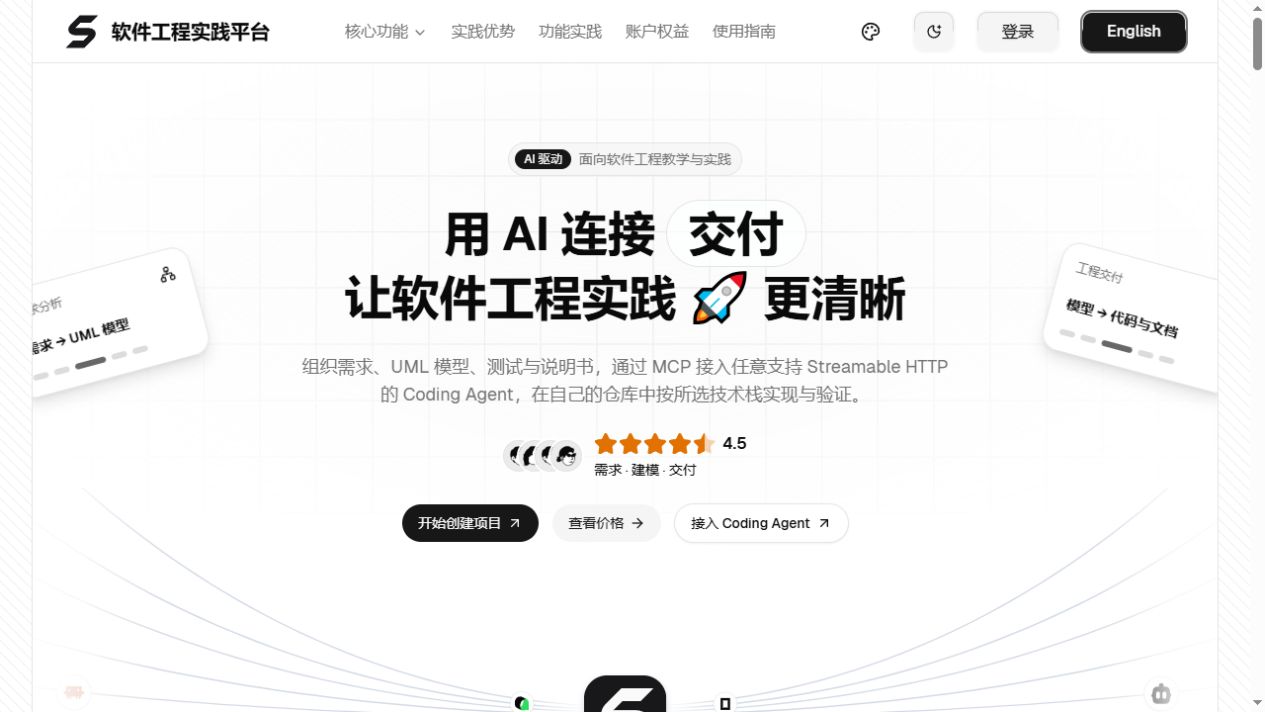
What Is SoftJL Community
SoftJL Community is a self-hostable AI software engineering workbench for software graduation projects, course projects, and UML assignments. It connects requirements analysis, feasibility analysis, UML modeling, design, testing, engineering documentation, and change tracking. It helps you verify that requirements are reflected in design and tests, while organizing traceable evidence for revisions, presentations, and defenses.
The Community Edition provides the complete source code under the Apache License 2.0. Compared with the hosted official website, the Community Edition requires you to manage the services, database, and model provider yourself, while retaining key capabilities such as requirements rule extraction, complete requirements and design models, test coverage, specification generation, source tracing, project management, and BYOK model integration.
Core Workflow
The platform follows an engineering workflow from requirements to verification: first enter the requirements and confirm the rules, then perform feasibility analysis, generate requirements and design models, generate test cases and coverage matrices, and finally produce editable and downloadable engineering specifications.
- Requirements rules: Extract rules from natural-language requirements, perform quality checks, revise them, obtain manual confirmation, and organize acceptance criteria.
- Feasibility analysis: Generate system context diagrams, business and system flowcharts, and implementation方案 analysis.
- UML models: Build models for functional structure, use cases, domain concepts, prototype interfaces, deployment requirements, overall architecture, design classes, databases, and more.
- Testing and coverage: Generate test cases for normal, abnormal, and boundary scenarios, then use coverage and traceability matrices to locate gaps.
- Engineering documents: Generate feasibility study reports, software requirements specifications, and software design specifications, with version management and DOCX download support.
- Change impact: View source relationships among requirements, design, tests, and specifications to determine which artifacts need updates after a change.
- Model integration: Configure OpenAI-compatible model services and use your own model provider.
Generated results are intended to help locate and organize engineering evidence. You must still manually verify model constraints, diagrams, and business consistency in the specifications, and execute tests in the actual system.
Environment Preparation
Prepare the following environment before the first run:
- Node.js 22
- npm 10
- Java 21
- Graphviz
- Optional: Docker, for running PostgreSQL and OnlyOffice
When the rendering service is used for the first time, the system may need network access to download Chinese PDF fonts. Docker is not required for a temporary trial of the core services, but persistent PostgreSQL is recommended for long-term use. If you need to edit DOCX files online, you must also enable OnlyOffice.
Quickly Start the Core Services
1. Get the Source Code and Install Dependencies
git clone https://github.com/guolola/SoftJL.git
cd SoftJL
npm ci
2. Start the Development Environment
npm run devThis command automatically builds the shared contracts and prompts packages, then starts the Web, API, and rendering services in parallel. The Web service usually runs at http://localhost:3000, the API uses port 4101, and the Render Service uses port 4002.
After the Web output shows Ready, open http://localhost:3000. You should also check the health endpoints:
http://localhost:3000/api/health
http://127.0.0.1:4002/health
Both health-check endpoints should return a result containing status: "ok".
3. Understand Temporary In-Memory Mode
Running npm run dev directly uses temporary in-memory mode by default. After a service restart, accounts, projects, model service configurations, and run history are lost. Document files are stored separately in a local directory and cannot replace database backups. This mode is therefore suitable for a quick trial, not for long-term project storage.
Configure Persistent Storage and Online Editing
Use Development PostgreSQL
After installing and starting Docker locally, run the following command to start a dedicated development database and the core services:
npm run dev:postgresThis stores the database in a Docker volume. The database credentials in the script are for local development only and must be replaced in production. Do not use an existing full-edition database directly as a Community Edition database.
Connect to an Existing PostgreSQL Instance
If PostgreSQL is already available, copy .env.example in the root directory to .env, then set DATABASE_URL and a self-generated UML_PROVIDER_CONFIG_SECRET:
cp .env.example .envAfter configuration, run npm run dev again. Keep the encryption key secure, because changing UML_PROVIDER_CONFIG_SECRET arbitrarily will prevent saved model-provider credentials from being decrypted. Do not commit database connection details or keys to Git.
Enable OnlyOffice
To edit specifications online, start the Docker engine and then run:
npm run dev:fullThis script checks OnlyOffice on the local 8080 port. If the service is unavailable, it creates or starts the corresponding container. The first run may need to download the image. The core services alone can generate and download documents; online editing requires additional OnlyOffice configuration.
Configure AI Model Services
- Start the Web service and sign in.
- Open account settings and add an OpenAI-compatible Provider.
- Enter the model provider's HTTPS Base URL and API Key.
- Run model discovery and connection testing.
- Select an available model as the default model.
In a self-hosted environment, use your own model service; model usage fees are billed by the corresponding provider. Production environments should use a persistent database and an encrypted credentials key, and should disable development guest access and the legacy plaintext fallback.
Complete a Modeling Exercise with a Library Seat Reservation System
Consider this simple requirement: after signing in, students can search for available seats, select a date and time period, and submit a reservation. The same student cannot make duplicate reservations for the same time period. A notification is sent after a successful reservation. Administrators can maintain seats, view reservation records, and handle exceptional cancellations.
Step 1: Create a Project and Confirm the Requirements Rules
After creating a project, enter the business description above into the platform and let the system extract the requirements rules. Pay particular attention to user roles, reservation conditions, duplicate-reservation constraints, notification behavior, and exceptional-cancellation processes. After confirming them, save the rules and acceptance criteria to prevent later models from being based on ambiguous requirements.
Step 2: Complete the Feasibility Analysis
Complete the following three analyses according to the project workflow:
- System context diagram: Define the boundaries and interactions among students, administrators, the notification service, and the reservation system.
- Business and system flowcharts: Organize the processing flows for searching seats, submitting reservations, sending notifications, and handling exceptional cancellations.
- Implementation方案: Compare candidate solutions and record their costs, benefits, and risks.
After completing the analysis, first verify that the system boundaries and flows match the original requirements before proceeding to model generation.
Step 3: Generate Requirements and Design Models
The platform can generate a complete requirements model from the confirmed requirements, including functional structure, overall business flow, use cases, domain concepts, prototype interface relationships, and deployment requirements. After confirming the requirements model, it generates design models according to the prerequisites, such as overall architecture, use-case realizations, design classes, page navigation, database design, component relationships, and deployment design.
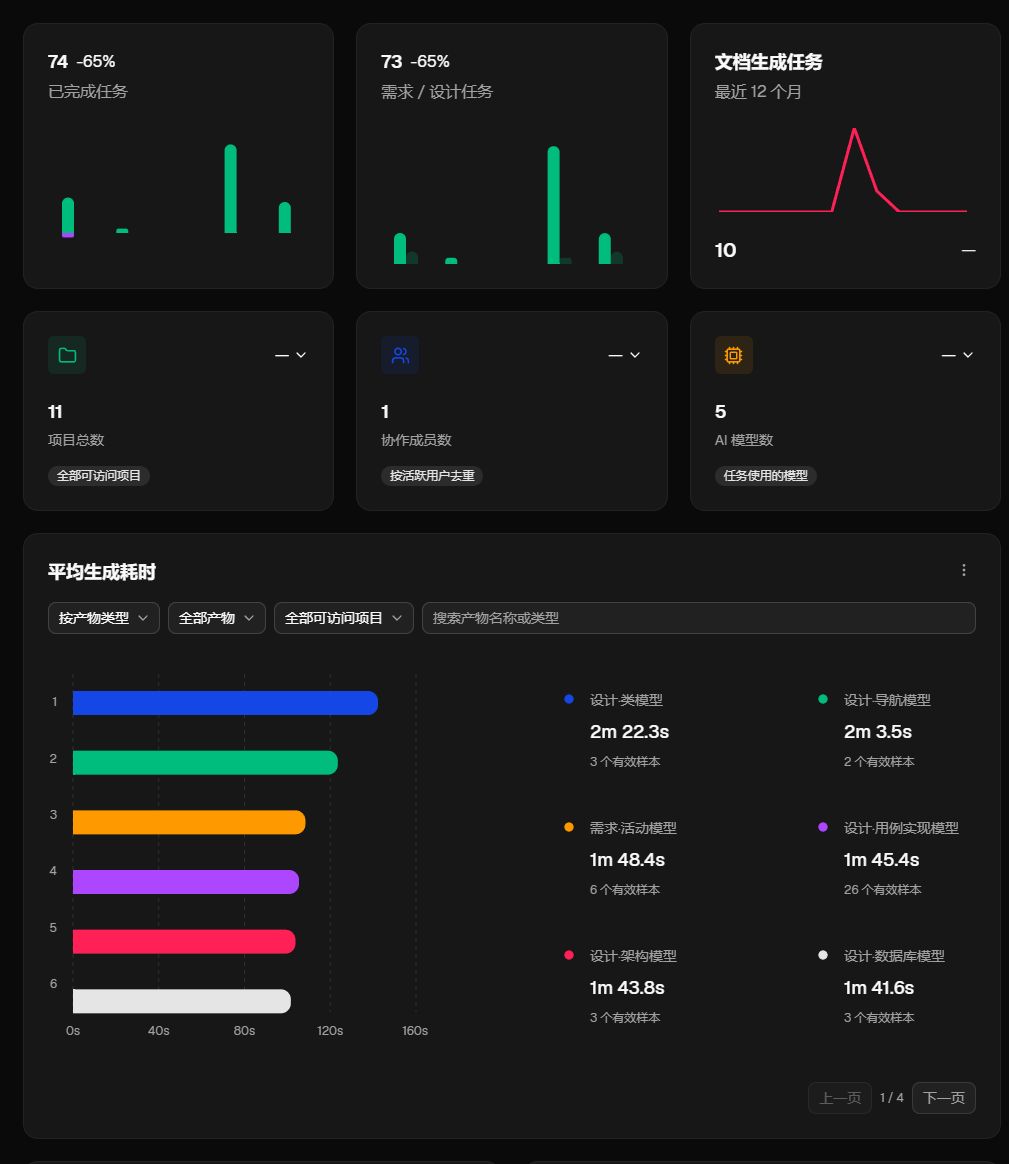
After generation, open the source relationships and check whether every design element can be traced back to a requirements rule. When reservation rules change, this makes it easier to identify affected use cases, classes, database designs, and tests.
Step 4: Generate Tests and a Coverage Matrix
At minimum, check the following scenarios for the reservation system:
- Students can search for available seats on a specified date and during a specified time period.
- Students can submit a valid reservation and receive a notification.
- When the same student submits a duplicate reservation for the same time period, the system rejects the request.
- When no seats are available, the time period is invalid, or reservation information is missing, the system handles the exception.
- Administrators can maintain seats, view reservation records, and handle exceptional cancellations.
Use the coverage and traceability matrices to locate requirements that lack design or test evidence. Generated test cases must still be executed in the actual system; successful generation alone is not an acceptance result.
Step 5: Generate Engineering Specifications
After completing the feasibility analysis, requirements model, and design model, generate three types of engineering documents: a feasibility study report, a software requirements specification, and a software design specification. After generation, check that the text matches the diagrams, revise the documents according to school templates and formatting requirements, and then manage versions and download the DOCX files.
How to Handle Requirement Changes
For example, suppose the rule changes from “the same student cannot make duplicate reservations for the same time period” to “the same student can reserve at most two time periods per day.” Do not change only one sentence in the specification. Instead, inspect the source and dependency relationships:
- Save and confirm the new requirements rule.
- Open the source relationships and change impact to view affected requirements, use cases, design artifacts, and test artifacts.
- Update the requirements and design models in dependency order.
- Recheck database constraints, business flows, and exception handling.
- Update the test cases and coverage matrix, then execute regression tests in the actual system.
- Regenerate or revise the relevant specifications and retain the version history.
Source links and coverage counts help identify the scope of the review, but you must still open the specific models and verify that the constraints, input conditions, and behaviors are complete.
Connect an External Coding Agent
The Community Edition can be configured by the deployer to enable read-only MCP access, allowing a compatible Coding Agent to read saved designs, acceptance criteria, engineering constraints, and test information within the project scope. The local MCP entry points are “Coding Assistant” in the sidebar or “Connect this project” in project settings. Installation and building must be completed first.
npm run dev:mcpThis integration provides read-only engineering evidence and does not replace code review, actual execution, or test acceptance. The README also notes that compatibility with real Coding Agent clients and generated-code acceptance are still being improved. Refer to the MCP integration guide when using it.
Common Development Commands
npm run build:packages: Build the shared contracts and prompts packages.npm run build: Build the shared packages and all applications.npm run dev:render: Start the PlantUML rendering service separately.npm run test:contracts: Validate the shared contracts.npm run test:api: Run API tests.npm run test:render: Run rendering service tests.npm run test:web: Run the complete Web test suite.npm run typecheck:web: Check Web types.npm run lint:web: Run Web static checks.npm audit --audit-level=high: Check dependency security advisories.
After the shared packages change, run npm run build:packages before starting an application separately or running tests. Build output, environment configuration, private keys, logs, and local runtime data should remain within the Git-ignored scope.
Architecture Overview
The project uses a multi-application and shared-package structure:
apps/web: React, Next.js workspace, and pages.apps/api: Fastify API, authentication, generation pipeline, run records, and document assembly.apps/render-service: PlantUML diagram rendering.packages/contractsandpackages/prompts: Shared contracts and generation prompts.packages/harness-e2eandpackages/harness-eval: Acceptance testing and quality evaluation.
Deployment and Usage Notes
- The Community Edition should use a separate database and must not be treated as a degraded replacement for the full official website database.
- Database credentials in the development startup scripts are for local use only and must be replaced in production.
- Model keys, database connection details, and encryption keys must not be committed to the code repository.
- The engineering specification can be used as project report material, but it is not equivalent to a complete thesis.
- The business consistency of diagrams, specifications, and code requires manual review and validation through execution evidence.
- Before production deployment, replace the service domain, database, email, and model configurations.
Summary
SoftJL Community is suitable for developers who want to organize graduation projects or course projects according to an engineering workflow. After completing the environment setup and configuring the database and models, you can start from requirement rules and progressively generate feasibility analyses, UML requirements and design models, test coverage, and engineering specifications, while tracking the impact of requirement changes.
It can reduce scattered materials and repetitive organization, but it cannot replace human design judgment, code implementation, real testing, or final defense preparation. We recommend using platform-generated content as traceable engineering drafts and review references, then completing the final deliverables in accordance with school requirements and actual system execution results.