

What you will build
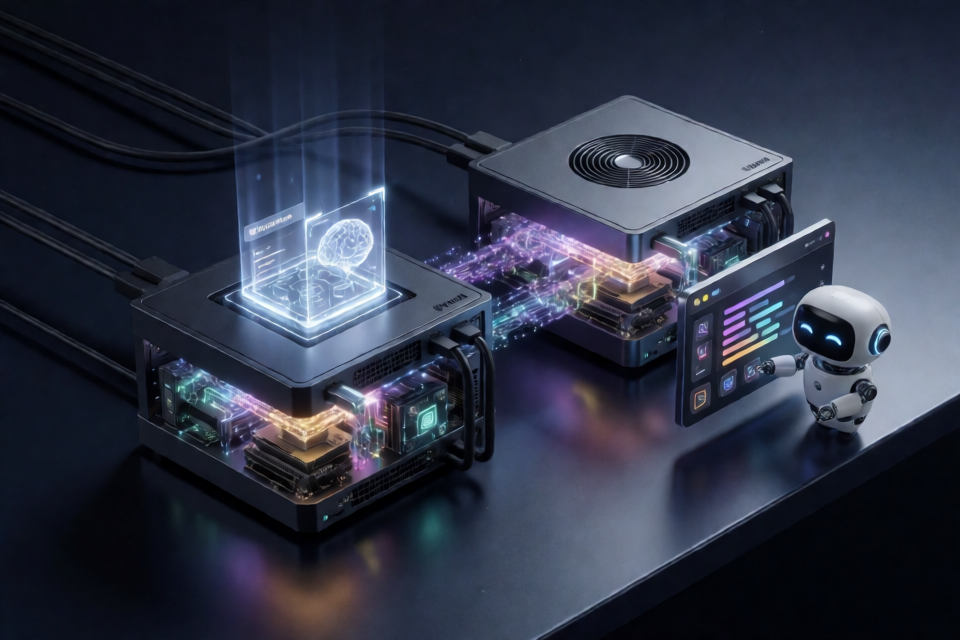
This project provides scripts for serving DeepSeek-V4.1-Flash across two NVIDIA DGX Spark nodes using vLLM. Tensor parallelism runs across the nodes over their QSFP/RoCE link, while the head node exposes an OpenAI-compatible API on port 8000.
The deployment uses the 0xSero/DeepSeek-V4.1-Flash-Spark checkpoint. Routed backbone experts are encoded as EXL3 trellis data with a reported average of 2.77 bits per weight. Attention, shared experts, routers, Engram tables, draft layers, vision components, embeddings, and the output head remain from the upstream checkpoint.
After deployment, you can use the model directly through its API or connect it to the Pi coding agent for coding and tool-assisted workflows.
Performance and capabilities
The README reports measurements from two DGX Spark GB10 nodes using tensor parallelism over RoCE, an FP8 KV cache, seven-token DSpark speculative decoding, disk-backed Engram tables, and two concurrent sequences.
- 8k prompt prefill: approximately 2,050 tokens per second.
- 32k prompt prefill: approximately 2,061 tokens per second.
- Code decoding: approximately 39–41 tokens per second for one stream.
- Two-stream code decoding: 60 tokens per second aggregate.
- Prose decoding: approximately 29 tokens per second for one stream.
- Maximum context per request: 262,144 tokens.
- KV cache pool: 2,023,717 tokens.
- Vision input, tool calls, and reasoning: smoke-tested successfully.
- 175k-token context recall: passed all six reported lab gates.
The first boot takes approximately 11–13 minutes because the weights and EXL3 banks are loaded, kernels are compiled, and CUDA graphs are captured.
Prerequisites
You need two DGX Spark nodes running DGX OS. Choose one as the head, which serves the API, and the other as the worker.
- A QSFP cable connecting the nodes, with RoCE enabled.
- At least one RDMA port in
ACTIVEstate on each node, verified withrdma link. - An IPv4 address on the corresponding fabric network for each node, such as
10.10.10.13and10.10.10.11. - Passwordless SSH from the head to the worker using the worker's fabric address.
- Docker with the NVIDIA runtime installed on both nodes.
- Your user must belong to the
dockergroup. - Approximately 700 GB of free NVMe space on the head and 470 GB on the worker.
python3,rsync, andcurlon both nodes.- Node.js and npm on the machine where Pi will run.
Clone the repository and define the worker
Run the following commands on the head node. Replace the SSH target with the worker's fabric address.
git clone https://github.com/0xSero/DeepSeek-V4.1-Flash-Two-Sparks
cd DeepSeek-V4.1-Flash-Two-Sparks
export WORKER=user@10.10.10.11
The scripts use WORKER to connect to the second Spark. Ensure that SSH key authentication works before continuing.
Download and distribute the checkpoint
Download the approximately 462 GB checkpoint to the default model directory on the head:
scripts/download.shThe download script also reassembles the Engram shards. Because Hugging Face limits individual files to 50 GB, two native shards are stored as .partNN files. The script reassembles them, verifies the six native shards against sha256-manifest.txt, and removes the part files. Set KEEP_PARTS=1 if you want to retain those parts.
Copy the completed model to the worker over the fabric:
scripts/copy-to-peer.shAs an alternative, run scripts/download.sh directly on the worker as well. The default model path is ~/models/DeepSeek-V4.1-Flash-Spark. If the worker uses another path, configure WORKER_MODEL_DIR before launching.
Pull the serving image
The project uses a vLLM image containing the EXL3 mixture-of-experts path and B12X Spark kernels. Pull the pinned image on both nodes:
docker pull ghcr.io/0xsero/deepseek-v4.1-flash-spark@sha256:5668e35e5ee021da4b9ce88a1964caf0e082e8ca01d81d1d64b6213a55c6add5The launch script pulls the image automatically if it is not already available, so this step can also be completed during startup.
Launch both tensor-parallel ranks
Start the two-node server from the head:
scripts/launch.shThe launcher detects active fabric interfaces, creates an API key at ~/.dsv41-two-sparks/api_key, starts memory guards on both nodes, launches rank 1 on the worker, and starts rank 0 on the head. It waits for the API to become available and allows up to 45 minutes for startup.
Use the same script to inspect or manage the deployment:
scripts/launch.sh status
scripts/launch.sh logs r0
scripts/launch.sh logs r1
scripts/launch.sh stop
The server listens on the head at http://127.0.0.1:8000 locally. Clients can use the head's reachable address, while rank-to-rank traffic must use the QSFP/RoCE fabric.
Run the smoke tests
Validate text generation, tool calls, and vision input with:
python3 scripts/smoke.py http://127.0.0.1:8000Each check reports PASS or FAIL. You can also run the optional benchmark:
python3 scripts/bench.py --out bench.json --conc 1 2The benchmark covers prefill, decode, and long-context speed without imposing output caps.
Use the OpenAI-compatible endpoint
The server exposes the following API details:
- Base URL:
http://<head-ip>:8000/v1 - Model name:
deepseek-v4.1-flash - Authentication: bearer token from
~/.dsv41-two-sparks/api_key
For example, retrieve the key from the head with:
ssh <head> cat ~/.dsv41-two-sparks/api_keyYou can then use the endpoint with any OpenAI-compatible client by configuring its base URL, model name, and bearer key.
Connect Pi to the model
On a machine with Node.js and npm, install and register the Pi provider. The command accepts the API base URL without the final model path:
pi/install.sh http://<head-ip>:8000/v1Set the API key in the shell that will start Pi:
export DSV41_API_KEY=$(ssh <head> cat ~/.dsv41-two-sparks/api_key)
pi --model dsv41-sparks/deepseek-v4.1-flash
The installer installs Pi if it is not already on your PATH, then adds or replaces only the dsv41-sparks provider in Pi's model configuration. It creates a timestamped backup first and leaves other providers untouched.
If you use an enabledModels list, the installer adds the served model to it. Set SET_DEFAULT=1 to make this model Pi's startup model.
The installed extension removes Pi's output-token limit for this provider, allowing responses to end naturally. It reads DSV41_API_KEY at request time and does not write the key to Pi's configuration.
Understand the default configuration
scripts/launch.sh reproduces the measured serving configuration. Important settings include:
- FP8 KV cache with
KV_BYTES=2700000000. - Maximum context length of
262144tokens. - Up to two concurrent sequences.
- Maximum batched tokens set to
2048. - DSpark speculative decoding with seven draft tokens and adaptive verification.
- Disk-backed Engram tables.
- B12X attention, linear, and MoE kernels.
- EXL3 routed experts with
ST_EXL3_PREFILL=st. FULL_DECODE_ONLYCUDA graphs.- B12X RoCE one-shot all-reduce and NCCL over RoCE for the remaining distributed operations.
- One image per multimodal prompt.
deepseek_v41reasoning and tool-call parsers.
Most settings can be overridden through environment variables. The model directory is controlled by MODEL_DIR, the worker's model directory by WORKER_MODEL_DIR, and persistent runtime data by STATE_DIR. The default state directory is ~/.dsv41-two-sparks.
The launcher mounts the model read-only at /model. It copies the EXL3 allocation plan into the state directory and rewrites its bank paths to the mounted EXL3 directories.
Keep traffic on the correct network
The vLLM, NCCL, and Gloo processes must bind to the QSFP/RoCE addresses rather than Wi-Fi, Ethernet, or Tailscale interfaces. The launcher normally detects active RoCE ports and sets variables such as:
VLLM_HOST_IPNCCL_SOCKET_IFNAMEGLOO_SOCKET_IFNAMENCCL_IB_HCA
If automatic detection selects the wrong interface, explicitly set HEAD_IP, WORKER_IP, HEAD_IFNAME, WORKER_IFNAME, HEAD_HCAS, or WORKER_HCAS. Use ip -br a and rdma link to identify the correct addresses and RDMA devices.
Manage memory safely
A DGX Spark shares a 128 GB memory pool between the CPU and GPU. If available memory reaches zero, the host may become unresponsive instead of cleanly terminating the container. The launcher starts scripts/memguard.sh on both nodes to stop the dsv41-r* containers when available memory falls below the configured floor.
Inspect the memory guard log at:
~/.dsv41-two-sparks/memguard.logWith the default configuration, steady-state available memory is reported at approximately 2–3 GiB. If the guard triggers, lower KV_BYTES or GPU_UTIL before increasing MEMGUARD_GIB.
Troubleshoot common issues
Startup is slow
A first boot can take around 12 minutes while weights load, EXL3 banks are prepared, B12X kernels compile, and CUDA graphs are captured. Kernel caches are stored under STATE_DIR/cache, so later launches may be faster.
Engram files are missing
If startup reports a missing file such as model-00005-of-00006.safetensors, the Engram shards were probably not reassembled. Run scripts/download.sh again. It resumes incomplete work and skips completed steps.
Fabric detection chooses the wrong interface
Check the addresses with ip -br a and the RDMA state with rdma link. Then provide the explicit head and worker interface, IP, and HCA variables described above.
Downloads are slow
If a Spark reaches the internet only through Wi-Fi, download the checkpoint on the node with the best uplink and use scripts/copy-to-peer.sh across the fabric.
Pi cannot see the model
Make sure DSV41_API_KEY is exported in the same shell that starts Pi. Run /model inside Pi to reload the model list.
Pi print mode waits indefinitely
When standard input is not a terminal, pi -p also reads from stdin. In scripts, redirect stdin from /dev/null:
pi -p < /dev/nullConclusion
This repository packages the model, serving image, distributed launch scripts, memory protection, validation tools, and Pi integration needed to run DeepSeek-V4.1-Flash across two DGX Sparks. Prepare the RoCE fabric, download and verify the checkpoint on both nodes, launch the two ranks, run the smoke tests, and then point compatible clients or Pi at the head node's OpenAI-compatible endpoint.