

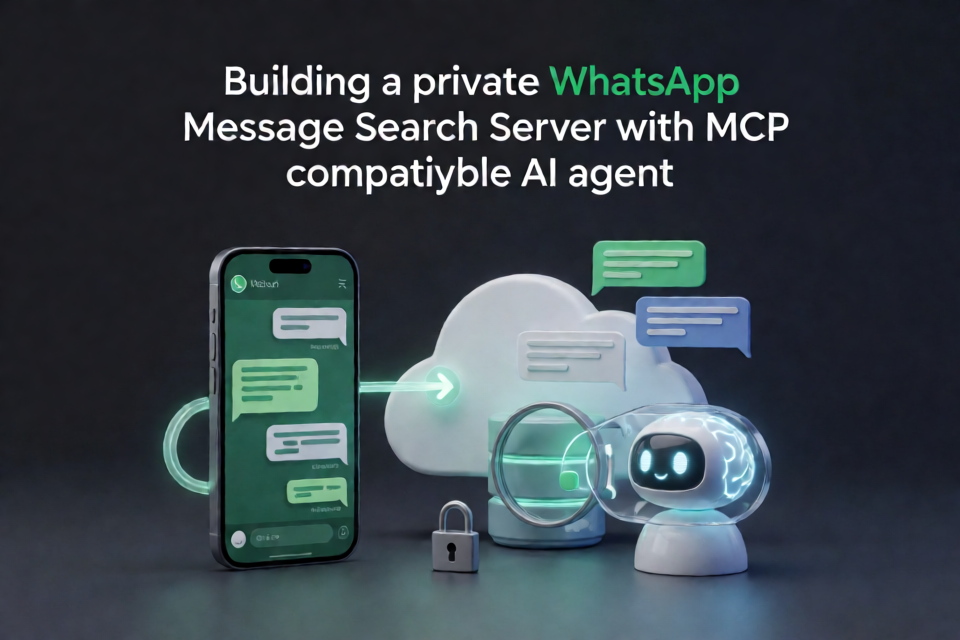
What whatsapp-mcp does
whatsapp-mcp is a small server that lets an MCP-compatible AI agent read and search your WhatsApp messages. It runs in your own Cloudflare account and links to your phone as a WhatsApp Web-style linked device.
After the initial setup, clients such as Claude Code, Claude Desktop, or other MCP applications can answer questions such as:
- What did Dana say about the flights?
- Find every message mentioning the lease across all chats.
- Summarize what I missed in the family group this week.
The server is intentionally read-only: it can collect, search, and display messages, but it cannot send WhatsApp messages.
How the system works
Your phone remains the source of truth. The Cloudflare deployment acts as a linked device and connects to WhatsApp only when it needs to synchronize data or when you are pairing the account.
When an agent requests information, the server pulls queued updates from WhatsApp if its stored copy is more than ten minutes old. A scheduled pull also runs once a day. After collecting messages, the server disconnects again. Your phone continues to work normally and keeps receiving notifications.
Messages are stored in a SQLite database inside a Cloudflare Durable Object in your account. The server does not send your message history to an external storage service.
Prerequisites
Before installing, prepare the following:
- A Cloudflare account on the Workers Paid plan.
- Node.js 20 or later.
- A phone with the WhatsApp account you want to link.
- An MCP client, such as Claude Code or Claude Desktop.
The paid Workers plan matters because importing a large WhatsApp history can exceed the default CPU limit. The repository raises that limit in wrangler.jsonc, and Cloudflare requires the paid plan for the higher limit.
Install and deploy
Clone the repository, install its dependencies, create the required KV namespace, store an owner password, and deploy the Worker:
git clone https://github.com/finereli/whatsapp-mcp
cd whatsapp-mcp
npm install

npx wrangler kv namespace create OAUTH_KV
npx wrangler secret put OWNER_PASSWORD
npm run deploy
The password must be at least 12 characters long. When deployment finishes, Wrangler prints a URL similar to https://whatsapp-mcp.your-name.workers.dev. Open that URL to continue setup.
If you want to use a custom domain, follow the comments at the bottom of wrangler.jsonc.
Link your WhatsApp account
The deployment page provides the remaining setup steps.
- Choose the option to link WhatsApp.
- Open WhatsApp on your phone and go to Settings, Linked Devices, and Link a Device.
- Scan the QR code shown by the server. If you are using the same phone and cannot scan its screen, use the phone-number pairing option instead.
- Wait while the first link imports the history that WhatsApp makes available to a new device.
The page shows import progress, and you can close it while the process continues. The initial import may not include every historical message because WhatsApp decides what history to provide to a newly linked device.
Connect an MCP client
In Claude Code, register the deployed server with its /mcp endpoint:
claude mcp add --transport http whatsapp https://your-url/mcpThen run /mcp in Claude Code and sign in with the owner password. Other MCP clients should be configured with the same URL:
https://your-url/mcpOnce authenticated, ask the agent to list chats, retrieve messages, or search your history.
Use the available tools
The MCP server exposes focused tools for reading and maintaining the local message copy:
list_chatslists chats, most recent first, with optional name or number filtering.get_messagesreads messages from one chat and supports paging backward or forward by date.search_messagesperforms full-text searches across all chats or within a selected chat.unnamed_chatsfinds chats known only by phone number, prioritizing the busiest chats and showing the latest message from the other person.set_contact_namessaves names for phone numbers so they can also appear correctly in group chats.sync_nowpulls new messages immediately.link_statusreports whether the account is linked, when it last synchronized, and how much data is stored.relinkremoves the current link and starts the pairing process again. Stored messages remain available.
Read tools automatically synchronize first when the stored copy is more than ten minutes old. You can therefore use natural-language requests without manually calling sync_now for every query.
Resolve chats that only show phone numbers
Some chats appear as phone numbers because WhatsApp does not provide a contact name to every linked device. This is common for one-off conversations or people who are not saved in your WhatsApp contacts.
Ask your agent:
Find names for my unnamed chats.The agent can call unnamed_chats, compare the numbers with a contacts integration it already has, and submit matches through set_contact_names. For example, a Google Contacts or Gmail connector may provide the matching names. The server itself does not log in to a contacts service.
Saved names are associated with the phone number and can therefore be used in group conversations as well. Some numbers will remain unnamed when no matching contact exists.
Understand media and message history
Media files are not downloaded. Images, voice notes, and documents are represented by labels such as [image] or [voice note 12s]. Captions are retained when WhatsApp provides them, but voice messages are not transcribed.
The first link imports whatever history WhatsApp chooses to send. History is normally delivered once per link. If the import is incomplete, relinking can request another import while keeping messages already stored. Ingest is designed to be idempotent, so re-importing does not intentionally create duplicate rows.
Relink the account
Relink if WhatsApp reports that the device was removed or if you want to start the pairing process again. Ask your agent to run relink, or open /setup and choose Unlink and scan again.
Scan the new QR code when prompted. Existing stored messages are kept, while the new link can fill in missing history.
Advanced configuration
The default deployment uses password authentication. The main configuration values include:
OWNER_PASSWORD: the owner password, with a minimum length of 12 characters.OWNER_EMAIL: the only permitted email address when login-service mode is used.OPERATOR_NAME: an optional name shown on the privacy page.DEFAULT_COUNTRY_CODE: a digits-only country code used when an agent saves a number without one.LOGIN_ORIGIN: switches the deployment to login-service mode.ALLOWED_ORIGINS: accepted origins for login-service tokens.PIN: an optional 32-character-or-longer value that enables protected debug routes through thex-pinheader.OAUTH_KVandWA: the KV and Durable Object bindings used by the application.
Keep deployment-specific values such as the domain, KV ID, and email in a gitignored wrangler.local.jsonc file. Deploy local configuration with:
npm run deploy:localDebug synchronization problems
If you configure PIN, the server provides protected diagnostic endpoints. Send the PIN in the x-pin header:
/debugshows the session phase, link state, counts, and recent session events./debug/pullstarts a synchronization immediately./debug/chats?q=,/debug/messages?chat=,/debug/search?q=, and/debug/typesinspect stored data./debug/unnamedshows the chats returned byunnamed_chats./debug/sql?q=runs one read-onlySELECTquery against the store./debug/logoutperforms the equivalent of relinking.
After a successful deployment, a useful verification sequence is to check that /debug reports an idle session and a linked account, run /debug/pull, and then test chat listing, message retrieval, full-text search, unnamed-chat handling, and contact naming.
Develop locally
For local development, create a .dev.vars file containing a sufficiently long password and start the Worker:
OWNER_PASSWORD=your-12-character-or-longer-password

npm run dev
Local development uses a separate Durable Object with empty storage. It can exercise the sign-in flow and display a real QR code, but linking a phone locally creates another linked device.
Before submitting code changes, run:
npm run typecheck
npm test
The test suite runs the store code against Node's built-in SQLite on Node 22.13 or later. Full-text search is not covered by that SQLite environment, so test search after deployment as well.
Important security and platform considerations
This project is not an official WhatsApp integration. WhatsApp does not provide an API for reading personal messages, and this project uses the same protocol as WhatsApp Web through the open-source Baileys library. That use may violate WhatsApp's terms. Use it only with your own account, and remember that practical risk is low for a read-only linked device but not zero.
One deployment is intended for one person and one WhatsApp account. Each deployment stores a complete message history and a live account login, so users should run separate deployments rather than sharing one.
Messages remain inside the Durable Object's SQLite storage, but anyone who gains access to the deployment credentials or owner authentication could access the stored history. Protect the password, Cloudflare account, secrets, and any debug PIN carefully.
Conclusion
whatsapp-mcp provides a practical bridge between WhatsApp's linked-device protocol and MCP clients. Deploy it to Cloudflare, link your phone once, connect an agent to /mcp, and use tools such as search_messages, get_messages, and set_contact_names to explore your own message archive. Its read-only design, private Durable Object storage, scheduled synchronization, and explicit relinking workflow make it suited to personal message search while keeping the deployment under your control.