

What Problem Does the Project Solve?
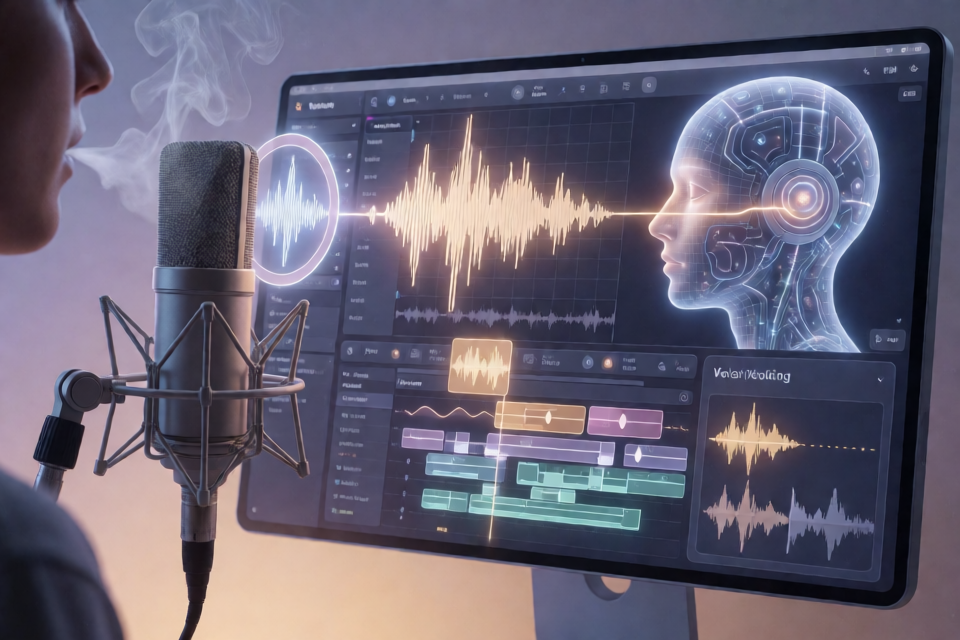
This project is not an off-the-shelf software package, but a method for AI voice production refined through real listening tests. It addresses several common problems: breaths landing awkwardly in silence, too much space between breath and dialogue, a voice suddenly becoming formal after a pause, the model repeating or skipping lines, and room tone failing to connect naturally after dialogue is cut.
The complete workflow revolves around four tasks: synthesizing voices with ElevenLabs v4, processing audio with ffmpeg, transcribing and checking content with Whisper, and using NumPy to analyze loudness, pitch, and sample positions.
The key conclusion is not “add more breathing,” but “put the breath in the right place”: a short breath before speaking should sit close to the first word, the end of a line should naturally release into a breath, and breaths within a sentence should remain between half-lines.
Core Capabilities and Methods
- Place breaths close to dialogue: Identify light, short breaths before speech and move only the silence, placing the breath about 0.08 seconds from the dialogue.
- Correct abrupt loudness: Measure each voiced segment and moderately reduce segments more than 4 dB above the median.
- Non-destructive line editing: Cut dry voice audio at silent points, then rebuild the looping room tone while preserving as much of the approved performance as possible.
- Detect repetition and omissions: Transcribe the synthesis with Whisper, compare “what was heard” with “what should have been spoken,” and regenerate when anomalies appear.
- Synchronize action sounds: Put sound markers on the line where the action actually begins rather than uniformly at the start of a dialogue round.
- Shape an everyday voice: Do more than soften the voice; define the character’s pace, pitch, confidence, and speaking habits.
Environment Setup
Required Tools
- ElevenLabs v4: Handles text-to-speech. The project was tested with v4.
- ffmpeg: Used to decode, trim, concatenate, resample, and export audio.
- Whisper: Transcribes generated results to detect repetition, omitted lines, and content discrepancies.
- NumPy: Used for audio-array processing, cross-correlation, loudness calculation, and segment movement.
The README's tested environment is macOS. It does not provide a fixed installation script, so install each tool according to its official instructions and confirm that ffmpeg, Whisper, and Python all run correctly.
Before analysis, decode the audio into a mono waveform with a consistent sample rate, and prepare two sets of fixed-step data: per-frame pitch f0 and per-frame root-mean-square loudness rms. The original workflow uses a 10-millisecond frame step. Because the loudness-analysis window blurs boundaries by several dozen milliseconds, leave a small margin when moving segments.
Always Save Two Voice Versions
Save the following versions after every generation:
- Dry voice: Voice only, without room tone or action sounds.
- Wet voice: The final version with room tone layered beneath the voice.
The dry voice is useful not only for measuring breaths, but also for preserving the original performance when deleting a line, replacing a segment, or rebuilding the background later. Do not save only the final mix.
Step 1: Write Breath Prompts Correctly
Do not place “mm,” “ha,” or breath tags one per line between long silences. The resulting audio often has a noticeable pitch, loudness close to normal speech, and long dead silences on either side, making it sound like an independent sound effect.
It is recommended to write breaths into the line containing the dialogue:
[low, breathy, wet]
[inhales] Look at me... [exhales]
[long pause]
Mm... don't hide... mm... ha...- At the start of a line, use only short breath tags such as
[inhales],[exhales], or[sighs]. - Do not add a string of ellipses between the tag and the dialogue.
- At the end of a line, you can naturally release into a breath or use two or three consecutive, softer vocal sounds.
- For a gap, write only one line containing
[long pause]; do not arrange independent hums inside the gap. - You can also place an inhale within a line; choose only one or two positions from the beginning, middle, and end.
Writing two consecutive [long pause] tags does not necessarily make the pause noticeably longer. In project tests, one tag produced about 0.96 seconds of silence, while two in a row produced about 1.04 seconds. Do not rely on the literal tags to control exact duration.
Step 2: Divide the Voice into Measurable “Segments”
Here, a “segment” means a continuous voiced section. Measure three metrics for each segment: duration, average loudness, and the proportion of frames containing pitch. These help distinguish normal dialogue, genuine breaths, and isolated pitched hums.
def is_breath(f0, rms, a, b):
    dur = (b - a) * 0.01
    voiced = (f0[a:b] > 0).mean()
    db = 20 * np.log10(rms[a:b].mean() + 1e-9)
    return 0.12 <= dur <= 0.9 and voiced < 0.15 and db < -29
The typical ranges in the original project were:
- Quiet, breathy dialogue: About 0.5 to 2 seconds, roughly −22 to −27 dB, with pitched frames making up about 20% to 40%.
- Inhales, exhales, or hisses: About 0.3 to 0.65 seconds, roughly −32 to −40 dB, with pitched frames making up about 10%.
- Detached isolated hums: About 0.4 to 0.5 seconds, potentially reaching −25 dB, with more than 60% pitched frames and often 0.6 to 1 second of silence before and after.
These thresholds come from a specific voice and sample set and should not be treated as universal standards for every voice. A more reliable approach is to have listeners identify problems first, then establish ranges for that voice using neighboring normal segments.
Step 3: Move Pre-Speech Breaths Close to the Dialogue
Even when the prompt is written correctly, the model may leave 0.3 seconds or more of silence between a breath and the dialogue. Prompts are difficult to control at the scale of tens of milliseconds, so the audio segment needs to be moved after generation.
The structure before and after can be understood as follows:
Before: previous line → silence A → breath → silence B → next line
After: previous line → longer silence → breath → 0.08 seconds → next line
During processing, only exchange the positions of the breath and silence. Do not change the breath or dialogue themselves, and do not change the total duration of the section. This preserves the existing timeline, sound layering, and speech-rate statistics.
A suitable candidate for moving should meet these conditions:
- It is classified as a light, short breath without obvious pitch.
- A speech segment appears about 0.14 to 1.5 seconds after it.
- At least about 0.3 seconds of blank space precedes it.
- An inhale immediately following the first half of a line should not be moved, to avoid disrupting natural mid-line breathing.
The README's tested target gap is about 0.08 seconds. When moving a segment, include about 0.02 seconds extra at the breath's head and about 0.03 seconds extra at its tail, and apply fades of about 4 milliseconds to both ends at the new position to reduce the sense of a splice.
Step 4: Correct the “Formal Voice” After Pauses
Some voices return to a clearer, louder, less breathy speaking state after a long pause. In one case, an abnormal short line was more than 6 dB louder than the surrounding content, and the proportion of pitched frames rose from about 30% to 60%.
First Reduce Its Likelihood Through Prompting
- Place a breath immediately after the pause, or ease into the dialogue with a low hum.
- Use a drawn-out ending rather than ending every line with a crisp question mark or period.
- Combine two- or three-word short lines with adjacent lines to avoid having them spoken as clear announcer-style speech on their own.
- When the voice needs to be re-emphasized, insert a small tag at the start of the line rather than giving it a separate line every time.
[long pause]
Mm... [low, breathy] don't hide...
If the segmenter creates a new segment at every voice-style tag at the beginning of a line, this inline form can also reduce splices and pitch jumps.
Then Suppress Abnormal Loudness Programmatically
Calculate loudness segment by segment, using the median of all speech segments in the current passage as the reference. If a segment is more than 4 dB louder, reduce it until it is only about 2 dB louder, with a maximum attenuation of 6 dB and an envelope fade of about 25 milliseconds at both ends.
Measure each segment, not each line. If a half-second burst is averaged together with a following long line, an abnormal 6 dB increase may be diluted below the threshold. Code can correct volume, but it cannot directly restore a timbre that lacks breathiness, so prompting and post-processing must be used together.
Step 5: Perform Transcription QA Immediately After Synthesis
The model may occasionally repeat a line two or three times or omit the final line entirely. The script itself may be completely correct, so every synthesized segment should be checked against a transcription.
The project uses two signals:
- After removing bracketed tags and common vocal fillers, look for sequences of at least six Chinese characters that repeat in the transcription even though they appear only once in the script.
- Compare the transcription length with the script length; if it is about 20% shorter than expected, treat it as a possible swallowed line.
When an anomaly is detected, regenerate once, score both versions, and keep the version with the lower score. Vocal fillers are often transcribed inaccurately, so characters such as “mm,” “ha,” “ah,” and “uh” should not be the primary basis for reconciliation.
In a live phone workflow, transcribing 20 to 30 seconds of audio with Whisper may take about three seconds. Later segments can be checked in the background while the current segment plays. The first segment has no playback time available to hide the delay, so begin with a quick screen based on duration divided by effective character count. In the original case, the normal range was about 0.41 to 0.62 seconds per character; start full transcription when the value falls outside that range.
Step 6: Remove a Line Without Regenerating
If the listener likes a specific performance, do not re-record the entire section just because one line needs to be removed. Every generation is a new performance, and breaths, pauses, and line endings are difficult to reproduce precisely.
- Locate silence: First plot loudness in roughly 50-millisecond units, then transcribe candidate short segments individually to confirm whether each is dialogue, a breath, or blank space.
- Cut the dry voice: Place both ends of the splice at the quietest points and leave fades of a dozen or so milliseconds at the head and tail of each piece.
- Rebuild the room tone: Do not cut the already-layered final mix directly, or the rhythm of the looping room tone may jump at the splice.
- Transcribe again: Confirm that only the target lines remain in the final output.
- Compare sample by sample: Check that unchanged areas still match the original voice.
If it is unclear which looped material was used in the wet voice, extract the finished waveform from an interval where the voice is completely silent, then loop each candidate source and perform cross-correlation. The highest correlation can reveal the source phase, while the dot product can estimate the background gain. In one case, the correlation between two source materials reached 0.99, with estimated gains of about 0.200 and 0.241.
The comparison must be sample-accurate. An offset of just a dozen samples can noticeably reduce similarity and create a false impression that the wrong material was used. After alignment, the unchanged segments in the case reached similarities of 0.996 to 0.998.
Step 7: Start Sound Effects at the Correct Moment
The project uses custom markers in the prompt to determine the type of underlying sound, then removes those markers before sending the text to ElevenLabs. The key rule is: write the marker on the line where the sound begins.
licking: Corresponds to slow wet sounds.fingering: Corresponds to stickier action sounds; usefast fingeringfor a fast state.sucking: Corresponds to slow wet sounds.thrust: Appears only before the line where the action actually begins; do not place it at the start of the entire dialogue round.still: Used to stop the current looping sound.
If a marker triggers segmentation, preserve a new splice where the action actually begins. Other small tags used only to reinforce the voice style should be placed inside the opening of the line whenever possible.
Step 8: Design an Everyday Speaking Voice
“Unnatural” does not necessarily mean that the voice is not gentle enough. The original project first upgraded the old model to ElevenLabs v4 and tested more relaxed, softer prompts, but listeners felt that the character had become a different person. The approach that ultimately worked was to define the character’s own manner of speaking.
The selected base prompt was:
[low, slow, confident, a little teasing]The corresponding setting was v4 with a stability of 0.35. At the start of a line, randomly add [exhales], [chuckles softly], an “mm...,” or nothing at all. Do not add one every time, or natural variation will turn into a fixed verbal tic.
- Modify only the text sent for synthesis; do not change the original text in the chat interface or history.
- If a line already begins with a vocal filler, do not add another one.
- Existing voice-style tags and purely English content can skip automatic wrapping.
- Use a separate prompt system for phone calls; do not apply the randomized line openings from everyday speech.
Advanced Techniques and Common Pitfalls
Write Prompt Rules as “What to Do”
A statement such as “do not write a certain sound” may cause the text generator to stop using it entirely. A more reliable approach is to explicitly state the required type, position, and minimum frequency, then let the program detect occasional high pitches or abnormal readings.
Do Not Reuse the Same Breath
When carrying a favored original segment into a new version, you can source it from the same generation, but do not use the same breath in two locations. Otherwise, listeners may notice that exactly the same detail has been copied.
Build a Searchable Asset Library
Save approved inhales, hisses, and short breaths with their original files, time ranges, and usage locations. If a breathing tag later produces only silence, you can add a breath from the asset library. The README also notes that automatic breath insertion still requires a timestamped interface; simply detecting “silence in the middle of a sentence” cannot distinguish a missing breath from a normal pause at an omitted phrase.
Handle interruptions in real-time calls
When the system has not yet played the response and the other person starts speaking, discard the queued response before it is heard and process the new content immediately. Do not cache the new speech until the old response finishes playing, or the same statement may receive two responses. For short sounds that cannot be recognized as text, the original process extends the wait before automatically inserting a vocalization from 2.5 seconds to 4.5 seconds, reducing the chance of triggering before the real speech begins.
Listen for the problem first, then decide what to measure
Loudness, pitch, silence duration, word-count ratios, and cross-correlation can only verify problems that have already been identified. None can independently determine whether the “feel” is right. The most effective process is still to have a listener identify the specific unnatural point first, then establish the corresponding metrics.
Recommended complete workflow
- Write text with markers for voice quality, breaths, pauses, and sound effects.
- Remove sound-effect markers intended only for post-processing, then send the remaining text to ElevenLabs v4.
- Save the dry voice and transcribe it with Whisper to check for repetitions, omitted lines, and content deviations.
- Calculate
f0andrms, then divide the audio into speech, breath, and other voiced segments. - Move pre-utterance breaths to about 0.08 seconds before the line, while preserving in-line breaths.
- Detect abrupt loudness changes segment by segment and apply smooth fades to abnormal segments.
- Lay in looping sound effects according to the action markers and export the wet version.
- Transcribe again and check total duration, the number of long silences, breath positions, and sample-level similarity in unmodified regions.
- Save the original segments approved by the listener along with their time ranges; do not keep only the final mix.
Conclusion
Natural AI speech does not come from stacking more breathing tags. A more reliable approach is to keep breath close to the speech, start action sounds at the right moment, verify every synthesized result through transcription, and preserve the original performance whenever editing is needed.
Prompts determine “what to say” and “in what manner,” while code handles positions down to tens of milliseconds, abnormal loudness, repeated or omitted lines, and sample-level transitions. Together, they can turn one accidentally great voice take into a repeatable production workflow. For more background, see the ElevenLabs prompting guide, the ElevenLabs guide to breathing sounds, and the research on speech breathing.