

What is XXD Panel 100?
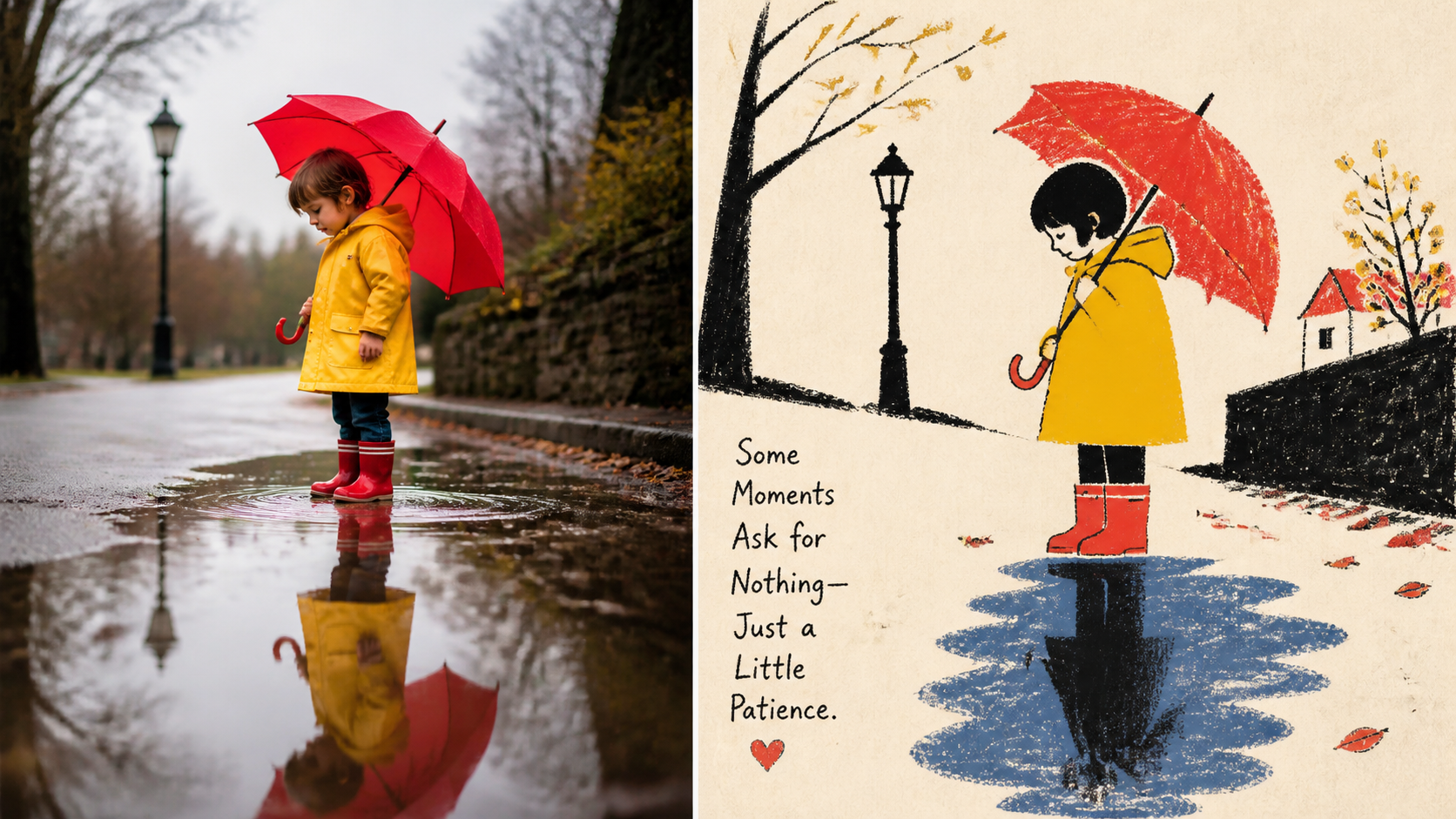
XXD Panel 100 is an AI agent skill that transforms a photograph into tactile, naïve folk narrative artwork. It identifies the source image’s memorable subject, action, and relationships, removes unnecessary background complexity, and retells the scene through primitive silhouettes, flattened perspective, folk symbols, and dry-media texture.
The resulting style combines crayon, oil-pastel, and coarse-pencil grain with warm paper, dark silhouettes, and a small palette of vivid colors derived from the source. The project produces raster PNG files and is designed for use through compatible Codex or Claude Code skill environments.
A useful first request is: Use XXD Panel 100 on this image and recommend the most suitable composition and size first.
This landscape example demonstrates the project’s use of simplified forms, source-led color, tactile surfaces, and an editorial composition.
How the transformation works
Panel 100 follows a concise visual reduction process:
read subject and relationship → remove complex background → compress into naïve silhouettes and primitive forms → retell through flattened perspective → derive a few vivid source colours → finish with dry-media grain and folk-editorial letteringThe source remains recognizable through its subject, pose, and narrative relationship, but redundant details are removed. Dark areas should retain rubbing, layering, breaks, and visible paper instead of becoming smooth digital fills.
Recognizable visual traits
- Simplified silhouettes and large primitive forms
- Compressed proportions and controlled exaggeration
- Flattened rather than realistic perspective
- Warm paper with dark structural shapes
- A few vivid accents derived from the photograph
- Crayon, oil-pastel, or coarse-pencil grain
- Text presented like a sign, note, menu, or publication annotation
The style deliberately avoids realism, smooth vectors, complex perspective, 3D rendering, template effects, cute stickers, and conventional children’s-cartoon aesthetics.
Key output modes
You can select one or more modes. When several modes are requested, Panel 100 generates each one independently rather than forcing all variations through a shared template.
- top-bottom: Produces one complete canvas with the original reality view above and the transformed design below.
- left-right: Places the source on the left and the transformed design on the right. The widths may be asymmetric, and typography stays within the composition instead of creating a separate footer.
- design-only: Uses the source as a non-visible reference. Every visible element follows Panel 100’s transformation language.
- wallpaper-pack: Creates independently composed full-canvas wallpapers for four device categories, without a visible source-photo region.
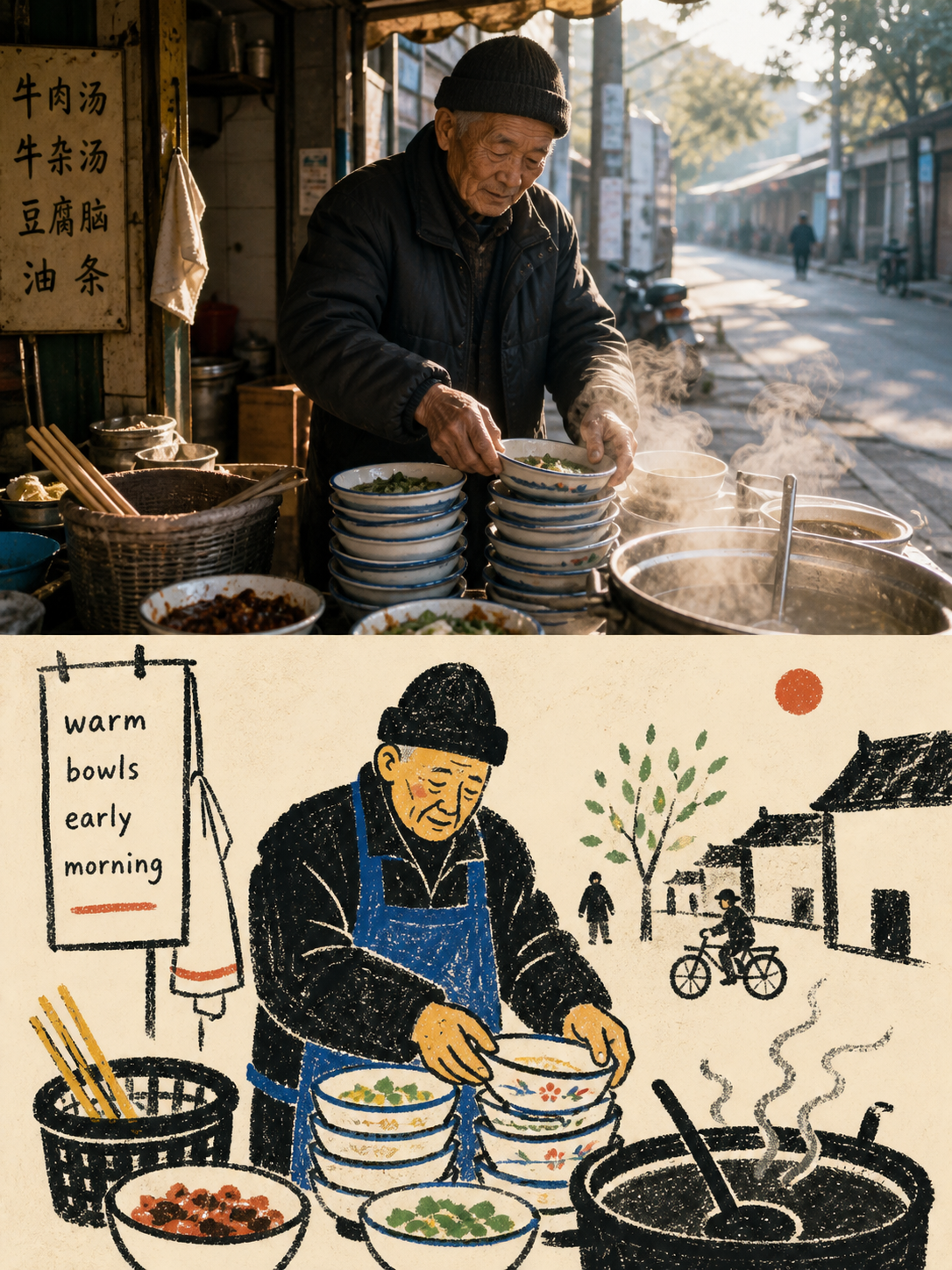
A portrait composition is useful for formats such as 3:4 artwork, covers, social posts, and mobile-oriented designs.
Installation and setup
Install for Codex
Clone the repository, create the Codex skills directory, and link the project into it:
git clone https://github.com/nevertoday/xxd-panel-100.git
mkdir -p ~/.codex/skills
ln -s "$(pwd)/xxd-panel-100" ~/.codex/skills/xxd-panel-100
Run these commands from the directory in which you want to keep the cloned repository. The symbolic link points Codex to that local checkout.
Install for Claude Code
Claude Code users can link the same repository under ~/.claude/skills/xxd-panel-100 instead. After creating the link, restart the agent session so the skill is discovered.
Check image-generation access
GPT Image 2 is the preferred image model. Another compatible bitmap model can be used when it is genuinely available and can preserve the source, honor the whole-canvas ratio, render the requested language, and support linked wallpaper references when needed.
If no suitable image-generation route is available, the skill asks you to enable an image tool or provide an API key. User-provided credentials are intended only for the current task and should not be echoed, logged, or persisted.
Basic usage
Start the skill and provide a local photograph, uploaded image, or another explicitly supplied source:
$xxd-panel-100
Use this photograph, ask me for the modes and copy setting, then generate fresh raster outputs.
If you do not provide all delivery settings, the skill asks for the missing choices according to the interaction features available in the host. You can also pass every setting inline to skip the preflight questions.
Create a top-bottom comparison
This command requests an automatically selected canvas and prompt-generated British English text:
/xxd-panel-100 photo.jpg --mode top-bottom --size auto --text prompt --locale en-GBCreate a text-free left-right layout
/xxd-panel-100 photo.jpg --mode left-right --size 3:2 --text noneCreate design-only portrait art
This example produces a 9:16 design with Japanese model-generated wording:
/xxd-panel-100 photo.jpg --mode design-only --size 9:16 --text prompt --locale ja-JPChoosing sizes
Panel 100 has no silent default size. Choose automatic fitting, preserve the source aspect ratio, request one or more standard ratios, or provide custom ratios and exact pixel dimensions.
Supported ordinary ratios include 1:1, 3:4, 4:3, 4:5, 5:4, 2:3, 3:2, 9:16, 16:9, 21:9, 5:7, and 7:5. You can also use auto, source, a custom ratio such as 11:14, or exact pixels such as 2160x3840.
/xxd-panel-100 photo.jpg --mode design-only --size 1:1,3:4,16:9 --text noneEvery distinct aspect ratio is independently recomposed from the same source brief. The system does not merely crop one generated image into several shapes.
Controlling visible text
Resolve one of three text modes before generation:
- Prompt-generated text: Use
--text promptand provide a locale. The image model follows the canonical brief’s wording, amount, tone, and typography rules. - Exact text: Use
--text exact, or pass wording through--copy. The supplied text is used verbatim without rewriting, translating, or adding a title. - No text: Use
--text noneto prohibit visible text and pseudo-text.
For prompt-generated copy, documentary or factual wording must be grounded in supplied, visible, or verified facts. Output language is controlled independently from the interface language and should not be inferred from a person, scene, or filename.
/xxd-panel-100 photo.jpg --mode design-only --size 3:4 --copy "Let the light stay" --locale en-GBGenerating several deliverables
Modes and sizes can be combined. Two modes multiplied by three sizes produce six independently composed assets:
/xxd-panel-100 photo.jpg --mode top-bottom,design-only --size 1:1,3:4,9:16 --text prompt --locale en-GBRepeated parameters also accumulate:
/xxd-panel-100 photo.jpg --mode top-bottom --mode left-right --size 3:4 --size 16:9 --text none --out ./deliveriesEach invocation creates a fresh task directory. Final PNG files are written directly into that directory without source, mode, size, or device subfolders. Filenames identify the source order, sanitized source name, mode, ratio, and output dimensions.
Creating wallpaper packs
Wallpaper packs support two relationships:
- Linked: Panel 100 creates an anchor image and then recomposes the other device versions from the original source plus that anchor.
- Independent: Each device wallpaper is composed independently.
A linked pack does not crop one image into four sizes:
/xxd-panel-100 photo.jpg --mode wallpaper-pack --wallpaper linked --text noneYou can override the device resolutions for an independent pack:
/xxd-panel-100 photo.jpg --mode wallpaper-pack --wallpaper independent --wallpaper-size phone=1440x3200,ipad=2048x2732,desktop=3840x2160,watch=1024x1024 --text noneBatch-process a directory
Pass an image directory instead of a single file to enter batch processing automatically. No separate batch switch is required:
/xxd-panel-100 "/path/to/photos" --mode design-only --size auto,9:16 --text prompt --locale en-GBThe skill recursively inventories common raster image formats, reports the number found, and resolves shared mode, size, text, and locale settings once. It then processes every source independently so content and copy do not leak between images. A failed item is recorded without silently dropping later files.
Advanced tips
Reuse delivery preferences
Panel 100 can remember the last delivery configuration, including modes, sizes, text mode, locale, wallpaper relationship, and output location. It does not store source images, exact copy, results, credentials, or model routes.
/xxd-panel-100 photo.jpg --prefs last
/xxd-panel-100 photo.jpg --prefs edit
/xxd-panel-100 photo.jpg --prefs new
Use last to reuse the previous configuration, edit to reuse and modify it, or new to start fresh. The additional values off and clear disable or clear preference use. Explicit settings in the current command always take priority.
Use exact geometry only when necessary
Paired layouts normally use one complete-canvas image generation so the model controls the entire composition. Deterministic assembly is reserved for requests that require exact panel geometry or pixel-identical source preservation. The included composition script is a recovery, calibration, and audit tool rather than the default creative path.
Keep the canonical aesthetic intact
The Chinese canonical prompt is the sole creative and aesthetic authority. Runtime parameters should control delivery variables such as mode, dimensions, copy, locale, and wallpaper relationships without rewriting the underlying transformation style. Reading translations are available, but they do not replace the canonical runtime brief.
You can review the skill workflow, the canonical source prompt, and the English runtime adapter for the full specification.
Conclusion
XXD Panel 100 provides a structured way to turn photographs into recognizable folk-editorial artwork while preserving the source’s central story. Start with one design-only or comparison output, choose an explicit size and text mode, and then expand into multiple ratios, wallpaper packs, or directory batches when you need a larger delivery set.