

Project Overview
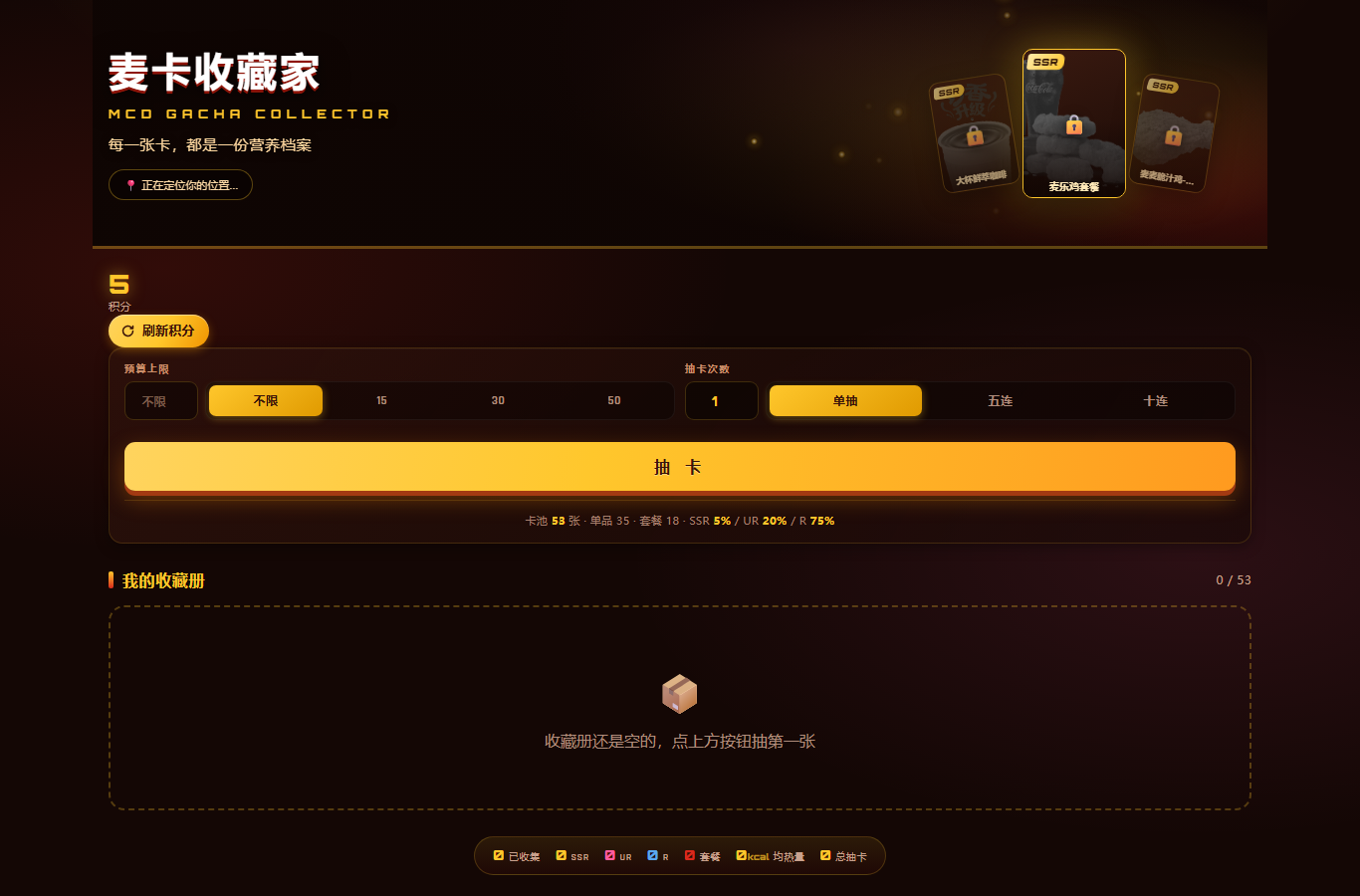
McDonald's Card Collector (mcd-gacha-collector) is a WorkBuddy Skill built on McDonald's China MCP. It converts McDonald's menu items into cards that can be drawn and collected, displaying price, calories, protein, sodium, and health score on each card.
The project uses MCP to retrieve real-time menus, nutrition data, stores, and prices, then uses a local Python engine for health scoring, rarity classification, budget filtering, and weighted draws. After drawing a purchasable item, it can also create a real order after price calculation and a second confirmation.
The repository's nutrition data covers about 160 menu items, while the current web card pool contains 53 cards generated from real menu information. This project is a competition entry and is not an official McDonald's product.
Core Features
- Budget-based draws: You can make natural-language requests such as “draw one card under 50 yuan.” The system filters by price first, then performs a weighted draw.
- Nutrition and health score: Calculates a health score from 0 to 100 using data returned by MCP, and displays calories, protein, fat, sodium, and other information.
- SSR, UR, and R tiers: Rarity is determined by the health-score distribution rather than assigned manually. Relative tiers can adapt to different store menus.
- Local collection book: Draw records are stored in
ledger.json. Duplicate cards increase the draw count and can be aggregated to calculate average calories and health score. - Points system: The Skill automatically restores 1 draw opportunity every 4 hours; the web version uses manual refresh with a 60-second cooldown.
- Real ordering: It calls MCP to calculate the price, requires explicit user confirmation, and only then calls
create-order. - Offline experience: Sample data is included, so draws, collections, and HTML card rendering can be tested without configuring an MCP Token.
- Zero third-party dependencies: Core scripts use the Python standard library and require Python 3.8 or later.

How It Works
The project follows the design principle “let MCP retrieve data, let code handle calculations, and let the Agent handle expression.” The WorkBuddy Agent interprets user intent, McDonald's MCP provides real business data, and gacha.py performs deterministic calculations.
User requests a draw, nutrition lookup, or order
→ WorkBuddy Agent calls McDonald's MCP
→ Retrieves time, store, menu, price, and nutrition data
→ gacha.py calculates health score and rarity, then performs the draw
→ render.py generates a card or collection-book page
→ User chooses to purchase
→ calculate-price calculates the price
→ User confirms a second time
→ create-order creates the order
Amounts, health scores, and rarities are not calculated by the language model. Prices come from MCP, while scoring and draws are handled by Python code, reducing calculation drift and errors.
Before You Start
- Install Python 3.8 or later.
- Install and be able to use WorkBuddy.
- Prepare an accessible McDonald's China MCP Token; a Token is not required for offline examples.
- Ensure that WorkBuddy can read the user's skill directory.
Option 1: Try It Online
If you only want to view the interface and draw demonstration, open the McDonald's Card Collector online page. The page attempts to determine the city through the IP address, then uses the store lookup capability to select a nearby store, without requiring you to enter an address manually.
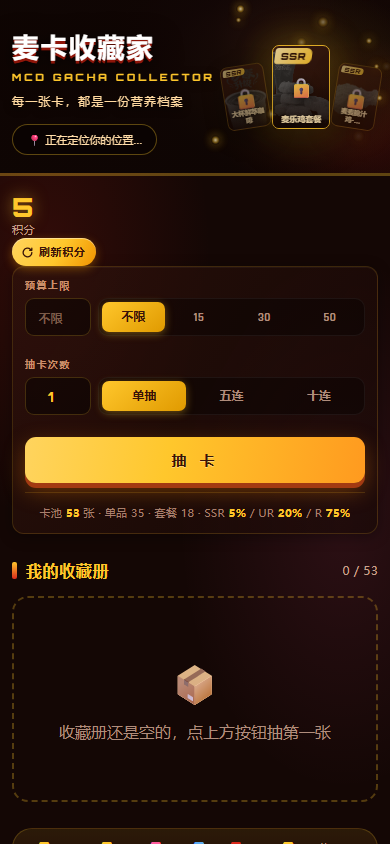
Due to deployment-environment limitations, the public web page cannot inject a personal MCP Token. The online version is suitable for trying location, store, and card interfaces; real ordering must be completed through a local backend or a WorkBuddy Skill configured with a connector.
Option 2: Install in WorkBuddy
Step 1: Clone the Repository
git clone https://github.com/YOUR_GITHUB_USER/mcd-gacha-collector.git
cd mcd-gacha-collector
The repository URL in the README uses a placeholder. In practice, replace YOUR_GITHUB_USER with the repository owner's name, or copy the clone URL provided by the GitHub page directly.
Step 2: Apply for a McDonald's MCP Token
Visit the McDonald's MCP Open Platform, sign in with a mobile number, activate the service in the console, and copy the Token. A Token is a sensitive credential. Do not write it to a public repository or commit it to Git history.
Step 3: Configure the MCP Connector
- Open “Experts · Skills · Connectors” on the left side of WorkBuddy.
- Enter “Connectors” and select “Custom Connector” in the upper right.
- Select “Configure MCP.”
- Copy the contents of
mcp-config.example.jsonfrom the repository. - Replace
${MCD_MCP_TOKEN}with the real Token, or inject it through an environment variable. - Save the configuration and enable the connector.
Using an environment variable to manage the Token is recommended. Regardless of the method, do not commit a configuration file containing real credentials to version control.
Step 4: Copy the Skill
Run the following on macOS or Linux:
cp -r skills/mcd-gacha-collector ~/.workbuddy/skills/The WorkBuddy user skill directory on Windows is:
%USERPROFILE%\.workbuddy\skills\Keep the entire mcd-gacha-collector directory when copying it, including SKILL.md, core scripts, reference documents, and resource files.
Step 5: Verify the Installation
Return to the WorkBuddy dialog and enter:
Draw a McDonald's cardIf the Skill can call the menu and nutrition tools and return a card with rarity, price, and calories, the installation and MCP connection are working.
Basic Usage
Draw One Card by Budget
Draw one card under 50 yuanThe Skill retrieves the current store's available menu and nutrition data, filters for items priced at no more than 50 yuan, and then performs a weighted draw. The README's tested example drew UR Sunshine Lemon Black Tea, Medium, priced at 10 yuan, with 117 kcal and a health score of 63.4.
Actual results depend on the store menu, real-time prices, card-pool structure, and random draw results, so the item and price in the example should not be treated as fixed output.
Perform a Ten-Card Draw
Do a ten-card drawWhen enough points are available, the Skill draws 10 cards consecutively and displays the results in a more complete format. If there are not enough points, it explains how many opportunities are missing and when the next opportunity will be restored.
View the Collection Book
Show me my collection bookCollection data is aggregated from the local ledger.json. Results can include the number of collected cards, counts of SSR, UR, and R cards, duplicate counts, average calories, and average health score.
Query Nutrition Information
How many calories are in a Big Mac?The Skill looks up the item through list-nutrition-foods. The example result in the README is: a Big Mac has 513 kcal, 27 grams of protein, 26 grams of fat, 961 milligrams of sodium, and a health score of 32.2, placing it in the R tier. Nutrition information should still be based on the official data returned by MCP at that time.
Find Nearby Stores
McDonald's near me?The system first uses IP geolocation by default to obtain the city, then calls query-nearby-stores and sorts stores by the distance field returned by MCP. Because the store API's latitude and longitude may be 0.0 in testing, the project does not rely on those coordinates to calculate distance itself.
View Remaining Points
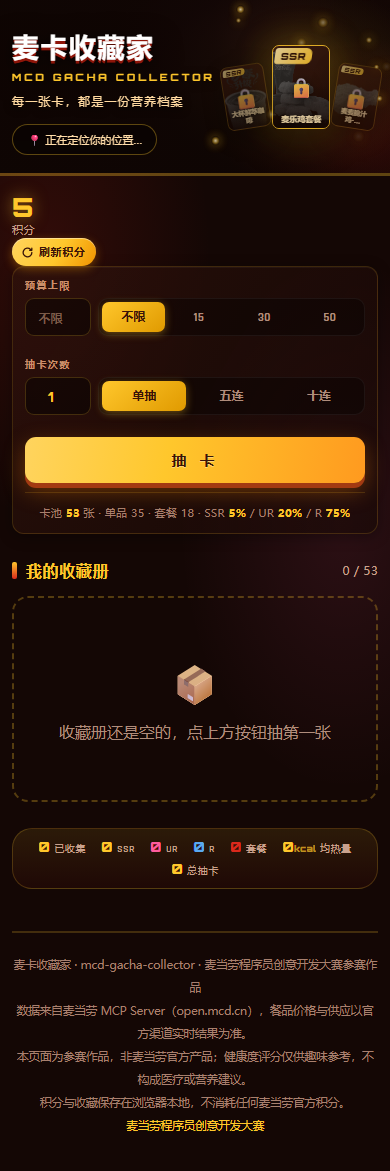
How many draw opportunities do I have left?The Skill reads the points in the local ledger and returns the currently available count and the next automatic restoration time. These points are only this project's local gamification mechanism and have no connection to the official McDonald's points account.
Safely Creating a Real Order
When you draw a card you like or directly request a purchase, the project does not create an order immediately. Instead, it uses a mandatory second-confirmation process:
- Select a store and a purchasable item or set meal.
- Call
calculate-priceto obtain the real-time price and available pickup methods. - Generate a one-time
quoteTokenvalid for 15 minutes. - Display the price-calculation result to the user and wait for explicit confirmation.
- The backend validates the Token and, if successful, calls
create-order. - Return the order number and payment link.
create-order must include takeWayCode, which should be obtained from the takeWayList returned by calculate-price. Do not guess or omit it, or the request may return 400.
Individual items may not be orderable on their own in the tested menu. The 96 individual items recorded in the README all had
canWithOrderset to false, so the 18 set-meal cards are the main orderable items. Individual-item cards can still be used for collection and nutrition display.
Command-Line Experience Without a Token
The repository includes sample_data, allowing you to validate the complete draw logic offline first. Enter the script directory:
cd skills/mcd-gacha-collector/scriptsInspect Card-Pool Distribution
python gacha.py sample_data --inspect --budget 50This command inspects the sample card pool with a 50-yuan budget and is useful for confirming the cards available for drawing and their rarity distribution.
Single and Ten-Card Draws
python gacha.py sample_data --draw 1 --budget 50 --ledger /tmp/ledger.json
python gacha.py sample_data --draw 10 --budget 50 --ledger /tmp/ledger.json
--ledger specifies the ledger path. Reusing the same file preserves points and collection records.
View Collection Statistics
python gacha.py sample_data --collection --ledger /tmp/ledger.jsonSimulate Probability Distribution
python gacha.py sample_data --simulate 100 --seed 42The sample target distribution is SSR 5%, UR 20%, and R 75%. --seed 42 makes random results reproducible, which is useful for debugging and comparing output before and after algorithm changes.
Render Card HTML
python render.py /tmp/ledger.json --out /tmp/cards.html --last-draw 1The renderer outputs the ledger data as a single-file HTML document, making it easy to view the cards from the latest draw in a browser.
Run the Self-Tests
python selftest.pyThe core logic includes 105 self-tests. Run this command again after modifying the scoring, points, rarity, or card-draw code.
Understanding Health Scores and Rarity
A product's health score is calculated using weighted values across three dimensions:
- Protein density: 35%.
- Low-calorie score: 40%.
- Low-sodium score: 25%.
Rarity uses a relative grading approach, with percentile thresholds based on the current data distribution. This prevents a store from having no SSR items simply because it lacks high-scoring products such as coffee. In one README test pool, applying percentiles resulted in 3 SSR, 7 UR, and 13 R cards.
Combos do not directly use the weights for individual products because their total calorie count is naturally higher. The project uses a separate algorithm for combos: protein density 40%, sodium density 35%, and calorie load 25%, with percentile thresholds calculated independently.
Health scores and rarity are for fun comparisons only and do not constitute medical, nutritional, or other professional advice.
Advanced Development and Troubleshooting
Parse MCP Nutrition Data Correctly
list-nutrition-foods may return data as a CSV string rather than a JSON array. The project provides dedicated parse_nutrition_csv parsing logic. When extending the client, do not assume it is always a list.
Unwrap the structuredContent Envelope
MCP business data may be located in structuredContent.data, and its value may still be a dictionary, list, or string. When processing a response, first unwrap the outer envelope, then dispatch to a parser based on the actual type.
Keep Frontend and Backend Algorithms Consistent
The web version uses build-time computation: tools/gen_web_data.py generates the data, and web/build.py inlines it into a single-file page. The frontend does not reimplement a separate scoring algorithm, reducing the risk of inconsistent results between the two sides.
After modifying data generation, field mappings, or the web template, run tools/parity_check.py. The repository records 99 consistency checks covering HTML, JavaScript, card-pool distribution, and field alignment.
Verify Backend Store Parsing
The backend is located in the server directory and uses the Python standard library to implement IP geolocation, the MCP client, and the ordering interface. Store-parsing logic has 15 additional assertions. Together with 105 Skill self-tests and 99 web checks, the project records 219 assertions in total.
Do Not Rely on Store Coordinates
According to the README test results, the latitude and longitude fields returned by query-nearby-stores may all be 0.0. A more reliable strategy is to obtain the city from the IP first, then search by city and location keywords, and sort using the distance returned by the interface.
Distinguish Display Cards from Orderable Cards
Meals shown in the menu cannot necessarily be purchased independently. When building purchasing functionality, check the orderable status returned by MCP and guide users toward valid combos first. Do not assume that a card can be used to create an order simply because it can be displayed.
Protect Tokens and Order Operations
- Inject tokens through environment variables whenever possible.
- Do not write a real token into
mcp-config.example.json. - Always recheck the price before placing an order.
- Validate the one-time
quoteTokenand its expiration. - Call
create-orderonly after the user has explicitly confirmed. - Handle test orders carefully and confirm whether they need to be canceled promptly.
Who Is It For?
- Developers who want to learn the McDonald's MCP calling workflow.
- Practitioners who want to develop WorkBuddy Agent Skills.
- Users who enjoy card collecting, card draws, and collection-book gameplay.
- Office workers or students who want a lightweight way to compare meal calories and nutritional composition.
- Engineers who need to study MCP data parsing, price verification, and secure ordering workflows.
Summary
McDonald's Card Collector connects menu queries, nutrition comparisons, card draws, collection, and real ordering into one complete workflow. First-time users can explore the interface through the online page, then run command-line tests with sample data. Once the logic is verified, configure a McDonald's MCP token and install the Skill in WorkBuddy.
In actual use, pay particular attention to data-format differences, store-interface limitations, combo orderability, and the secondary confirmation mechanism. All prices, availability, and meal information should be based on the latest results from official McDonald's channels.