

- Monthly visits
- 0
- Pricing
- Free & Paid
- Listed
- 2026-03-02
- Updated
- 2026-03-31
01Product Positioning
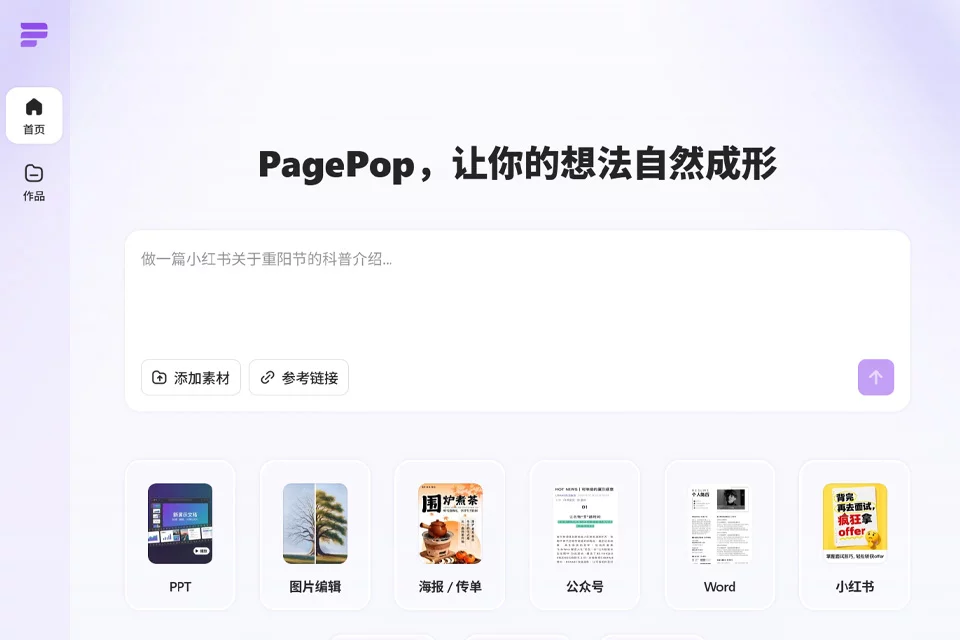
PagePop brings content ideation, visual generation, and layout processing together in one tool. Users primarily describe their needs in natural language, and can also provide text, web links, images, or reference images as input.
It covers social media content, office documents, e-commerce visuals, and spatial renderings. Its focus is everyday content production and design assistance rather than replacing all professional design software.
02Key Features
It can generate formatted posters, Xiaohongshu posts, and WeChat articles from text prompts. It also provides image editing features, including text replacement, background repair, watermark removal, and canvas expansion.
For documents, users can submit plain text or web links to generate formatted Word reports. For e-commerce and spatial design, it can generate multi-angle product images, floor plans, and interior design renderings.
03Use Cases
Social media creators can use it to organize topic content and produce posts for social platforms, reducing the work required for image selection and layout. E-commerce operators can use it to create product images, product detail page assets, and promotional posters.
Office professionals can try it to enhance documents such as reports and proposals. Users without experience in professional design software can also use it to create basic visual content such as flyers, invitations, and social media posters.
04Usage Notes
Before generating content, describe the topic, publishing platform, dimensions, style, and key information as clearly as possible. When using images or reference images, also confirm that the assets are suitable for the intended use. Generated results may contain inaccurate text, layouts, proportions, or details, so each element should be checked and adjusted manually before publication or delivery.
PagePop offers free and paid usage options. The latest product page should be consulted for current quotas, feature availability, and billing rules.
© Disclaimer: domains and linked content may change over time. AIEZZ does not control third-party websites. Review external content and risks independently.
User reviews0