

- Monthly visits
- 0
- Pricing
- Free & Paid
- Listed
- 2026-04-20
- Updated
- 2026-04-24
01Product Positioning
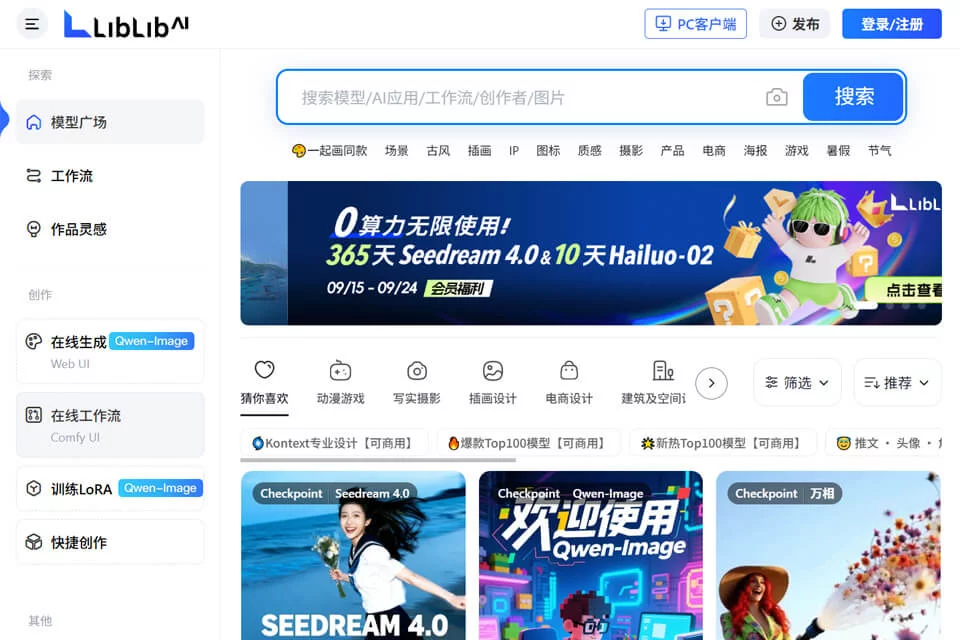
liblib AI combines an online AI drawing tool with a model-sharing community for users who need to quickly generate and explore visual content. The platform uses an interface similar to Stable Diffusion WebUI and provides model browsing, work publishing, and community interaction features.
It offers both free and paid options, making it suitable for individuals working in visual design, content creation, or AI art learning.
02Key Features
The platform supports text-to-image, image-to-image, and image post-processing, with both WebUI and ComfyUI interfaces. Its model library covers photography, anime, 3D, Chinese-inspired styles, and more, allowing users to choose models based on their creative needs.
Users can also upload personal images to train LoRA models and create personalized content using presets such as portraits or art styles. Video features support text-to-video and image-to-video generation, producing clips up to 10 seconds long. The prompt tool can help optimize and translate Chinese prompts.
03Use Cases
Designers and artists can use it to create concept sketches, illustrations, and character designs for early-stage ideation and visual direction exploration. Architecture and industrial design professionals can use it for proposal sketches and preliminary form studies.
Content creators can generate article illustrations or social media visuals, while anime and game enthusiasts can experiment with character, environment, and style creation. For AI art beginners, the familiar interface and model community can also support learning about different workflows.
04Usage Considerations
Generation quality depends on the model, prompts, reference images, and parameter settings. The same description may produce significantly different results with different models, so outputs should be reviewed and edited before formal use.
Models and works on the platform come from different creators. Check each model's documentation and usage rules before using it. Video generation focuses on short clips and supports up to 10 seconds; complex scenes or continuous narratives may still require multiple generations and post-processing.
© Disclaimer: domains and linked content may change over time. AIEZZ does not control third-party websites. Review external content and risks independently.
User reviews0