
- Monthly visits
- 0
- Pricing
- Free & Paid
- Listed
- 2026-08-13
- Updated
- 2026-08-13
01What Is Note Sync Assistant
Note Sync Assistant is a note synchronization service built on the WeChat ecosystem. With just a forward, you can sync articles, videos, attachments, chat histories, and saved items viewed in WeChat to your own note-taking app. It supports articles and multi-image carousel posts from WeChat Official Accounts, Zhihu, and Xiaohongshu, preserving the original formatting and source while importing them completely into your notes; useful videos from WeChat Channels, Douyin, Bilibili, YouTube, and other platforms are transcribed by AI into text-and-image notes, with key frames saved as images and the original explanations preserved as text; posts from X and Weibo can also be saved in a structured format together with key replies. The product supports mainstream note-taking apps such as Obsidian, Notion, Siyuan, and OneNote.
02Key Features of Note Sync Assistant
One-click article clipping: Save articles and images from WeChat Official Accounts, Zhihu, and other platforms with one click. AI organizes them into structured notes while preserving the original formatting and source.
Xiaohongshu / Xiaolvshu image-and-text saving: Multi-image carousel posts are imported completely into your notebook, including the title and body text in their original order.
WeChat content archiving: Chat histories, screenshots, documents, and saved items are synced to your notebook and automatically organized by time and source.
AI video transcription: Videos from WeChat Channels, Douyin, Bilibili, X, YouTube, and other platforms are transcribed into text-and-image notes, preserving key-frame screenshots, verbatim transcripts, and key points.
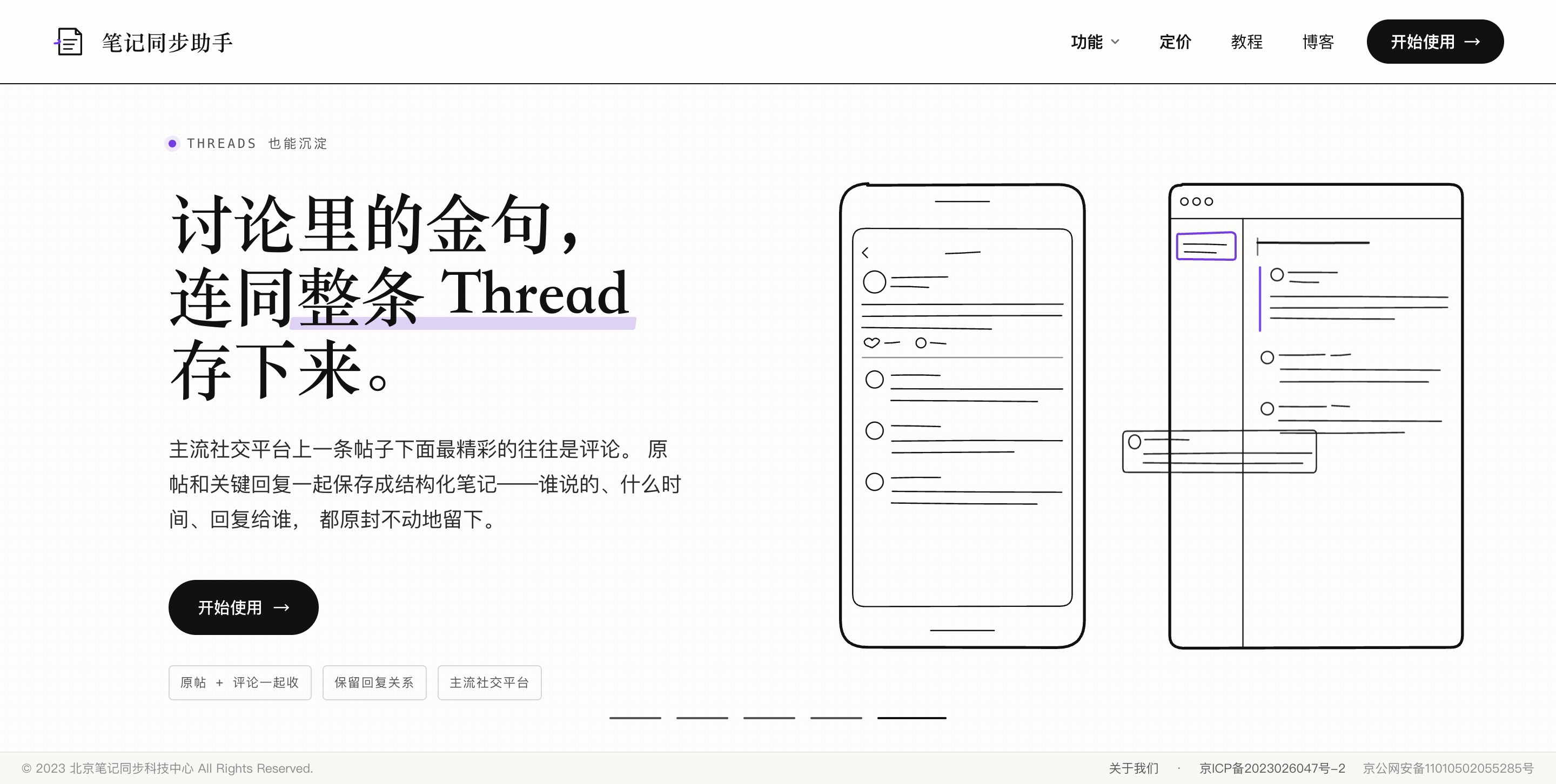
Structured X / Weibo saving: Original posts and key replies are saved together, preserving the speakers, timestamps, and reply relationships.
Support for multiple note-taking apps: Supports mainstream note-taking applications such as Obsidian, Notion, Siyuan, and OneNote.
Minimalist workflow: Built on the WeChat ecosystem—just forward content to sync it, with no manual copying and pasting required.
03How to Use Note Sync Assistant
Visit the platform: Open the official Note Sync Assistant website https://www.bijitongbu.com/ and click Get Started.
Add the WeChat assistant: Add “Note Sync Assistant” in WeChat as the entry point for sending content.
Link your note-taking app: Follow the instructions to link the note-taking app you want to use—Obsidian, Notion, Siyuan, or OneNote (Obsidian requires installing the corresponding plugin from the Community Plugins marketplace).
Customize sync settings (optional): Specify the target notebook, folder path, and note-naming template.
Forward content: When you find a useful article, video, or post, forward it directly to the WeChat assistant; chat histories and saved items can be selected in bulk by long-pressing and then forwarded together.
Wait for AI processing: Articles are automatically organized by AI into structured notes, while videos are automatically transcribed by AI into text-and-image notes (including key-frame screenshots, verbatim transcripts, and key points).
View in your notes: Open your note-taking app. The content will already be organized by time and source, ready to search and revisit.
04Core Advantages of Note Sync Assistant
Minimal operation: Built on the WeChat ecosystem, it syncs with a single forward—no copying and pasting or opening other apps required.
Coverage of all content types: Articles, images, videos, chat histories, documents, and saved items—all common content types in one solution.
Support for content across platforms: Works with mainstream platforms including WeChat Official Accounts, Zhihu, Xiaohongshu, WeChat Channels, Douyin, Bilibili, X, Weibo, and YouTube.
AI-powered: Articles are organized automatically, while videos are automatically transcribed into text-and-image notes (screenshots + verbatim transcripts + key points), eliminating manual note-taking.
Format fidelity: Preserves the original layout, image order, and source information. X and Weibo posts can also retain reply relationships, so context is not lost.
Compatibility with multiple note-taking apps: Supports mainstream note-taking apps such as Obsidian, Notion, Siyuan, and OneNote, with zero migration costs.
Long-term knowledge base: Scattered information is structured and consolidated, making it searchable and easy to revisit whenever needed.
05Use Cases for Note Sync Assistant
Everyday reading and clipping: When you come across useful articles or images on WeChat Official Accounts or Zhihu, forward them with a tap and build a reading library you can revisit.
Collecting inspiration from social platforms: When you find useful or product-recommendation multi-image carousel posts on Xiaohongshu or Xiaolvshu, save them completely with one click instead of saving images one by one.
Retaining work communications: Important notifications, documents, screenshots, and chat histories from WeChat work groups are synced and archived for future reference.
Video learning notes: When you find tutorials or useful videos on WeChat Channels, Douyin, Bilibili, or YouTube, AI automatically transcribes them into text-and-image notes for convenient review.
Archiving social discussions: High-quality posts and valuable discussion threads on X and Weibo are saved in a structured format together with their reply relationships.
Organizing fragmented information: Memorable quotes, screenshots, and saved items scattered across WeChat no longer remain buried in chat histories—they are all collected in one notebook.
06Frequently Asked Questions About Note Sync Assistant
A: It supports mainstream note-taking applications such as Obsidian, Notion, Siyuan, and OneNote. Obsidian users need to install the corresponding plugin from the Community Plugins marketplace; OneNote currently supports only the international version.
Q: How do I use it?
Q: Can I specify which notebook to sync to?
Q: How are videos turned into notes?
© Disclaimer: domains and linked content may change over time. AIEZZ does not control third-party websites. Review external content and risks independently.
User reviews0