

- Monthly visits
- 0
- Pricing
- Free & Paid
- Listed
- 2026-07-22
- Updated
- 2026-08-25
01Introduction to MiniMax Agent
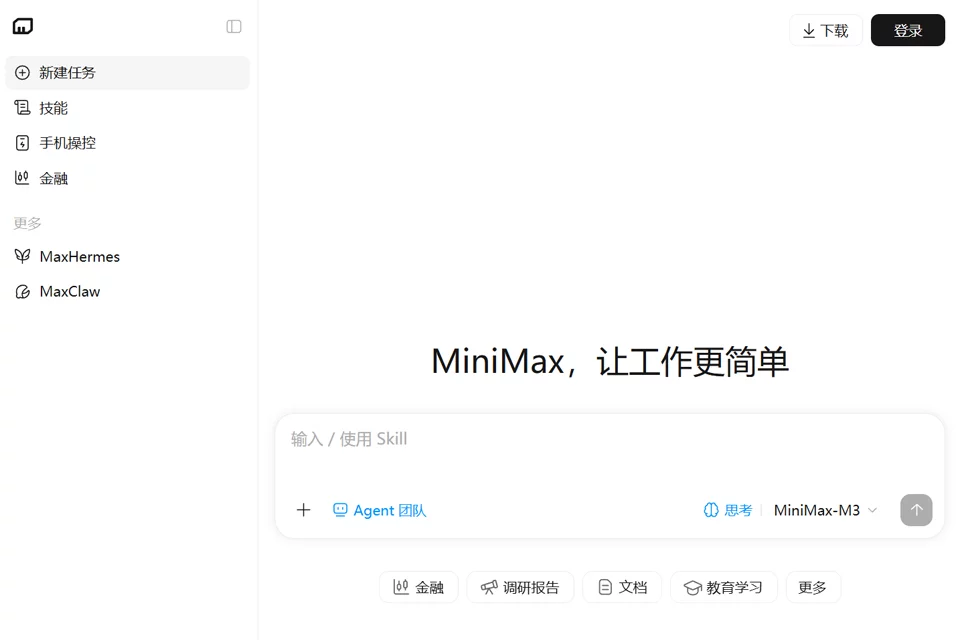
MiniMax Agent is an agent workspace centered around tasks. After logging in, users can create new tasks, select scenarios such as finance and research reports, use plugins, or connect their phones to complete work. The product also supports remembering user preferences, building Agent teams, and provides a desktop download entry for handling repetitive work.
02Who Is MiniMax Agent For
Everyday office users
Create new tasks to handle everyday work and let the product remember usage preferences to reduce repetitive operations.
Research and analysis professionals
Use research report and finance scenario entries to organize tasks around specific topics and obtain results.
Workflow automation users
Build Agent teams and divide repetitive work into multiple tasks for organization and processing.
Plugin users
Call plugins during tasks to expand the work scenarios that the web-based agent can handle.
03Main Features of MiniMax Agent
Create new tasks
Describe the work to be completed through a task-based entry and enter the corresponding agent workflow, making it suitable for organizing everyday work.
Plugins
Use plugins in MiniMax Agent to handle tasks, making it suitable for work scenarios that require additional tools or capabilities.
Phone connection
Connect mobile devices to the product through the phone connection entry, making it suitable for tasks that need to be completed with a phone.
Finance scenario
Provides a finance task entry where users can start organizing work from a relevant scenario and submit specific requirements.
Research reports
Provides a research report entry where users can create tasks around research topics and carry out related work.
Agent teams
Supports building Agent teams and organizing different tasks for handling repetitive work.
Preference memory
The product can remember user preferences to help continuously handle everyday tasks and repetitive work.
04MiniMax Agent Highlights
Task-based entry
Uses new task creation as the primary entry point, covering different work scenarios such as everyday tasks, finance, and research reports.
Agent teams
Users can build Agent teams and organize multiple agents into their workflows, distinguishing the product from a single-task entry point.
Phone connection
The page provides a phone connection entry, allowing task processing to extend beyond a single operation in the web interface.
Desktop extension
In addition to the web entry point, the product page provides a desktop download entry so users can obtain the desktop version.
05Sources
© Disclaimer: domains and linked content may change over time. AIEZZ does not control third-party websites. Review external content and risks independently.
User reviews0