
- Monthly visits
- 0
- Pricing
- Not set
- Listed
- —
- Updated
- 2026-11-07
01What is rea-video
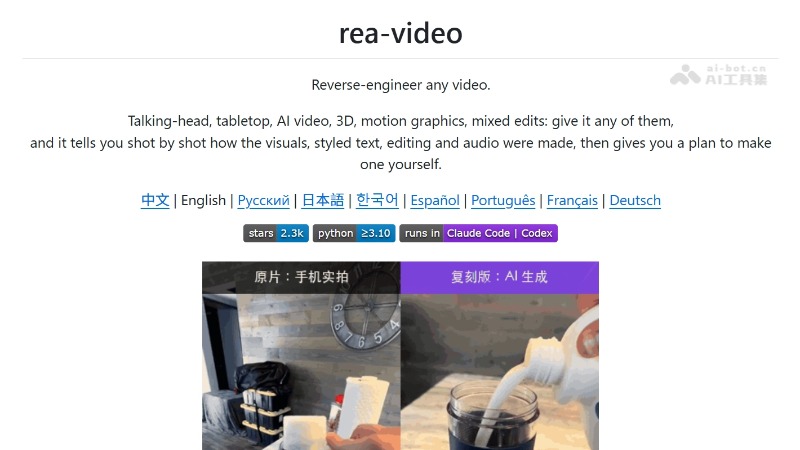
rea-video is an open-source AI video reverse-engineering tool designed for AI Agents. It determines shot by shot whether footage is live-action, AI-generated, or code-based motion graphics, breaking down camera setup and lighting, subtitle styles, editing rhythm, and audio composition. It outputs shot-by-shot reports and recreation plans, can reverse-engineer shot prompts, and works with recreation tools to replace products or people and create new videos. Locally, it requires ffmpeg and Python 3.10+; accuracy improves after connecting a vision model.
02Key features of rea-video
Video type detection: Determines shot by shot whether footage is live-action, AI-generated, 3D-rendered, code-based motion graphics, or screen-recorded, then splits and reconstructs mixed edits by segment.
Production method analysis: Outputs camera and lighting setups, camera movements, and color grading, or reverse-engineers prompts and required reference assets for each AI-generated shot.
Subtitle and decorative element extraction: Provides start and end times, colors, outlines, and entrance effects for each subtitle line; exports SRT/ASS; and locates stickers, emojis, and picture-in-picture elements with their durations.
Editing and audio analysis: Marks cut points, editing rhythm, and their relationship to musical beats; identifies human speech or AI voice-over, AI-generated or library music, BPM, and sound-effect placement.
Recreation plan generation: Organizes shots in batches into a generation plan based on the capabilities of the target video model, distinguishes what requires live action, generation, or code, and outputs an HTML report with shot-by-shot screenshots.
03How rea-video works
Follow WeChat and reply “开源” to join the AI open-source project group
Shot segmentation: First detects shot boundaries and splits the video using actual timestamps, aligning cut points to real frame times for variable-frame-rate videos. It also separates the audio track into speech, music, and sound effects to prepare for evidence collection by type.
Multimodal evidence collection: At the quantitative level, it measures frame rhythm, sensor noise, whether the entire image moves as a single plane, and AIGC tags in the metadata. At the visual level, a model checks hands, text, and physical plausibility. At the auditory level, it analyzes BPM and key and distinguishes singing from speech.
Evidence-priority decisions: Hard evidence takes priority over model intuition based on what something “looks like.” When the two types of conclusions conflict, the result is marked uncertain and sent to the Agent for visual review, minimizing misclassification.
Recreation planning based on model capabilities: The built-in capability matrix for video, image, and audio models is used to batch shots into a plan that minimizes the number of generations and determines whether a segment should be generated with a video model or rebuilt by having an LLM write Blender/Three.js/Remotion code.
Agent-driven architecture: The project is provided as a CLI plus Skill for Agents such as Claude Code and Codex. It can run without a video model; after connecting Gemini or Doubao, it can automatically rewrite prompts for each shot, improving both accuracy and automation.
04How to use rea-video
Prepare the environment: Install ffmpeg and Python 3.10+ on your computer.
Choose an Agent: Use Claude Code, Codex, or any AI Agent that can execute commands.
Install the project: Tell the Agent “Install https://github.com/JuneYaooo/rea-video” to complete the installation automatically.
Start the analysis: Tell the Agent “Analyze this video /path/to/video.mp4″” and it will run the full workflow.
Connect a vision model: Provide the Agent with the API endpoint and Key for Gemini or Doubao for more accurate shot-by-shot analysis and prompt reverse-engineering. Without one, the Agent directly reviews uncertain shots by looking at the images.
View the results: You will receive a one-sentence summary, a recreation plan divided into “live action/generation/code,” and a report.html containing shot-by-shot screenshots and audio analysis.
Continue recreating: Give the report to tools such as cheap-claude-video or Hypit to generate a new version with replacement elements based on the recipe.
05Core advantages of rea-video
Broad coverage: Analyzes live action, AI generation, 3D animation, code-based motion graphics, screen recordings, and mixed edits, judging each segment of mixed videos independently.
Evidence-driven: Prioritizes hard evidence such as frame rhythm, sensor noise, and AIGC metadata over model intuition, sending conflicts to the Agent for review. According to the official self-test, accuracy on original videos is approximately 99%.
Outputs ready-to-use recipes: Provides conclusions along with camera and lighting checklists, reverse-engineered prompts, and recreation plans organized in batches according to model capabilities, so the results can be followed directly.
Fine-grained analysis: Quantifies subtitle timing and styles, sticker positions, cut-point relationships with musical beats, human speech or AI voice-over, and BPM.
Agent-native: Integrates with Agents such as Claude Code and Codex as a CLI+Skill, automatically installing the environment and running the full workflow from a single command.
06rea-video project repository
GitHub repository: https://github.com/JuneYaooo/rea-video
07Use cases for rea-video
E-commerce video recreation: Break down the camera setups, shot composition, and subtitle rhythm of high-performing product videos, then replace the products with your own and produce similar videos in batches.
MCN competitor research: Analyze competitor video composition shot by shot, including the proportion of live action, AI-generated segments, and code-based motion graphics, to understand production costs and workflows.
More efficient AI short-film creation: Reverse-engineer the prompts and generation parameters for AI short films you like, eliminating the trial-and-error cost of figuring them out yourself.
Mixed-content analysis: Determine the production method segment by segment for mixed videos featuring “live action+AI characters+screen recordings,” then reconstruct your own version along the original timeline.
Educational and motion-graphics reproduction: Convert 3D educational and code-based motion-graphics videos into Blender/Remotion reconstruction approaches and reproduce similar effects at lower cost.
© Disclaimer: domains and linked content may change over time. AIEZZ does not control third-party websites. Review external content and risks independently.
User reviews0